
Introduction
This manual provides essential information for the safe and efficient operation of your BLACK+DECKER 500-Watt Power Inverter. Please read all instructions carefully before use and retain this manual for future reference.
The BLACK+DECKER 500-Watt Power Inverter converts 12V DC power from your vehicle's battery into 120V AC household power, allowing you to operate various electronic devices and small appliances on the go. It is designed for use in cars, boats, and recreational vehicles.
Safety Information
Always observe the following safety precautions to prevent injury or damage to the inverter or connected devices:
- Do not open the inverter casing. There are no user-serviceable parts inside.
- Ensure proper ventilation around the inverter during operation.
- Do not expose the inverter to water, rain, or excessive moisture.
- Connect the inverter only to a 12V DC power source.
- Avoid connecting appliances that exceed the inverter's 500-watt continuous power rating.
- Keep out of reach of children.
Package Contents
Upon opening the package, verify that all components are present:
- BLACK+DECKER 500-Watt Power Inverter
- DC plug (cigarette lighter adapter)
- Battery terminal clamps
- User Manual (this document)

Image: The BLACK+DECKER 500-Watt Power Inverter shown with its included DC plug and battery terminal clamps, which are used for connecting to a 12V power source.
Setup
Before connecting the inverter, ensure your vehicle's engine is off and the parking brake is engaged.
Connecting via DC Plug (Cigarette Lighter Socket)
- Insert the DC plug firmly into your vehicle's 12V accessory socket.
- Ensure the inverter's power switch is in the "OFF" position before connecting any devices.
- This connection method is suitable for loads up to 100 watts. For higher loads, use the battery terminal clamps.
Connecting via Battery Terminal Clamps
This method is recommended for loads exceeding 100 watts, up to the inverter's maximum continuous output.
- Connect the red (positive) clamp to the positive (+) terminal of your vehicle's 12V battery.
- Connect the black (negative) clamp to the negative (-) terminal of your vehicle's 12V battery.
- Ensure connections are secure and free from corrosion.
- Ensure the inverter's power switch is in the "OFF" position before connecting any devices.

Image: The front panel of the BLACK+DECKER 500-Watt Power Inverter, featuring two standard AC outlets and two USB charging ports, along with the power button.
Operating Instructions
- After connecting the inverter to the 12V power source, press the "ON/OFF" button to power on the inverter. The indicator light will illuminate.
- Plug your AC-powered device into one of the inverter's AC outlets.
- For USB charging, connect your USB device to one of the inverter's USB ports.
- When finished, turn off the inverter by pressing the "ON/OFF" button, then disconnect your devices and the inverter from the power source.
Typical Applications
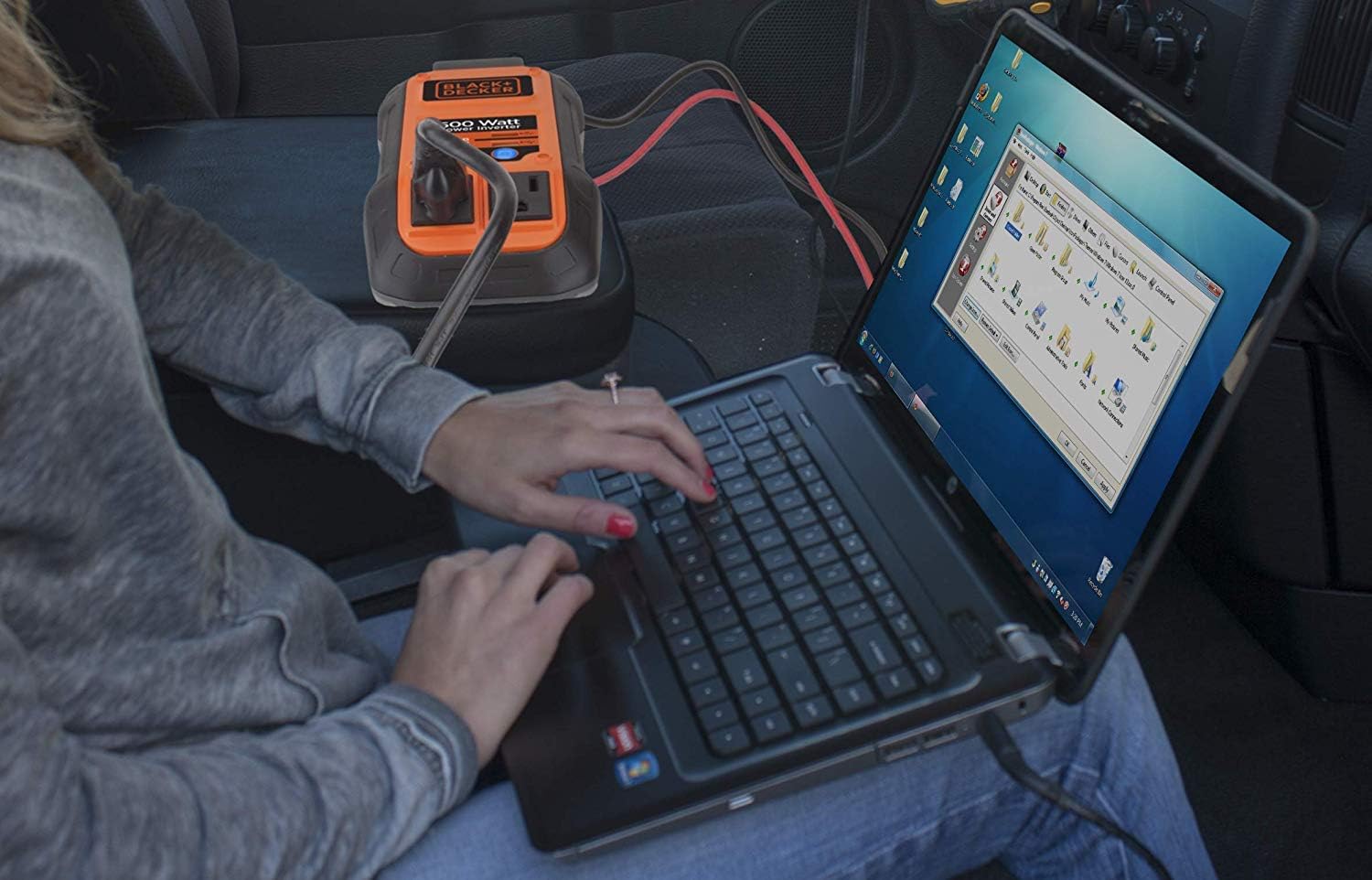
Image: A user operating a laptop, which is powered by the BLACK+DECKER 500-Watt Power Inverter, demonstrating its use for mobile productivity.

Image: A man using an electric car polisher, powered by the BLACK+DECKER 500-Watt Power Inverter, illustrating its capability to run small power tools.
Maintenance
The BLACK+DECKER 500-Watt Power Inverter requires minimal maintenance. Follow these guidelines to ensure optimal performance and longevity:
- Cleaning: Periodically wipe the exterior of the inverter with a soft, dry cloth. Do not use abrasive cleaners or solvents.
- Ventilation: Ensure the cooling fan and ventilation openings are clear of dust and debris. Blocked vents can lead to overheating.
- Storage: When not in use, store the inverter in a cool, dry place, away from direct sunlight and extreme temperatures.
- Connections: Regularly inspect the DC plug and battery clamps for signs of wear, corrosion, or damage. Replace if necessary.
Image: A side view of the BLACK+DECKER 500-Watt Power Inverter, highlighting the integrated cooling fan, essential for maintaining optimal operating temperature.
Troubleshooting
If you encounter issues with your power inverter, refer to the following table for common problems and solutions:
| Problem | Possible Cause | Solution |
|---|---|---|
| Inverter does not turn on. | No power from 12V source; loose connection; blown fuse in vehicle. | Check 12V connection; ensure vehicle's accessory socket is active; check vehicle's fuse box. |
| Inverter shuts down during operation. | Overload; overheating; low battery voltage. | Reduce connected load; ensure proper ventilation; check vehicle battery voltage. |
| Connected device does not work. | Device power consumption too high; device faulty. | Verify device power requirements are within inverter limits; test device with another power source. |
If the problem persists after attempting these solutions, contact customer support.
Specifications
| Feature | Detail |
|---|---|
| Model Name | PI500B |
| Item Model Number | 500W |
| Continuous Power Output | 500 Watts |
| Input Voltage | 12V DC |
| Output Voltage | 120V AC |
| USB Output | 3.1 Amp (Total) |
| Power Source | Battery Powered |
| Recommended Uses | Boat, Car, Recreational Vehicle |
| Color | Black |
| Item Weight | 0.952 ounces |
| Manufacturer | Black & Decker |
Warranty and Support
For warranty information or technical support, please refer to the official BLACK+DECKER website or contact their customer service department. Keep your purchase receipt as proof of purchase.
Contact Information:
- Visit the official BLACK+DECKER website for support resources.
- Refer to the packaging or product registration card for specific customer service phone numbers.


