
1. Introduction
This manual provides detailed instructions for the installation, operation, and maintenance of your Alpine KTP-600 4-Channel Compact Digital Power Amplifier. The KTP-600 is designed to enhance your vehicle's audio system with its compact size and high-performance digital circuitry, delivering clear and powerful sound. Please read this manual thoroughly before installation and use to ensure proper function and safety.
2. Safety Information
WARNING: Improper installation or use can lead to serious injury or damage to your vehicle. Always consult with a qualified professional for installation if you are unsure.
- Ensure the vehicle's battery is disconnected before starting any electrical work.
- Protect all wiring from sharp edges and heat sources.
- Do not install the amplifier in locations where it may be exposed to direct sunlight, excessive heat, moisture, or dust.
- Ensure adequate ventilation around the amplifier to prevent overheating. Prolonged high-volume use may cause the unit to generate significant heat.
- Use fuses of the specified rating only.
- Do not attempt to disassemble or modify the unit. Refer all servicing to qualified personnel.
3. Package Contents
Verify that all items listed below are included in your package:
- Alpine KTP-600 4-Channel Compact Digital Power Amplifier Unit
- Speaker Cord (1.5 m) × 1
- Power Supply / Speaker Cord (1.5 m) × 1
- Power Supply Extension Cord (3.5 m) × 1
- PIN Connection Code (1.5 m) × 2
- Velcro Tape × 1
- Giboshi Terminal (Male / Female) × Each 4
- Japanese Instruction Manual (Refer to this English manual for detailed instructions)
4. Setup and Installation
The Alpine KTP-600 is designed for flexible installation due to its compact size. It can be installed in various locations such as under seats or within the console.
4.1 Mounting the Amplifier
Choose a mounting location that is dry, well-ventilated, and away from direct heat sources. Use the provided Velcro tape or other suitable mounting hardware to secure the amplifier firmly to prevent movement during vehicle operation.

Image 1: Top view of the Alpine KTP-600 amplifier, illustrating its compact form factor and layout of connection terminals.
4.2 Wiring Connections
The KTP-600 supports both RCA (low-level) and speaker (high-level) inputs, allowing compatibility with a wide range of head units. All necessary cables for installation are included.
- Power Connection: Connect the power supply cord to the vehicle's battery (positive terminal) and a suitable ground point (negative terminal). Ensure an inline fuse is installed close to the battery.
- Speaker Connections: Connect your speakers to the amplifier's speaker outputs using the provided speaker cords. Ensure correct polarity for each speaker.
- Input Connection:
- RCA Input: If your head unit has RCA pre-outs, use the PIN connection codes to connect them to the amplifier's RCA inputs.
- Speaker Level Input: If your head unit does not have RCA pre-outs, connect the head unit's speaker outputs directly to the amplifier's high-level inputs using the speaker cord.
- Remote Turn-On: Connect the remote turn-on wire from your head unit to the amplifier's remote input. This will turn the amplifier on and off with your head unit.
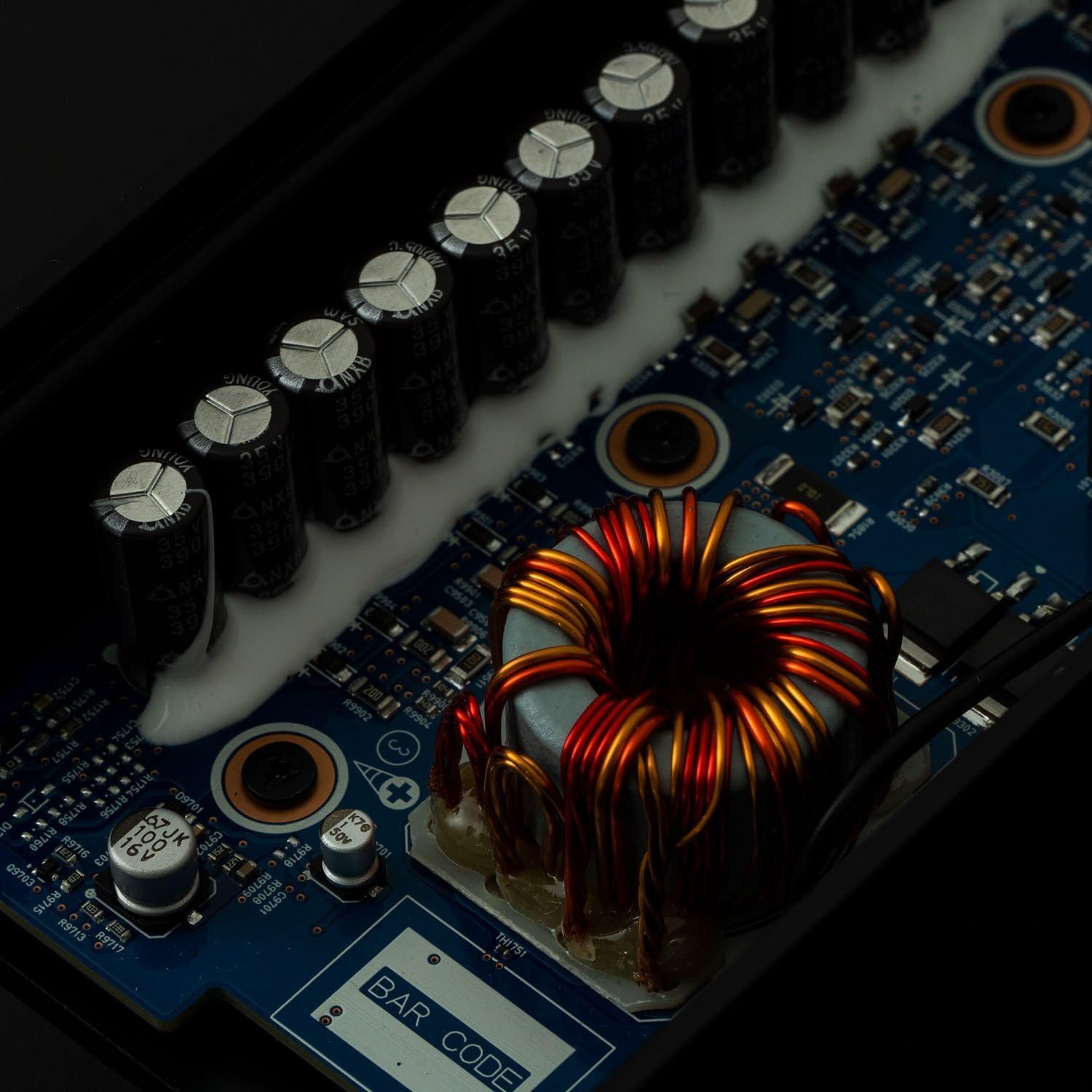
Image 2: Internal view of the Alpine KTP-600 circuit board, highlighting the digital components responsible for sound processing and power delivery.
4.3 Gain Adjustment
The amplifier features gain adjustment controls to match the output level of your head unit. Proper gain setting is crucial for achieving clear sound without distortion.
- Start with the amplifier's gain control set to its minimum position.
- Turn your head unit volume up to about 75-80% of its maximum level.
- Slowly increase the amplifier's gain control until you hear slight distortion, then back it off slightly until the sound is clear.
- Repeat for all channels if independent gain controls are present.
5. Operating the Amplifier
Once properly installed and configured, the Alpine KTP-600 operates automatically with your vehicle's audio system. When the head unit is turned on, the amplifier will power on, and when the head unit is turned off, the amplifier will power off.
- Volume Control: Adjust the overall volume using your head unit's volume control.
- Sound Quality: The digital circuit design ensures high sound quality. If you experience distortion, re-check your gain settings.
6. Maintenance
The Alpine KTP-600 is designed for reliable operation with minimal maintenance. Follow these guidelines to ensure longevity:
- Keep the amplifier clean and free from dust. Use a soft, dry cloth for cleaning.
- Avoid exposing the unit to moisture or liquids.
- Ensure that the ventilation areas are not blocked to allow for proper heat dissipation.
7. Troubleshooting
If you encounter issues with your Alpine KTP-600 amplifier, refer to the following troubleshooting steps:
7.1 No Sound
- Check all power and ground connections. Ensure they are secure and free from corrosion.
- Verify the remote turn-on wire is connected and receiving power from the head unit.
- Check the inline fuse on the power cable. Replace if blown.
- Ensure input cables (RCA or speaker level) are correctly connected to both the head unit and the amplifier.
- Confirm speaker wires are properly connected and not shorted.
- Adjust the gain control. It might be set too low.
7.2 Distorted Sound
- Reduce the amplifier's gain setting. It may be set too high, causing clipping.
- Lower the head unit's volume.
- Check speaker impedance. Ensure it matches the amplifier's specifications.
- Inspect speaker wires for damage or shorts.
7.3 Amplifier Overheating
The KTP-600 is a compact amplifier and can generate heat, especially during prolonged high-volume operation. If the amplifier frequently enters protection mode due to overheating:
- Ensure the mounting location provides adequate ventilation. Do not cover the amplifier.
- Verify that the amplifier is not installed in an enclosed space without airflow.
- Consider adding external cooling, such as a small fan, or a heatsink if consistent overheating occurs, as noted by some users.
- Check speaker impedance. Running speakers with too low impedance can cause excessive heat.
- Reduce the gain setting to prevent the amplifier from working too hard.
8. Specifications
| Feature | Specification |
|---|---|
| Maximum Output | 90 W × 4 (4 Ω) |
| Rated Output (14.4 V, 4 Ω Load) | 45 W × 4 (<1% THD + N) |
| Bridge Connection (14.4 V, 4 Ω Load) | 90 W × 2 (<1% THD + N) |
| S/N Ratio (IHF A Weighted 4 Ω Load) | 92 dBA |
| Frequency Response | 10 Hz ~ 45 kHz |
| Input Impedance | 20 kΩ or More |
| Input Sensitivity (RCA Input) | 0.03 V to 0.6 V |
| Input Sensitivity (Speaker Input) | 0.5 V to 9 V |
| Operating Power Supply Range | 11 V ~ 16 V (DC) |
| Body Size (W × H × D, Excluding Protrusions) | 180 × 41 × 80 mm |
| Body Weight | 0.7 kg |
| Number of Channels | 4 |
| Material | Metal |
9. Warranty and Support
Alpine products are manufactured to high-quality standards. For information regarding warranty coverage, please refer to the warranty card included with your product or visit the official Alpine website for your region.
If you require technical assistance, troubleshooting beyond this manual, or service, please contact Alpine customer support. Have your product model number (KTP-600) and purchase information ready when contacting support.
You can typically find support contact information on the official Alpine website: www.alpine.com


