
Spectra Precision HV302G-1
SPECTRA PRECISION Green Beam Rotary Laser HV302G-1 User Manual
Model: HV302G-1
1. Introduction
This manual provides comprehensive instructions for the safe and effective operation, setup, maintenance, and troubleshooting of your SPECTRA PRECISION HV302G-1 Green Beam Rotary Laser. Please read this manual thoroughly before using the device to ensure proper functionality and safety.
1.1. Safety Information
The SPECTRA PRECISION HV302G-1 is a Class 3A/3R laser product with a maximum output of 5mW. Always observe the following safety precautions:
- AVOID DIRECT EYE EXPOSURE: Do not stare directly into the laser beam.
- Do not intentionally direct the laser beam at other people or reflective surfaces.
- Use the laser only as described in this manual.
- Keep the device out of reach of children.
- Do not attempt to modify or disassemble the laser unit.
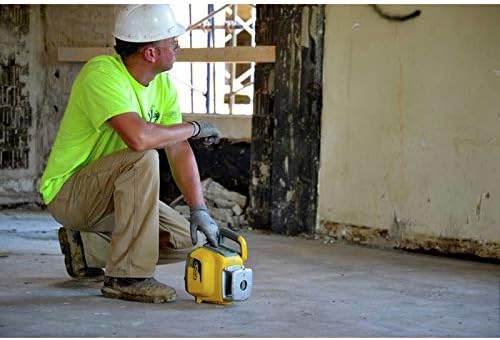
Figure 1.1: Laser Warning Label on the HV302G-1 unit.
2. Product Overview
The SPECTRA PRECISION HV302G-1 is a robust green beam rotary laser designed for various leveling and alignment applications. It features automatic self-leveling and a user-friendly control panel.
2.1. Components and Controls

Figure 2.1: Front view of the HV302G-1 Rotary Laser with control panel.

Figure 2.2: Angled view showing the integrated handle.

Figure 2.3: Top view of the HV302G-1, illustrating the laser head.
The control panel (Figure 2.1) includes buttons for power, rotation speed adjustment, manual mode, and beam positioning. The robust casing provides durability for job site conditions.
3. Setup
3.1. Battery Installation
The HV302G-1 operates on alkaline batteries, which are included. To install or replace batteries:
- Locate the battery compartment on the rear of the unit (refer to Figure 2.4 for general location).
- Open the battery compartment cover.
- Insert the batteries, ensuring correct polarity (+/-).
- Close the battery compartment cover securely.
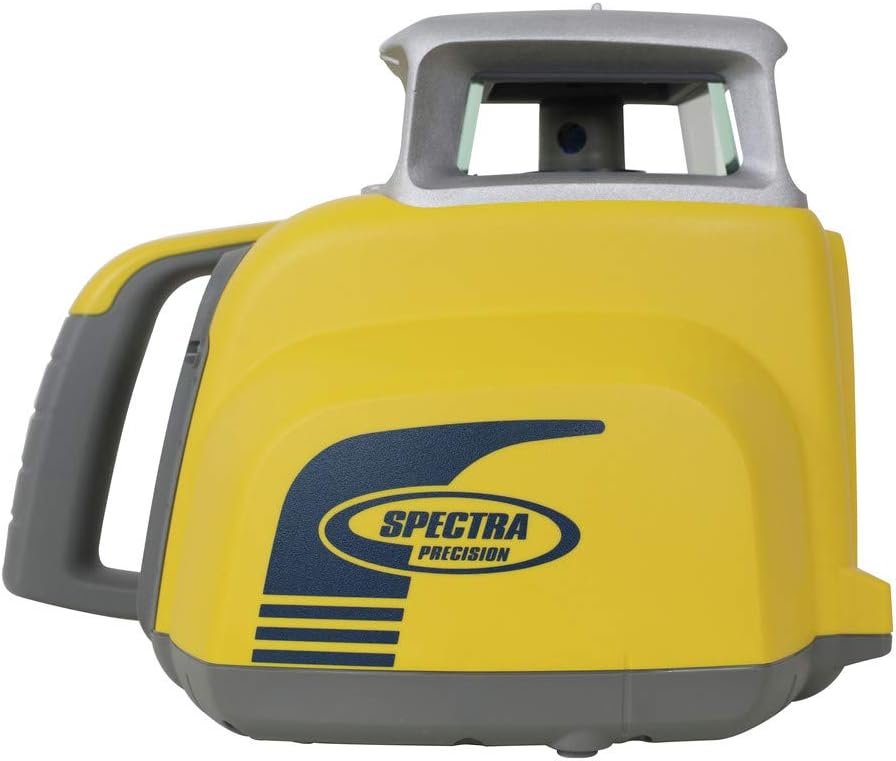
Figure 2.4: Rear view of the HV302G-1, indicating the battery compartment area.
3.2. Mounting the Laser
The HV302G-1 can be mounted on a tripod or various other accessories for different applications.
- Tripod Mounting: Secure the laser to a standard tripod using the threaded mount on the base of the unit.
- Floor/Wall Mounting: For specific applications, the laser can be placed on a floor stand or mounted to a wall bracket (Figures 3.1 and 3.2).
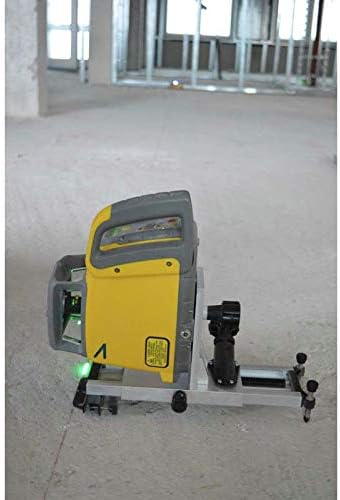
Figure 3.1: HV302G-1 on a floor stand.
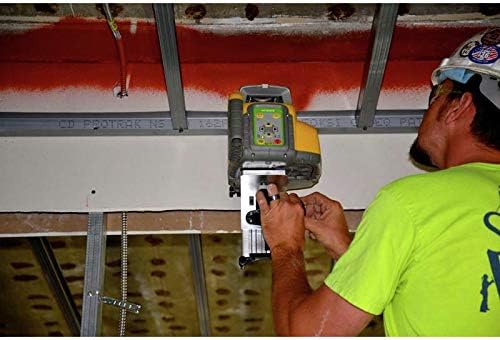
Figure 3.2: HV302G-1 mounted on a ceiling bracket.
4. Operating Instructions
4.1. Powering On and Self-Leveling
- Place the laser on a stable surface or mount it securely.
- Press the ON/OFF button on the control panel (refer to Figure 2.1).
- The laser will automatically begin its self-leveling process. Wait for the laser beam to stabilize, indicating it is level and ready for use.
- If the laser is outside its self-leveling range, an indicator light may flash, or the laser may stop rotating. Adjust the unit's position until it can self-level.
4.2. Operating Modes
The HV302G-1 offers various operating modes to suit different applications:
- Automatic Leveling Mode: The default mode where the laser automatically levels itself for horizontal or vertical applications.
- Manual Mode: Allows for setting slopes or specific angles. Activate manual mode using the designated button on the control panel.
- Rotation Speed Adjustment: Use the rotation speed buttons to increase or decrease the speed of the laser beam rotation.
5. Maintenance
5.1. Cleaning
- Regularly clean the exterior of the laser with a soft, damp cloth.
- Do not use harsh chemicals or abrasive cleaners, as these can damage the casing or optical components.
- Ensure the laser aperture is free from dust and debris for optimal beam clarity.
5.2. Storage
- When not in use, store the HV302G-1 in its protective case in a dry, temperature-controlled environment.
- Remove batteries if the unit will not be used for an extended period to prevent leakage.
6. Troubleshooting
This section addresses common issues you might encounter with your SPECTRA PRECISION HV302G-1. For problems not listed here, please contact customer support.
| Problem | Possible Cause | Solution |
|---|---|---|
| Laser does not power on. | Dead or incorrectly installed batteries. | Check battery polarity. Replace with fresh alkaline batteries. |
| Laser beam is not rotating or flashing. | Unit is out of self-leveling range. | Adjust the laser's position to be within its self-leveling range. Ensure it is on a stable surface. |
| Beam appears dim or unclear. | Dirty laser aperture or lens. | Gently clean the laser aperture with a soft, lint-free cloth. |
| Inaccurate measurements. | Unit not properly calibrated or disturbed during operation. | Ensure the unit has completed self-leveling. If issues persist, contact an authorized service center for calibration. |
7. Specifications
The following are the technical specifications for the SPECTRA PRECISION HV302G-1 Green Beam Rotary Laser:
- Brand: Spectra Precision
- Model Number: HV302G-1
- Part Number: HV302G1
- UPC: 692284012048
- Color: Green
- Style: Laser
- Operation Mode: Automatic
- Special Features: Green-line, Self-leveling
- Laser Class: 3A/3R, max 5mW
- Wavelength: 500-550nm
- Item Weight: 21.6 pounds
- Package Dimensions: 21.75 x 19 x 12 inches
- Batteries Included: Yes
- Batteries Required: No
- Battery Cell Type: Alkaline
- Manufacturer: Trimble
- Date First Available: July 25, 2018
8. Warranty and Support
For warranty information, technical support, or service inquiries regarding your SPECTRA PRECISION HV302G-1, please refer to the warranty card included with your product or visit the official Spectra Precision website. Contact details for customer support are typically available on the manufacturer's website.
For additional resources, you may visit the Spectra Precision Store on Amazon.
Related Documents - HV302G-1
 |
Spectra Precision HV302/HV302G Laser Level User Guide Comprehensive user guide for the Spectra Precision HV302 and HV302G laser levels from Trimble. Covers setup, operation, features, safety, calibration, and troubleshooting for accurate horizontal and vertical measurements. |
 |
Spectra Precision Laser Range: Handy Tips & Advice A comprehensive guide from Laser Levels Online providing handy tips, advice, and basic instructions for operating Spectra Precision Rotary Laser Levels, including models LL100N, HV101, LL300N, LL300S, HV302, HV302G, and GL422N. Covers horizontal and vertical levelling, 90° squaring, charging and battery management, remote control operation, setting slopes and grades, calibration checks, troubleshooting, and care. |
 |
Spectra Precision LR50 & LR50W Laser Receiver User Guide Comprehensive user guide for the Spectra Precision LR50 and LR50W laser receivers, detailing features, operation, installation, maintenance, safety, and specifications for construction and excavation applications. |
 |
Spectra Precision LL1505C Horizontal Laser: User Guide and Operations Comprehensive guide to the Spectra Precision LL1505C horizontal laser, covering controls, peripherals, battery installation, remote control operation, pairing procedures, and various operational modes like standby, manual, mask, and slope modes. |
 |
Spectra Precision HV1305(G)C Horizontal/Vertical Laser: Operation and Features Comprehensive guide to the Spectra Precision HV1305(G)C Horizontal/Vertical Laser, covering controls, peripherals, battery installation, remote control operation (RC1402), receiver pairing (HL760, CR700), and various operating modes like manual, standby, mask, and slope. |
 |
Spectra Precision LP51G and LP51 5-Beam Laser Pointers: Product Overview Discover the new Spectra Precision LP51G (green beam) and LP51 (red beam) 5-beam laser pointers, offering enhanced visibility, competitive pricing, and a 3-year warranty for construction and layout tasks. |
Ask a question about this manual
Ask about setup, troubleshooting, compatibility, parts, safety, or missing instructions. Manuals+ will review the question and use this page’s manual context to help answer it.