Introduction
This manual provides detailed instructions for the setup, operation, and maintenance of your Panasonic 108 cm (43 Inches) 4K Ultra HD LED Smart TV, model TH-43FX600D. Please read this manual thoroughly before using your television to ensure proper and safe operation. Keep this manual for future reference.
Safety Information
Always observe the following safety precautions to prevent electric shock, fire, or damage to the product.
- Do not expose this apparatus to rain or moisture.
- Do not place objects filled with liquids, such as vases, on the apparatus.
- Ensure proper ventilation. Do not block ventilation openings.
- Do not place the TV on an unstable cart, stand, tripod, bracket, or table.
- Unplug the TV from the wall outlet during lightning storms or when unused for long periods.
- Refer all servicing to qualified service personnel.
What's in the Box
Upon unpacking, please verify that all the following components are included:
- 1 LED TV
- 1 Table Top Stand
- 1 User Manual
- 1 Warranty Card
- 1 Remote Control (with 2 AA batteries included)

Image: Front view of the Panasonic 43-inch 4K Ultra HD LED Smart TV.
Setup
1. Attaching the Table Top Stand
If you intend to place the TV on a table, attach the included table top stand. Carefully place the TV screen-down on a soft, clean surface to prevent scratches. Align the stand with the screw holes on the bottom of the TV and secure it with the provided screws.

Image: Angled view of the Panasonic TV with the table top stand attached.
2. Wall Mounting (Optional)
If you plan to wall mount the TV, remove the table top stand (if already attached). Use a VESA-compatible wall mount kit (sold separately) and follow the instructions provided with the wall mount. Ensure the wall can support the TV's weight (approximately 13 kg).
3. Connecting Devices
Your TV features multiple connectivity options:
- HDMI Ports (3): Connect set-top boxes, Blu-ray players, gaming consoles, laptops, or other HDMI-enabled devices.
- USB Ports (2): Connect hard drives, USB flash drives, or other USB devices for media playback.
- Wi-Fi: Connect to your home wireless network for Smart TV features and internet access.

Image: Front view of the Panasonic TV, illustrating its sleek design and stand placement.
4. Initial Power On
After connecting all desired devices and the power cable, plug the TV into a power outlet. Press the power button on the TV or the remote control. Follow the on-screen instructions for initial setup, including language selection, network connection, and channel scanning.
Operating Your TV
Basic Operation
- Power On/Off: Use the power button on the remote or TV.
- Input Selection: Press the 'Input' or 'Source' button on the remote to switch between HDMI, USB, and TV inputs.
- Volume Control: Use the 'Volume Up/Down' buttons.
- Channel Change: Use the 'Channel Up/Down' buttons.
Smart TV Features
Your Panasonic Smart TV offers a range of intelligent features to enhance your viewing experience:
- Easy Mirroring: Wirelessly mirror content from compatible smartphones or tablets to your TV screen.
- My Home Screen 3.0: Customize your home screen with your favorite apps, content, and shortcuts for quick access.
- Swipe, Share and Save: Easily share content from your mobile device to the TV with a simple swipe, and save content for later viewing.

Image: Angled view of the Panasonic TV, highlighting the display quality.
Remote Control Usage
The included remote control features navigation keys for easy function access. It uses IR and Bluetooth technology for reliable control. Ensure the included AA batteries are inserted correctly.
Display and Audio Features
Display Technology
The TH-43FX600D features a 4K Ultra HD IPS LED panel, providing stunning visuals and a wide viewing angle of 178 degrees. Key display technologies include:
- Super Bright Panel: Enhances brightness for vivid and crisp images.
- Hexa Chroma Drive: Advanced color processing for accurate and natural color reproduction.
- HDR10 & HLG Support: Compatible with High Dynamic Range content for improved contrast and color detail.
- 4K 1500 Hz BMR (Backlight Motion Rate): Reduces motion blur for smooth fast-action scenes.
- 4K Pure Direct: Ensures high-quality 4K signal processing.
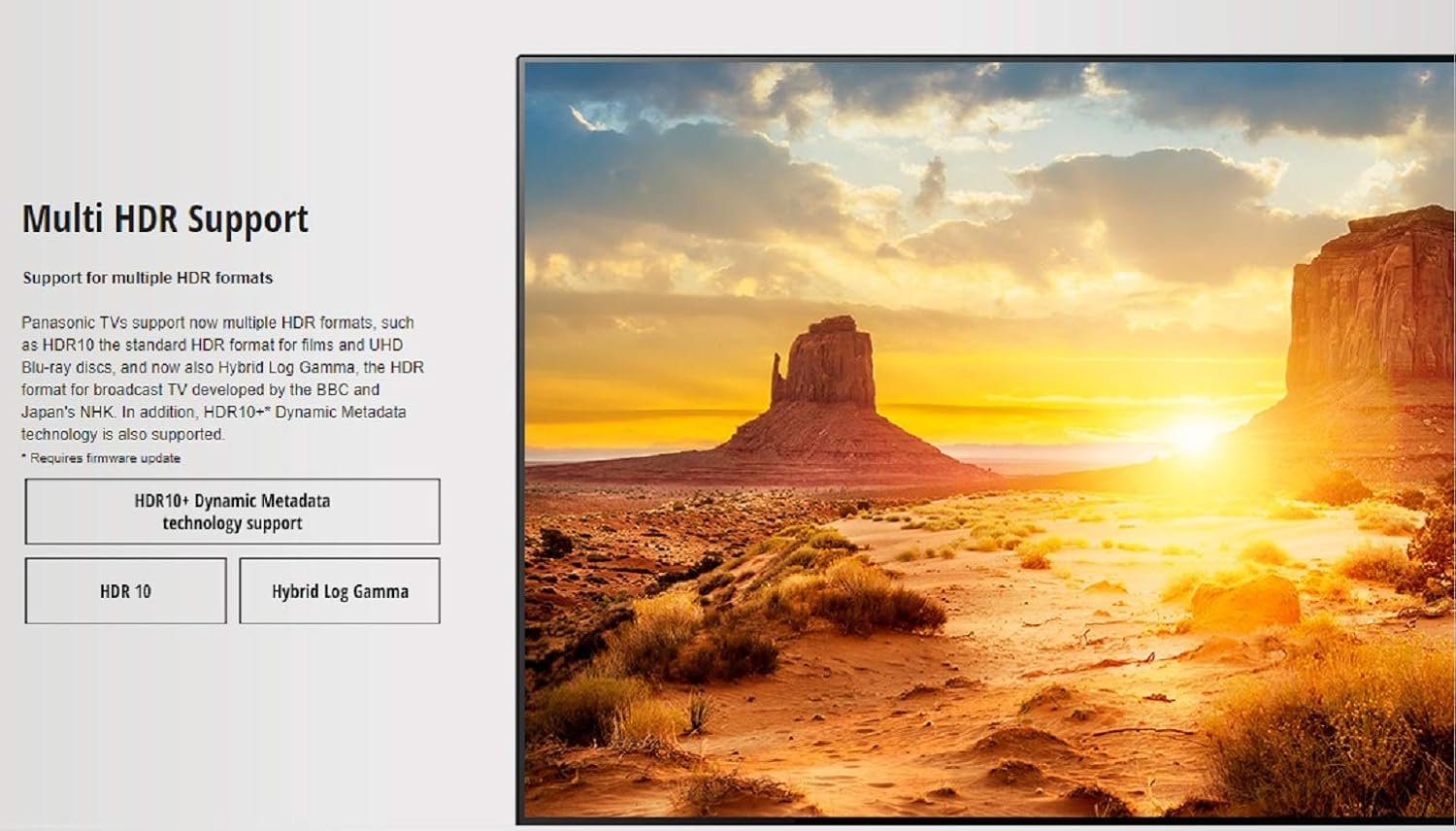
Image: Illustration demonstrating the 178-degree wide viewing angle of the IPS LED Super Bright Panel.

Image: Visual explaining the Multi HDR Support, including HDR10 and Hybrid Log Gamma.
Audio System
The TV is equipped with a 20 Watts audio output system, featuring Cinema Surround sound for an immersive audio experience.
Maintenance
Proper care will extend the life of your television.
- Screen Cleaning: Gently wipe the screen with a soft, lint-free cloth. For stubborn marks, dampen the cloth slightly with water or a specialized screen cleaner. Do not spray liquid directly onto the screen.
- Cabinet Cleaning: Wipe the TV cabinet with a soft, dry cloth. Avoid using abrasive cleaners or solvents.
- Ventilation: Ensure the ventilation openings on the back of the TV are not blocked to prevent overheating.
- Power Cord: Regularly check the power cord for any damage. If damaged, contact service personnel.
Troubleshooting
If you encounter issues with your TV, refer to the following common solutions:
| Problem | Possible Cause / Solution |
|---|---|
| No Power | Check if the power cord is securely plugged into the TV and the wall outlet. Ensure the power outlet is active. |
| No Picture / Sound | Verify the correct input source is selected. Check cable connections to external devices. |
| Remote Control Not Working | Check and replace batteries. Ensure no obstructions between the remote and the TV's IR sensor. |
| Poor Picture Quality | Check antenna/cable connection. Adjust picture settings (brightness, contrast, sharpness). For 4K content, ensure the source device is outputting 4K resolution. |
| No Internet Connection | Check Wi-Fi router and network settings. Reconnect to the Wi-Fi network in the TV's settings. |
If the problem persists after trying these solutions, please contact Panasonic customer support.
Specifications
| Feature | Detail |
|---|---|
| Brand | Panasonic |
| Model | TH-43FX600D |
| Screen Size | 43 Inches (108 cm) |
| Display Technology | IPS LED |
| Resolution | 4K Ultra HD (3840 x 2160 pixels) |
| Refresh Rate | 60 Hz |
| Viewing Angle | 178 Degrees |
| Audio Output | 20 Watts |
| HDMI Ports | 3 |
| USB Ports | 2 |
| Connectivity | HDMI, USB, Wi-Fi |
| Operating System | HomeOS |
| Product Dimensions (LxWxH) | 97.4 x 8 x 56.9 cm |
| Item Weight | 13 kg |
| Power Source | AC |
| Model Year | 2018 |
Warranty and Support
Warranty Information
This product comes with a 1-year warranty provided by Panasonic from the date of purchase. Please retain your purchase invoice for warranty claims.
Customer Support
For installation, wall mounting, demo requests, or any other support needs, please contact Panasonic support directly:
- Panasonic Support: 1800 103 1333 or 1800 108 1333
When contacting support, please provide the product's model name (TH-43FX600D) and seller's details as mentioned on your invoice.
This product is eligible for replacement within 10 days of delivery in case of any product defects, damage, or features not matching the description provided.


