
1. Introduction
This manual provides essential information for the safe and effective operation, maintenance, and troubleshooting of your TECCPO 18V Cordless Hammer Drill Driver, model TDHD01P. Please read this manual thoroughly before using the tool and keep it for future reference.

Figure 1: TECCPO 18V Cordless Hammer Drill Driver TDHD01P with included accessories, including drill bits, driver bits, battery, and charger.
2. Safety Instructions
Always follow basic safety precautions to reduce the risk of fire, electric shock, and personal injury.
- Wear appropriate personal protective equipment (PPE) such as safety glasses, hearing protection, and gloves.
- Ensure the work area is well-lit and clear of obstructions.
- Do not operate power tools in explosive atmospheres, such as in the presence of flammable liquids, gases, or dust.
- Keep children and bystanders away while operating a power tool.
- Store idle tools out of reach of children and other untrained persons.
- Always disconnect the battery pack from the tool before making any adjustments, changing accessories, or storing the tool.
3. Product Components and Features
Familiarize yourself with the various parts and functions of your drill driver.

Figure 2: Key components of the TECCPO TDHD01P drill driver, including the chuck, torque adjustment ring, speed selector, trigger, LED light, and battery.
- 13mm Keyless Metal Chuck: For quick and easy bit changes.
- Torque Adjustment Ring (21+3 settings): Allows precise control for various applications (drilling, driving, hammer drilling).
- Speed Selector (2-speed variable): Switch between low speed (0-450 RPM) for high torque applications and high speed (0-1700 RPM) for fast drilling.
- Variable Speed Trigger: Provides stepless speed control based on pressure applied.
- LED Work Light: Illuminates the work area for improved visibility.
- Ergonomic Rubberized Handle: Provides comfortable grip and reduces fatigue.
- Battery Indicator: Displays remaining battery charge.
4. Setup
4.1 Charging the Battery
The TECCPO TDHD01P comes with a 4.0Ah Lithium-ion battery and a fast charger. Ensure the battery is fully charged before first use.
- Connect the fast charger to a standard power outlet.
- Slide the battery pack onto the charger until it clicks into place.
- The charger indicator light will show the charging status. A full charge typically takes 30 minutes.
- Once fully charged, remove the battery from the charger.

Figure 3: Illustration of the TECCPO 4.0Ah Lithium-ion battery and fast charger, highlighting the 30-minute charging time.
4.2 Installing and Removing the Battery
- To Install: Align the battery pack with the base of the drill handle and slide it in until it locks securely.
- To Remove: Press the battery release button (usually located on the sides of the battery) and slide the battery pack out.
4.3 Installing and Removing Drill Bits/Driver Bits
- To Install: Rotate the chuck counter-clockwise to open the jaws. Insert the desired drill bit or driver bit into the chuck. Rotate the chuck clockwise to tighten the jaws securely around the bit.
- To Remove: Rotate the chuck counter-clockwise to loosen the jaws and pull the bit out.
5. Operating Instructions
5.1 Selecting Operating Mode and Torque
The TDHD01P offers three primary functions: Screwdriver, Drill, and Hammer Drill.

Figure 4: Close-up of the torque adjustment ring and mode selector on the TECCPO drill, showing settings from 1 to 21 for torque, plus drill and hammer drill modes.
- Screwdriver Mode: Rotate the torque adjustment ring to one of the 21 torque settings. Lower numbers are for smaller screws and softer materials, higher numbers for larger screws and harder materials. This prevents over-tightening and stripping screws.
- Drill Mode: Rotate the ring to the drill icon. This mode provides maximum torque without clutch engagement, ideal for drilling into wood, metal, and plastic.
- Hammer Drill Mode: Rotate the ring to the hammer drill icon. This mode combines rotation with a hammering action, suitable for drilling into masonry and concrete.
5.2 Adjusting Speed
The drill features a 2-speed gearbox and a variable speed trigger.
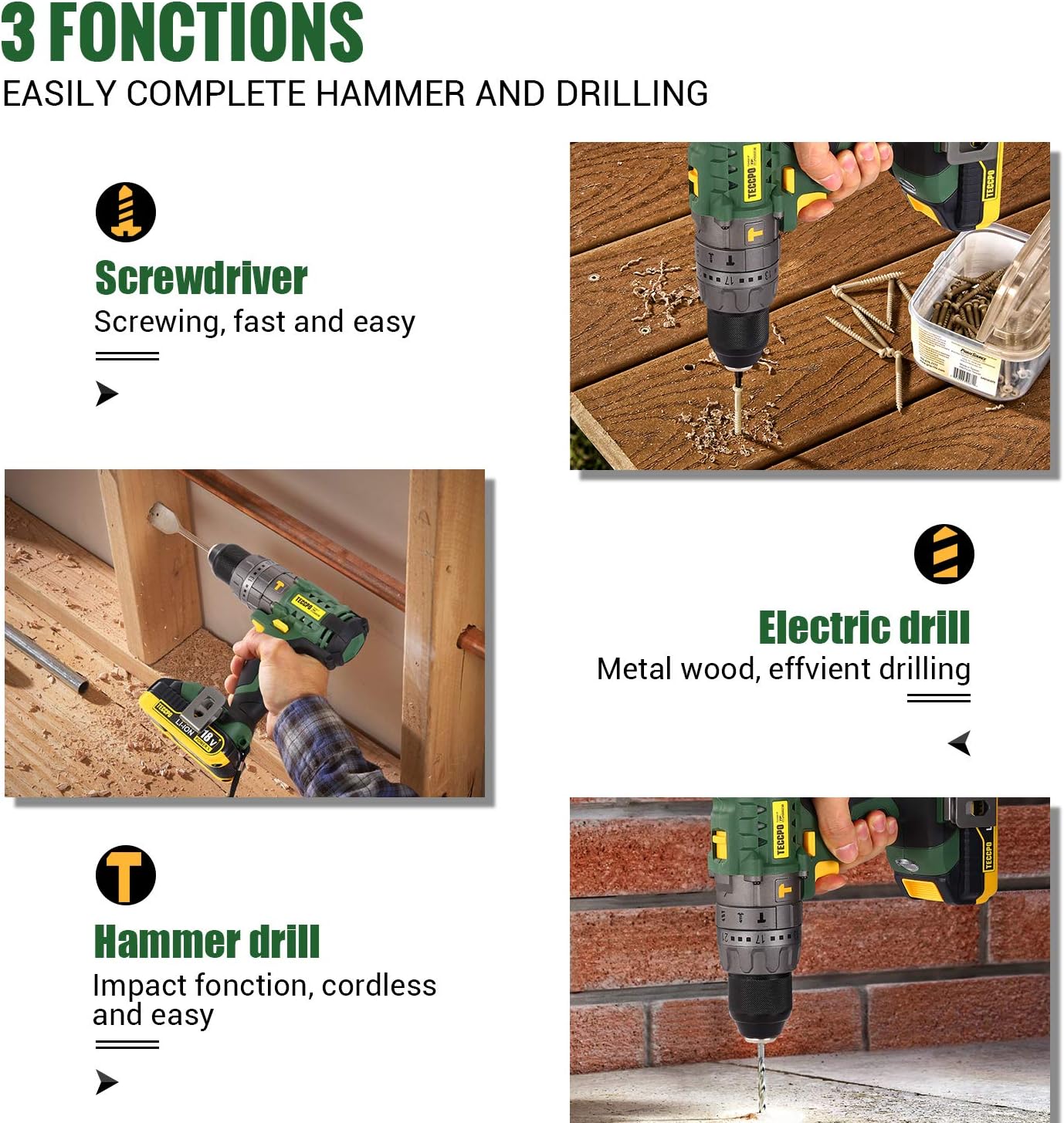
Figure 5: Diagram illustrating the two-speed selector switch on the top of the TECCPO drill, showing low speed (0-450 RPM) and high speed (0-1700 RPM) settings.
- Low Speed (0-450 RPM): Select this setting for high-torque applications like driving large screws or drilling large holes in wood/metal.
- High Speed (0-1700 RPM): Select this setting for fast drilling in softer materials or smaller holes.
- The variable speed trigger allows fine-tuning of the speed within the selected range. Press lightly for slower speeds, press harder for faster speeds.
5.3 Forward/Reverse Rotation
The forward/reverse switch is located above the trigger. Push it to the left for forward rotation (drilling/driving screws in) and to the right for reverse rotation (removing screws/bits).
5.4 Applications

Figure 6: Examples of the TECCPO drill being used for various tasks, including tightening screws, drilling into walls, drilling into metal, and drilling into wood.
- Wood Drilling: Use high speed and appropriate wood drill bits. Maximum drilling diameter: 30mm.
- Metal Drilling: Use high speed for smaller holes, low speed for larger holes. Use appropriate metal drill bits. Maximum drilling diameter: 13mm.
- Masonry/Concrete Drilling: Use hammer drill mode and appropriate masonry drill bits. Maximum drilling diameter: 10mm.
- Screwdriving: Use screwdriver mode with appropriate torque setting and driver bit.
6. Maintenance
Regular maintenance ensures the longevity and optimal performance of your tool.
- Cleaning: Keep the ventilation openings of the tool clean to prevent overheating. Use a soft, damp cloth to wipe down the exterior. Do not use harsh chemicals or abrasive cleaners.
- Battery Care: Store batteries in a cool, dry place away from direct sunlight. Do not store fully discharged batteries for extended periods.
- Chuck Maintenance: Periodically clean the chuck jaws to ensure proper gripping of bits.
- Storage: When not in use, store the drill driver and accessories in the provided contractor bag in a dry, secure location out of reach of children.
7. Troubleshooting
Before contacting customer support, try these common troubleshooting steps.
| Problem | Possible Cause | Solution |
|---|---|---|
| Drill does not start. | Battery not installed correctly or discharged. | Ensure battery is fully inserted. Charge the battery. |
| Loss of power during operation. | Battery low or tool overloaded. | Recharge battery. Reduce load on the tool. |
| Bit slips in chuck. | Chuck not tightened sufficiently or bit shank is dirty. | Retighten chuck firmly. Clean bit shank. |
| Excessive vibration. | Damaged or bent drill bit. | Replace the drill bit. |
8. Specifications
Technical specifications for the TECCPO 18V Cordless Hammer Drill Driver TDHD01P.
| Feature | Specification |
|---|---|
| Model Number | TDHD01P (ES-TDHD01P) |
| Voltage | 18V |
| Battery Capacity | 4.0Ah Lithium-ion |
| Max Torque | 60 Nm |
| No-Load Speed (Low) | 0-450 RPM |
| No-Load Speed (High) | 0-1700 RPM |
| Chuck Size | 13mm Keyless Metal Chuck |
| Torque Settings | 21+3 (Drill, Hammer, Screwdriver) |
| Max Drilling Diameter (Wood) | 30mm |
| Max Drilling Diameter (Metal) | 13mm |
| Max Drilling Diameter (Concrete) | 10mm |
| Weight | 3 Kilograms |
| Dimensions (L x W x H) | 27 x 17.7 x 25.1 cm |
9. Warranty and Support
For warranty information and customer support, please refer to the official TECCPO website or contact their customer service directly. Keep your purchase receipt as proof of purchase.
Online Support: www.teccpo.com