
1. Introduction
The Yaxun YX-9205 Digital Multimeter is a versatile and reliable instrument designed for measuring various electrical parameters. It is suitable for professional electricians, hobbyists, and students for testing and troubleshooting electronic circuits and devices. This manual provides essential information for safe and effective operation of your multimeter.
2. Safety Information
Always observe safety precautions when using any electrical testing equipment. Failure to do so may result in injury or damage to the multimeter or the equipment under test.
- Ensure the multimeter is in good working condition before use.
- Do not apply voltage or current that exceeds the maximum specified limits for each range.
- Always disconnect the test leads from the circuit before changing functions or ranges.
- Use caution when working with voltages above 30V AC RMS, 42V peak, or 60V DC, as these pose a shock hazard.
- Replace the battery when the low battery indicator appears to ensure accurate readings.
- Do not operate the multimeter in explosive atmospheres or in the presence of flammable gases or dust.
- Keep fingers behind the probe barriers during measurements.
3. Product Features
The Yaxun YX-9205 Digital Multimeter offers a range of functions and features for comprehensive electrical testing:
- Multi-scale measurements for various electrical parameters.
- Measures DC Voltage, AC Voltage, DC Current, AC Current, Resistance, Capacitance, Diode, and Continuity.
- Transistor hFE gain test function.
- Large LCD display with 4 digits, maximum reading 1999.
- Data Hold function to freeze displayed values.
- Auto Power Off function to conserve battery life.
- Audible continuity signal.
- Low battery indicator.
- Integrated kickstand for convenient viewing.
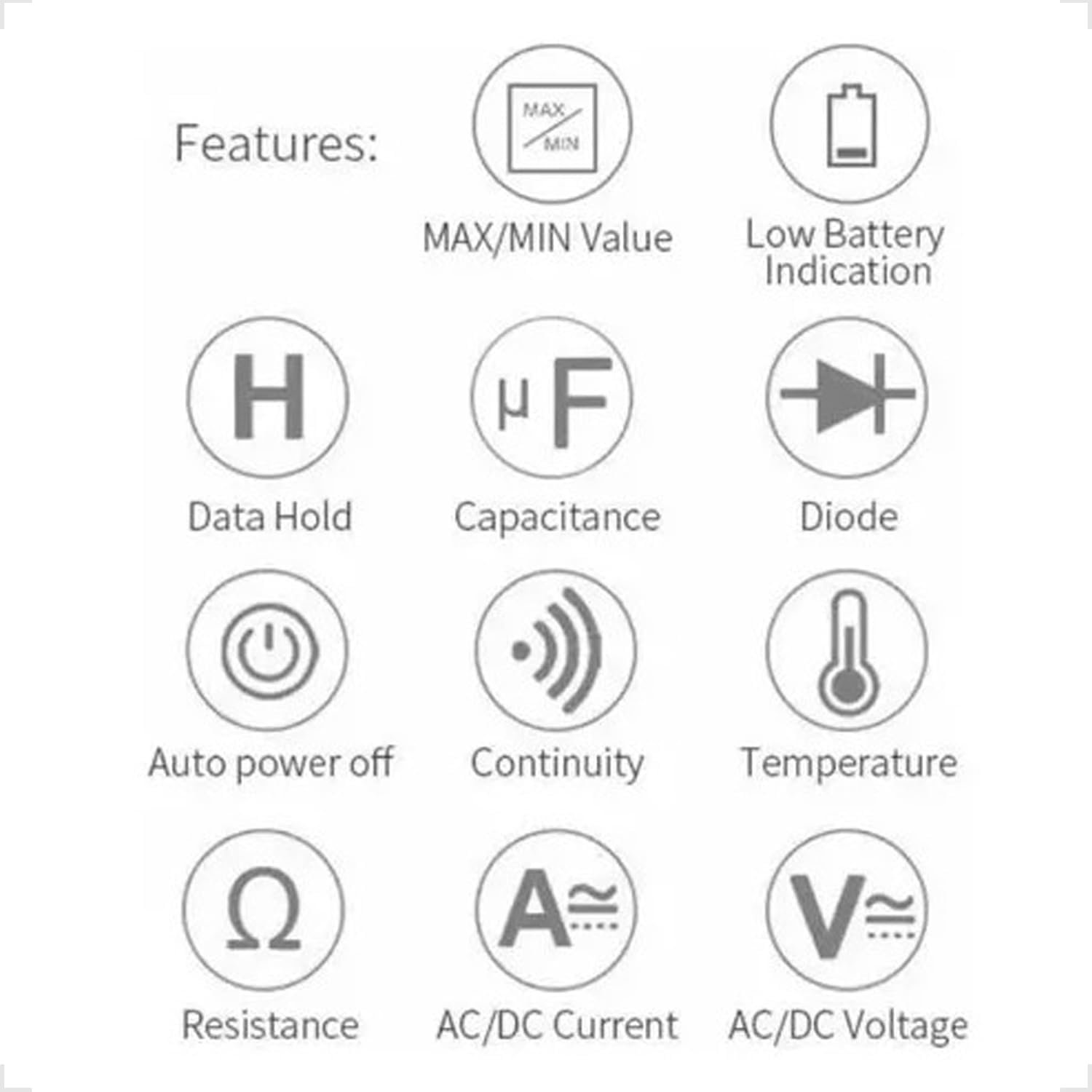
Figure 3.1: Feature Icons. This image displays a set of icons illustrating the key functions and capabilities of the Yaxun YX-9205 Digital Multimeter, such as data hold, capacitance measurement, diode testing, and auto power off.
4. Package Contents
Verify that all items are present in your package:
- Yaxun YX-9205 Digital Multimeter
- Test Leads (Red and Black)
- 9V Battery (6F22 type)
- Temperature Probe (K-type thermocouple, if included)
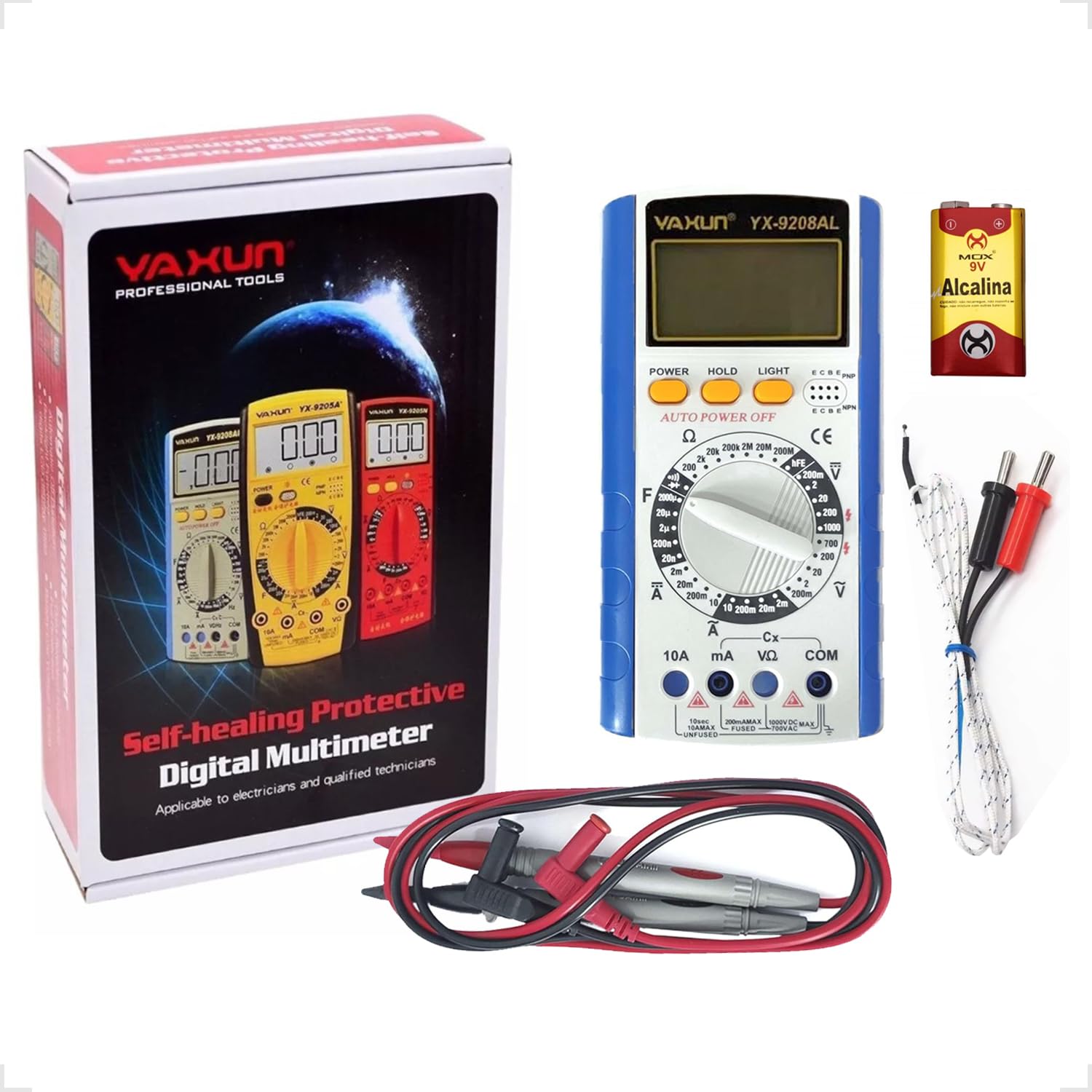
Figure 4.1: Package Contents. This image shows the Yaxun YX-9205 Digital Multimeter, along with its included red and black test leads and a 9V battery.
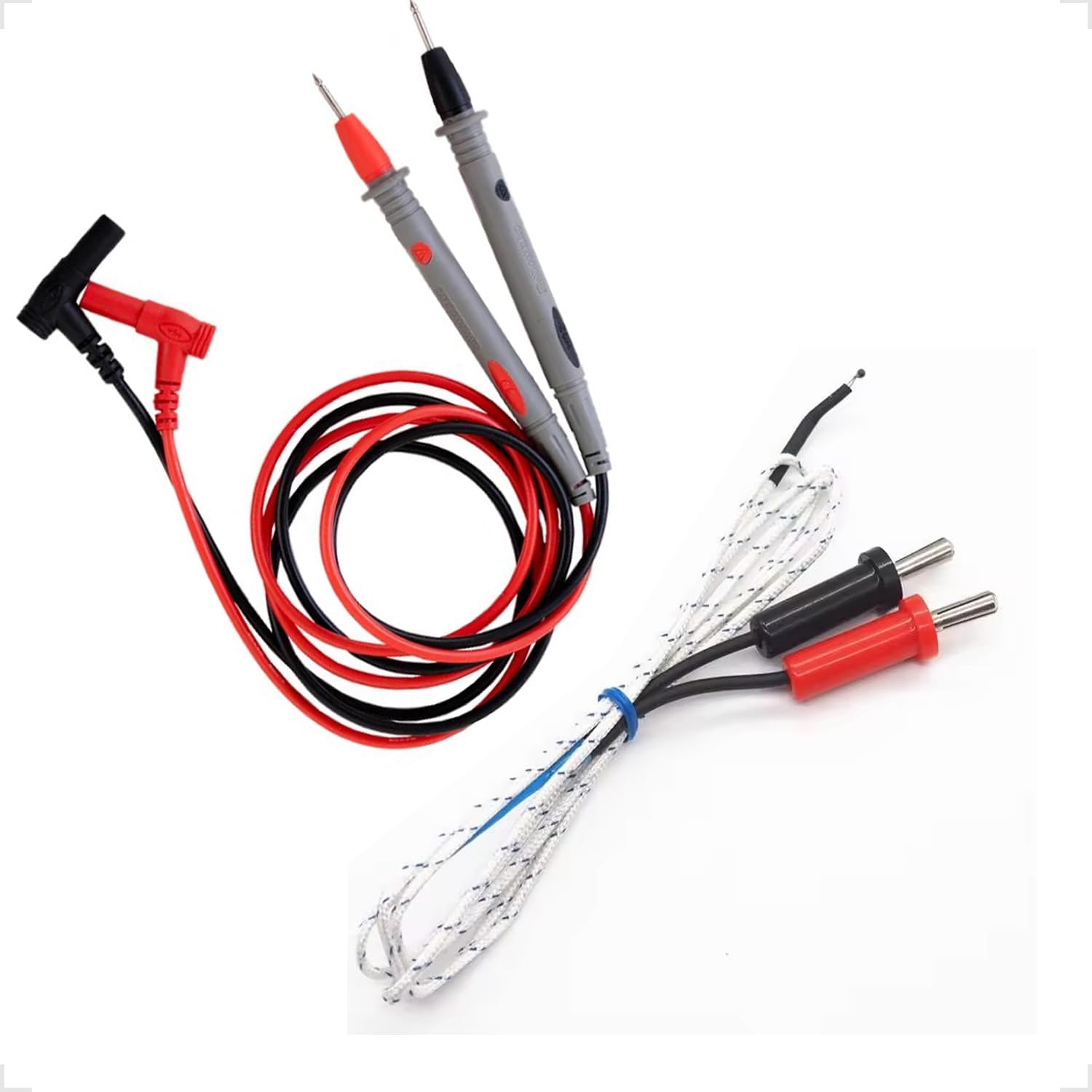
Figure 4.2: Test Leads and Temperature Probe. This image details the included red and black test leads, essential for making electrical measurements, and a white temperature probe.
5. Setup
5.1 Battery Installation
The multimeter requires a 9V battery for operation. Follow these steps to install or replace the battery:
- Ensure the multimeter is turned off and test leads are disconnected.
- Locate the battery compartment cover on the back of the multimeter.
- Use a screwdriver to remove the screw securing the cover, then lift the cover off.
- Connect the 9V battery to the battery clip, observing correct polarity.
- Place the battery into the compartment and replace the cover, securing it with the screw.

Figure 5.1: Battery Compartment. This image shows the rear of the multimeter, highlighting the battery compartment cover, which needs to be opened for battery installation or replacement.
5.2 Connecting Test Leads
Proper connection of test leads is crucial for accurate and safe measurements:
- Insert the black test lead into the "COM" (Common) jack.
- For most voltage, resistance, and continuity measurements, insert the red test lead into the "VΩmA" jack.
- For high current measurements (up to 10A), insert the red test lead into the "10A" jack. Ensure the rotary switch is set to the appropriate current range.
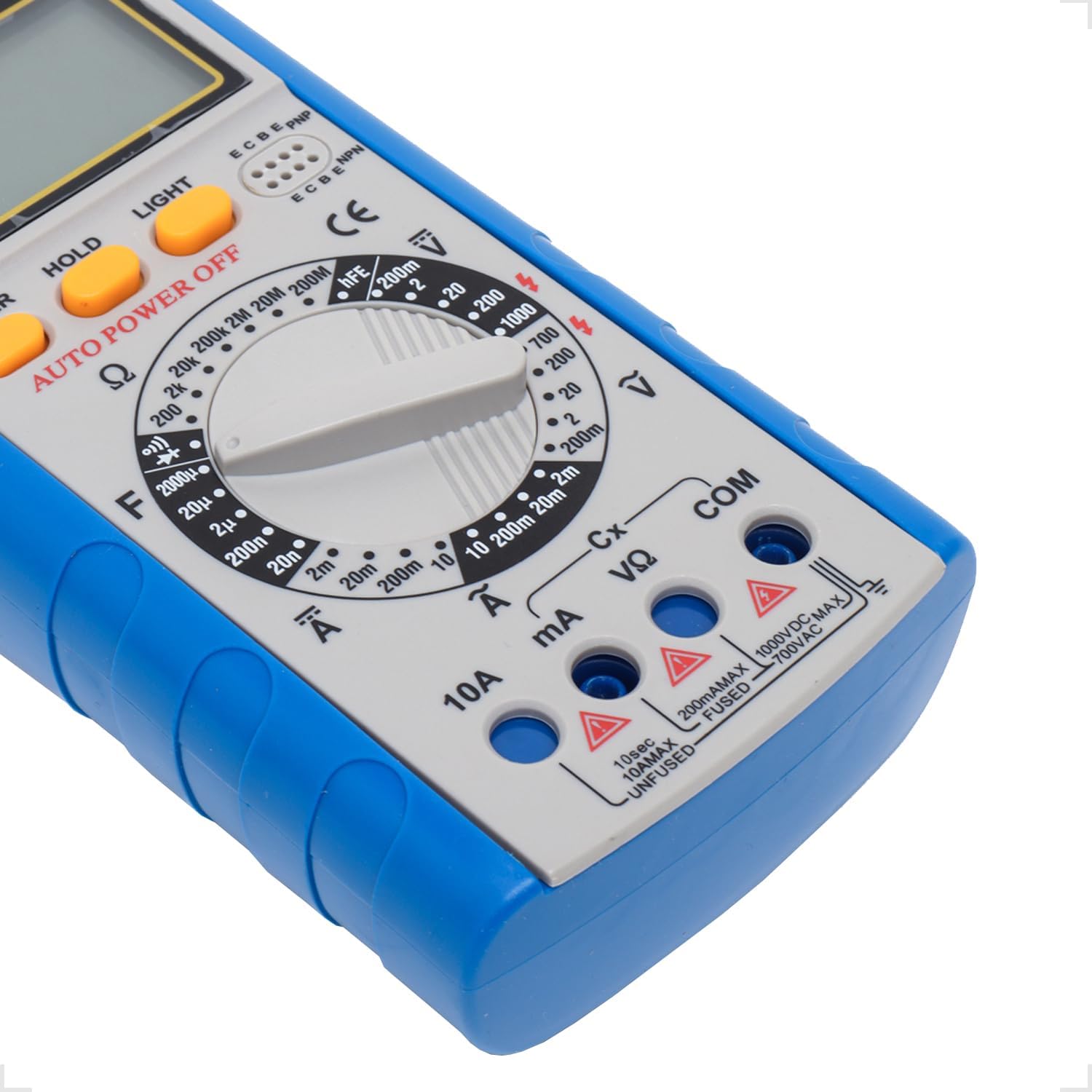
Figure 5.2: Input Jacks. This image provides a detailed view of the multimeter's input jacks: COM (common), VΩmA (for voltage, resistance, and low current), and 10A (for high current measurements).
5.3 Using the Kickstand
The multimeter features a built-in kickstand for hands-free operation and improved viewing angle. Simply pull out the kickstand from the back of the unit to deploy it.

Figure 5.3: Multimeter with Kickstand. This image shows the multimeter standing upright with its integrated kickstand extended, providing a stable and convenient viewing angle during use.
6. Operating Instructions
6.1 General Operation
The YX-9205 multimeter is operated primarily using the rotary switch and function buttons.
- Rotary Switch: Selects the desired measurement function (e.g., VDC, VAC, ADC, AAC, Ω, F, Diode, Continuity, hFE).
- POWER Button: Turns the multimeter on or off.
- HOLD Button: Freezes the current reading on the display. Press again to release.
- LIGHT Button: Activates the display backlight for better visibility in low-light conditions.

Figure 6.1: Control Panel. This image provides a detailed view of the multimeter's main controls, including the central rotary switch for function selection and the Power, Hold, and Light buttons.
6.2 Measuring DC Voltage (VDC)
- Insert the black lead into the COM jack and the red lead into the VΩmA jack.
- Turn the rotary switch to the desired DC Voltage range (e.g., 200mV, 2V, 20V, 200V, 1000V). If the voltage is unknown, start with the highest range and decrease as needed.
- Connect the test probes across the component or circuit to be measured, observing polarity.
- Read the voltage value on the LCD display.
6.3 Measuring AC Voltage (VAC)
- Insert the black lead into the COM jack and the red lead into the VΩmA jack.
- Turn the rotary switch to the desired AC Voltage range (e.g., 200mV, 2V, 20V, 200V, 700V). If the voltage is unknown, start with the highest range.
- Connect the test probes across the component or circuit to be measured. Polarity is not critical for AC voltage.
- Read the voltage value on the LCD display.
6.4 Measuring DC Current (ADC)
Caution: Always connect the multimeter in series with the circuit when measuring current. Never connect it in parallel across a voltage source, as this can damage the multimeter and the circuit.
- Determine the expected current. For currents up to 200mA, use the VΩmA jack for the red lead. For currents up to 10A, use the 10A jack for the red lead. The black lead always goes into COM.
- Turn the rotary switch to the appropriate DC Current range (e.g., 2mA, 20mA, 200mA, 10A).
- Open the circuit where current is to be measured and connect the test leads in series.
- Read the current value on the LCD display.
6.5 Measuring AC Current (AAC)
Caution: Always connect the multimeter in series with the circuit when measuring current. Never connect it in parallel across a voltage source, as this can damage the multimeter and the circuit.
- Determine the expected current. For currents up to 200mA, use the VΩmA jack for the red lead. For currents up to 10A, use the 10A jack for the red lead. The black lead always goes into COM.
- Turn the rotary switch to the appropriate AC Current range (e.g., 2mA, 20mA, 200mA, 10A).
- Open the circuit where current is to be measured and connect the test leads in series.
- Read the current value on the LCD display.
6.6 Measuring Resistance (Ω)
Caution: Ensure the circuit or component under test is completely de-energized before measuring resistance. Disconnect power and discharge any capacitors.
- Insert the black lead into the COM jack and the red lead into the VΩmA jack.
- Turn the rotary switch to the desired Resistance range (e.g., 200Ω, 2kΩ, 20kΩ, 200kΩ, 2MΩ, 20MΩ, 200MΩ).
- Connect the test probes across the component to be measured.
- Read the resistance value on the LCD display.
6.7 Measuring Capacitance (F)
Caution: Ensure capacitors are fully discharged before testing. High voltage capacitors can store dangerous charges.
- Insert the black lead into the COM jack and the red lead into the VΩmA jack.
- Turn the rotary switch to the Capacitance (F) function and select the appropriate range (e.g., 20nF, 200nF, 2µF, 20µF, 200µF).
- Connect the test probes across the capacitor terminals.
- Read the capacitance value on the LCD display.
6.8 Diode Test
- Insert the black lead into the COM jack and the red lead into the VΩmA jack.
- Turn the rotary switch to the Diode symbol.
- Connect the red probe to the anode and the black probe to the cathode of the diode. The display will show the forward voltage drop (typically 0.5V to 0.8V for silicon diodes).
- Reverse the probes. The display should show 'OL' (Open Loop) for a good diode. A reading in both directions or 'OL' in both directions indicates a faulty diode.
6.9 Continuity Test
- Insert the black lead into the COM jack and the red lead into the VΩmA jack.
- Turn the rotary switch to the Continuity symbol (often shared with the Diode function).
- Connect the test probes across the circuit or component.
- If the resistance is below approximately 50Ω, the buzzer will sound, indicating continuity. The display will also show the resistance value.
6.10 Transistor hFE Test
- Turn the rotary switch to the hFE position.
- Identify if the transistor is NPN or PNP.
- Insert the transistor's emitter, base, and collector leads into the corresponding holes in the hFE socket on the multimeter.
- Read the hFE (DC current gain) value on the LCD display.
7. Specifications
| Parameter | Range | Accuracy |
|---|---|---|
| DC Voltage | 200mV, 2V, 20V, 200V, 1000V | ±(0.5% + 1 digit) |
| AC Voltage | 200mV, 2V, 20V, 200V, 700V | ±(0.8% + 3 digits) |
| DC Current | 2mA, 20mA, 200mA, 10A | ±(0.5% + 1 digit) |
| AC Current | 2mA, 20mA, 200mA, 10A | ±(1.0% + 3 digits) |
| Resistance | 200Ω, 2kΩ, 20kΩ, 200kΩ, 2MΩ, 20MΩ, 200MΩ | ±(0.8% + 1 digit) |
| Capacitance | 20nF, 200nF, 2µF, 20µF, 200µF | ±(4.0% + 3 digits) |
| Display | 1999 counts, 60 x 31.5mm LCD | |
| Power Supply | 9V Battery (6F22) | |
| Dimensions (L x W x H) | 180 x 86 x 35mm | |
8. Maintenance
8.1 Cleaning
To clean the multimeter, wipe the case with a damp cloth and a mild detergent. Do not use abrasives or solvents. Ensure the multimeter is completely dry before use.
8.2 Battery Replacement
When the low battery indicator appears on the display, replace the 9V battery as described in the 'Battery Installation' section (5.1). A weak battery can lead to inaccurate readings.
8.3 Fuse Replacement
Caution: Always disconnect test leads and turn off the multimeter before replacing the fuse. Use only fuses of the specified type and rating.
If the multimeter fails to measure current, the fuse may be blown. To replace the fuse:
- Turn off the multimeter and disconnect all test leads.
- Open the battery compartment cover as described in section 5.1.
- Carefully remove the old fuse.
- Install a new fuse of the correct type and rating (e.g., F200mA/250V for mA ranges, F10A/250V for 10A range). Refer to the markings near the fuse holder if available.
- Replace the battery compartment cover and secure it with the screw.
9. Troubleshooting
| Problem | Possible Cause | Solution |
|---|---|---|
| No display or dim display | Dead or weak battery | Replace the 9V battery. |
| Incorrect readings | Incorrect range selected, poor lead connection, weak battery | Select the correct range, ensure leads are firmly connected, replace battery. |
| No current measurement | Blown fuse, incorrect lead connection | Check and replace fuse if necessary, ensure leads are in correct current jacks and connected in series. |
| 'OL' (Overload) displayed | Measurement exceeds selected range, open circuit | Select a higher range, check for open circuit. |
10. Warranty and Support
This Yaxun YX-9205 Digital Multimeter is designed for reliability and performance. For specific warranty information, please refer to the purchase documentation or contact your retailer. For technical support or inquiries, please reach out to the Yaxun customer service department or your local distributor.