
1. Product Overview
The VIVOSUN Variable Speed Controller is designed to provide precise speed control for inline duct exhaust fans and similar ventilation equipment. It allows users to adjust fan speed across three modes (High, Medium, Low) and an Off setting, optimizing airflow and noise levels while conserving energy. This controller is ideal for applications in grow tents, warm houses, homes, basements, and offices.

Figure 1: VIVOSUN Variable Speed Controller with its intuitive dial.
2. Setup and Installation
Setting up your VIVOSUN Variable Speed Controller is straightforward. Follow these steps to connect it to your fan and power source:
- Identify Components: The controller features a 3-prong grounded plug for the wall outlet and a 3-hole socket for your fan's power cord. It also includes a mounting screw hole for secure placement.
- Connect Fan: Plug your fan's power cord directly into the 3-hole socket located at the bottom of the VIVOSUN Variable Speed Controller.
- Connect to Power: Plug the 3-prong plug of the VIVOSUN Variable Speed Controller into a standard 120V AC wall outlet. Ensure the outlet is grounded for safe operation.
- Secure Placement (Optional): Use the integrated mounting hole at the top of the controller to secure it to a wall or other surface, if desired, to keep cords tangle-free and the unit out of the way.

Figure 2: Key components of the speed controller: 3-prong plug, 3-hole socket, and mounting screw hole.
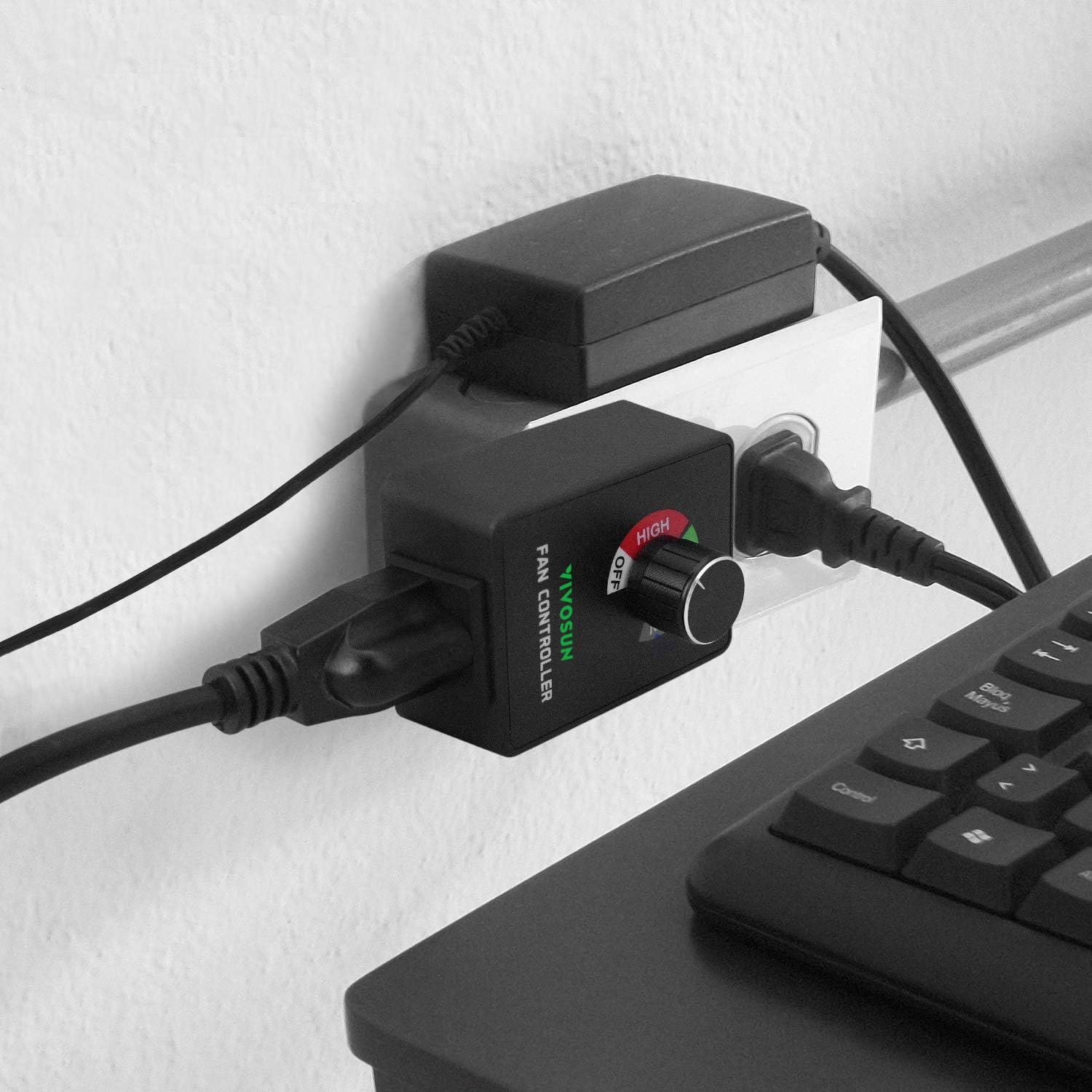
Figure 3: The controller connected to a wall outlet and a fan.
For a visual guide on setup and operation, please refer to the official product video below:
Video 1: Official VIVOSUN Variable Speed Controller demonstration, showing setup and speed adjustment.
3. Operating Instructions
The VIVOSUN Variable Speed Controller features a simple rotary dial for adjusting fan speed:
- Speed Control Dial: The large knob on the front of the controller allows you to select between four settings: Off, Low, Medium (Med), and High.
- Adjusting Speed: Rotate the dial clockwise to increase the fan speed from Off to Low, then to Medium, and finally to High. Rotate counter-clockwise to decrease the speed.
- Energy Efficiency: By adjusting the fan speed to suit your needs, you can avoid running the fan at full speed unnecessarily, leading to energy savings.

Figure 4: The speed control knob with clearly marked settings.

Figure 5: Visual representation of the controller's speed levels.
4. Maintenance
To ensure the longevity and optimal performance of your VIVOSUN Variable Speed Controller, follow these general maintenance guidelines:
- Cleaning: Periodically wipe the exterior of the controller with a soft, dry cloth to remove dust and debris. Do not use harsh chemicals or abrasive cleaners.
- Storage: When not in use for extended periods, store the controller in a cool, dry place away from direct sunlight and extreme temperatures.
- Inspection: Regularly inspect the power cord and plug for any signs of damage. If any damage is found, discontinue use and contact VIVOSUN customer support.
5. Troubleshooting
If you encounter issues with your VIVOSUN Variable Speed Controller, consider the following:
| Problem | Possible Cause | Solution |
|---|---|---|
| Fan does not turn on or adjust speed. | Controller is set to 'Off'. Fan is not properly plugged in. Power outlet issue. Incompatible fan type. | Rotate dial to 'Low', 'Med', or 'High'. Ensure fan is securely plugged into the controller's socket. Test the wall outlet with another device. This controller is designed for fans; it may not work with other motor types (e.g., vibration motors). |
| Controller blocks adjacent outlets. | Compact design may interfere with closely spaced outlets. | Use a power strip with wider spacing between outlets or an extension cord. |
| Fan hums or makes unusual noise at lower speeds. | Normal operation for some fan types with speed controllers. | This can be common with certain fan motors when voltage is reduced. If the noise is excessive, ensure the fan is compatible with speed control. |
6. Specifications
- Voltage: 120V
- Current: 3 amps
- Wattage: 350W Max
- Plug Type: 3-pole, American (grounded)
- Noise Level: 10 dB (controller itself, not fan)
- Item Weight: 3.87 ounces
- Package Dimensions: 3.66 x 2.91 x 2.44 inches
- Controller Type: Button Control (Rotary Dial)
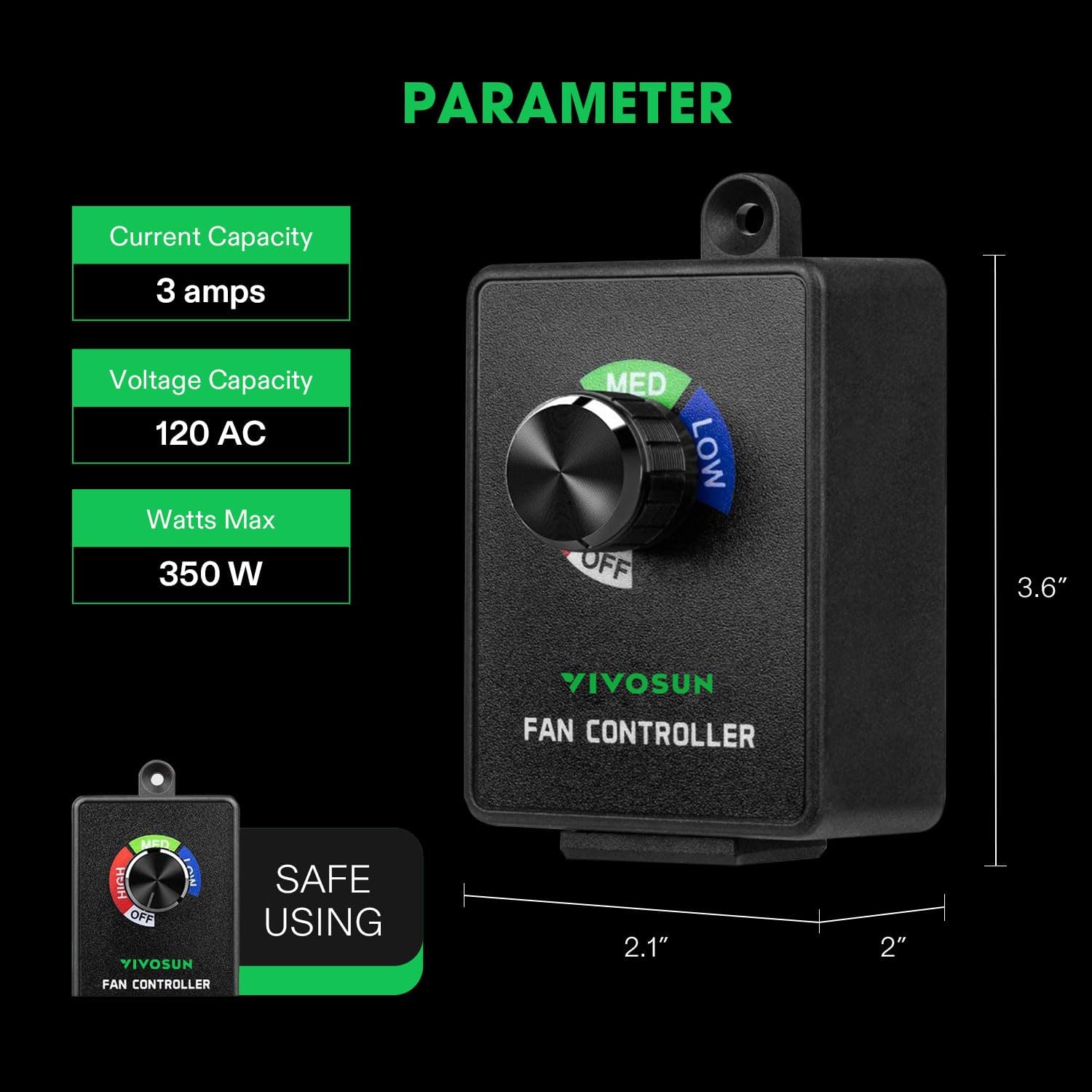
Figure 6: Detailed specifications and dimensions of the controller.
7. Warranty and Support
For information regarding product warranty, returns, or technical support, please refer to the VIVOSUN official website or contact their customer service directly. Keep your purchase receipt as proof of purchase.
You can visit the official VIVOSUN store for more products and support: VIVOSUN Store