Introduction
The Belkin Boost Charge Power Bank 10K with Lightning Connector is designed to provide portable power for your Apple devices. This MFi-certified power bank offers a convenient one-cable solution, allowing you to recharge the power bank using the same Lightning cable you use for your iPhone. With a 10000 mAh capacity, it provides significant additional battery life for your devices, making it ideal for on-the-go charging.
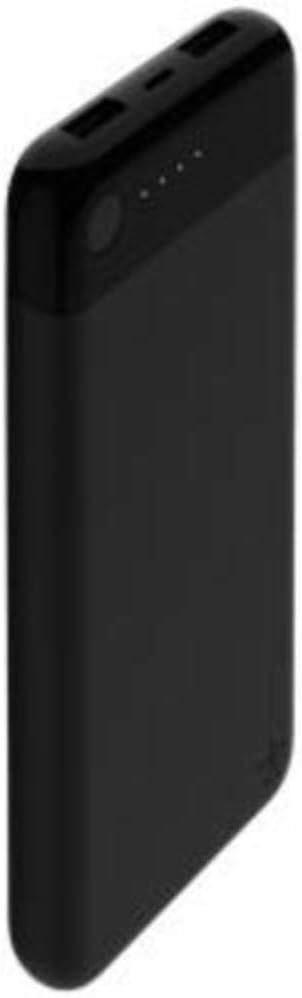
Image: Angled view of the Belkin Boost Charge Power Bank 10K, showcasing its sleek black design and compact form factor.
Key Features:
- One-Cable Solution: Recharge the power bank using your existing Lightning cable (not included), simplifying your charging setup.
- High Capacity: 10000 mAh provides up to 70 additional hours of battery life for an iPhone 8 (results may vary based on device and usage).
- Dual USB-A Ports: Quickly charge two devices simultaneously with a total output of 3.4A.
- MFi Certified: Ensures compatibility and safe charging for Apple devices.
Setup and Initial Use
Charging the Power Bank:
- Locate the Lightning input port on the power bank. This port is specifically designed for recharging the power bank itself.
- Connect a Lightning cable (not included) to the power bank's Lightning input port.
- Connect the other end of the Lightning cable to a USB wall charger or a computer's USB port.
- The LED indicator lights on the power bank will illuminate to show the charging status. A full charge is indicated when all four LEDs are solid.
It is recommended to fully charge the power bank before its first use to ensure optimal performance.

Image: Top view of the power bank, highlighting the Lightning input port in the center and the two USB-A output ports on either side.
Operating Instructions
Charging Your Devices:
- Connect your device's USB charging cable to one of the two USB-A output ports on the power bank.
- Connect the other end of the cable to your smartphone, tablet, or other compatible device.
- The power bank will automatically begin charging your device. The LED indicator lights will show the remaining charge level of the power bank.
- To check the power bank's charge level at any time, briefly press the power button. The LEDs will light up to indicate the current battery status.
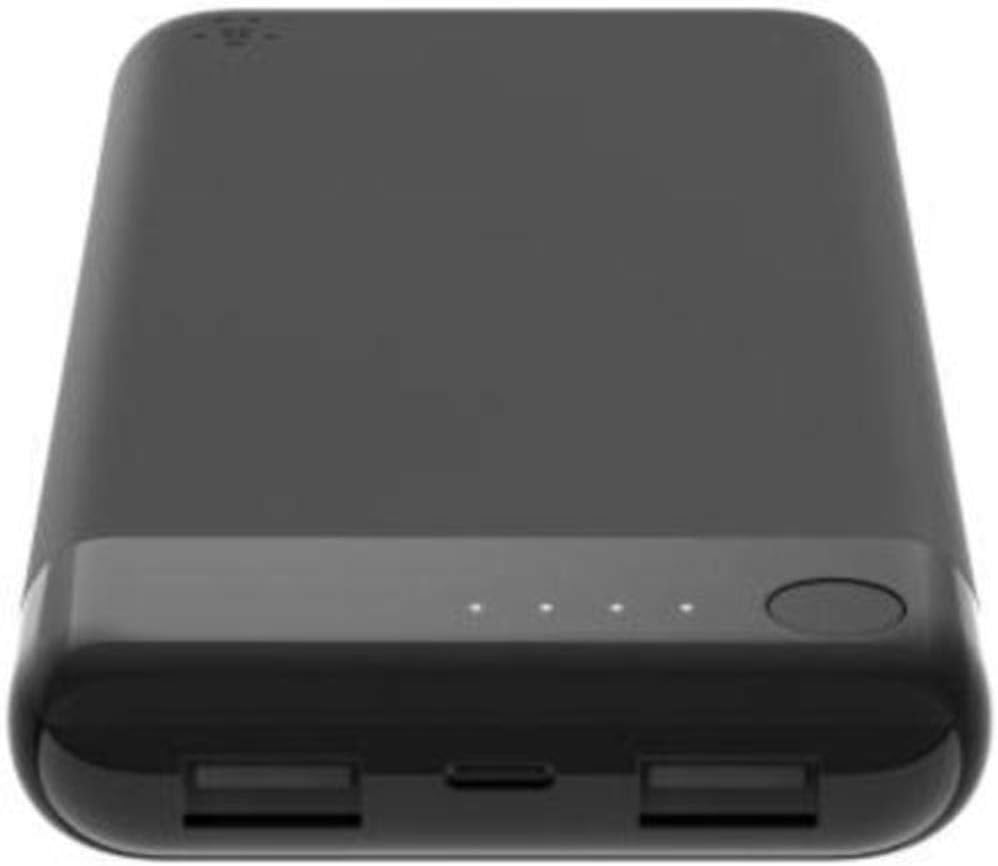
Image: Top-down view of the power bank, clearly showing the four LED indicator lights and the power button, used to check battery status.
You can charge two devices simultaneously using both USB-A ports. The total output is 3.4A, which allows for efficient charging of multiple devices.
Maintenance and Care
- Keep the power bank away from extreme temperatures (hot or cold) and direct sunlight.
- Avoid exposing the power bank to water or excessive moisture.
- Do not drop, puncture, or disassemble the power bank.
- Clean the power bank with a soft, dry cloth. Do not use harsh chemicals or abrasive materials.
- For long-term storage, charge the power bank to approximately 50% and store it in a cool, dry place. Recharge it every 3-6 months to maintain battery health.
Troubleshooting
Power Bank Not Charging:
- Ensure the Lightning cable is securely connected to both the power bank and the power source.
- Try a different Lightning cable and/or a different USB wall adapter.
- Verify the power source (wall outlet, computer USB port) is functional.
Device Not Charging from Power Bank:
- Ensure the power bank has sufficient charge (check LED indicators).
- Verify your device's charging cable is securely connected to both the power bank and your device.
- Try a different USB-A port on the power bank.
- Try a different charging cable for your device.
- Ensure your device is compatible with USB charging.
Slow Charging:
- Ensure you are using a high-quality charging cable.
- If charging two devices simultaneously, the total output is shared, which might result in slightly slower charging for each device compared to charging a single device.
- Environmental factors like extreme temperatures can affect charging speed.
Specifications

Image: Technical diagram illustrating the dimensions of the power bank: 6.08 inches (154.45mm) length, 2.8 inches (71mm) width, and 0.67 inches (17mm) thickness, along with its weight of 8.47oz (240g).
| Feature | Detail |
|---|---|
| Model Number | F7U046btBLK |
| Battery Capacity | 10000 mAh (Lithium Polymer) |
| Input Connector | Lightning |
| Output Connectors | 2 x USB-A |
| Total Output | 3.4A |
| Product Dimensions | 5.76 x 2.92 x 0.62 inches (14.63 x 7.42 x 1.57 cm) |
| Item Weight | 7.8 ounces (221 grams) |
| Color | Black |
| Manufacturer | Belkin Inc. |
| Date First Available | July 25, 2018 |
Warranty and Support
Belkin products typically come with a limited warranty. For specific warranty details, registration, and technical support, please visit the official Belkin support website or contact their customer service. Keep your purchase receipt for warranty claims.
Belkin Support: www.belkin.com/support/