
Introduction
This instruction manual provides comprehensive guidance for the installation, operation, and maintenance of your Deelz4Less Sleep Number Select Comfort Air Pump Replacement, Model SFCS56DR. Please read this manual thoroughly before use to ensure proper function and longevity of your product.
This pump system is designed as a replacement for dual chamber Queen, King, and California King size Sleep Number Mattresses. It includes one wireless remote controller and two air hoses with attached connectors.
Product Overview
The Deelz4Less Sleep Number Select Comfort Air Pump Replacement, Model SFCS56DR, is a genuine replacement unit designed to restore the functionality of your adjustable air mattress. It features a compact pump unit, a wireless remote control, and two air hoses.
Included Components:
- 1 x Air Pump Unit (Model SFCS56DR)
- 1 x Wireless Remote Controller
- 2 x Air Hoses with Attached Connectors
- 1 x Power Cord

Figure 1: Contents of the Deelz4Less Sleep Number Air Pump Replacement package, including the pump, wireless remote, and hoses, as received in the box.

Figure 2: The Deelz4Less Sleep Number Air Pump (Model SFCS56DR) with its wireless remote control and two air hoses, ready for installation.
Setup Instructions
- Unpack Components: Carefully remove all items from the packaging. Ensure all listed components are present.
- Position the Pump: Place the air pump unit in a stable, dry location near your mattress, typically under the bed or within the bed frame. Ensure adequate ventilation around the pump.
- Connect Air Hoses: Identify the two air bladders within your mattress. Connect one hose to the left air bladder and the other hose to the right air bladder. The hoses are designed with specific connectors for a secure fit. Ensure the connections are firm to prevent air leakage.
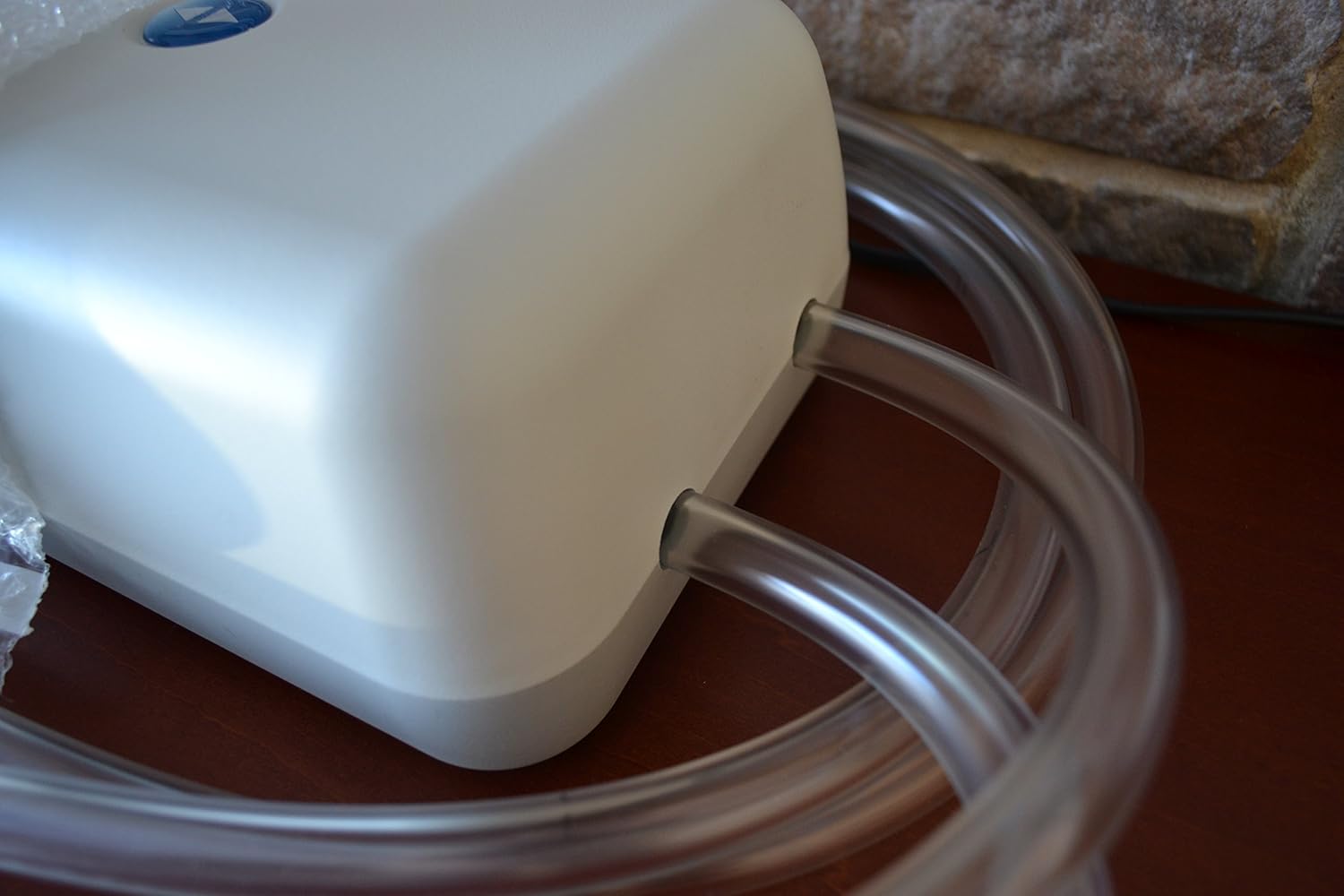
Figure 3: Detail of the two air hose connection ports on the pump unit. Ensure hoses are securely inserted.

Figure 4: The specialized connectors at the end of the air hoses, designed for a secure fit with the mattress bladders and pump ports.
- Connect Power: Plug the power cord into the pump unit, then plug the other end into a standard electrical outlet.
- Initial Test: Once all connections are made, the pump is ready for operation. Proceed to the Operating Instructions section to test the system.
Operating Instructions
The wireless remote control allows you to adjust the firmness of each side of your dual chamber mattress independently.
- Power On: The pump unit is typically always on when plugged in. The remote control will activate when a button is pressed.
- Select Chamber: Use the L (Left) or R (Right) buttons on the remote to select the side of the mattress you wish to adjust. The remote display will indicate the selected side and its current firmness setting.

Figure 5: The wireless remote control displaying a firmness level of 100. The 'L' and 'R' buttons control individual mattress chambers.
- Adjust Firmness: Use the Up (triangle pointing up) and Down (triangle pointing down) arrow buttons to increase or decrease the firmness level. The numbers on the remote display correspond to the firmness setting, typically ranging from 1 to 100.
- Confirm Setting: Once your desired firmness is reached, the pump will stop automatically. The remote will continue to display the set firmness level.
- Adjust Second Chamber: Repeat steps 2 and 3 for the other side of the mattress if desired.
Maintenance
To ensure optimal performance and longevity of your air pump system, follow these simple maintenance guidelines:
- Cleaning: Wipe the pump unit and remote control with a dry, soft cloth. Avoid using liquid cleaners or abrasive materials.
- Hose Inspection: Periodically inspect the air hoses for any signs of wear, kinks, or damage. Ensure connectors remain secure.
- Ventilation: Ensure the pump unit has adequate airflow around it to prevent overheating. Do not cover the pump with blankets or other materials.
- Storage: If storing the unit for an extended period, disconnect it from power, carefully detach the hoses, and store all components in a dry, cool place.
Troubleshooting
If you encounter issues with your Deelz4Less Sleep Number Air Pump Replacement, refer to the following common problems and solutions:
| Problem | Possible Cause | Solution |
|---|---|---|
| Pump does not turn on. | No power supply. | Check if the power cord is securely plugged into both the pump and the electrical outlet. Test the outlet with another device. |
| Remote control display is blank or not responding. | Remote batteries are low or depleted. | Replace the batteries in the wireless remote control. Ensure they are inserted correctly. |
| Mattress is losing air or not inflating properly. | Loose hose connections or air bladder leak. | Ensure all hose connections to the pump and mattress bladders are secure. Inspect hoses for any visible damage or kinks. If the issue persists, the air bladder in the mattress may have a leak (this pump cannot fix bladder leaks). |
| Pump is making unusual noises. | Obstruction or internal issue. | Ensure the pump is on a flat, stable surface and not obstructed. If the noise persists and affects performance, contact customer support. |
If troubleshooting steps do not resolve the issue, please refer to the Warranty and Support section for further assistance.
Specifications
| Feature | Detail |
|---|---|
| Model Name | SFCS56DR |
| Brand | Deelz4Less |
| Compatible Mattress Sizes | Queen, King, California King (Dual Chamber) |
| Control Type | Wireless Remote Control |
| Number of Hoses | 2 |
| Product Dimensions | 6"L x 5"W x 4"Th |
| Item Weight | 7 pounds |
| Color | White |
| UPC | 763163963161 |
Warranty and Support
This Deelz4Less Sleep Number Air Pump Replacement unit comes with a 2-year warranty provided exclusively by Deelz4Less. This warranty covers defects in materials and workmanship under normal use.
Important Disclaimer: Deelz4Less is not an authorized reseller or affiliated with Select Comfort® Sleep Number® Company. Any product offered by Deelz4Less does not come with any Sleep Number® services or warranties. All warranty and support services are strictly offered by Deelz4Less only and are not sponsored by or in coordination with Sleep Number®.
Trade-In Option: Deelz4Less also offers a trade-in option for your broken Sleep Number pump (any model). Please contact Deelz4Less directly for details regarding the trade-in program.
For warranty claims, technical assistance, or inquiries about the trade-in program, please contact Deelz4Less customer support through the platform where the product was purchased.