
Introduction
The Promate Divemate is a versatile wireless in-ear headset designed for active lifestyles. Featuring an IPX8 waterproof rating, it is suitable for various activities including swimming. With 8GB of internal storage, you can enjoy music directly from the headset without needing a connected smartphone. It also includes Bluetooth 4.2 connectivity and a built-in microphone for hands-free calls.
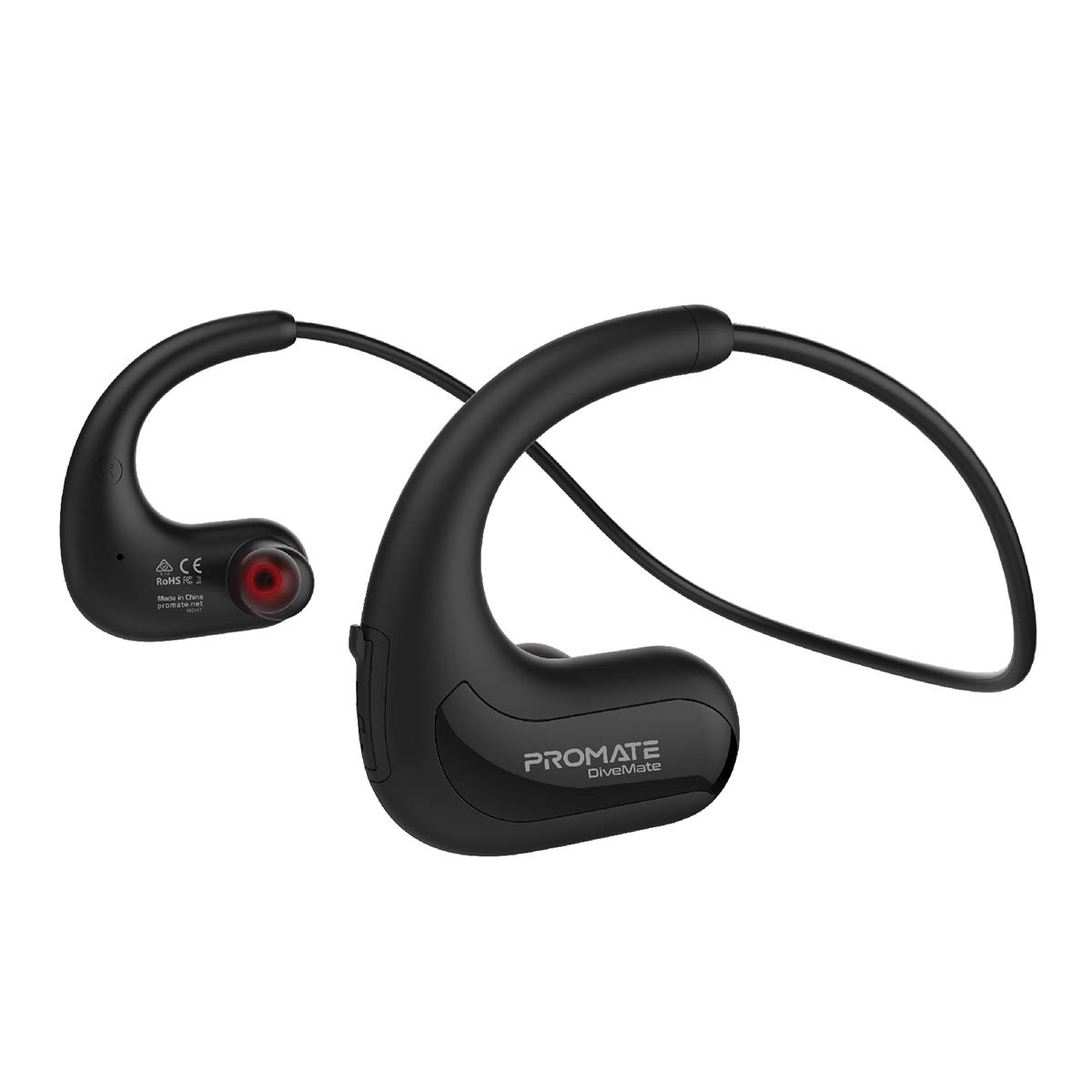
Image: Promate Divemate Wireless In-Ear MP3 Headphones, showcasing the neckband design and earbuds.
Key Features:
- MP3 Bluetooth Play Mode: Built-in 8GB memory for music storage, allowing playback without a connected device.
- IPX8 Waterproof: Designed to withstand immersion in water, ideal for swimming and water sports.
- Easy 'Drag & Drop' Audio File Management: Simple transfer of music files to the internal 8GB storage.
- Premium Sound: Echo-elimination technology and noise isolation for clear audio.
- Built-in Microphone: For hands-free calls, even in wet environments.
- Intuitive Playback Controls: Easy access to power, volume, and music playback functions.
- Flexible Neckband: Lightweight and comfortable design for extended wear.
- Long Play Time: Up to 8 hours of usage on a single charge.
- Universal Compatibility: Connects with most Bluetooth-enabled devices.
Setup
1. Charging the Device
Before first use, fully charge your Divemate headphones. Connect the charging cable to the charging port on the device and to a standard USB power source. A full charge takes approximately 1.5 hours. The LED indicator will show charging status (e.g., red for charging, blue for fully charged).
- Charging Time: Approximately 1.5 hours
- Usage Time: Up to 8 hours
- Standby Time: Up to 120 hours
2. Transferring Music Files (MP3 Mode)
The Divemate features 8GB of internal storage for MP3 playback. To transfer music:
- Connect the Divemate to your computer using the provided USB cable.
- The device will appear as a removable storage drive on your computer.
- Drag and drop your desired audio files (MP3 and other supported formats) into the Divemate's storage folder.
- Safely eject the device from your computer once the transfer is complete.
This allows you to listen to music without needing a Bluetooth connection, which is ideal for activities like swimming.
3. Bluetooth Pairing
To connect your Divemate to a Bluetooth-enabled device (e.g., smartphone, tablet):
- Ensure the Divemate is charged and powered off.
- Press and hold the power button until the LED indicator flashes blue and red, indicating pairing mode.
- On your device, go to Bluetooth settings and search for available devices.
- Select "Divemate" from the list.
- Once paired, the LED indicator will flash blue periodically.
The operating distance for Bluetooth is approximately 10 meters (33 feet).
Operating Instructions
Power On/Off
- To Power On: Press and hold the power button until the LED indicator lights up.
- To Power Off: Press and hold the power button until the LED indicator turns off.
Music Playback
- Play/Pause: Press the multi-function button once.
- Next Track: Press and hold the Volume Up button.
- Previous Track: Press and hold the Volume Down button.
- Volume Up: Press the Volume Up button briefly.
- Volume Down: Press the Volume Down button briefly.
To switch between MP3 mode (internal storage) and Bluetooth mode, refer to the device's specific button combination, usually a long press on a dedicated mode button or the multi-function button.
Making and Receiving Calls
When connected via Bluetooth to a smartphone:
- Answer Call: Press the multi-function button once.
- End Call: Press the multi-function button once during a call.
- Reject Call: Press and hold the multi-function button for 2 seconds.
- Redial Last Number: Double-press the multi-function button.
The waterproof microphone ensures clear communication even in wet conditions.
Maintenance
Proper maintenance ensures the longevity and performance of your Promate Divemate headphones.
- Cleaning: After use, especially in chlorinated or saltwater, rinse the headphones with fresh water. Wipe them dry with a soft, clean cloth. Do not use abrasive cleaners or solvents.
- Storage: Store the headphones in a cool, dry place away from direct sunlight and extreme temperatures.
- Water Resistance: While IPX8 rated, avoid intentionally submerging the device for extended periods beyond its intended use. Ensure the charging port cover is securely closed before exposing to water.
- Charging: Only use the provided charging cable and a compatible USB power adapter.
Troubleshooting
If you encounter issues with your Divemate headphones, refer to the following common solutions:
| Problem | Possible Solution |
|---|---|
| Device does not power on. | Ensure the battery is charged. Connect to a power source and charge for at least 1.5 hours. |
| Cannot pair via Bluetooth. |
|
| No sound or low volume. |
|
| Microphone not working. |
|
| Water damage despite IPX8 rating. | Ensure all port covers were securely closed before water exposure. IPX8 rating specifies conditions (depth and duration); exceeding these limits or improper sealing can lead to damage. |
Specifications
| Feature | Detail |
|---|---|
| Model Name | Divemate |
| Brand | Promate |
| Bluetooth Version | v4.2 |
| Bluetooth Chipset | Action ATS2825 |
| Bluetooth Profile | HSP, HFP, A2DP |
| Bluetooth Frequency | 2.4-2.48GHz |
| Operating Distance | 10m |
| Waterproof Rating | IPX8 |
| Internal Storage | 8GB |
| Impedance | 32Ω |
| Input Voltage | 5.1V |
| Battery Capacity | 160mAh |
| Battery Type | Li-Polymer |
| Charging Time | ~1.5 hours |
| Usage Time | 8 hours |
| Standby Time | 120 hours |
| Product Dimensions | 3.5 x 13 x 23 cm |
| Product Weight | 200 grams |
Warranty and Support
Information regarding product warranty and customer support is not available in the provided product data. Please refer to the product packaging or the manufacturer's official website for details on warranty coverage and how to contact customer support.
