
Introduction
This manual provides essential information for the proper installation, operation, and maintenance of your Cables Direct Online 2-Way Bi-Directional Coaxial Antenna Splitter. This device is designed to distribute a single coaxial signal to multiple devices or combine multiple signals into one, supporting a wide frequency range of 5-2300 MHz. Please read these instructions carefully before use to ensure optimal performance and longevity of your splitter.
Key Features
- Superior Signal Quality: Engineered to maintain signal integrity, minimizing signal loss and ensuring excellent picture and sound quality across all connected devices.
- Wide Compatibility: Compatible with all RG6 coaxial cables, making it ideal for use with cable TV, satellite receivers, digital antennas, and broadband internet modems.
- Multiple Outputs: Available in 2-way, 3-way, 4-way, 6-way, and 8-way configurations to meet specific setup needs, allowing simultaneous connection of multiple devices.
- Durable Construction: Built with high-quality materials, including a corrosion-resistant nickel-plated housing, ensuring longevity and reliable performance even in harsh environmental conditions.
- EMI Shielding: Equipped with superior electromagnetic interference (EMI) shielding to protect against signal degradation and ensure a stable, uninterrupted connection.
Product Overview
The Cables Direct Online Coaxial Antenna Splitter is a robust device designed for efficient signal distribution. It features clearly labeled input and output ports for straightforward connection.
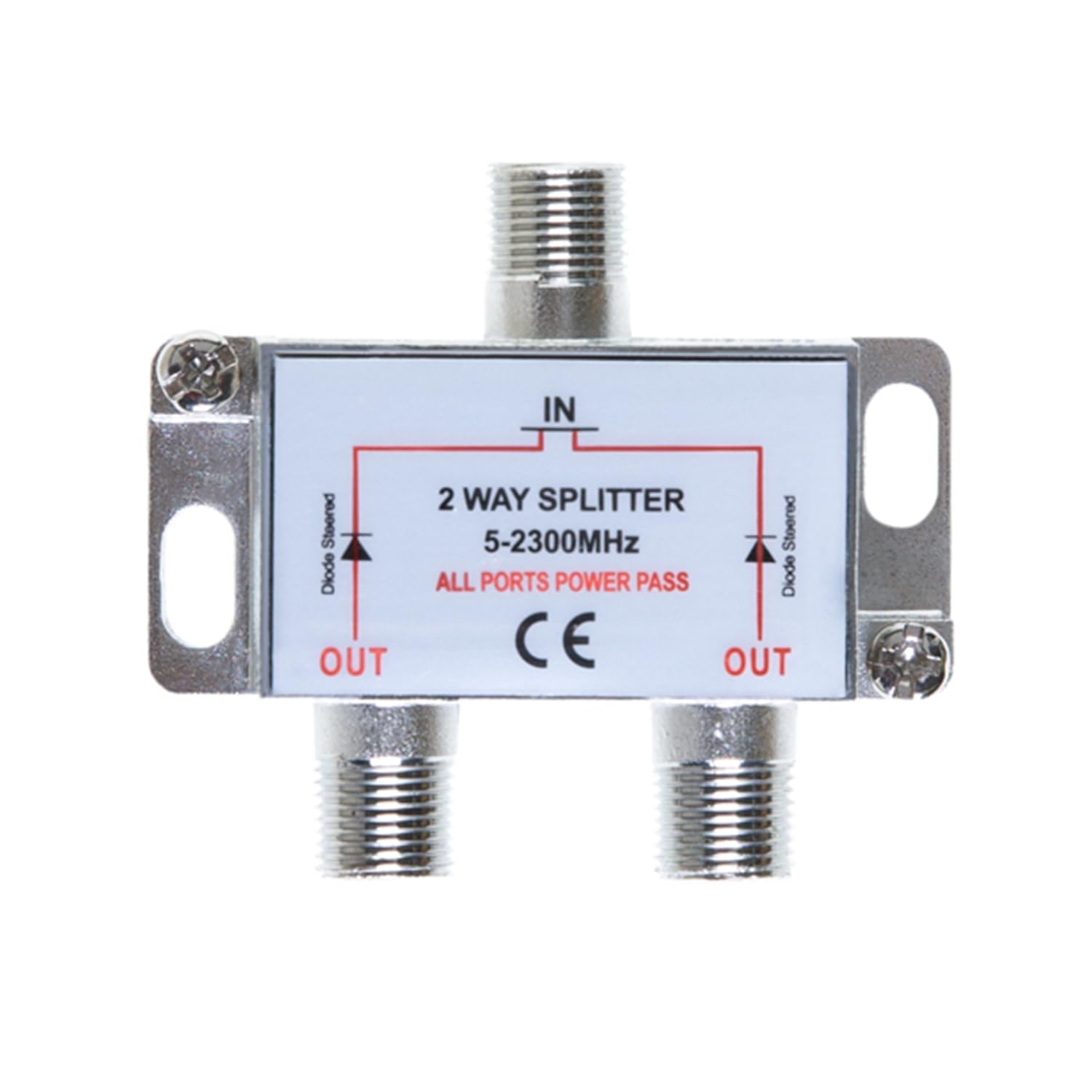
Image: Front view of the Cables Direct Online 2-Way Coaxial Antenna Splitter.

Image: Detailed diagram highlighting key features such as wall mounting holes, convenient grounding screw, coaxial cable connection, internal circuit board, and weather-resistant exterior.

Image: Visual representation of the splitter's performance, emphasizing signal integrity, compatibility, durability, and EMI shielding.

Image: Examples of common applications for the coaxial splitter, including connecting multiple televisions, cable TV, MoCA connections, and HD antennas/satellites.
Setup and Installation
Follow these steps for proper installation of your coaxial antenna splitter:
- Identify Input and Output: The splitter has one input port (labeled 'IN') and multiple output ports (labeled 'OUT'). For bi-directional use, any port can serve as an input or output, but typically one source connects to 'IN' and devices connect to 'OUT'.
- Connect Source Cable: Connect the coaxial cable from your antenna, cable TV, or satellite dish to the 'IN' port of the splitter. Ensure the connection is finger-tight.
- Connect Device Cables: Connect coaxial cables from your televisions, modems, or other devices to the 'OUT' ports of the splitter. Ensure all connections are secure.
- Grounding (Optional but Recommended): For outdoor installations or enhanced protection, connect a grounding wire to the designated grounding screw on the splitter and to a suitable ground point.
- Test Connections: Power on your devices and verify that all connected equipment receives a clear signal.

Image: A coaxial cable being connected to an F-type connector, demonstrating a secure connection.

Image: A 3-way coaxial splitter, showing the input and output ports for connection.
Operation
The Cables Direct Online Coaxial Antenna Splitter operates passively, meaning it does not require external power. It functions as a signal distributor, taking one input signal and splitting it equally among its output ports. Due to its bi-directional design, it can also combine signals from multiple sources into a single output. Ensure all cables are securely fastened to prevent signal loss or interference. The splitter is designed for minimal signal attenuation across its wide frequency range, providing consistent performance for various applications.
Maintenance
Your coaxial splitter requires minimal maintenance. To ensure continued optimal performance:
- Regular Inspection: Periodically check all coaxial cable connections to ensure they are tight and free from corrosion.
- Cleaning: If necessary, gently wipe the exterior of the splitter with a dry, soft cloth. Avoid using liquid cleaners or solvents.
- Environmental Protection: While the splitter features a weather-resistant exterior, prolonged exposure to extreme weather conditions should be minimized if possible, especially for indoor-rated models. Ensure proper sealing for outdoor installations.
Troubleshooting
If you experience issues with your coaxial splitter, consider the following common solutions:
- No Signal or Poor Signal Quality:
- Check all coaxial cable connections. Ensure they are tight and properly seated.
- Inspect cables for damage (kinks, cuts, frayed connectors). Replace damaged cables.
- Verify the signal source (antenna, cable, satellite) is functioning correctly.
- Consider signal strength. Splitting a signal reduces its strength. If the original signal is weak, you may need an amplifier before the splitter.
- Intermittent Signal:
- Ensure the splitter is not exposed to excessive moisture or extreme temperatures.
- Check for loose connections that might be affected by movement or vibration.
- One Device Not Receiving Signal:
- Swap the cable from the non-working device with a cable from a working device to isolate the issue to either the cable or the device.
- Try connecting the non-working device directly to the signal source (bypassing the splitter) to confirm the device's functionality.
Specifications
| Feature | Specification |
|---|---|
| Product Dimensions | 3.5 x 2.6 x 1.3 inches |
| Item Weight | 1.76 ounces |
| Manufacturer | Cables Direct Online |
| Model Number | 818494026952 |
| Connectivity Technology | RF |
| Frequency Range | 5-2300 MHz |
| Color | Silver |
Product Video
Video: A general overview of Cables Direct Online products and services. This video provides insight into the brand's offerings, including various cables and accessories.
Warranty and Support
Cables Direct Online products are manufactured to high standards. For specific warranty information or technical support, please refer to the official Cables Direct Online website or contact their customer service directly. Keep your purchase receipt for warranty claims.