
Mdbebbron PSJY-001
Mdbebbron 120-inch 16:9 Foldable Anti-Crease Portable Projector Screen Instruction Manual
Model: PSJY-001
Brand: Mdbebbron
1. Product Overview
The Mdbebbron 120-inch projector screen, model PSJY-001, is designed for versatile projection needs. It features a 16:9 aspect ratio and supports Full HD 1080p and 4K Ultra HD content. This portable and foldable screen is suitable for various environments, including home theaters, offices, and outdoor events. The package includes the screen along with essential accessories for installation.
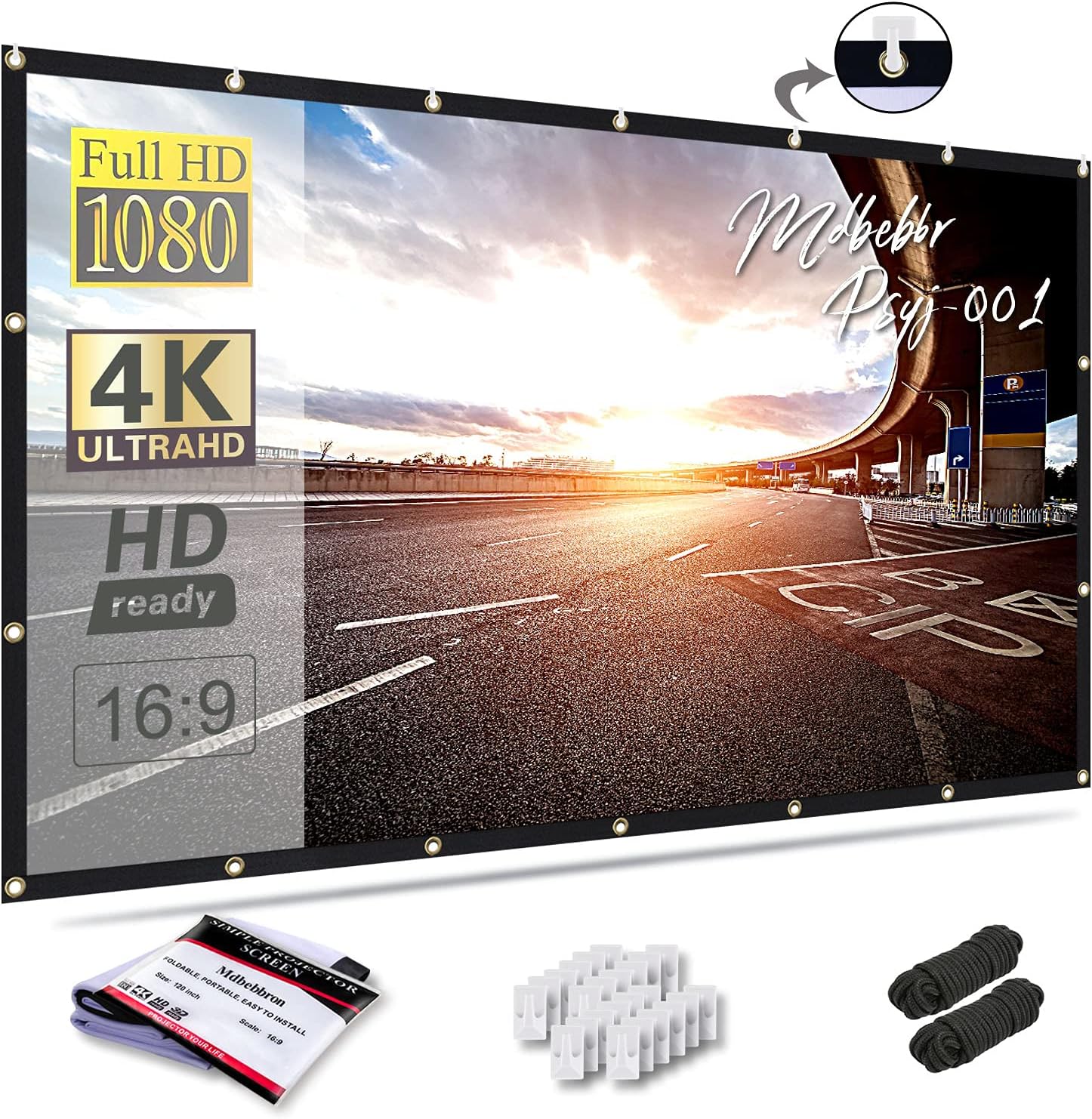
Image 1.1: Mdbebbron 120-inch projector screen with included hooks and ropes.
Key Features
- Portability: Compact, lightweight, and foldable design for easy storage and transport.
- Versatile Application: Suitable for home theater, office presentations, education, outdoor movies, and public displays.
- Material Quality: Constructed from natural polyester fabric, offering a sharper and brighter projection. The material is thickened, smooth, and designed to be wrinkle-free when folded or compressed.
- Easy Installation: Can be securely fastened using hooks, ropes, brackets, nails, or double-sided tape on various surfaces.
- Dimensions: 16:9 screen format with a 120-inch diagonal, providing a 104" x 58" viewing area.
2. Setup and Installation
Preparing the Screen
The screen is manufactured with anti-crease material. If any minor creases are present from packaging, gently stretch the screen during installation to achieve a flat surface. The material is designed to remain wrinkle-free even after compression or folding.

Image 2.1: Demonstration of the screen's wrinkle-free and foldable properties.
Included Accessories
The projector screen comes with various accessories to facilitate installation. Nails are not included but can be used for more permanent fixtures.

Image 2.2: Visual representation of installation accessories including ropes, hooks, and double-sided tape.
- Hooks (20 pieces)
- Ropes (2 packs)
- Double-sided tape (20 pieces)
Installation Steps
The screen features reinforced grommets along its edges for secure mounting. Choose a suitable location and method for installation based on your environment.

Image 2.3: Diagram illustrating the screen's dimensions (104x58 inches for 120-inch diagonal) and the process of installing hooks without damaging the wall.
- Unfold the screen carefully.
- Identify the desired viewing area and ensure the mounting surface is clean and dry.
- Attach the provided hooks to the wall or mounting surface. For temporary setups, double-sided tape can be used. For more secure or permanent installations, consider using nails or a bracket system (not included).
- Thread the ropes through the grommets and secure them to the hooks, applying gentle tension to stretch the screen flat.
- Ensure the screen is level and taut to prevent wrinkles and optimize projection quality.
3. Operation
Projection Guidelines
For an optimal viewing experience, ensure the projection environment is sufficiently dark. The screen supports both front and rear projection, allowing for flexible setup options. Adjust your projector's focus and keystone correction for the best picture quality.

Image 3.1: A family enjoying content projected onto the Mdbebbron screen in a home setting.
Aspect Ratio and Viewing Area
The screen has a native 16:9 aspect ratio, which is ideal for widescreen content. The 120-inch diagonal display offers a viewing area of approximately 104 inches wide by 58 inches high.

Image 3.2: The projector screen seamlessly integrated into a modern living room environment.
4. Maintenance and Care
Cleaning
To clean the screen, gently wipe it with a soft, damp cloth. Avoid using harsh chemicals or abrasive materials, as these can damage the screen surface. Allow the screen to air dry completely before folding or storing.
Storage
When not in use, fold the screen neatly to prevent unnecessary creasing. Store it in a dry, cool place away from direct sunlight and sharp objects. The compact design allows for easy storage in a backpack or suitcase.
5. Troubleshooting
Wrinkles or Creases
While designed to be anti-crease, minor wrinkles may occur from prolonged folding or improper storage. To minimize wrinkles, stretch the screen taut during installation. For persistent creases, gently iron the back of the screen on a low setting with a cloth barrier, or allow it to hang stretched for an extended period.
Installation Issues
If adhesive hooks do not hold, ensure the mounting surface is clean, dry, and smooth. For heavier use or less ideal surfaces, consider using nails or a more robust mounting solution.
Image Quality
If the projected image appears blurry or dim, check the projector's focus, brightness settings, and ensure the room is dark enough. Verify that the projector is aligned correctly with the screen.
6. Specifications
| Feature | Detail |
|---|---|
| Product Dimensions (Viewing Area) | 104 x 58 x 0.2 inches |
| Item Weight | 1.7 pounds |
| Model Number | PSJY-001 |
| Material | Polyester |
| Display Dimensions (Diagonal) | 120 inches |
| Aspect Ratio | 16:9 |
| Mounting Type | Wall Mount (via hooks, ropes, tape, nails) |
| Manufacturer | Mdbebbron |
| Date First Available | July 6, 2018 |
7. Warranty and Support
This product does not come with an explicit manufacturer's warranty period stated in the provided information. For any product-related inquiries or support, please contact your retailer or the manufacturer directly.
Extended protection plans may be available for purchase separately from third-party providers.
Related Documents - PSJY-001
 |
HOMCOM Electric Projection Screen User Manual Comprehensive user manual for the HOMCOM electric projection screen, covering technical specifications, product parameters, safety instructions, installation guides, operation procedures, and troubleshooting tips. Includes multilingual support and contact information. |
 |
BenQ GP500 Digital Projector Quick Start Guide - Setup and Wireless Projection Concise guide to setting up your BenQ GP500 Digital Projector, including connecting to Wi-Fi, Google account setup, wireless projection from iOS, Android, and Windows, and using your phone as a remote control. |
 |
HOMCOM Electric Screen Manual: Installation, Operation, and Specifications Comprehensive user manual for HOMCOM electric projection screens, covering installation guides, operation instructions, technical specifications, troubleshooting, and safety warnings for models 001-015V90, 001-015V91, 001-015V92, and 001-015V93. |
 |
Moredig RCPL-001 Remote Control Musical Projection Lamp User Manual Comprehensive user manual for the Moredig RCPL-001 Remote Control Musical Projection Lamp. This guide covers product features, operation of the lamp and remote control, lamp film replacement, power connection, cleaning, important safety cautions and warnings, battery information, and WEEE disposal guidelines. Ideal for parents seeking a soothing night light for children. |
 |
Galaxy Nightlight Projector User Manual: Starry Sky, Bluetooth Speaker & White Noise Official user manual for the Galaxy Nightlight Projector. Learn how to set up, operate the projector, use its Bluetooth speaker, white noise functions, and remote control. Includes product specifications and customer support details. |
 |
HEMNES Shoe Cabinet Assembly Instructions Step-by-step assembly guide for the IKEA HEMNES shoe cabinet, including safety warnings, parts list, and detailed instructions for assembly. |