
Product Overview
The iLive Electronics ISBW108BU is a compact and portable waterproof wireless speaker designed for on-the-go audio. Featuring a durable fabric exterior and a rubberized coating, this speaker is built to withstand splashes and light rain, making it suitable for various environments. It includes a built-in microphone for hands-free calls and a rechargeable battery for extended use.
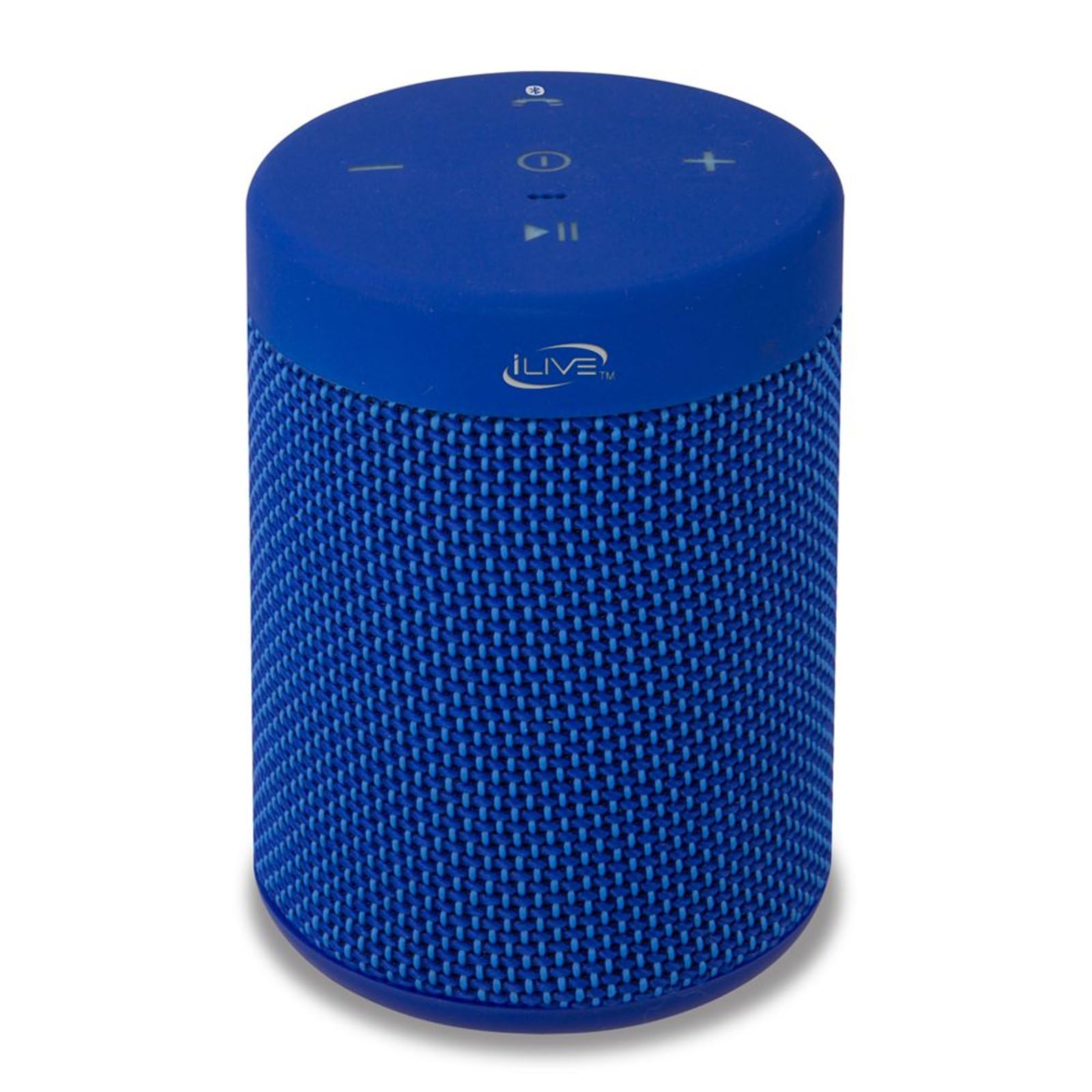
Figure 1: The iLive Electronics ISBW108BU speaker, showcasing its blue fabric finish and integrated carabiner clip.

Figure 2: The portable speaker clipped to a backpack, demonstrating its suitability for outdoor activities.
What's in the Box
Upon unboxing your iLive ISBW108BU speaker, please ensure all the following components are present:
- iLive ISBW108BU Waterproof Fabric Wireless Speaker
- Detachable Carabiner Clip
- Micro-USB to USB Charging Cable
- User's Guide
- Warranty Information
Controls and Indicators
Familiarize yourself with the control buttons located on the top panel of your speaker:
- Power Button (①): Press and hold to turn the speaker ON or OFF.
- Play/Pause Button (▶‖): Press to play or pause audio.
- Volume Down Button (-): Press to decrease volume.
- Volume Up Button (+): Press to increase volume.
- Bluetooth/Call Button (☎ ①): Press to answer/end calls or activate Bluetooth pairing mode.
- LED Indicator (•••): Indicates power status, charging status, and Bluetooth pairing status.

Figure 3: Top panel controls of the iLive ISBW108BU speaker.
Setup
Charging the Speaker
Before first use, fully charge the speaker. Connect the micro-USB end of the included charging cable to the speaker's charging port and the USB-A end to a standard USB power adapter (not included) or a computer's USB port. The LED indicator will show charging status. A full charge provides approximately 2.5 hours of playback at 100% volume.
Powering On/Off
To turn the speaker ON, press and hold the Power button (①) until the LED indicator lights up. To turn the speaker OFF, press and hold the Power button again until the LED indicator turns off.
Bluetooth Pairing
Follow these steps to connect your speaker to a Bluetooth-enabled device:
- Ensure the speaker is powered ON and in pairing mode (the LED indicator will typically flash).
- On your mobile device (smartphone, tablet, etc.), navigate to the Bluetooth settings.
- Search for available devices. The speaker should appear as "iLive ISBW108BU" or a similar name.
- Select the speaker from the list to initiate pairing.
- Once successfully paired, the LED indicator on the speaker will typically glow solid, and you may hear an audible confirmation.

Figure 4: Effortlessly stream audio from your smartphone via Bluetooth wireless connection.
Operation
Playing Audio
After successful Bluetooth pairing, you can play audio from your connected device. Use the Play/Pause button (▶‖) on the speaker to control playback. Adjust volume using the Volume Up (+) and Volume Down (-) buttons. Track skipping may be controlled via your connected device.
Hands-Free Speakerphone
When a call comes in while your phone is paired, the speaker will ring. Press the Bluetooth/Call button (☎ ①) once to answer the call. Press it again to end the call. The built-in microphone allows for clear communication.
Waterproof Feature (IPX5)
The iLive ISBW108BU speaker features an IPX5 waterproof rating, meaning it is protected against low-pressure water jets from any direction. This makes it suitable for use near pools, at the beach, or in light rain. It is not designed to be submerged in water.
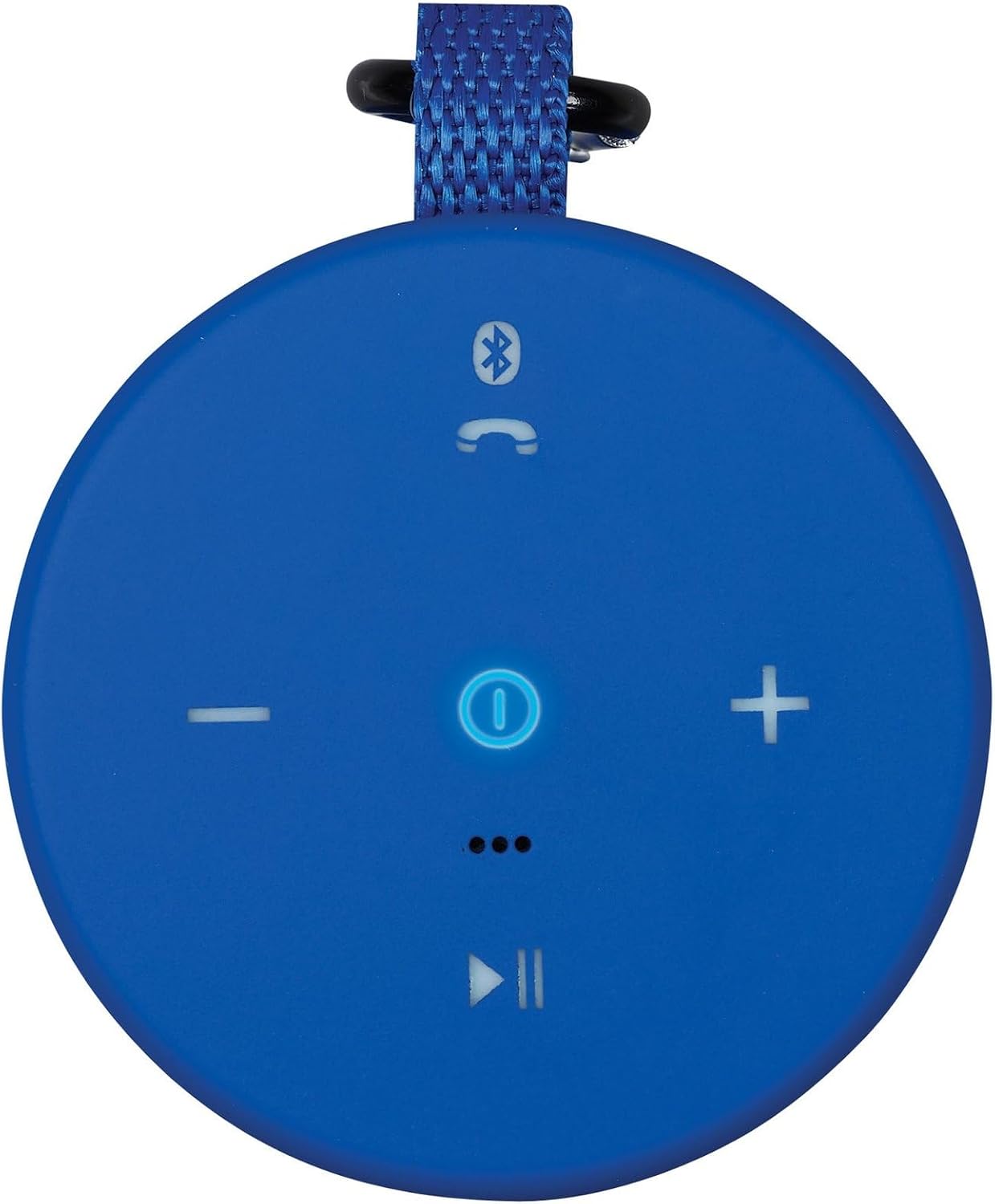
Figure 5: The speaker demonstrating its IPX5 waterproof capability with water splashes.

Figure 6: Official IPX5 Waterproof rating for the speaker.

Figure 7: The speaker positioned poolside, highlighting its waterproof design for leisure use.
Maintenance
Cleaning
To clean your speaker, gently wipe the exterior with a soft, damp cloth. Avoid using harsh chemicals, abrasive cleaners, or solvents, as these can damage the fabric and rubberized coating. Ensure the charging port cover is securely closed before cleaning or exposing to water.
Battery Care
To maximize the lifespan of the built-in rechargeable battery:
- Avoid fully discharging the battery frequently.
- Charge the speaker regularly, even if not in constant use.
- Store the speaker in a cool, dry place when not in use for extended periods.
- Do not expose the speaker to extreme temperatures.
Troubleshooting
If you encounter issues with your speaker, refer to the following common problems and solutions:
- No Power: Ensure the battery is charged. Connect the speaker to a power source using the micro-USB cable.
- Cannot Pair Bluetooth: Make sure the speaker is in pairing mode (LED flashing). Turn off and on your device's Bluetooth. Move the speaker closer to your device. Ensure no other devices are currently connected to the speaker.
- No Sound: Check the volume levels on both the speaker and your connected device. Ensure the speaker is successfully paired and connected.
- Poor Sound Quality: Move the speaker closer to your device to reduce interference. Ensure there are no obstructions between the speaker and your device.
- Speaker Turns Off Unexpectedly: The battery may be low. Recharge the speaker.
Specifications
| Feature | Detail |
|---|---|
| Model Number | ISBW108BU |
| Brand | iLive Electronics |
| Connectivity Technology | Bluetooth, USB |
| Wireless Communication Technology | Bluetooth |
| Water Resistance Level | Waterproof (IPX5) |
| Speaker Type | Portable, Waterproof |
| Power Source | Battery Powered (1 Lithium Ion battery required) |
| Battery Life | Approximately 2.5 hours at 100% volume |
| Audio Output Mode | Mono |
| Speaker Maximum Output Power | 1.85 Watts |
| Audio Driver Size | 40 Millimeters |
| Control Method | Touch |
| Product Dimensions | 3.4"D x 2.56"W x 2.56"H |
| Item Weight | 9.9 ounces |
| Material | Rubber, Plastic/Metal |
| Color | Blue |
| UPC | 047323108051 |
Warranty Information
This iLive Electronics product comes with a limited warranty. Please refer to the warranty card included in your product packaging for specific terms, conditions, and registration details. Keep your proof of purchase for any warranty claims.
Customer Support
For further assistance, technical support, or inquiries regarding your iLive Electronics ISBW108BU speaker, please visit the official iLive Electronics website or contact their customer service department. Contact information can typically be found in the included user's guide or on the brand's website.
