
myfree GL09-B-new
myfree GRDE V4.1 Bluetooth Headset User Manual
Model: GL09-B-new
Introduction
This user manual provides detailed instructions for the myfree GRDE V4.1 Bluetooth Headset. Please read this manual carefully before using the product to ensure proper operation and to maximize its lifespan. This headset features magnetic earbuds, a snug fit for sports, waterproof design, 10 hours playtime, and CVC 6.0 noise-cancelling microphone.
Package Contents

Figure 1: Contents of the product package.
- 1 x Bluetooth Headset
- 1 x USB Charging Cable
- 6 x Interchangeable Ear Tips (S/M/L)
- 4 x Interchangeable Ear Hooks
- 2 x Line Buckle
- 1 x Carrying Case
- 1 x User Manual (this document)
Product Overview

Figure 2: Key components and controls of the headset.
- Ear Hook: Provides a secure fit, especially during physical activity.
- Ear Tip: Inserts into the ear canal for sound delivery and noise isolation. Comes in multiple sizes for comfort.
- Microphone: For hands-free calls and voice commands.
- USB Charge Port: Used for charging the headset.
- Volume+/Next Button: Increases volume or skips to the next track.
- Multi-Functional Button (MFB): Powers on/off, plays/pauses music, answers/ends calls, enters pairing mode.
- Volume-/Previous Button: Decreases volume or goes to the previous track.
- LED Indicator: Shows power status, pairing status, and charging status.

Figure 3: Magnetic earbuds design for convenient storage.
The headset features built-in magnets in the earbuds, allowing them to connect together when not in use. This design helps prevent tangling and makes the headset easy to carry around your neck, reducing the risk of losing them.
Setup
1. Charging the Headset
Before first use, ensure the headset is fully charged. When the headset prompts "Battery low", it's time to recharge.
- Connect the provided USB Charging Cable to the headset's USB Charge Port.
- Connect the other end of the USB cable to a standard USB charger (e.g., wall adapter, computer USB port).
- The LED indicator will show a red light during charging.
- Once fully charged (approximately 1-2 hours), the LED indicator will turn blue.
- Disconnect the charging cable.
Note: It is recommended to turn off the headset before charging for safety. And make sure the earphone is fully charged before its initial use.
2. Selecting Ear Tips and Ear Hooks
For optimal sound quality, comfort, and secure fit, choose the ear tips and ear hooks that best suit your ears.

Figure 4: Choosing the right ear tips and ear hooks for comfort and secure fit.
- The package includes 3 pairs of interchangeable ear tips (Small, Medium, Large) and 2 pairs of ear hooks.
- Experiment with different sizes to find the pair that provides a snug seal in your ear canal without causing discomfort. A good seal is crucial for bass response and noise isolation.
- Attach the ear hooks if you require extra stability, especially during exercise. They are designed to fit securely around the inner part of your ear.
Operating Instructions
1. Powering On/Off
- Power On: Long press the Multi-Functional Button (MFB) for approximately 3 seconds until the blue light flashes and you hear the voice prompt "Power on".
- Power Off: Long press the MFB for approximately 3 seconds until the red light flashes and you hear the voice prompt "Power off".
2. Bluetooth Pairing
To connect your headset to a Bluetooth-enabled device (e.g., smartphone, tablet):
- Ensure the headset is powered off.
- Long press the MFB for about 3 seconds until the blue light flashes (voice prompt "Power on"). Continue holding the button.
- Release the button. The headset will automatically enter pairing mode, indicated by alternating red and blue lights.
- Activate the Bluetooth function on your device.
- Search for available Bluetooth devices and select "GL09" from the list.
- Once connected successfully, you will hear the voice prompt "Connected", and the indicator light will flash blue intermittently.
3. Dual Devices Pairing (Multipoint Pairing)
The headset supports connecting to two Bluetooth devices simultaneously.

Figure 5: Dual device pairing capability.
- Pair the headset with the first device following the standard Bluetooth pairing steps.
- Once connected, turn off the Bluetooth function on the first device.
- Reboot the headset (power off, then power on into pairing mode).
- Pair the headset with the second device.
- After the second device is successfully connected, turn on the Bluetooth function on the first device. The headset will automatically connect to both devices.
4. Controls
The inline controls allow you to manage music playback and calls.
- Play/Pause: Short press the MFB.
- Volume Up: Short press the Volume+ button.
- Volume Down: Short press the Volume- button.
- Next Track: Long press the Volume+ button.
- Previous Track: Long press the Volume- button.
- Answer/End Call: Short press the MFB during an incoming call.
- Reject Call: Long press the MFB during an incoming call.
- Activate Voice Assistant (Siri/Google Assistant): Double-press the MFB.
Maintenance
- Keep the headset dry. Do not expose it to extreme temperatures.
- Clean the ear tips regularly with a soft, dry cloth to remove earwax and debris.
- Store the headset in the provided carrying case when not in use to protect it from dust and damage.
- Avoid dropping or subjecting the headset to strong impacts.
- Do not attempt to disassemble or modify the headset, as this will void the warranty and may cause damage.
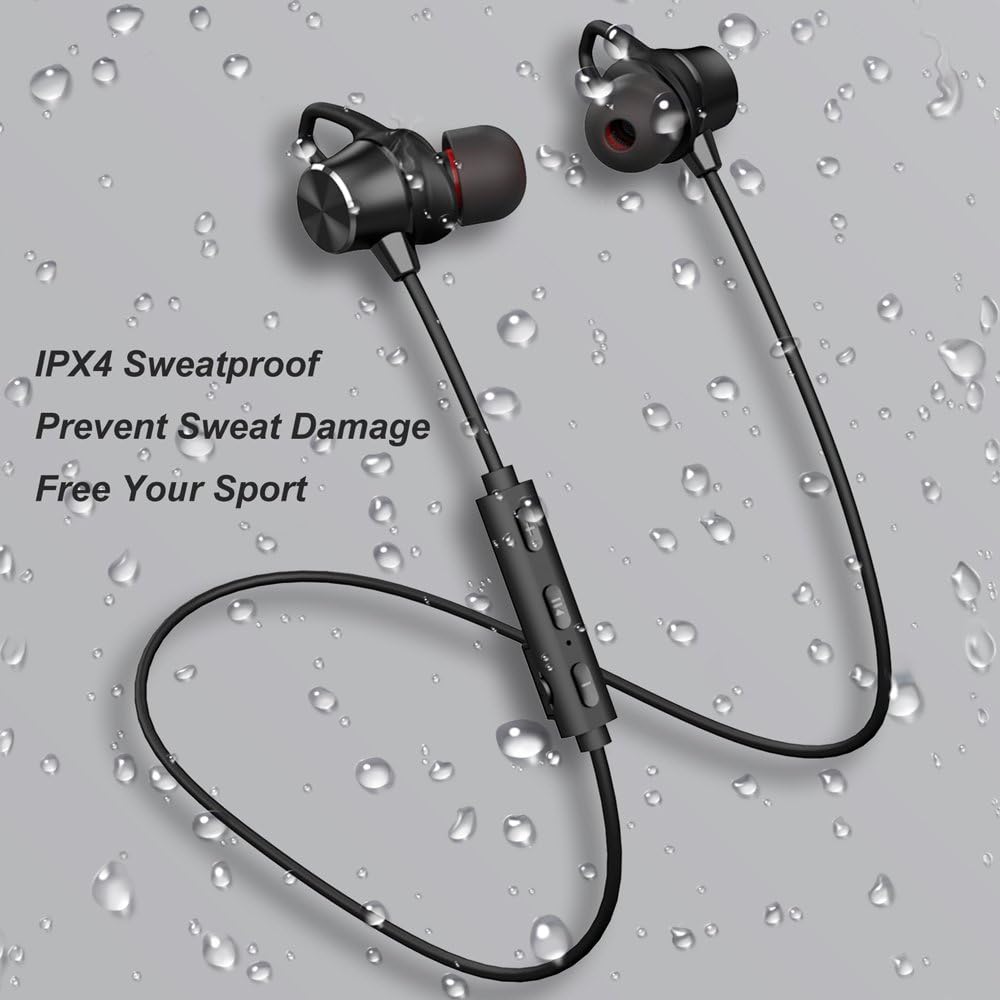
Figure 6: IPX4 Sweatproof design for protection against sweat.
While the headset is IPX4 sweatproof, meaning it can resist splashing water from any direction, it is not designed for submersion. Avoid exposing it to heavy rain or submerging it in water.
Troubleshooting
| Problem | Possible Cause | Solution |
|---|---|---|
| Headset won't power on. | Low battery. | Charge the headset for 1-2 hours. |
| Cannot pair with device. | Headset not in pairing mode; Bluetooth off on device; device too far. | Ensure headset is in pairing mode (alternating red/blue light). Turn on Bluetooth on your device. Keep devices within 10 meters (33 feet). |
| No sound or poor sound quality. | Volume too low; headset not connected; ear tips not sealed properly. | Increase volume on headset and device. Re-pair the headset. Adjust ear tips for a snug fit. |
| Intermittent connection. | Interference; device too far; low battery. | Move closer to the device. Avoid strong electromagnetic interference. Charge the headset. |
Specifications

Figure 7: Core technologies of the headset.
| Model | GL09-B-new |
| Bluetooth Version | V4.1 |
| Working Distance | ≤33ft (10 meters) |
| Charging Time | 1-2 hours |
| Working Time (Music/Talk) | Up to 10 hours |
| Standby Time | Up to 300 hours |
| Noise Cancellation | CVC 6.0 |
| Water Resistance Rating | IPX4 (Sweatproof) |
| Weight | Approx. 11.9 g (0.42 oz) |
| Material | Plastic |
Warranty and Support
For warranty information and customer support, please refer to the contact details provided with your purchase or visit the official myfree website. Keep your proof of purchase for warranty claims.
Ask a question about this manual
Ask about setup, troubleshooting, compatibility, parts, safety, or missing instructions. Manuals+ will review the question and use this page’s manual context to help answer it.