
1. Introduction
The UNI-T UT251A is a high-accuracy, high-sensitivity leakage current clamp meter designed for precise testing of AC leakage current. This high-resolution meter is suitable for various applications, including checking leakage current in motors, home appliances, and other electrical equipment up to 600A. It features a 4-digit LCD digital display with 10000 display count, auto-ranging capabilities, a 2/s sampling rate, peak hold function, and the ability to store 99 sets of data. The device also includes an RS-232 interface for data transmission, data hold, auto power-off, overload indication, and low battery indication.
2. Safety Information
Please read and understand all safety instructions before operating the device. Failure to follow these instructions may result in electric shock, fire, or serious injury.
- Always wear appropriate personal protective equipment (PPE) when working with electrical systems.
- Do not use the meter if it appears damaged or is operating abnormally.
- Ensure the battery compartment is securely closed before use.
- Do not exceed the maximum input ratings for any function.
- Avoid touching live circuits with bare hands or conductive materials.
- Keep the device dry and clean.
- Refer to local and national safety codes for proper electrical work procedures.
3. Product Overview
The UNI-T UT251A is a compact and robust leakage current clamp meter. Key features include:
- 4-digit LCD Digital Display: Provides clear readings with a 10000 display count.
- Auto Range: Automatically selects the appropriate measurement range.
- 2/s Sampling Rate: Ensures quick and responsive measurements.
- Peak Hold: Captures and displays the maximum measured value.
- Data Logging: Stores up to 99 sets of data for later analysis.
- RS-232 Interface: Allows connection to a PC for data transfer and analysis.
- Data Hold: Freezes the current reading on the display.
- Auto Power Off: Conserves battery life by automatically shutting down after a period of inactivity.
- Overload Indication: Alerts the user when the measurement exceeds the range.
- Low Battery Indication: Notifies the user when the battery needs replacement.

Figure 3.1: Front view of the UNI-T UT251A Leakage Current Clamp Meter, showing the display, clamp jaw, and control buttons.
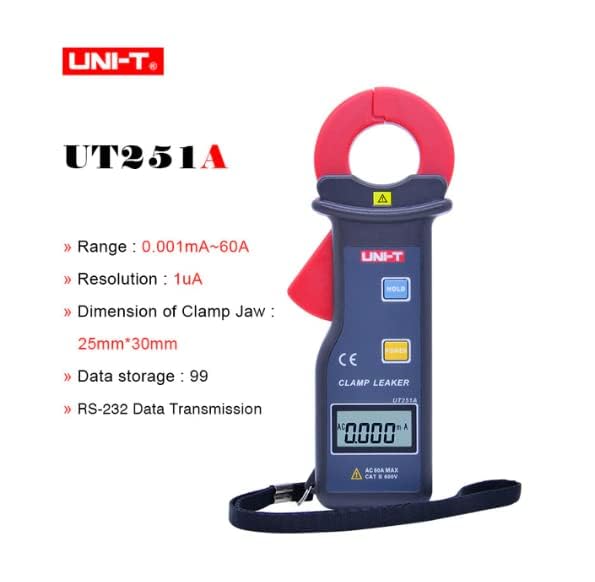
Figure 3.2: The UNI-T UT251A Clamp Meter highlighting its range, resolution, clamp jaw dimension, data storage, and RS-232 data transmission capabilities.
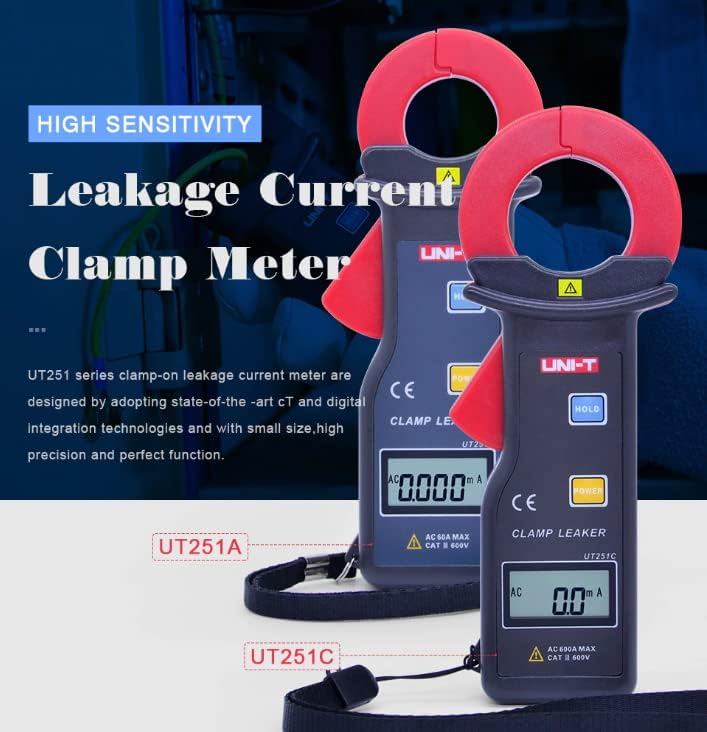
Figure 3.3: Comparison of UT251A and UT251C models, emphasizing their high sensitivity for leakage current measurement.
4. Setup
4.1 Battery Installation
- Locate the battery compartment cover on the back of the meter.
- Use a screwdriver to loosen the screw(s) and remove the cover.
- Insert the 9V battery (6F22) into the compartment, observing correct polarity.
- Replace the battery compartment cover and tighten the screw(s).
4.2 Initial Check
- Press the POWER button to turn on the meter.
- Verify that the LCD display shows "0.000mA" or a similar low reading in a stable environment.
- If a low battery indicator appears, replace the battery before use.
5. Operating Instructions
5.1 Measuring AC Leakage Current
- Turn on the meter by pressing the POWER button.
- Open the clamp jaw by pressing the trigger.
- Carefully clamp the meter around a single conductor (live, neutral, or ground wire) of the circuit you wish to measure. Ensure the jaw is completely closed.
- Read the leakage current value displayed on the LCD. The meter will automatically select the appropriate range.
- For accurate readings, ensure no other conductors are within the clamp jaw.
5.2 Data Hold Function
- During a measurement, press the HOLD button to freeze the current reading on the display.
- Press the HOLD button again to release the data hold and resume live measurement.
5.3 Peak Hold Function
- The meter automatically captures peak values. Refer to the specific manual for detailed instructions on accessing and clearing peak hold readings.

Figure 5.1: The UNI-T UT251A Clamp Meter in use, measuring current on an electrical wire.

Figure 5.2: A user wearing protective gloves operating the UNI-T UT251A Clamp Meter within an electrical panel, demonstrating a typical application.
6. Data Logging and RS-232 Interface
The UT251A can store up to 99 sets of measurement data. This data can be retrieved and analyzed using the RS-232 interface and the provided PC software.
6.1 Storing Data
- During a measurement, press the appropriate button (refer to the specific manual for button identification, often labeled "MEM" or similar) to save the current reading.
- The meter will indicate successful data storage, often by displaying a memory location number.
6.2 Connecting to PC via RS-232
- Install the PC software from the provided CD onto your computer.
- Connect the RS-232 interface cable to the meter's RS-232 port and to your computer's serial port (or a USB-to-serial adapter).
- Launch the PC software.
- Follow the software's instructions to establish communication with the meter and download the stored data.
Video 6.1: An official product video demonstrating the features and usage of the UNI-T UT251A/UT251C clamp meters, including a comparison of the two models and their accessories.
7. Maintenance
7.1 Cleaning
- Wipe the meter's casing with a damp cloth and mild detergent. Do not use abrasives or solvents.
- Keep the clamp jaw clean and free of debris to ensure accurate measurements.
7.2 Battery Replacement
- When the low battery indicator appears, replace the 9V battery as described in the "Battery Installation" section.
- Remove the battery if the meter will not be used for an extended period to prevent leakage.
7.3 Storage
- Store the meter in a cool, dry place, away from direct sunlight and extreme temperatures.
- Use the provided carrying bag for protection during storage and transport.
8. Troubleshooting
| Problem | Possible Cause | Solution |
|---|---|---|
| Meter does not power on. | Dead or incorrectly installed battery. | Check battery polarity or replace the 9V battery. |
| Inaccurate readings. | Dirty clamp jaw; external magnetic fields; multiple conductors in jaw. | Clean the clamp jaw; move away from strong magnetic fields; ensure only one conductor is clamped. |
| "OL" (Overload) displayed. | Measured current exceeds the meter's range. | Ensure the current is within the meter's specified range (up to 60A for UT251A). |
| Cannot connect to PC. | Incorrect cable connection; software not installed or configured properly. | Verify RS-232 cable connection; reinstall PC software; check software communication settings. |
9. Specifications
| Characteristic | Detail |
|---|---|
| Model | UT251A |
| Range (Leakage Current) | 0.001mA ~ 60A |
| Resolution | 1µA |
| Display Count | 10000 |
| Sampling Rate | 2 times/second |
| Clamp Jaw Dimension | 25mm x 30mm |
| Data Storage | 99 sets |
| Interface | RS-232 |
| Power | 9V battery (6F22) |
| Display Size | 32mm x 15mm |
| Product Net Weight | 120g |
| Product Size | 175mm x 70mm x 38mm |
| Safety Rating | CAT III 600V |
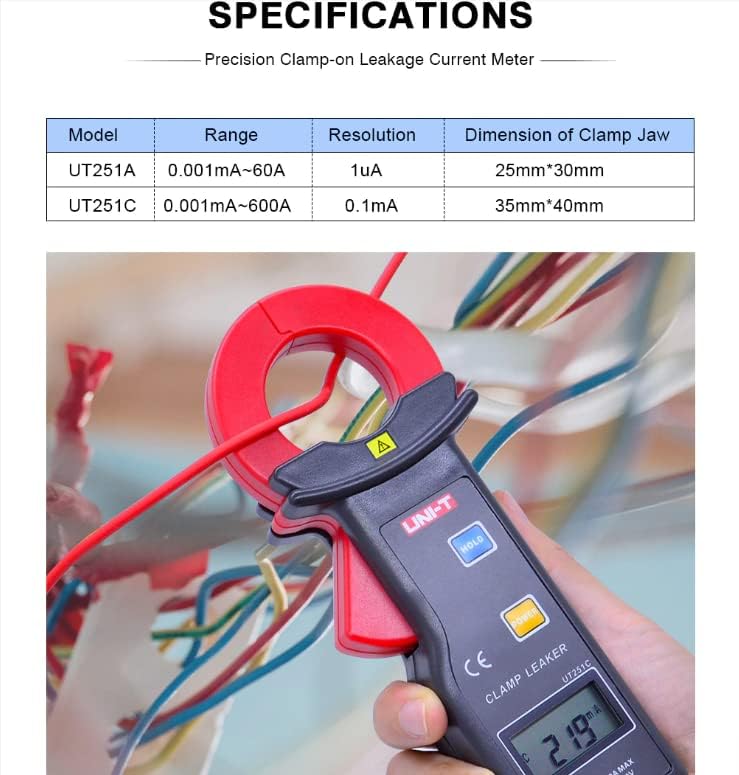
Figure 9.1: Detailed specifications table comparing the UT251A and UT251C models, including range, resolution, and clamp size.
10. What's in the Box
The standard package for the UNI-T UT251A includes:
- UNI-T UT251A Leakage Current Clamp Meter
- 9V Battery (6F22)
- RS-232 Interface Cable
- PC Software CD
- Gift Box
- Carrying Bag
- English Manual
- Tool Box

Figure 10.1: The UNI-T UT251A Clamp Meter shown with its packaging and included accessories, such as the RS-232 cable and software CD.
11. Warranty and Support
For warranty information and technical support, please refer to the documentation included with your product or contact UNI-T customer service directly. Details can typically be found on the official UNI-T website or through your point of purchase.