
BIOS Diagnostics 235DI
BIOS Diagnostics 1 Second Ear Thermometer User Manual
Model: 235DI | Brand: BIOS Diagnostics
Product Overview
The BIOS Diagnostics "HALO" 1 Second Ear Thermometer is designed for quick and accurate temperature measurements within the ear canal. It utilizes infrared technology to measure body temperature from the eardrum and surrounding tissue. This device is suitable for clinical or home use on individuals over two years of age.
Key features include an illuminated probe for easy use in low light, "Clean Me" technology to indicate when the lens requires cleaning, and the ability to store up to 30 readings for efficient tracking of temperature variations.

Image: Angled view of the BIOS Diagnostics Halo Ear Thermometer, showing the display and "halo" branding.
Features
- 1-Second Measurement: Innovative infrared technology provides clinically accurate results rapidly.
- Fever Glow Technology: The display illuminates with a specific color (e.g., red for fever) and includes an audio alarm. The alarm can be disabled for silent readings.
- Illuminated Probe: The probe illuminates for gentle and easy measurements, especially in low-light conditions.
- "Clean Me" Technology: An on-screen indicator ("clean me" will flash on the LCD) reminds users to clean the probe lens.
- C/F Switchable: Easily switch between Celsius and Fahrenheit temperature units.
- Multiple Reading Recall: Stores and allows recall of the last 30 temperature readings.
- Wide Range Measurement: Measures temperatures from 0°C to 100.0°C (32.0°F to 212.0°F), suitable for body temperature, milk surface temperature, bath water temperature, or ambient temperatures.
- Storage Case: Includes a protective case for convenient storage and portability.
- Health Canada Licensed: This device is licensed by Health Canada.

Image: Close-up of the thermometer's probe, showing its illumination feature.
Included Components
Your BIOS Diagnostics 1 Second Ear Thermometer package includes:
- BIOS Diagnostics 1 Second Ear Thermometer (Model 235DI)
- Storage Case
- User Manual (this document)
- 1 CR2 Battery (pre-installed or included separately)

Image: The retail packaging of the BIOS Diagnostics Halo Ear Thermometer, showing the thermometer and its key features.
Setup
Battery Installation
The thermometer requires one CR2 battery. If the battery is not pre-installed or needs replacement, follow these steps:
- Locate the battery compartment cover, usually on the back or bottom of the device.
- Open the cover by sliding or gently prying it open.
- Insert the CR2 battery, ensuring the correct polarity (+ and -) as indicated inside the compartment.
- Close the battery compartment cover securely.
Initial Power On
Press the power button (usually marked with a power symbol ⏻) to turn on the thermometer. The display will briefly show all segments, followed by the last reading or a standby screen.
Operating Instructions
Taking a Temperature Reading (Ear Mode)
- Ensure the thermometer is clean and ready for use.
- Press the power button to turn on the device.
- Gently insert the probe into the ear canal. For accurate readings, ensure the probe is positioned correctly, pointing towards the eardrum.
- Press the "START" button. The measurement will be completed in approximately 1 second.
- The temperature reading will be displayed on the LCD screen. The screen may illuminate with Fever Glow technology (e.g., red for fever) if a high temperature is detected.
- Remove the thermometer from the ear.
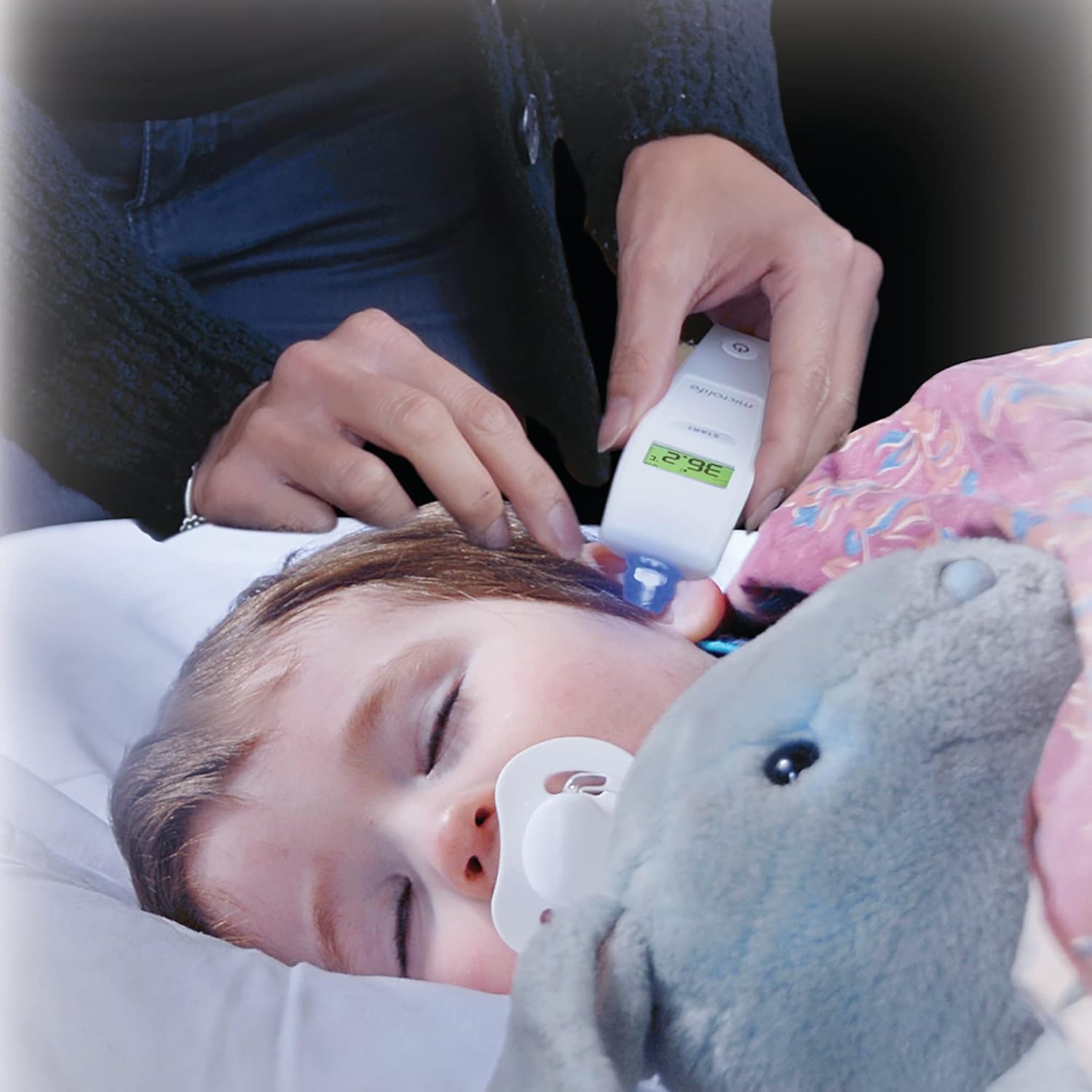
Image: A person using the BIOS Diagnostics ear thermometer to take the temperature of a sleeping child.
Switching Between Celsius (°C) and Fahrenheit (°F)
To switch temperature units:
- With the thermometer off, press and hold the "START" button for a few seconds until the unit changes.
- Alternatively, some models may require pressing the power button and "START" button simultaneously. Refer to the on-screen prompts if available.
Memory Recall (Last 30 Readings)
To access previous readings:
- Turn on the thermometer.
- Press the "START" button repeatedly to cycle through the last 30 stored readings. Each press will display the next older reading.
Fever Glow Technology
The display backlight changes color to indicate temperature ranges:
- Green: Normal temperature.
- Red: Elevated temperature/Fever.
An audible alarm will also sound for elevated temperatures. To disable the audio alarm for silent readings (e.g., for a sleeping child), consult the device's specific settings, which may involve holding a button during power-on or a dedicated mute function.

Image: Close-up of the thermometer's display showing a temperature of 37.6°C with a red backlight, indicating a fever.
Maintenance
Cleaning the Thermometer
The thermometer should be cleaned after each use to ensure hygiene and accuracy. The "Clean Me" technology will flash on the LCD to remind you when the probe lens needs cleaning.
- Wipe the probe lens gently with a soft cloth or cotton swab moistened with alcohol (e.g., 70% isopropyl alcohol).
- Clean the body of the thermometer with a soft, damp cloth. Do not immerse the thermometer in water or any other liquid.
- Allow the thermometer to air dry completely before storing it.
- Do not use abrasive cleaning agents, thinners, or benzene for cleaning.
Storage
Store the thermometer in its provided storage case in a cool, dry place, away from direct sunlight and extreme temperatures.
Troubleshooting
| Problem | Possible Cause | Solution |
|---|---|---|
| Inaccurate or inconsistent readings |
|
|
| "Clean Me" message persists after cleaning | Probe lens not thoroughly cleaned. | Re-clean the probe lens carefully, ensuring no residue remains. |
| Display shows "Lo" or "Hi" | Temperature is outside the measurement range (0°C-100°C / 32°F-212°F). | Ensure the thermometer is used within its specified temperature range. If measuring body temperature, ensure proper contact. |
| No display or device won't turn on |
|
|
Specifications
| Attribute | Detail |
|---|---|
| Model Number | 235DI |
| Measurement Range | 0°C to 100.0°C (32.0°F to 212.0°F) |
| Measurement Time | Approximately 1 second |
| Memory Recall | Last 30 readings |
| Display Type | LCD with Fever Glow backlight |
| Battery Type | 1 x CR2 battery (included) |
| Product Dimensions | 7.5 x 20.75 x 10.25 cm |
| Product Weight | 54.5 g |
| Material | Plastic |
| Country of Origin | China |
| Regulatory Compliance | Licensed by Health Canada |
Important Safety Information
Actual product packaging and materials may contain more and different information than what is shown on our website. We recommend that you do not rely solely on the information presented and that you always read labels, warnings, and directions before using or consuming a product.
This device is intended for measuring human body temperature in the ear canal for individuals over two years of age. Do not use this device for purposes other than those specified.
Keep out of reach of children. Small parts like batteries can be a choking hazard.
Warranty and Support
Information regarding specific warranty terms and customer support contact details for the BIOS Diagnostics 1 Second Ear Thermometer (Model 235DI) is not available in this document. Please refer to the product packaging or the official BIOS Diagnostics website for the most current warranty information and customer service contacts.
Related documents235DI

Ask a question about this manual
Ask about setup, troubleshooting, compatibility, parts, safety, or missing instructions. Manuals+ will review the question and use this page’s manual context to help answer it.