
1. Introduction
This manual provides essential information for the safe and efficient installation, operation, and maintenance of the Goulds AVB10050A0X0X0X1 Aquavar Intelligent Pump Controller. Please read this manual thoroughly before attempting to install or operate the unit. Retain this manual for future reference.
2. Safety Information
WARNING: Electrical shock hazard. Installation and servicing must be performed by qualified personnel only. Disconnect all power before servicing.
- Always ensure the main power supply is disconnected before performing any installation, maintenance, or troubleshooting procedures.
- Follow all local and national electrical codes.
- Ensure proper grounding of the unit.
- Do not operate the controller with damaged wiring or components.
- This controller is designed for specific applications. Do not use it for purposes other than those specified.
3. Product Overview
The Goulds AVB10050A0X0X0X1 Aquavar Intelligent Pump Controller is a sophisticated device designed to optimize the performance and efficiency of pump systems. It provides variable speed control for single-phase pumps, ensuring consistent water pressure and energy savings.
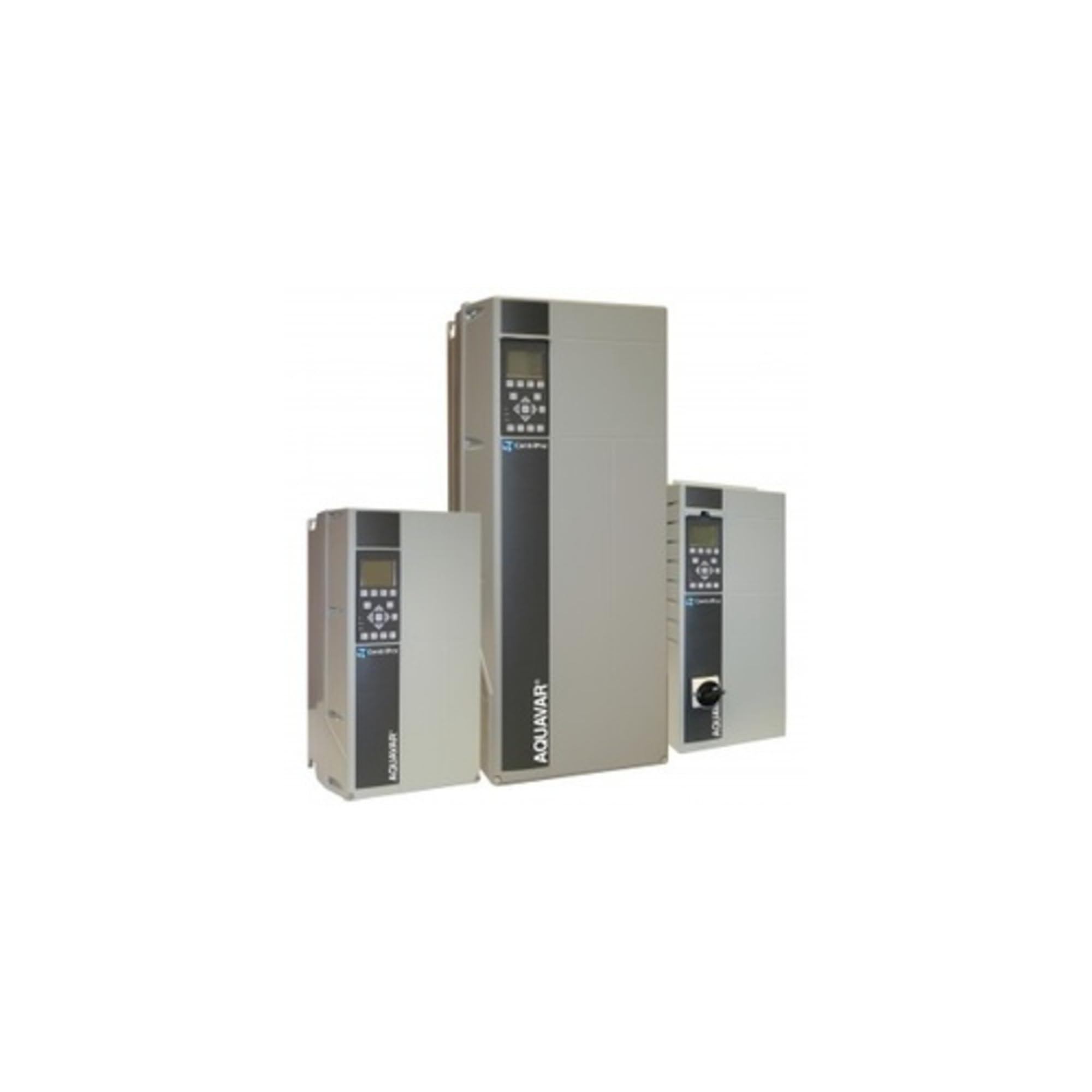
Image 1: Front view of the Goulds AVB10050A0X0X0X1 Aquavar Intelligent Pump Controller, showcasing its robust enclosure and control interface.
Key Features:
- Input Voltage: 230 V
- Phase: Single Phase (1 PH)
- Horsepower Rating: 5 HP
- Intelligent variable speed control for constant pressure.
- Built-in motor protection.
- User-friendly interface for configuration and monitoring.
4. Setup and Installation
Installation of the Aquavar Intelligent Pump Controller requires electrical and plumbing expertise. It is strongly recommended that installation be performed by a qualified professional.
4.1 Mounting
- Select a suitable location that is dry, well-ventilated, and protected from direct sunlight, extreme temperatures, and vibrations.
- Ensure adequate clearance around the unit for ventilation and servicing.
- Mount the controller securely to a rigid surface using appropriate fasteners.
4.2 Electrical Connections
CAUTION: Verify all wiring connections are correct before applying power to prevent damage to the controller or pump.
- Input Power: Connect the 230V, single-phase power supply to the designated terminals. Ensure proper wire gauge and overcurrent protection.
- Motor Connection: Connect the pump motor wiring to the motor output terminals.
- Sensor Connections: Connect pressure transducers or other control sensors to the appropriate input terminals as per the wiring diagram provided with the unit.
- Grounding: Ensure the controller is properly grounded according to local electrical codes.
Refer to the detailed wiring diagrams included with your product packaging for specific connection points and requirements.
5. Operating Instructions
Once the controller is properly installed and wired, follow these steps for initial startup and operation.
5.1 Initial Power-Up
- After verifying all connections are secure and correct, apply power to the controller.
- Observe the display for any error codes or status indicators.
- The controller will typically perform a self-diagnostic check.
5.2 Configuration and Settings
The Aquavar controller features a user interface for setting operational parameters such as desired pressure, pump protection limits, and other system-specific settings. Consult the dedicated programming guide (usually a separate document or section within the main manual) for detailed instructions on navigating the menu and adjusting parameters.
5.3 Normal Operation
During normal operation, the controller will automatically adjust pump speed to maintain the set pressure. Monitor the display for operational status and any alerts.
6. Maintenance
Regular maintenance ensures the longevity and reliable operation of your Aquavar Intelligent Pump Controller.
- Periodic Inspection: Annually inspect the controller for any signs of physical damage, corrosion, or loose connections.
- Cleaning: Keep the exterior of the controller clean and free from dust and debris. Use a soft, dry cloth. Do not use harsh chemicals or abrasive cleaners.
- Ventilation: Ensure that ventilation openings are clear and not obstructed to prevent overheating.
- Electrical Connections: Periodically check all electrical connections for tightness. Loose connections can lead to overheating and system malfunction.
7. Troubleshooting
This section provides guidance for common issues. For complex problems, contact qualified service personnel.
Common Issues and Solutions:
- Controller Not Powering On:
- Check the main power supply and circuit breaker.
- Verify all input power connections are secure.
- Pump Not Starting:
- Check for error codes on the controller display.
- Ensure the pressure sensor is correctly installed and functioning.
- Verify pump motor connections.
- Erratic Pressure / Pump Cycling:
- Inspect the pressure sensor for damage or blockages.
- Check for leaks in the plumbing system.
- Review controller settings for appropriate pressure setpoints.
If the issue persists after attempting these solutions, contact Goulds technical support or a certified service technician.
8. Specifications
| Specification | Value |
|---|---|
| Manufacturer | Goulds |
| Part Number | AVB10050C0X0X0X1 |
| Item Weight | 60 pounds |
| Style | Above Ground |
| Power Source | Ac/Dc |
| Item Package Quantity | 1 |
| Batteries Included? | No |
| Batteries Required? | No |
| ASIN | B07F17CZQ2 |
| Date First Available | March 16, 2016 |
9. Warranty and Support
Warranty information for the Goulds AVB10050A0X0X0X1 Aquavar Intelligent Pump Controller is typically provided at the time of purchase or can be found on the official Goulds website. Please retain your proof of purchase for warranty claims.
For technical support, service, or to inquire about replacement parts, please contact Goulds customer service or your authorized distributor. Provide the model number (AVB10050C0X0X0X1) and serial number (if applicable) when seeking assistance.
Goulds Official Website: www.goulds.com