
SKMEI DG1361B
SKMEI DG1361B Analog-Digital Watch User Manual
Model: DG1361B
Introduction
This manual provides detailed instructions for the proper setup, operation, and maintenance of your SKMEI DG1361B Analog-Digital Watch. Please read this manual thoroughly before using your watch to ensure optimal performance and longevity.
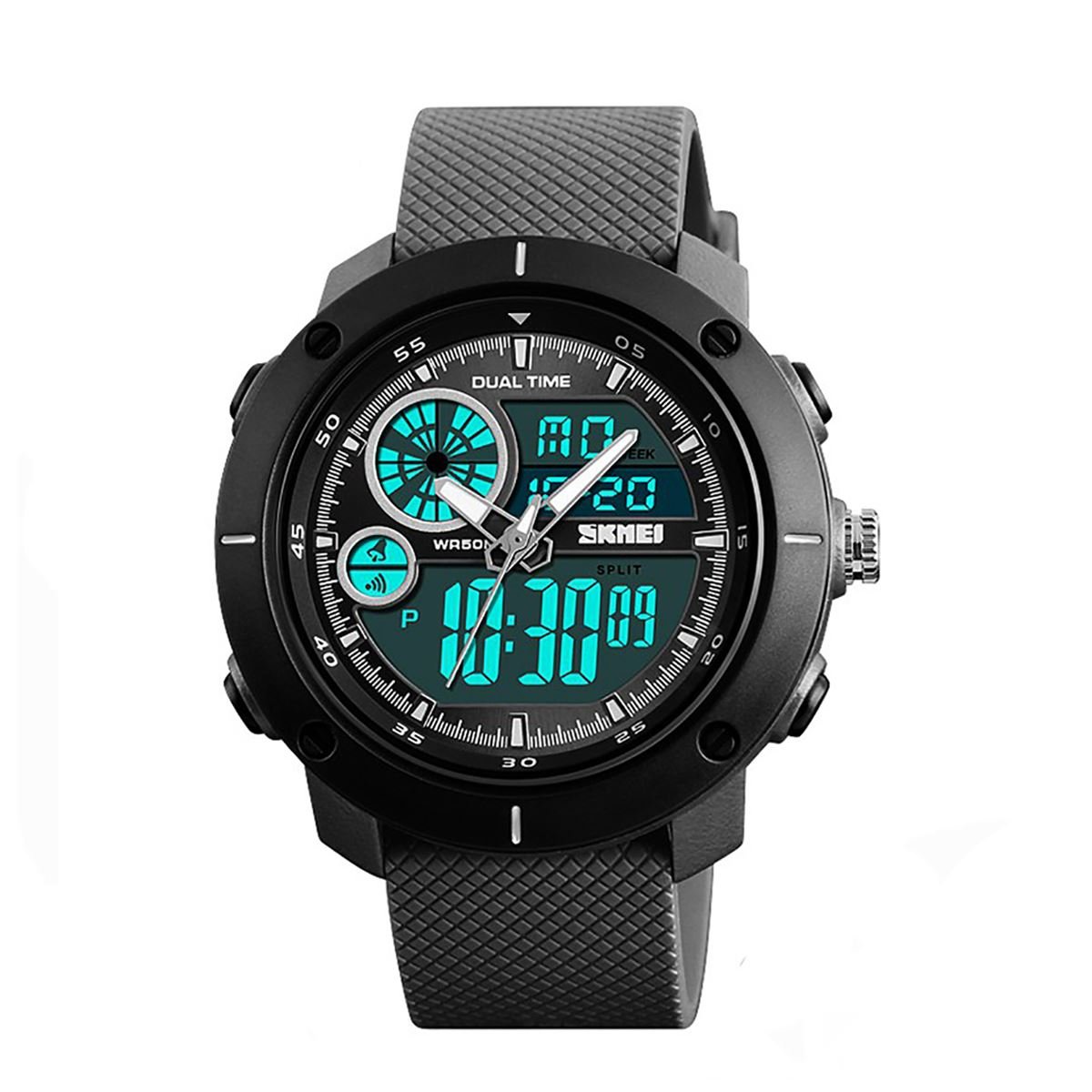
Image: Front view of the SKMEI DG1361B Analog-Digital Watch, showcasing its black case, rubber strap, and dual time display.
Key Features
- Analog and Digital Time Display
- Stopwatch (Chronograph) Function
- Alarm Function
- Date and Week Display
- EL Backlight for Digital Display
- 12/24 Hour Format Selection
- Water Resistance up to 50 Meters (5ATM)
- Durable ABS Case and PU Rubber Strap
Watch Components and Buttons
Familiarize yourself with the watch's buttons and display areas before proceeding with setup.

Image: Diagram illustrating the watch's buttons and display segments. Key labels include EL Light Button, Start/Stop Button, Alarm On indicator, Mode Button, Reset Button, PM indicator, Date, Second, and Time display areas.
- EL Light Button: Activates the backlight for the digital display.
- Start/Stop Button: Used for starting/stopping the stopwatch and adjusting settings.
- Mode Button: Cycles through different watch modes (Time, Alarm, Stopwatch).
- Reset Button: Used for resetting the stopwatch and adjusting settings.
- Analog Crown: Used to set the analog time.
Setup Instructions
Setting Analog Time
- Pull out the crown located on the right side of the watch case.
- Rotate the crown to move the analog hands to the desired time.
- Push the crown back in to secure the analog time setting.
Setting Digital Time and Date
- In normal time display mode, press the Mode Button repeatedly until the seconds start flashing. This indicates you are in setting mode.
- Press the Start/Stop Button to cycle through the setting items: Seconds → Hour → Minute → Month → Date → Day of Week.
- While an item is flashing, press the Reset Button to adjust the value. Hold the Reset Button to change values faster.
- To switch between 12-hour and 24-hour format, adjust the hour setting. The 'A' or 'P' indicator will show for 12-hour format (AM/PM).
- Once all settings are adjusted, press the Mode Button to exit the setting mode.
Operating Instructions
Using the EL Backlight
Press the EL Light Button (top left) to illuminate the digital display for a few seconds. This is useful in low-light conditions.
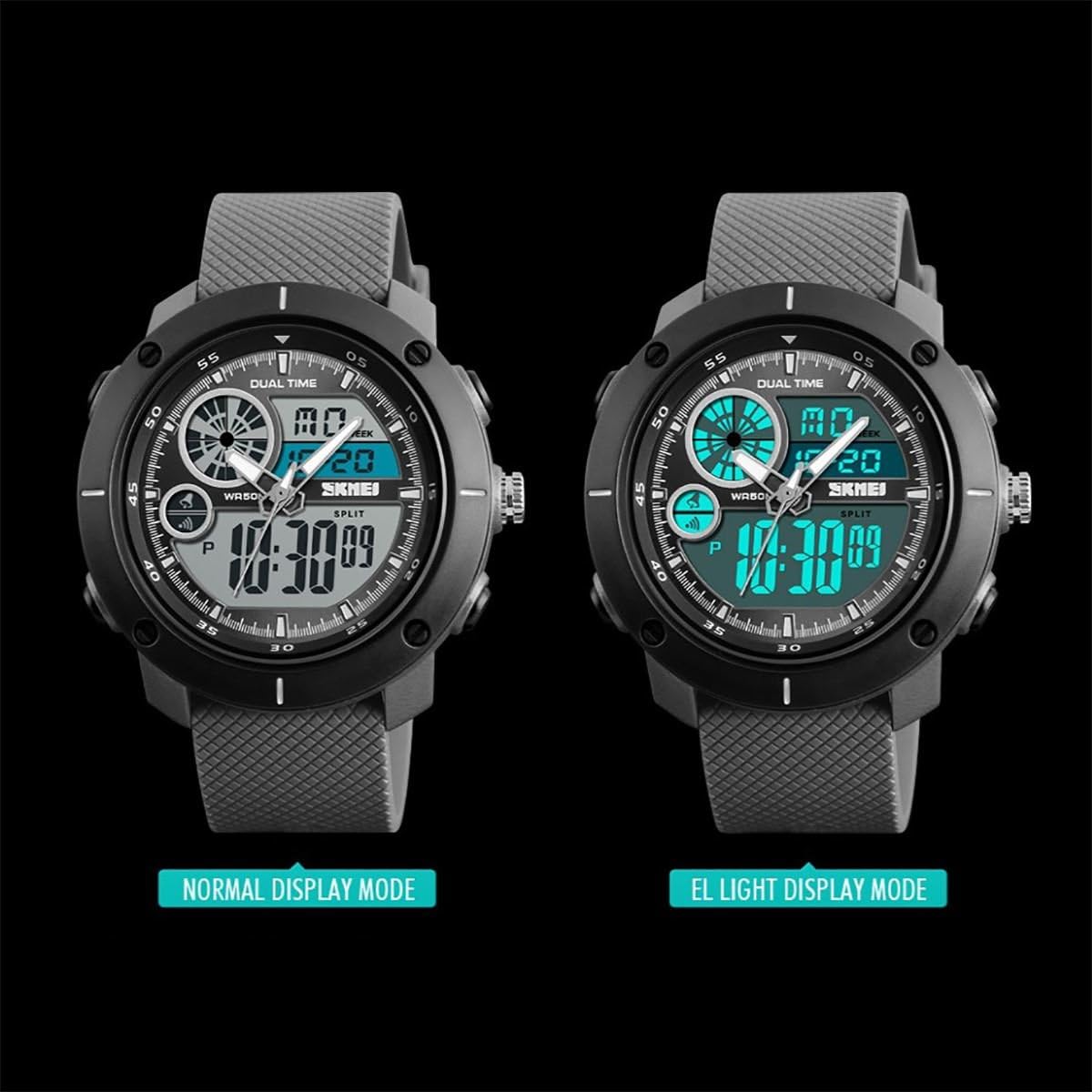
Image: Comparison of the watch display in normal mode (left) and with the EL backlight activated (right), showing enhanced visibility of the digital time.
Using the Stopwatch (Chronograph)
- From normal time display, press the Mode Button once to enter Stopwatch mode. The display will show "00:00:00".
- Press the Start/Stop Button to start the stopwatch.
- Press the Start/Stop Button again to pause the stopwatch.
- Press the Reset Button to reset the stopwatch to "00:00:00" while it is paused.
- To return to normal time display, press the Mode Button.
Setting and Using the Alarm
- From normal time display, press the Mode Button twice to enter Alarm mode. The alarm time will be displayed.
- Press the Start/Stop Button to toggle the alarm ON/OFF. An alarm icon will appear when the alarm is active.
- To set the alarm time, press and hold the Reset Button until the hour digits flash.
- Press the Start/Stop Button to select between hour and minute setting.
- Press the Reset Button to adjust the flashing hour or minute.
- Once the alarm time is set, press the Mode Button to exit alarm setting mode.
- When the alarm sounds, press any button to stop it.
Maintenance
- Cleaning: Wipe the watch with a soft, dry cloth. For stubborn dirt, use a slightly damp cloth and mild soap, then dry thoroughly. Avoid harsh chemicals.
- Water Resistance: The watch is water resistant up to 50 meters (5ATM). This means it is suitable for short periods of recreational swimming. Do not press any buttons while the watch is submerged in water. Avoid hot water, steam, and prolonged exposure to water.
- Battery Replacement: The watch uses one CR2 battery. When the display dims or functions become erratic, the battery may need replacement. Battery replacement should ideally be performed by a qualified watch technician to ensure water resistance is maintained.
- Storage: Store the watch in a cool, dry place away from direct sunlight and extreme temperatures.
Troubleshooting
| Problem | Possible Cause | Solution |
|---|---|---|
| Digital display is blank or dim. | Low battery. | Replace the battery. |
| Analog hands are not moving. | Analog battery depleted or crown is pulled out. | Push the crown in. If still not moving, the analog movement battery may need replacement (separate from digital). |
| Time is incorrect. | Time not set correctly or accidental button press. | Refer to "Setting Digital Time and Date" section to reset the time. |
| Water inside the watch. | Buttons pressed underwater or exceeding water resistance limits. | Immediately take the watch to a professional for inspection and repair to prevent further damage. |
Specifications
| Feature | Detail |
|---|---|
| Model Number | DG1361B |
| Display Type | Analog and Digital |
| Case Material | ABS (Acrylonitrile Butadiene Styrene) |
| Band Material | PU (Polyurethane) Rubber |
| Dial Window Material | Plastic |
| Case Diameter | 52 mm |
| Dial Thickness | 16 mm |
| Band Width | 24 mm |
| Watch Length | 265 mm |
| Weight | 58 grams |
| Water Resistance | 50 Meters (5ATM) |
| Battery Type | 1 x CR2 (included) |

Image: Diagram showing the key dimensions of the SKMEI DG1361B watch, including dial width, dial thickness, band width, and total watch length.
Warranty Information
Specific warranty details for SKMEI products may vary by region and retailer. Please refer to the warranty card included with your purchase or contact your point of sale for detailed information regarding warranty coverage and terms.
Customer Support
For further assistance, technical support, or inquiries not covered in this manual, please contact SKMEI customer service or your authorized retailer. Contact information can typically be found on the product packaging or the official SKMEI website.
Related documentsDG1361B


Ask a question about this manual
Ask about setup, troubleshooting, compatibility, parts, safety, or missing instructions. Manuals+ will review the question and use this page’s manual context to help answer it.