
Important Safeguards
When using electrical appliances, basic safety precautions should always be followed to reduce the risk of fire, electric shock, and/or injury to persons, including the following:
- Read all instructions before using this product.
- Do not touch hot surfaces. Use handles or knobs.
- To protect against electrical shock, do not immerse the cord, plugs, or heating base in water or other liquid.
- Close supervision is necessary when any appliance is used by or near children.
- Unplug from outlet when not in use and before cleaning. Allow to cool before putting on or taking off parts.
- Do not operate any appliance with a damaged cord or plug, or after the appliance malfunctions or has been damaged in any manner. Return appliance to the nearest authorized service facility for examination, repair, or adjustment.
- The use of accessory attachments not recommended by the appliance manufacturer may cause injuries.
- Do not use outdoors.
- Do not let cord hang over edge of table or counter, or touch hot surfaces.
- Do not place on or near a hot gas or electric burner, or in a heated oven.
- Extreme caution must be used when moving an appliance containing hot oil or other hot liquids.
- Always attach plug to appliance first, then plug cord into the wall outlet. To disconnect, turn any control to “OFF”, then remove plug from wall outlet.
- Do not use appliance for other than intended use.
- Avoid sudden temperature changes, such as adding refrigerated foods into a heated pot.
- This appliance is for HOUSEHOLD USE ONLY.
Product Overview
The Crock-Pot 3-in-1 Multi-Cooker is designed for versatility, allowing you to brown/sauté, slow cook, and bake in one appliance. Familiarize yourself with its components and control panel.
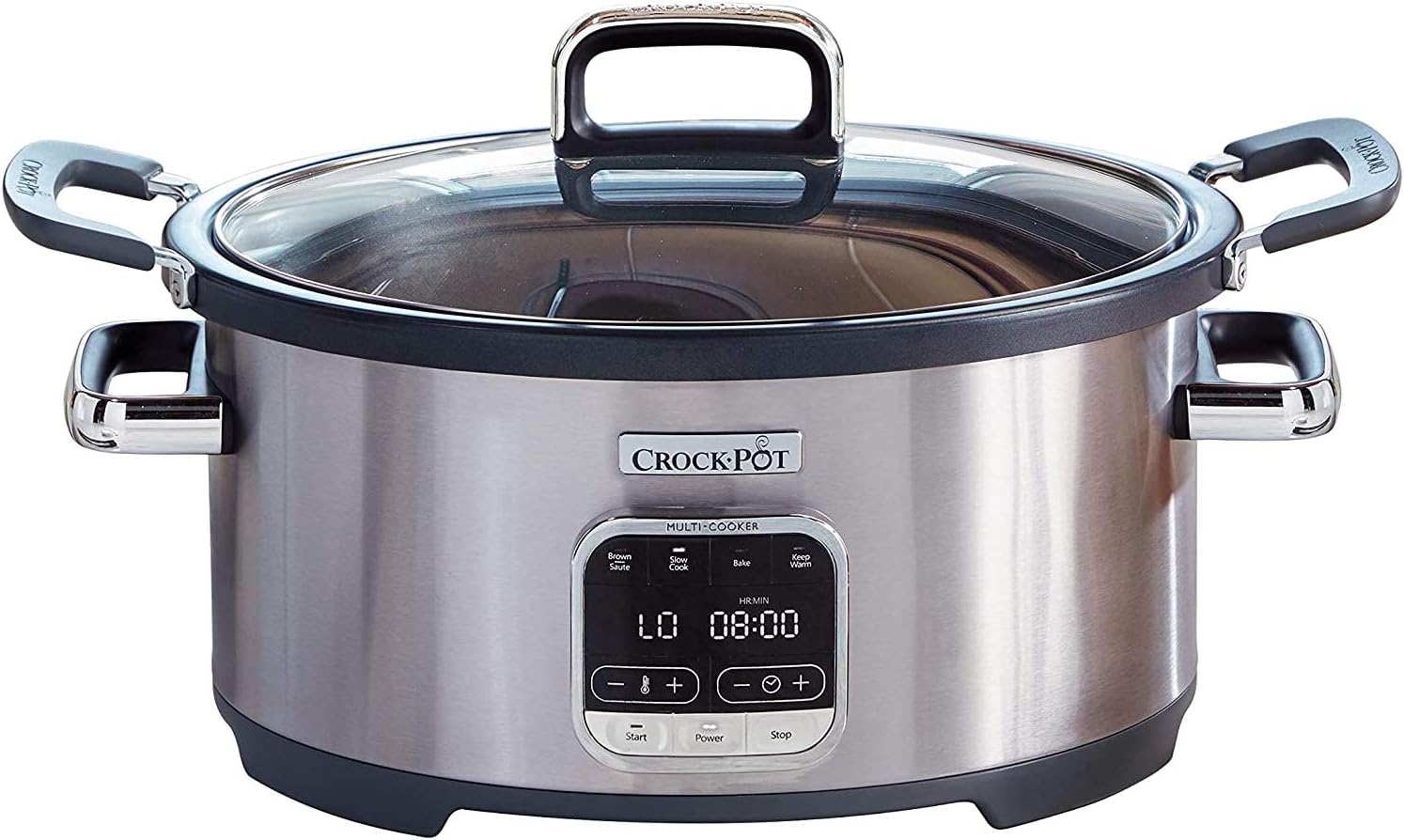
Image: The Crock-Pot 3-in-1 Multi-Cooker, featuring a stainless steel exterior, glass lid, and a digital control panel on the front.
Components:
- Base Unit: The main housing with the heating element and control panel.
- Removable Cooking Pot: Non-stick, dishwasher-safe pot for all cooking functions.
- Glass Lid: Transparent lid for monitoring cooking progress.
- Wire Rack: For use during baking or steaming (if applicable).
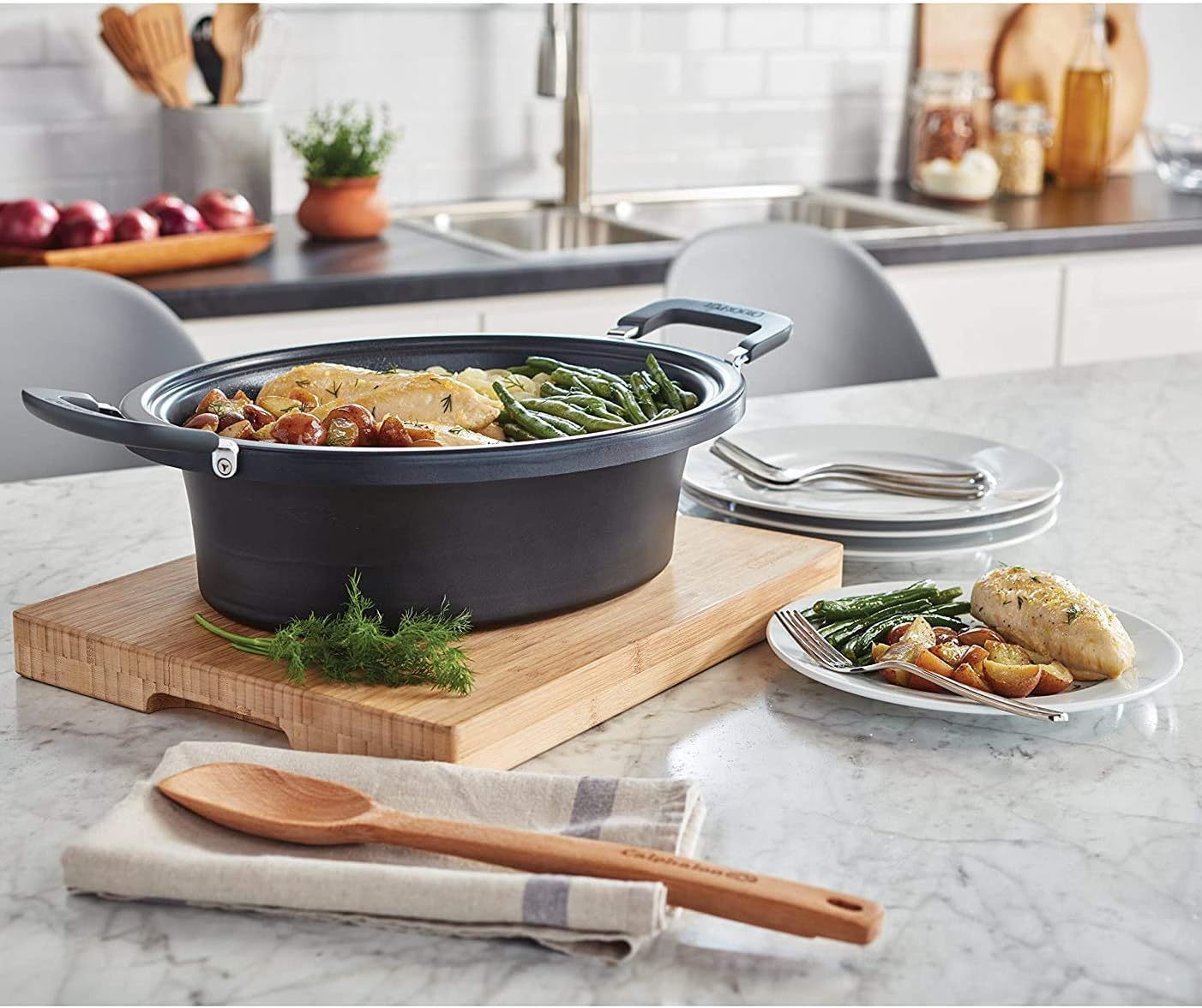
Image: The Crock-Pot Multi-Cooker disassembled, showing the stainless steel base unit, the black removable cooking pot, the glass lid, and the wire rack on a kitchen counter.
Control Panel:
- Brown/Sauté Button: Selects the browning or sautéing function.
- Slow Cook Button: Selects the slow cooking function.
- Bake Button: Selects the baking function.
- Keep Warm Button: Activates or deactivates the keep warm function.
- Start Button: Initiates the selected cooking program.
- Stop Button: Halts the current cooking program.
- Power Button: Turns the appliance on or off.
- +/- Buttons: Adjusts cooking time or temperature settings.
Setup and First Use
- Unpack: Carefully remove all components from the packaging.
- Clean: Wash the removable cooking pot, glass lid, and wire rack in warm, soapy water. Rinse thoroughly and dry completely. The base unit should be wiped with a damp cloth. Do not immerse the base unit in water.
- Placement: Place the multi-cooker on a dry, level, heat-resistant surface, away from walls and other appliances to ensure proper ventilation.
- Assemble: Place the clean, dry cooking pot into the base unit.
Operating Instructions
Ensure the multi-cooker is plugged into a suitable electrical outlet before beginning any operation.
1. Brown/Sauté Function
This function allows you to brown meats or sauté vegetables directly in the cooking pot before slow cooking or baking, reducing the need for extra pans.
- Press the Power button to turn on the appliance.
- Press the Brown/Sauté button. The default temperature and time will display.
- Use the +/- buttons to adjust the temperature (Low or High).
- Press Start to begin preheating. The display will show 'Preheat'.
- Once preheated, add a small amount of cooking oil (if desired) and your ingredients to the pot.
- Cook until desired browning is achieved.
- Press Stop when finished.
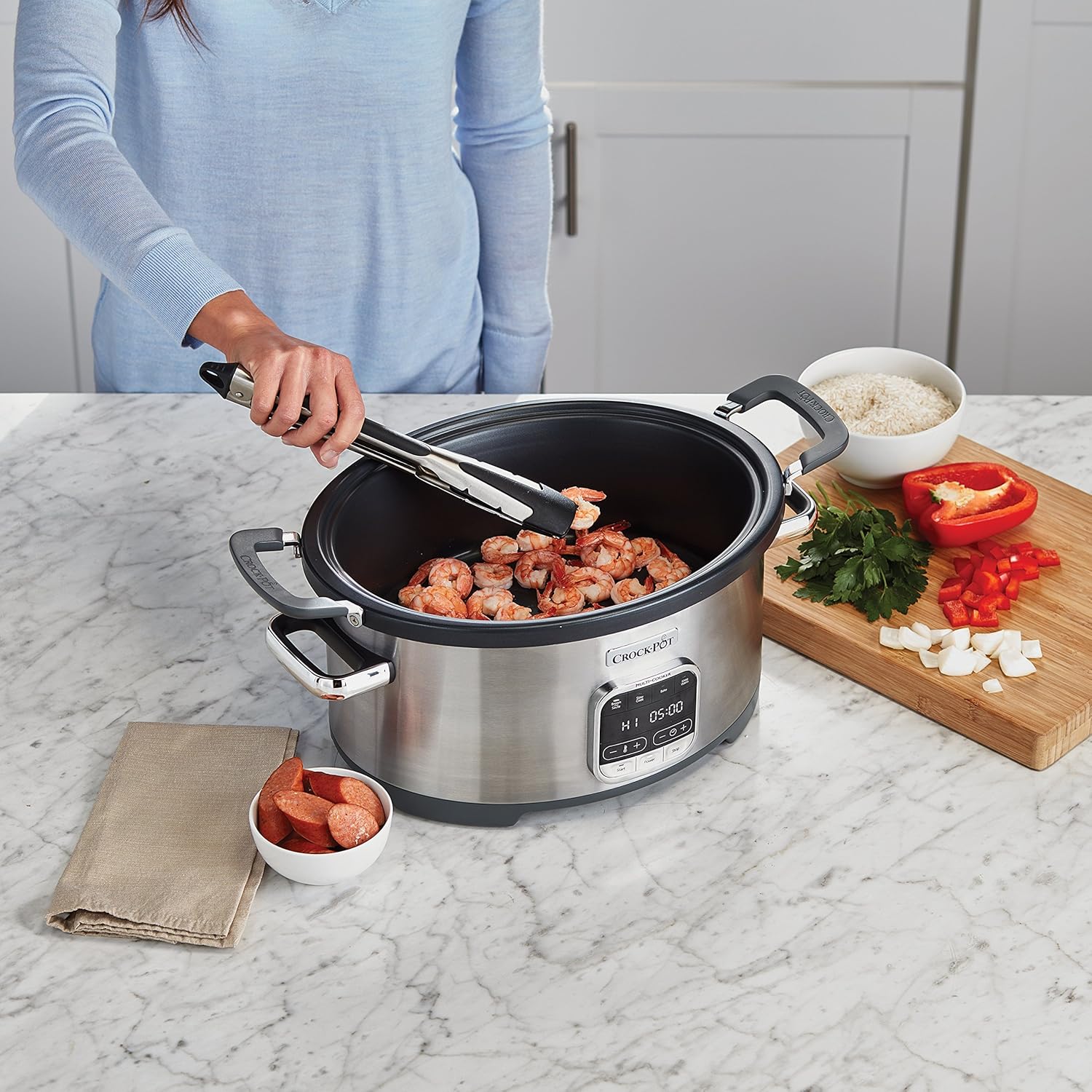
Image: A person using tongs to brown shrimp in the open Crock-Pot Multi-Cooker, demonstrating the Brown/Sauté function.
2. Slow Cook Function
Ideal for tenderizing meats and melding flavors over extended cooking periods.
- Place ingredients into the cooking pot and cover with the glass lid.
- Press the Power button.
- Press the Slow Cook button. The default temperature (Low or High) and time will display.
- Use the +/- buttons to adjust the cooking time and temperature setting (Low or High).
- Press Start to begin slow cooking.
- Once the cooking time is complete, the multi-cooker will automatically switch to the Keep Warm setting.
- Press Stop to end the program.

Image: The Crock-Pot Multi-Cooker with a large roast and various vegetables cooking inside, covered by the glass lid, illustrating the slow cook function.
3. Bake Function
Use this function for baking casseroles, desserts, or other oven-style dishes.
- Place ingredients into the cooking pot. You may use the wire rack if your recipe requires it. Cover with the glass lid.
- Press the Power button.
- Press the Bake button. The default temperature and time will display.
- Use the +/- buttons to adjust the baking temperature and time.
- Press Start to begin baking.
- Once the cooking time is complete, the multi-cooker will automatically switch to the Keep Warm setting.
- Press Stop to end the program.

Image: The Crock-Pot Multi-Cooker with four individual ramekins containing cinnamon rolls baking inside, demonstrating the bake function.
4. Keep Warm Function
The Keep Warm function automatically activates after Slow Cook or Bake cycles. It can also be selected manually.
- Automatic: After a Slow Cook or Bake cycle completes, the unit will automatically switch to Keep Warm for up to 4 hours.
- Manual: To manually select, press the Power button, then the Keep Warm button, and then Start.
- Press Stop to exit the Keep Warm mode.
Care and Cleaning
Proper cleaning ensures the longevity and performance of your multi-cooker.
- Unplug: Always unplug the appliance from the electrical outlet and allow it to cool completely before cleaning.
- Removable Parts: The removable cooking pot, glass lid, and wire rack are dishwasher-safe for convenient cleaning. Alternatively, wash them in warm, soapy water, rinse, and dry thoroughly.
- Base Unit: Wipe the exterior of the base unit with a soft, damp cloth. Do not use abrasive cleaners or scouring pads. Never immerse the base unit in water or any other liquid.
- Storage: For convenient storage, the integrated cord wrap at the base allows you to neatly store the power cord.

Image: A cooked meal of chicken and green beans with potatoes resting in the black removable cooking pot, highlighting its easy-to-clean, non-stick surface.
Troubleshooting
If you encounter issues with your Crock-Pot 3-in-1 Multi-Cooker, refer to the following common problems and solutions:
| Problem | Possible Cause | Solution |
|---|---|---|
| Appliance does not turn on. | Not plugged in; power outage; faulty outlet. | Ensure the power cord is securely plugged into a working electrical outlet. Check your home's circuit breaker. |
| Food is not cooking properly. | Incorrect temperature/time setting; lid not sealed; insufficient liquid (for slow cook). | Verify selected function, temperature, and time. Ensure the lid is properly seated. Add more liquid if necessary for slow cooking. |
| Display shows an error code. | Internal malfunction. | Unplug the unit, wait a few minutes, then plug it back in. If the error persists, contact customer support. |
| Food sticks to the pot. | Not enough oil (for sauté); high heat for too long. | Use a small amount of cooking oil when browning/sautéing. Adjust heat settings as needed. Ensure proper cleaning after each use. |
If the problem persists after attempting these solutions, please contact Crock-Pot customer support for further assistance.
Specifications
- Model Number: SCCPVMC63-SJ
- Capacity: 6 quarts
- Power/Wattage: 1500 watts
- Voltage: 220 Volts
- Material: Stainless Steel (exterior), Non-stick (cooking pot)
- Product Dimensions: 29.59 x 48.9 x 26.8 cm
- Item Weight: 5.49 kg
Warranty and Support
This Crock-Pot 3-in-1 Multi-Cooker comes with a manufacturer's warranty. Please refer to the warranty card included with your purchase for specific terms and conditions, including the warranty period and coverage details.
For technical support, service, or to inquire about replacement parts, please visit the official Crock-Pot website or contact their customer service department. Contact information can typically be found in the warranty documentation or on the manufacturer's website.
Online Resources: For additional recipes, tips, and product information, visit the official Crock-Pot website: www.crock-pot.com