
1. Introduction
Thank you for choosing the HomGarden Height Adjustable Drafting Desk (Model ZLJ38-SRK). This versatile workstation is designed for drawing, reading, writing, and various craft activities. It features an adjustable tabletop, height adjustment, integrated storage, and comes with a matching stool for comfort. This manual provides essential information for safe assembly, operation, and maintenance of your new drafting desk.

Figure 1.1: HomGarden Height Adjustable Drafting Desk (Model ZLJ38-SRK)
2. Safety Information
Please read all instructions carefully before assembly and use. Keep this manual for future reference.
- General Safety: Ensure the table is stable and properly assembled before use. Be cautious when adjusting the table height and tilt to avoid injury.
- Weight Capacity: Do not exceed the maximum weight capacity of the desk and stool.
- Assembly: Assemble the product on a soft, clean surface to prevent scratches. Ensure all screws and bolts are securely tightened before use.
- Children: Keep small parts away from children during assembly. Adult supervision is recommended if children are using the desk.
- Placement: Place the desk on a level surface. The non-slip pads on the feet are designed to protect floors and prevent movement.

Figure 2.1: Non-slip foot pad for floor protection
3. Package Contents
Verify that all components listed below are present in your package before beginning assembly. If any parts are missing or damaged, please contact customer support.
- 1 x Drafting Table
- 1 x Stool
- 1 x Installation Instruction Manual
- All necessary assembly tools and hardware

Figure 3.1: Overview of main components
4. Assembly Instructions
Assembly is required for this product. All necessary tools are included. Follow these steps carefully:
- Unpack Components: Carefully remove all parts from the packaging and lay them out on a clean, soft surface to prevent damage. Refer to the included parts list to identify each component.
- Assemble the Frame: Attach the main support legs to the crossbars using the provided screws and Allen wrench. Ensure all connections are secure but do not overtighten initially.
- Install Storage Shelf: Secure the perforated metal storage shelf to the lower section of the frame.
- Attach Tabletop: Mount the main tabletop to the frame. Pay attention to the orientation for the tilt mechanism.
- Install Tilt Mechanism: Secure the tilt adjustment mechanism to the tabletop and frame as per the detailed instructions in the separate installation guide.
- Attach Side Table and Organizers: Install the pull-out side table and the integrated pen/tool organizers on the main tabletop.
- Insert Drawers: Slide the two non-woven fabric drawers into their designated slots beneath the tabletop.
- Assemble Stool: Follow the separate instructions for assembling the accompanying stool.
- Final Tightening: Once all components are in place, carefully tighten all screws and bolts to ensure stability.
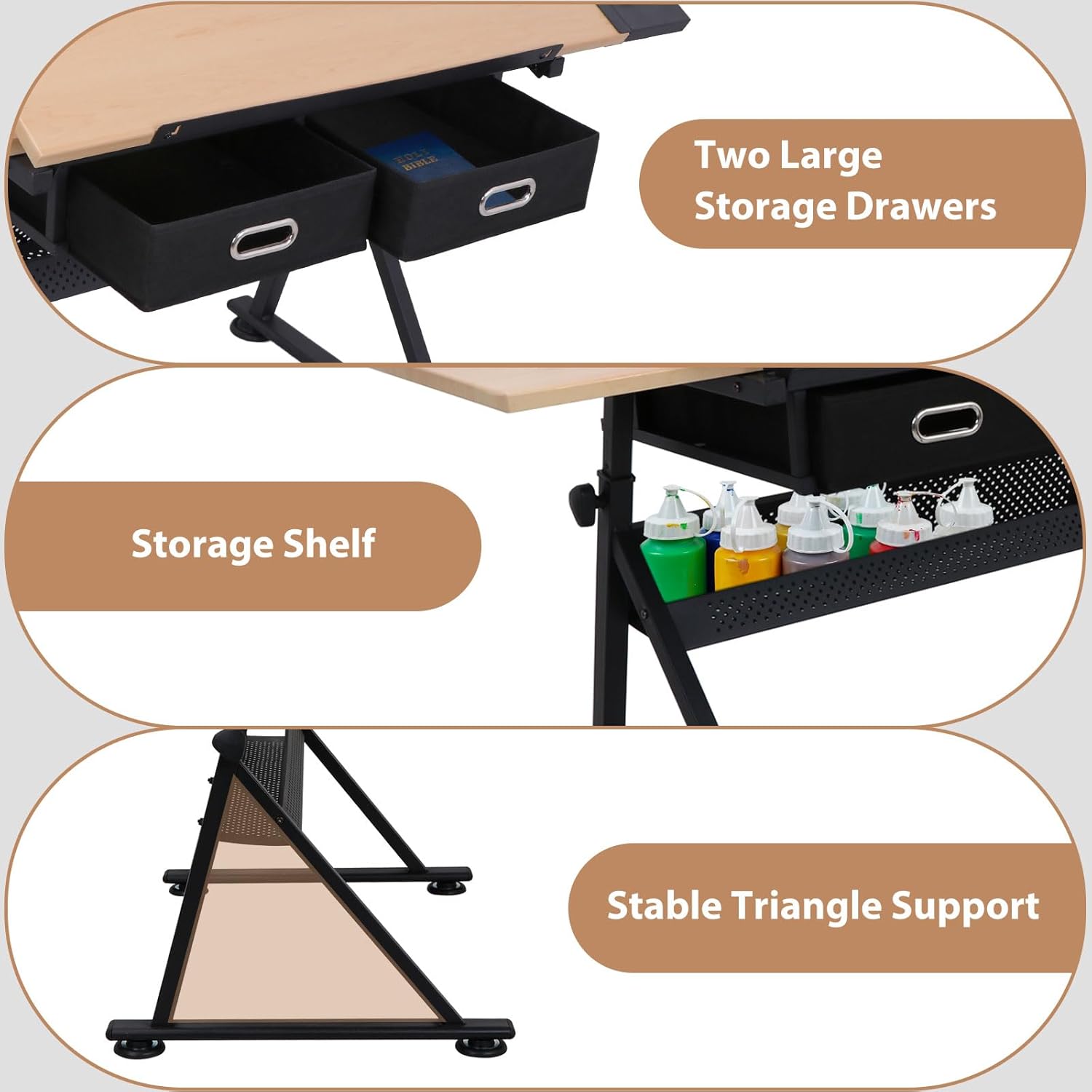
Figure 4.1: Key structural and storage components
5. Operating Instructions
5.1. Tabletop Angle Adjustment
The main tabletop can be adjusted from a flat (0-degree) position up to a 45-degree angle. This allows for comfortable working positions for various tasks such as writing, reading, or drawing.
- To adjust the angle, locate the adjustment levers or knobs on the side of the tabletop support mechanism.
- Loosen the mechanism, carefully lift or lower the tabletop to your desired angle.
- Securely tighten the mechanism to lock the tabletop in place.

Figure 5.1: Tabletop angle adjustment for various activities

Figure 5.2: Detail of the tilt mechanism
5.2. Table Height Adjustment
The overall height of the desk can be adjusted from 28 inches to 35.8 inches to accommodate users of different heights and preferences.
- Locate the height adjustment knobs on the desk legs.
- Loosen the knobs, then carefully raise or lower the desk to the desired height. It is recommended to have assistance when adjusting the height to ensure stability.
- Tighten the knobs firmly to secure the desk at the chosen height.
5.3. Using the Pull-Out Side Table
An extractable small board is provided to expand your workspace. This can be used for placing painting tools, books, a laptop, or other items.
- Gently pull the side table outwards from beneath the main tabletop until it is fully extended and locked into place.
- To retract, push the side table back into its original position.

Figure 5.3: Pull-out side table in use

Figure 5.4: Detail of the pull-out side table
5.4. Storage Features
The desk includes multiple storage options to keep your workspace organized.
- Drawers: Two pull-out non-woven fabric drawers are located beneath the tabletop for storing supplies.
- Pen/Tool Holders: Integrated holders on the side of the tabletop provide convenient access to pens, pencils, brushes, and other small tools.
- Side Pigment Shelf: A dedicated shelf is available for storing paints, inks, or other art supplies.
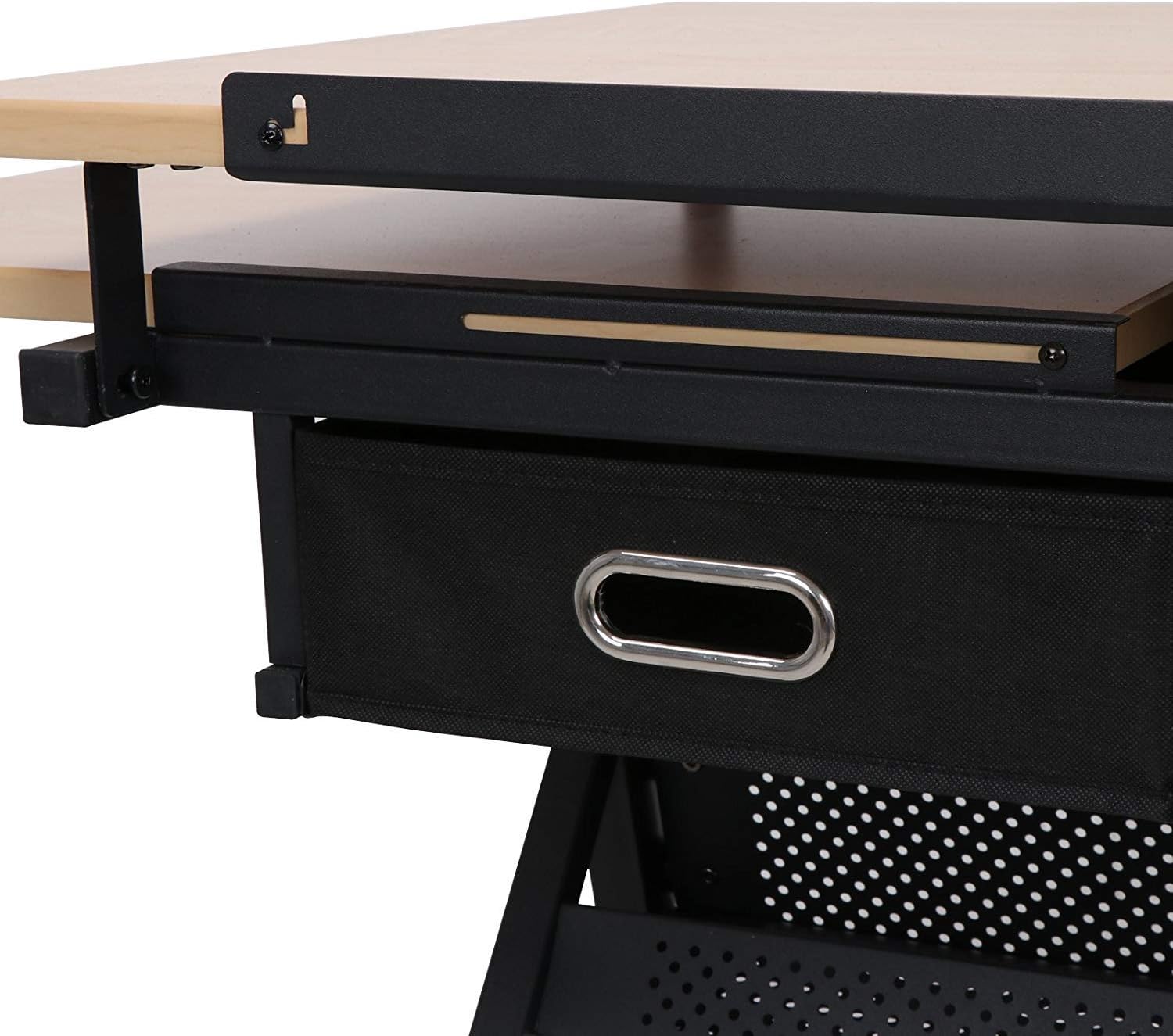
Figure 5.5: Storage drawer detail

Figure 5.6: Integrated pen holder
6. Maintenance
Proper care and maintenance will extend the life of your drafting desk.
- Cleaning: Wipe down the MDF board surfaces with a damp cloth. For the steel frame, use a mild cleaner if necessary, then wipe dry. Avoid abrasive cleaners or harsh chemicals.
- Inspection: Periodically check all screws and bolts to ensure they remain tight. Retighten as needed.
- Avoid Moisture: Do not expose the desk to excessive moisture or direct sunlight for prolonged periods, as this may damage the materials.
7. Troubleshooting
If you encounter any issues with your HomGarden Drafting Desk, please refer to the following common solutions:
- Desk Instability: Ensure all assembly screws and bolts are fully tightened. Verify the desk is placed on a flat, level surface. Adjust the foot pads if necessary to compensate for uneven floors.
- Tabletop Not Holding Angle: Check that the tilt adjustment mechanism is securely tightened after setting the desired angle. Inspect the mechanism for any obstructions or damage.
- Missing Parts: If any parts were missing upon delivery, please contact HomGarden customer support immediately with your purchase details.
- Difficulty Adjusting Height: Ensure the height adjustment knobs are fully loosened before attempting to change the desk height. If the mechanism feels stiff, check for any debris or obstructions.
8. Specifications
| Feature | Detail |
|---|---|
| Brand | HomGarden |
| Model Number | ZLJ38-SRK |
| Product Dimensions (D x W x H) | 23.62"D x 55"W x 28"H |
| Adjustable Height Range | 28" - 35.8" |
| Maximum Tilt Angle | 45 Degrees |
| Color | Natural (Tabletop), Silver-gray (Base) |
| Base Material | Iron |
| Top Material Type | Engineered Wood (MDF board with coated PVC) |
| Finish Type | Powder Coated (Frame) |
| Item Weight | 52 Pounds |
| Number of Drawers | 2 (Nonwovens) |
| Assembly Required | Yes |
| Included Components | Drafting Table, Stool, Installation Instruction |

Figure 8.1: Product Dimensions
9. Warranty and Support
This HomGarden Drafting Desk comes with a Limited Warranty. For specific details regarding warranty coverage, please refer to the warranty documentation included with your product or contact the seller directly.
For customer support, assistance with assembly, missing parts, or any other inquiries, please contact the seller:
- Seller Name: SEGAWE Direct
- Seller Link: Visit SEGAWE Direct on Amazon
Please have your model number (ZLJ38-SRK) and purchase information ready when contacting support.