
Introduction
This instruction manual provides essential information for the safe and effective use of your EPtech AC/DC Adapter. This power supply is designed as a replacement or spare charger for compatible devices, specifically the Ridgeway QS-2915BS 15-inch Rechargeable Portable Bluetooth PA Speaker System. Please read this manual thoroughly before use and retain it for future reference.
Important Safety Information
To ensure safe operation and prevent damage, please observe the following precautions:
- Indoor Use Only: This adapter is designed for indoor use. Do not expose it to rain, moisture, or extreme temperatures.
- Proper Grounding: Connect only to a grounded outlet.
- Over Current Protection: The adapter includes built-in protection against excessive current.
- Total Power Protection: Designed to protect against overall power irregularities.
- Over Voltage Protection: Safeguards against voltage surges.
- Short Circuit Protection: Prevents damage from short circuits.
- Do not disassemble or modify the adapter. Refer all servicing to qualified personnel.
- Keep out of reach of children.
- Ensure the adapter's voltage and current ratings match your device's requirements before connecting.

This image illustrates the multiple safety protections integrated into the power adapter, including safeguards against over-temperature, over-voltage, over-current, and short circuits, ensuring reliable and safe operation.
Product Features
The EPtech AC/DC Adapter is engineered with advanced features for optimal performance and safety:
- Universal Input Voltage: Supports World Wide Input Voltage 100-240VAC 50/60Hz, making it suitable for international use.
- High Compatibility: 100% compatible with the specified device model (Ridgeway QS-2915BS).
- Extended Power Cord: Features a total of 10 feet (approximately 3 meters) of power cord length for flexible placement.
- Premium Construction: Manufactured with the highest quality materials for durability and reliability.
- Certified Safety: Certified with FCC, CE, and RoHS standards, ensuring compliance with safety and environmental regulations.
- Anti-interference Ring: Includes an anti-interference magnetic ring for improved reliability and stability of system operation.
- LED Indicator: Equipped with an LED light to indicate power status.
- Durable & Compact Design: High quality control procedures ensure safe, durable operation. Compact design is perfect for home, office, and travel needs.
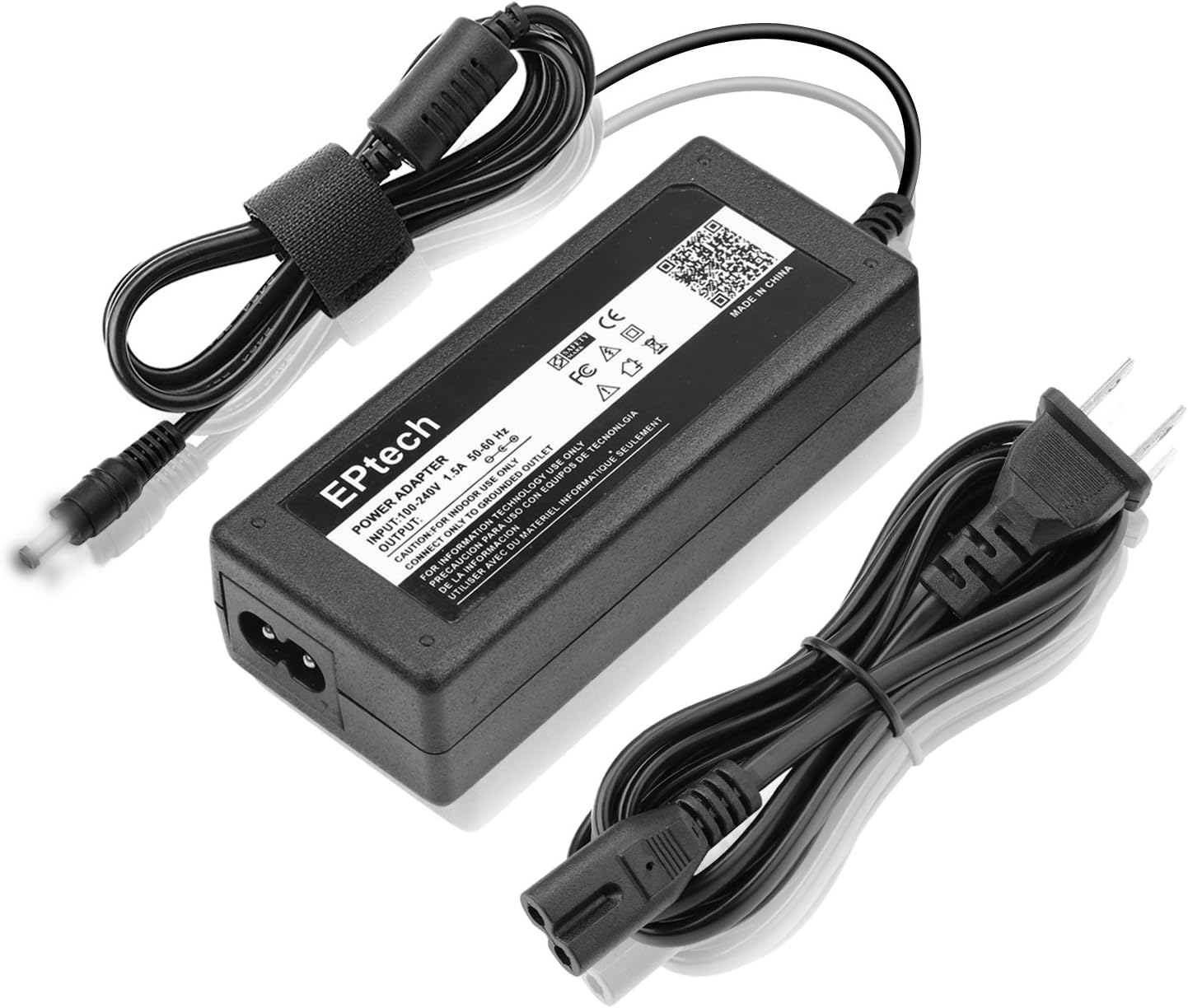
The EPtech AC/DC Adapter, showing the main unit, detachable power cord, and output cable with DC barrel connector.
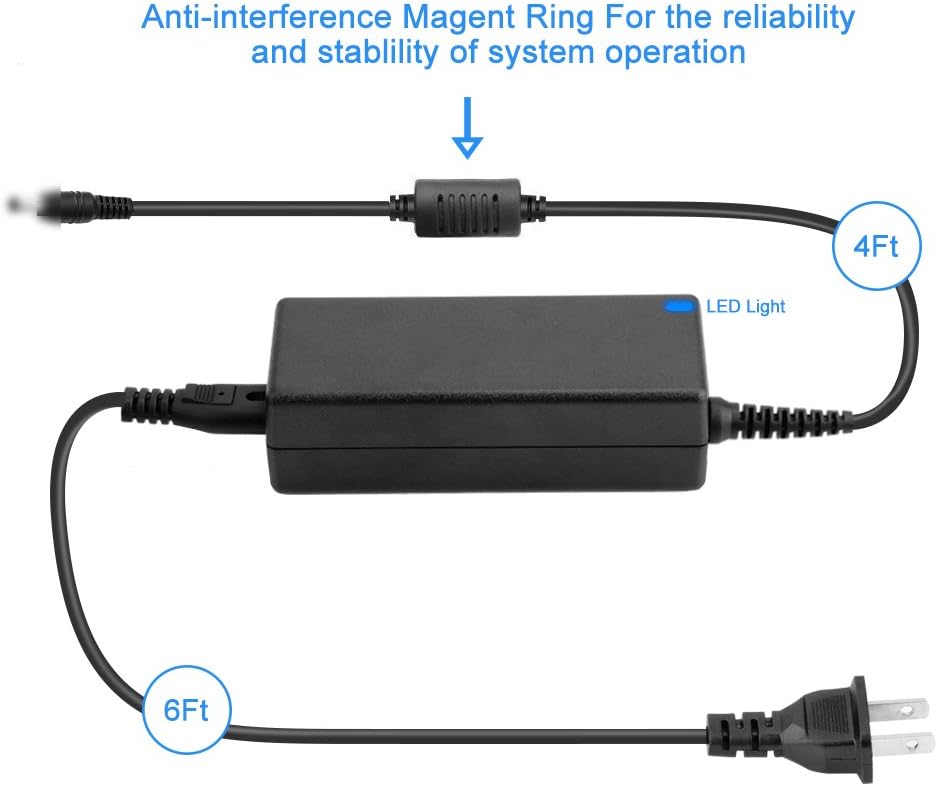
Diagram illustrating the adapter's components, including the anti-interference magnetic ring and the approximate lengths of the output cable (4ft) and input power cord (6ft), totaling 10ft.

An illustration highlighting the high-quality copper wire and PVC insulation jacket used in the power cable design, emphasizing durability and safety.

This image emphasizes the durable and compact design of the power adapter, suitable for various environments including home, office, and travel.
What's in the Box
- 2 x Power Adapter (EPtech AC/DC Adapter with attached output cable)
- 2 x AC Input Power Cord (detachable)
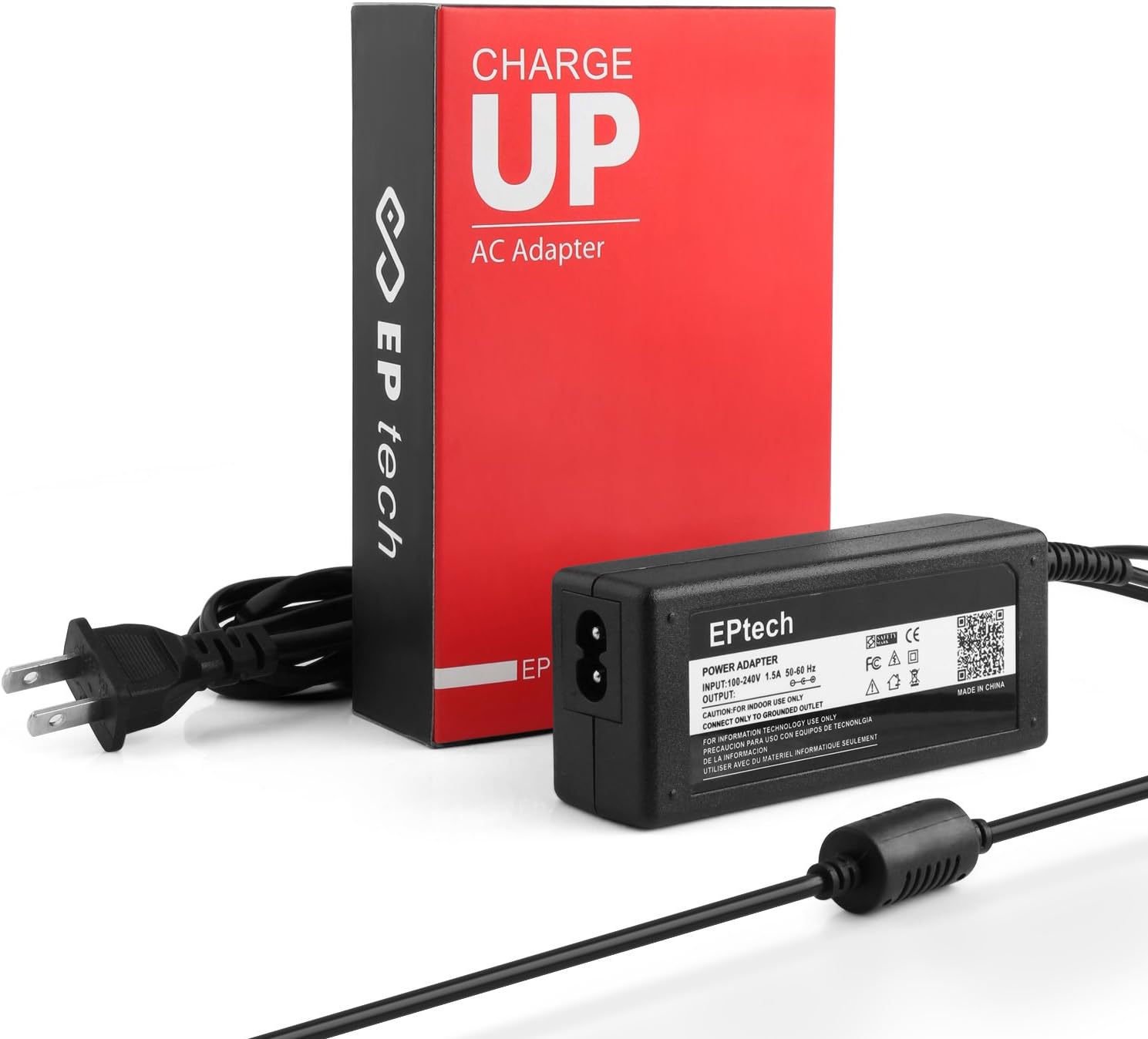
This image displays two complete EPtech AC/DC Adapter units, each including the main adapter block and its detachable AC input power cord, along with their packaging.
Setup Instructions
- Unpack: Carefully remove the AC/DC adapter and its power cord from the packaging.
- Connect Power Cord: Insert the detachable AC input power cord firmly into the two-prong receptacle on the adapter block.
- Connect to Device: Locate the power input port on your Ridgeway QS-2915BS speaker system. Insert the DC barrel connector from the adapter's output cable into this port. Ensure a snug fit.
- Plug into Outlet: Plug the AC input power cord into a standard, grounded electrical wall outlet (100-240VAC, 50/60Hz).
- Verify Connection: The LED indicator on the adapter should illuminate, indicating that power is being supplied.
Operating the Adapter
Once properly connected, the EPtech AC/DC Adapter will provide power to your Ridgeway QS-2915BS speaker system and charge its internal battery (if applicable). The adapter operates automatically to deliver the correct voltage and current.
- The adapter is designed for continuous operation within its specified limits.
- Monitor the device's charging indicator (if available) to confirm charging status.
- Disconnect the adapter from the wall outlet when not in use for extended periods.
Maintenance
To ensure the longevity and optimal performance of your EPtech AC/DC Adapter:
- Cleaning: Disconnect the adapter from the power outlet and the device before cleaning. Use a soft, dry cloth to wipe the surface. Do not use liquid cleaners or aerosols.
- Storage: Store the adapter in a cool, dry place away from direct sunlight and extreme temperatures when not in use.
- Cable Care: Avoid bending or crimping the power cords excessively. Do not place heavy objects on the cables.
- Inspection: Periodically inspect the adapter and cables for any signs of damage, such as frayed wires or cracked casing. If damage is found, discontinue use immediately.
Troubleshooting
| Problem | Possible Cause | Solution |
|---|---|---|
| Adapter not providing power / LED not lit. |
|
|
| Device not charging or charging slowly. |
|
|
| Adapter feels excessively hot. |
|
|
Specifications
| Feature | Detail |
|---|---|
| Model Number | A1806141723 |
| Input Voltage | 100-240VAC, 50/60Hz |
| Output | 19V 2.1A |
| Power Cord Length | Total 10 Ft (approx. 3 meters) |
| Item Weight | 8 ounces (approx. 227 grams) |
| Certifications | FCC, CE, RoHS |
| Safety Features | Over current protection, Total power protection, Over voltage protection, Short Circuit Protection |
Warranty and Support
EPtech products are manufactured with high-quality materials and undergo strict quality control. For any questions, concerns, or technical support regarding your AC/DC Adapter, please do not hesitate to contact our customer service team.
Email: epcustomerservice@yahoo.com
Please provide your model number (A1806141723) and a detailed description of your issue when contacting support to ensure a prompt resolution.