
VOYZ VZ-AB515-P
VOYZ 15" Rechargeable Bluetooth Speaker System
Instruction Manual
Introduction
The VOYZ VZ-AB515-P is a powerful and versatile 15-inch rechargeable Bluetooth speaker system designed for both indoor and outdoor use. Featuring a 1000-watt output, a 15-inch subwoofer, and a 1.5-inch super tweeter, it delivers clear, full-range stereo sound. This system includes two wireless microphones, a tripod stand, and offers multiple connectivity options including Bluetooth, USB, SD card, FM radio, RCA, XLR, and Plug inputs. Its portable design with a built-in rechargeable battery makes it ideal for parties, karaoke, public speaking, and various events.
What's in the Box
- VOYZ 15" Rechargeable Bluetooth Speaker System (VZ-AB515-P)
- 2 x Wireless Microphones
- 1 x Remote Control
- 1 x Heavy Duty Tripod Stand
- Power Cable
- RCA Cable

Image: The VOYZ VZ-AB515-P speaker system components, including the main speaker unit, two wireless microphones, a remote control, and a black tripod stand.
Key Features
- Exceptional Sound Quality: Self-powered 15-inch subwoofer and 1.5" Super Tweeter for crystal-clear, full-range stereo sound.
- Powerful Performance: Robust 1000-watt output ensures audio is loud and clear.
- Wireless Connectivity: Bluetooth for streaming music from smartphones, tablets, and PCs with a range of over 100 feet.
- Versatile Compatibility: RCA input line, XLR, and Plug inputs for various audio devices, DJ systems, and band equipment.
- Seamless Sound Setup: XLR cable line input for mono or stereo music. Direct microphone input for added versatility.
- True Wireless Stereo (TWS): Connect two compatible speakers wirelessly for an immersive stereo audio setup.
- Integrated Media Player: Supports USB, SD/MMC cards, and FM radio playback.
- Rechargeable Battery: Built-in battery for portable use, with an option to plug into AC power.

Image: The VOYZ speaker with text emphasizing its True Wireless Stereo (TWS) capability, Bluetooth, USB, MP3 audio, and 15-inch woofer.
Setup
- Unpacking: Carefully remove all components from the packaging. Retain packaging for future storage or transport.
- Charging the Speaker: Before first use, fully charge the speaker's internal battery. Connect the power cable to the AC input on the rear panel and plug it into a standard wall outlet. The battery charger indicator will show charging status.
- Assembling the Tripod Stand: Extend the legs of the tripod stand to a stable position. Adjust the height to your desired level using the locking mechanisms. Ensure all locks are securely tightened before placing the speaker.
- Mounting the Speaker: Carefully lift the speaker and place it onto the pole of the assembled tripod stand. Ensure it is seated firmly and securely.
- Microphone Setup: Insert batteries into the wireless microphones. Turn on the microphones and ensure they are paired with the speaker (refer to Operating Instructions for pairing details if needed).

Image: The VOYZ speaker system with its heavy-duty tripod stand, illustrating the setup for optimal sound projection.
Operating Instructions

Image: Detailed view of the VOYZ speaker's rear control panel, showing the digital display, master volume, graphic equalizer, various input ports (USB, SD, XLR, RCA), and battery charger indicator.
Control Panel Overview
The rear panel of the VOYZ speaker features all controls and input/output ports. Familiarize yourself with the digital display, mode button, track controls, master volume, graphic equalizer, microphone inputs, line inputs (RCA, XLR), USB/SD card slots, and the battery indicator.
Powering On/Off
Locate the power switch on the rear panel. Flip it to the 'ON' position to power on the speaker. Flip to 'OFF' to power down.
Bluetooth Connectivity
- Turn on the speaker.
- Press the 'MODE' button on the control panel or remote until 'BLUETOOTH' mode is selected. The display will show 'BLUE' and a pairing indicator will flash.
- On your Bluetooth-enabled device (smartphone, tablet, PC), search for available Bluetooth devices.
- Select 'VOYZ VZ-AB515-P' (or similar name) from the list.
- Once connected, the speaker will emit a confirmation tone, and the Bluetooth indicator will stop flashing. You can now stream audio wirelessly.
USB/SD Card Playback
- Insert a USB flash drive or SD/MMC card into the corresponding slot on the control panel.
- Press the 'MODE' button to select 'USB' or 'SD' mode. The speaker will automatically begin playing compatible audio files (MP3, WMA).
- Use the 'PLAY/PAUSE', 'PREV', and 'NEXT' buttons to control playback.
FM Radio Operation
- Press the 'MODE' button to select 'FM' mode.
- Press and hold the 'PLAY/PAUSE' button to initiate an automatic scan for available FM stations. The speaker will save found stations.
- Use the 'PREV' and 'NEXT' buttons to navigate between saved stations.
Microphone Usage
- Ensure the wireless microphones have fresh batteries and are powered on.
- Adjust the 'MIC VOL' knob on the control panel to control the volume of the microphones.
- Use the 'ECHO' knob to add reverberation effects to the microphone sound.
- For wired microphones, connect them to the 'MIC IN' (XLR or 1/4" jack) ports and adjust their respective volume knobs.
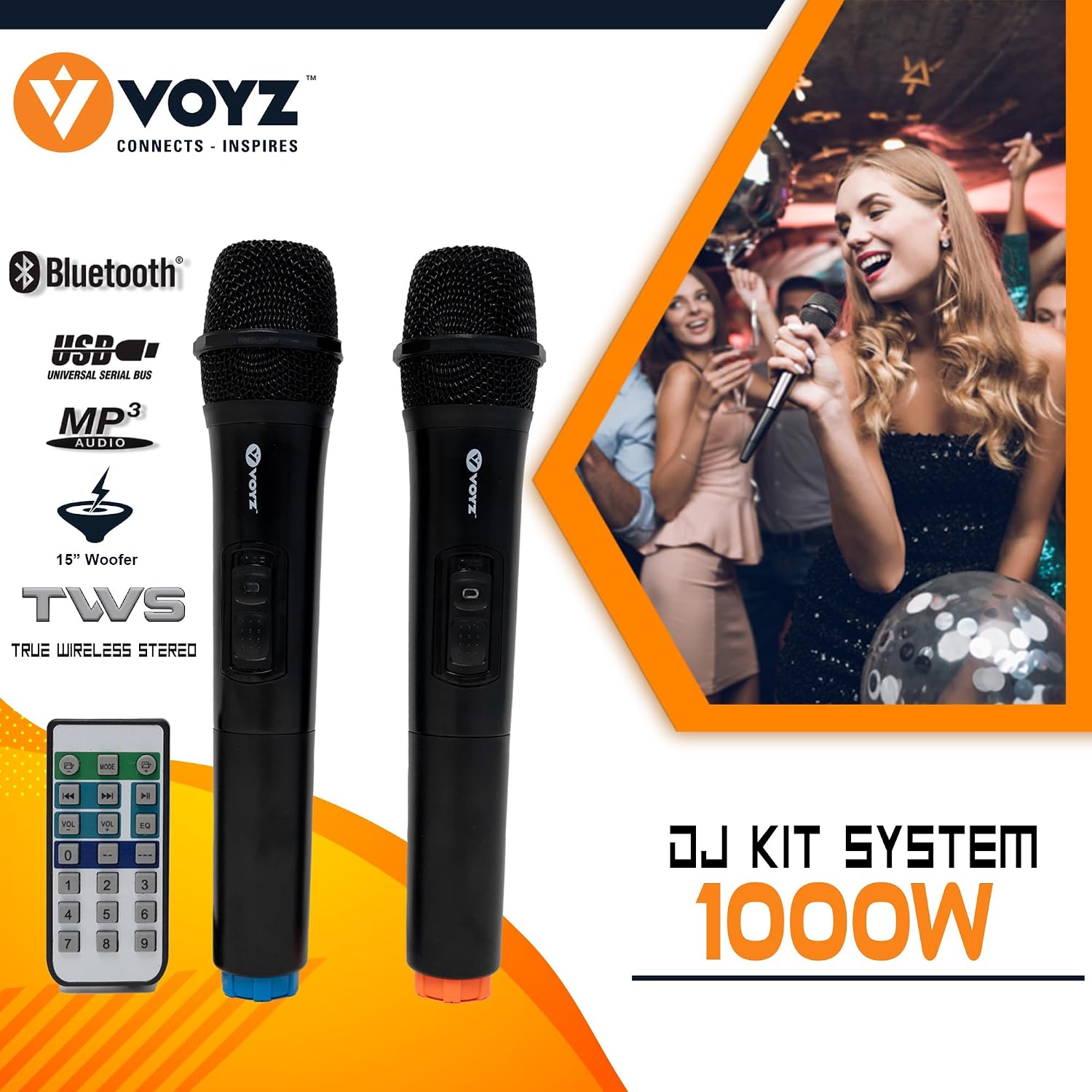
Image: Two VOYZ wireless microphones, included with the speaker system, designed for clear vocal pickup.
True Wireless Stereo (TWS) Function
To use the TWS function, you will need two VOYZ VZ-AB515-P speakers.
- Ensure both speakers are powered on and in Bluetooth mode, but not yet connected to any device.
- On one of the speakers (this will be the master speaker), press and hold the 'TWS' button (if available, or a combination of buttons as per specific model instructions, often the 'MODE' button for a few seconds). The speaker will indicate it's searching for another TWS speaker.
- The two speakers will automatically pair with each other. A confirmation tone will sound once connected.
- Now, connect your Bluetooth device to the master speaker as described in the 'Bluetooth Connectivity' section. Audio will play in stereo across both speakers.
Maintenance
- Cleaning: Use a soft, dry cloth to clean the speaker's exterior. Do not use abrasive cleaners, waxes, or solvents.
- Battery Care: To prolong battery life, avoid fully discharging the battery frequently. Recharge the speaker regularly, especially if it will not be used for an extended period. Store in a cool, dry place.
- Storage: When not in use, store the speaker in a dry environment, away from extreme temperatures and direct sunlight.
- Handling: Always handle the speaker and its components with care. Avoid dropping or subjecting it to strong impacts.
Troubleshooting
| Problem | Possible Cause | Solution |
|---|---|---|
| No sound from speaker | Volume too low; Incorrect input mode; Device not connected; Speaker off. | Increase master volume; Select correct input mode (Bluetooth, USB, AUX); Ensure device is paired/connected; Turn speaker on. |
| Bluetooth not connecting | Speaker not in pairing mode; Device too far; Interference; Already connected to another device. | Ensure speaker is in Bluetooth pairing mode; Move device closer; Turn off other Bluetooth devices; Disconnect from previous device. |
| Microphone not working | Microphone off; Low batteries; Mic volume too low; Incorrect input. | Turn on microphone; Replace batteries; Increase 'MIC VOL' knob; Ensure microphone is connected to correct input. |
| Battery drains quickly | Battery not fully charged; Old battery; High volume usage. | Ensure full charge before use; Battery life naturally degrades over time; Reduce volume for longer battery life. |
| Buzzing/Humming sound when plugged in (wired input) | Ground loop interference; Faulty cable; Issue with charging circuitry. | Try a different power outlet; Use a ground loop isolator; Test with different cables; Contact support if issue persists. |
Specifications
| Feature | Specification |
|---|---|
| Model Number | VZ-AB515-P |
| Output Wattage | 750 Watts (RMS), 1000 Watts (Peak) |
| Woofer Size | 15 inches |
| Tweeter Size | 1.5 inches (Super Tweeter) |
| Connectivity Technology | Bluetooth, USB, SD, FM, RCA, XLR, Plug |
| Power Source | Battery Powered / AC Powered |
| Item Weight | 45.6 Pounds |
| Product Dimensions (L x W x H) | 19 x 15.5 x 29.5 inches |
| Material | Polycarbonate (PC) |
| Impedance | 8 Ohm |
| Number of Channels | 2 |
| UPC | 657559745335 |
Warranty and Support
For warranty information and technical support, please refer to the documentation provided with your purchase or visit the official VOYZ website. You may also contact the seller directly for assistance with product-related inquiries.
VOYZ Store on Amazon: VOYZ USA Store
Related Documents - VZ-AB515-P
 |
Voyz Speaker VZ-AB512 / VZ-AB515 Product Manual Comprehensive user manual for Voyz speaker models VZ-AB512 and VZ-AB515, including safety instructions, operating guidelines, and technical specifications. |
 |
VOYZ Professional Sound Systems & Accessories Catalog 2020 | VOYZ USA Explore the comprehensive 2020 catalog from VOYZ USA, featuring a wide range of professional sound systems, active and passive line arrays, subwoofers, DJ equipment, and portable speaker solutions designed for superior audio performance. |
 |
HIOS VZ Series Electric Screwdriver Operation Manual Operation manual for HIOS VZ Series electric screwdrivers, including safety guidelines, specifications, torque adjustment, and maintenance instructions. |
 |
VERA 26 Cabinet Assembly Guide | Arthauss Furniture Comprehensive assembly instructions for the Arthauss Furniture VERA 26 cabinet. Includes detailed steps, parts list, hardware identification, and diagrams explained in text. Perfect for DIY furniture assembly. |
 |
VERA 51/52 Bed Frame Assembly Instructions | Arthauss Furniture Detailed assembly instructions for the VERA 51/52 bed frame by Arthauss Furniture. Includes parts list, step-by-step guidance, and service information for replacement parts. |
Ask a question about this manual
Ask about setup, troubleshooting, compatibility, parts, safety, or missing instructions. Manuals+ will review the question and use this page’s manual context to help answer it.