
1. Introduction
Thank you for choosing the Marathon CL030060 Atomic Wall Clock. This clock is designed for precision and convenience, automatically synchronizing with the NIST atomic clock signal for accurate timekeeping. It features a large, easy-to-read display that shows time, date, indoor temperature, and humidity. Its elegant design makes it suitable for various environments.

Image: The Marathon CL030060 Atomic Wall Clock mounted on a wall in a contemporary living space, showcasing its clear display of time, date, temperature, and humidity.
2. Package Contents
Please check the package contents to ensure all items are present:
- Marathon CL030060 Atomic Wall Clock
- AA Batteries (2x)
- User Manual (this document)
3. Key Features
- Self-Setting and Self-Adjusting: Automatically synchronizes with the NIST atomic clock signal for precise time (North America only).
- Large Display: Features large, easy-to-read numbers for optimal visibility.
- Multiple Display Modes: Choose between AM/PM or 24-hour time, month/day/date, and indoor temperature (°C/°F) with humidity.
- Eight North American Time Zones: Select from Pacific, Mountain, Central, Eastern, Atlantic, Newfoundland, Alaska, and Hawaii Standard Time.
- Language Options: Display language can be set to English, Dutch, French, German, Italian, Russian, or Spanish.
- Versatile Placement: Designed for easy wall hanging or tabletop use with a sturdy foldable stand.
- Sleek Design: Elegant clear acrylic outer frame complements any decor.
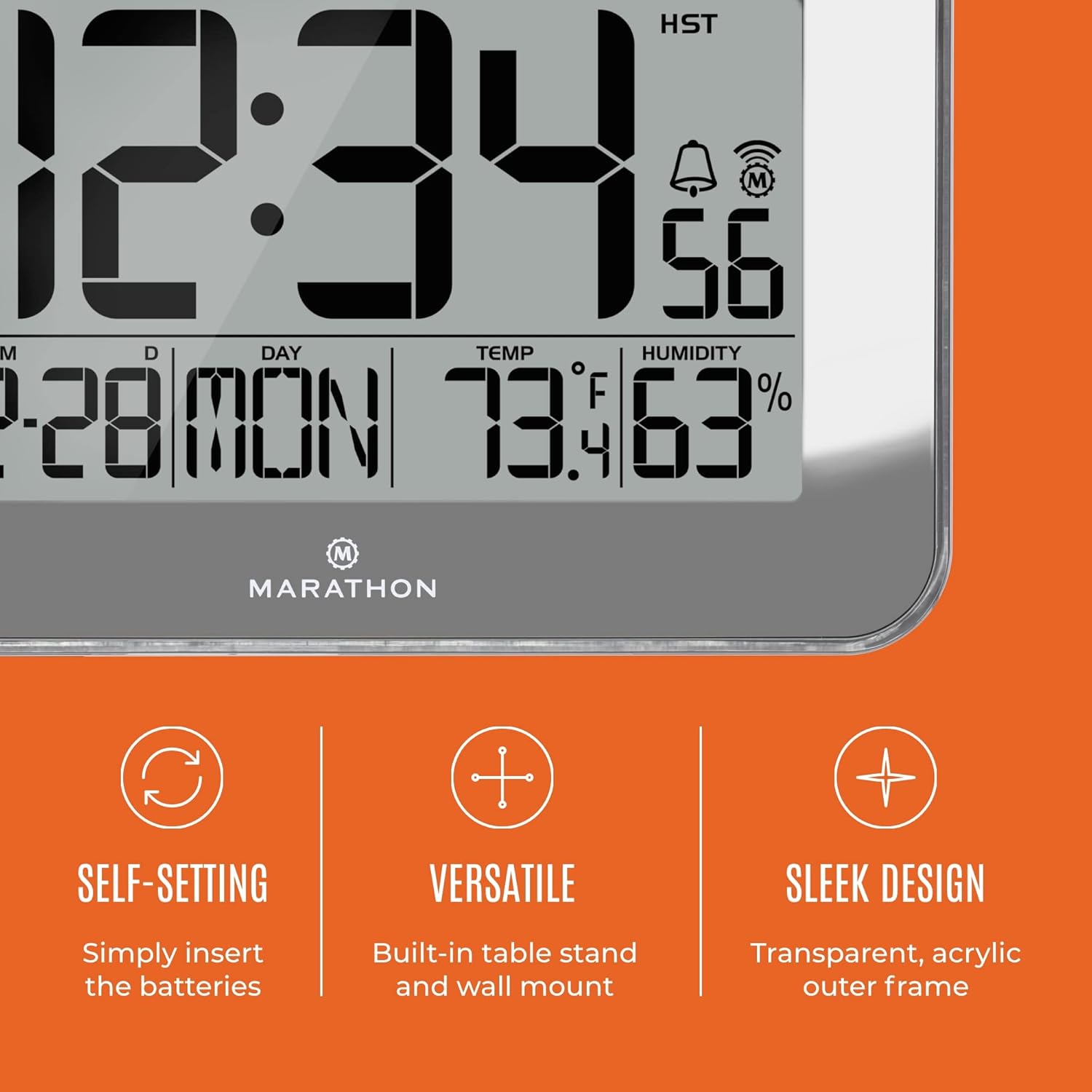
Image: Visual representation of the clock's self-setting capability, versatile placement options (wall mount/table stand), and sleek design with a transparent acrylic frame.
4. Setup
4.1 Battery Installation
- Locate the battery compartment on the back of the clock.
- Open the battery compartment cover.
- Insert the two (2) AA batteries, ensuring correct polarity (+ and -).
- Close the battery compartment cover securely.

Image: The Marathon CL030060 clock displayed on a wall, emphasizing its ease of setup and use, which begins with battery installation.
4.2 Initial Synchronization and Time Zone Selection
After battery installation, the clock will automatically begin searching for the NIST atomic clock signal from Colorado. This process may take a few hours, especially in areas with weaker signals. During this time, the clock will attempt to synchronize to the correct time.
- Once the signal is received and synchronized, the clock will display the correct time.
- On the back of the clock, locate the time zone slider switch.
- Select your desired North American time zone: Pacific, Mountain, Central, Eastern, Atlantic, Newfoundland, Alaska, or Hawaii Standard Time.
- The clock will adjust the time accordingly.
Note: The atomic clock signal reception is limited to North America. If using the clock outside this region, manual time and date adjustment will be necessary.
5. Operating Instructions
5.1 Display Modes
The clock offers multiple display modes. Use the designated buttons (refer to the labels on the back of the clock, typically 'MODE' or 'SET') to cycle through the following:
- Time (AM/PM or 24-hour format)
- Month, Day of the Week, and Date
- Indoor Temperature (°C or °F) and Humidity (%)

Image: A detailed view of the clock's dynamic display, illustrating the simultaneous presentation of time, date, day of the week, temperature, and humidity.
5.2 Language Selection
To change the display language, press the 'LANGUAGE' button (if available) or cycle through the settings menu until the language option appears. Select from English, Dutch, French, German, Italian, Russian, or Spanish.
5.3 Manual Time and Date Adjustment (Outside North America)
If you are using the clock outside the North American atomic signal coverage area, you can manually set the time and date:
- Press and hold the 'SET' button (or equivalent) to enter time setting mode.
- Use the '+' or '-' buttons to adjust the hour, minute, year, month, and day.
- Press 'SET' again to confirm each setting and move to the next.
- Exit setting mode by pressing 'SET' one last time or waiting for the clock to automatically exit.
5.4 Daylight Saving Time (DST) On/Off
The clock includes an option to enable or disable Daylight Saving Time. Locate the 'DST' switch or button on the back of the clock and set it to your preference. When enabled, the clock will automatically adjust for DST changes.
5.5 Mounting and Placement
The Marathon CL030060 clock can be placed in two ways:
- Wall Mounting: Use the integrated keyhole slot on the back of the clock to hang it securely on a wall hook or screw.
- Tabletop Placement: Extend the sturdy foldable stand located on the back of the clock to place it on any flat surface.
6. Maintenance
6.1 Cleaning
To clean the clock, gently wipe the display and frame with a soft, dry cloth. Do not use abrasive cleaners, solvents, or chemical sprays, as these may damage the finish or electronic components.
6.2 Battery Replacement
When the display dims or the clock stops functioning correctly, it is time to replace the batteries. Follow the battery installation steps in Section 4.1. Always replace both batteries at the same time with new AA alkaline batteries.
7. Troubleshooting
- Clock not synchronizing or displaying incorrect time:
- Ensure you are within North America for atomic signal reception.
- Verify that the time zone is correctly selected using the switch on the back.
- Check battery levels and replace if necessary.
- Allow up to 24 hours for the clock to receive and process the atomic signal, especially during initial setup or after battery replacement.
- Avoid placing the clock near large metal objects or electronic devices that may interfere with the radio signal.
- Display is dim or blank:
- Replace the batteries with fresh AA alkaline batteries.
- Temperature or humidity readings appear inaccurate:
- Ensure the clock is not exposed to direct sunlight or extreme temperature sources (e.g., near a window, heater, or air conditioner vent).
- Allow some time for the sensors to stabilize after initial setup or relocation.
8. Specifications
| Feature | Detail |
|---|---|
| Brand | MARATHON |
| Model | CL030060 |
| Item Weight | 1 Pound (approx. 453.59 g) |
| Product Dimensions | 22.1 x 3.81 x 15.19 cm (8.7 x 1.5 x 5.98 inches) |
| Batteries Required | Yes (2x AA) |
| Color | Mirror (Silver) |
| Display Type | Digital |
| Style | Modern |
| Special Feature | Temperature Indicator, Large Display, Foldable Stand, Radio Controlled |

Image: A visual representation of the clock's dimensions, including overall size and the height of the main time digits.
9. Warranty and Support
Marathon products are manufactured with a commitment to quality and precision. For warranty information, technical support, or service inquiries, please visit the official Marathon website or contact their customer service department. Keep your purchase receipt as proof of purchase.
For further assistance, please refer to the contact information provided on the Marathon website: www.marathonwatch.com