
KINGDEL NC1037
KINGDEL NC1037 Mini Desktop Computer User Manual
Model: NC1037
1. Product Overview
The KINGDEL NC1037 is a fanless industrial mini desktop computer designed for reliable and silent operation. It features an Intel Core i5 Dual Core CPU, 8GB RAM, and a 256GB SSD, making it suitable for various applications from industrial control to office use.

Image: Front view of the KINGDEL NC1037 Mini PC, showcasing the fanless design and front USB ports.
2. Package Contents
Verify that all items are present in the package:
- KINGDEL NC1037 Mini PC
- Power Supply
- Power Cable
- Antenna (for WiFi)
- Screws (for mounting or internal component installation)

Image: The packaging box for the KINGDEL Mini Computer, indicating its compact size and fanless design.
3. Setup Instructions
3.1 Connecting Peripherals
Before powering on the device, connect all necessary peripherals:
- Connect your monitor to the HD Port or VGA port on the rear panel.
- Connect your keyboard and mouse to any of the available USB 3.0 or USB 2.0 ports.
- For network connectivity, connect an Ethernet cable to one of the 2xNICs Gigabyte LAN Ports, or attach the provided antennas for WiFi.
- If using serial devices, connect them to the 4xCOM RS232 ports.
- Connect the power supply to the DC-12V input and then to a power outlet.

Image: Rear view of the KINGDEL NC1037 Mini PC, highlighting the various connectivity options including USB, LAN, VGA, HD, and COM ports.
3.2 Initial Power On
After connecting all peripherals and power, press the power button located on the front panel to turn on the mini PC. The system will boot up, and you should see the operating system load on your connected display.
Video: A demonstration of the KINGDEL Mini PC booting up and displaying the operating system on a monitor.
4. Operating Instructions
4.1 Operating System
The KINGDEL NC1037 typically comes with a pre-installed operating system (e.g., Windows or Linux). Follow the on-screen prompts for initial setup, user account creation, and system configuration. The device supports various operating systems, allowing for flexibility based on your application needs.

Image: A KINGDEL Mini PC running Windows 11 Pro, demonstrating its compatibility with modern operating systems.
4.2 Silent Operation
This mini PC features a fanless design, ensuring silent operation. This makes it ideal for environments where noise reduction is critical, such as offices, libraries, or industrial settings where dust is prevalent.
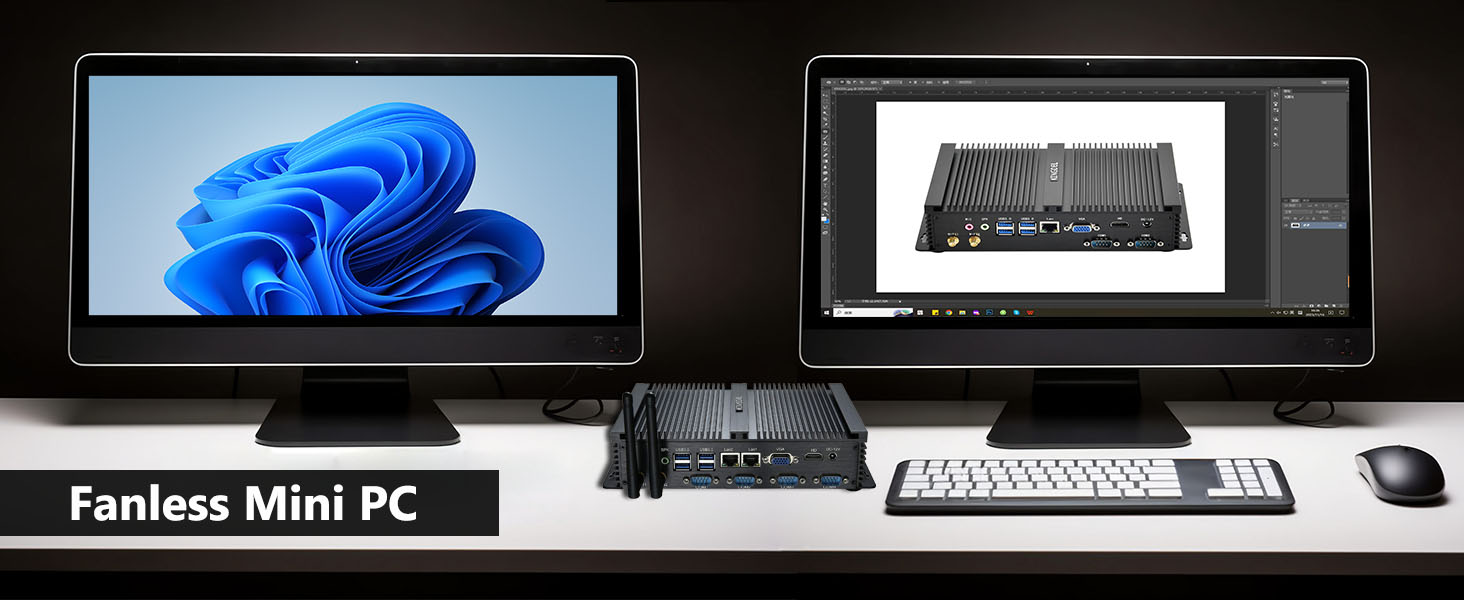
Image: Illustration highlighting the fanless design of the mini PC, emphasizing its silent and dust-resistant characteristics.
5. Maintenance
The fanless design of the KINGDEL NC1037 minimizes maintenance requirements. Regular maintenance includes:
- Keeping the exterior clean with a soft, dry cloth.
- Ensuring proper ventilation around the device to allow for efficient heat dissipation.
- Periodically checking cable connections for security.
Due to its solid-state components and fanless construction, internal cleaning for dust removal is generally not required.
6. Troubleshooting
If you encounter issues with your KINGDEL NC1037, consider the following troubleshooting steps:
- No Power: Ensure the power adapter is securely connected to both the mini PC and a working power outlet. Check the power cable for any damage.
- No Display: Verify that the monitor is correctly connected to the HD Port or VGA port and that the monitor is powered on and set to the correct input source. Try a different cable or monitor if possible.
- Operating System Not Loading: If the operating system fails to load, try restarting the PC. If the issue persists, it may indicate a problem with the SSD or OS installation. Consult the operating system's recovery options or contact support.
- Network Connectivity Issues: For wired connections, check the Ethernet cable and router status. For WiFi, ensure antennas are attached, and the WiFi module is enabled in the operating system settings.
- Peripheral Not Recognized: Try connecting the peripheral to a different USB port. Ensure drivers are installed if required by the operating system.
For further assistance, refer to the Warranty & Support section.
7. Specifications
| Feature | Detail |
|---|---|
| Processor | Intel Core i5-3317U, Dual Core, Quad Thread, 1.7GHz (Max. Turbo 2.6GHz), 3MB Smart Cache |
| RAM | 8GB DDR3L 1600 MHz |
| Storage | 256GB mSATA SSD (Solid State Disk) |
| Graphics | Intel HD Graphics 4000 (Base 350 MHz, Max Dynamic 1.05 GHz) |
| Network | 2x Intel 82574L Gigabyte LAN Ports, 802.11bgn WiFi |
| USB Ports | 4x USB 3.0, 4x USB 2.0 |
| Serial Ports | 4x COM RS232 |
| Video Output | HD Port, VGA |
| Audio | SPK (Speaker), MIC (Microphone) |
| Case Material | Full Metal Case |
| Dimensions (LxWxH) | 8.35 x 5.91 x 2.01 inches |
| Weight | 2.86 pounds |
| Operating System | OS (Pre-installed, specific version may vary) |
8. Warranty and Support
The KINGDEL NC1037 Mini PC comes with a Two-Year Warranty and Lifetime Technical Support.
For any assistance or technical inquiries, please contact KINGDEL support. You can typically reach support by:
- Logging into your Amazon account.
- Navigating to "Your Orders".
- Selecting the KINGDEL Mini PC order and choosing "Ask Product Question" to contact the seller directly.
Support is available 24 hours online for prompt replies.

Image: Customer service contact information, detailing how to reach support through Amazon's platform.
Ask a question about this manual
Ask about setup, troubleshooting, compatibility, parts, safety, or missing instructions. Manuals+ will review the question and use this page’s manual context to help answer it.