
Introduction
This manual provides detailed instructions for the proper use and maintenance of your Casio Baby-G Analog-Digital Watch, model BGS-100-7A1DR. Please read this manual thoroughly to ensure optimal performance and longevity of your timepiece.

Figure 1: Front view of the Casio Baby-G BGS-100-7A1DR watch, showcasing its white analog-digital dial and resin band.
Product Overview
The Casio Baby-G BGS-100-7A1DR is a robust and stylish analog-digital watch designed for active women. It features a durable resin case and band, 100-meter water resistance, and multiple functions including dual time, countdown timer, light, and alarm. Its unique step tracker function makes it ideal for daily activity monitoring.
Key Features:
- Analog-Digital Display
- 100-meter Water Resistance
- Step Tracker Function
- Dual Time, Stopwatch, Countdown Timer, 5 Daily Alarms
- LED Backlight
- Shock Resistant Structure
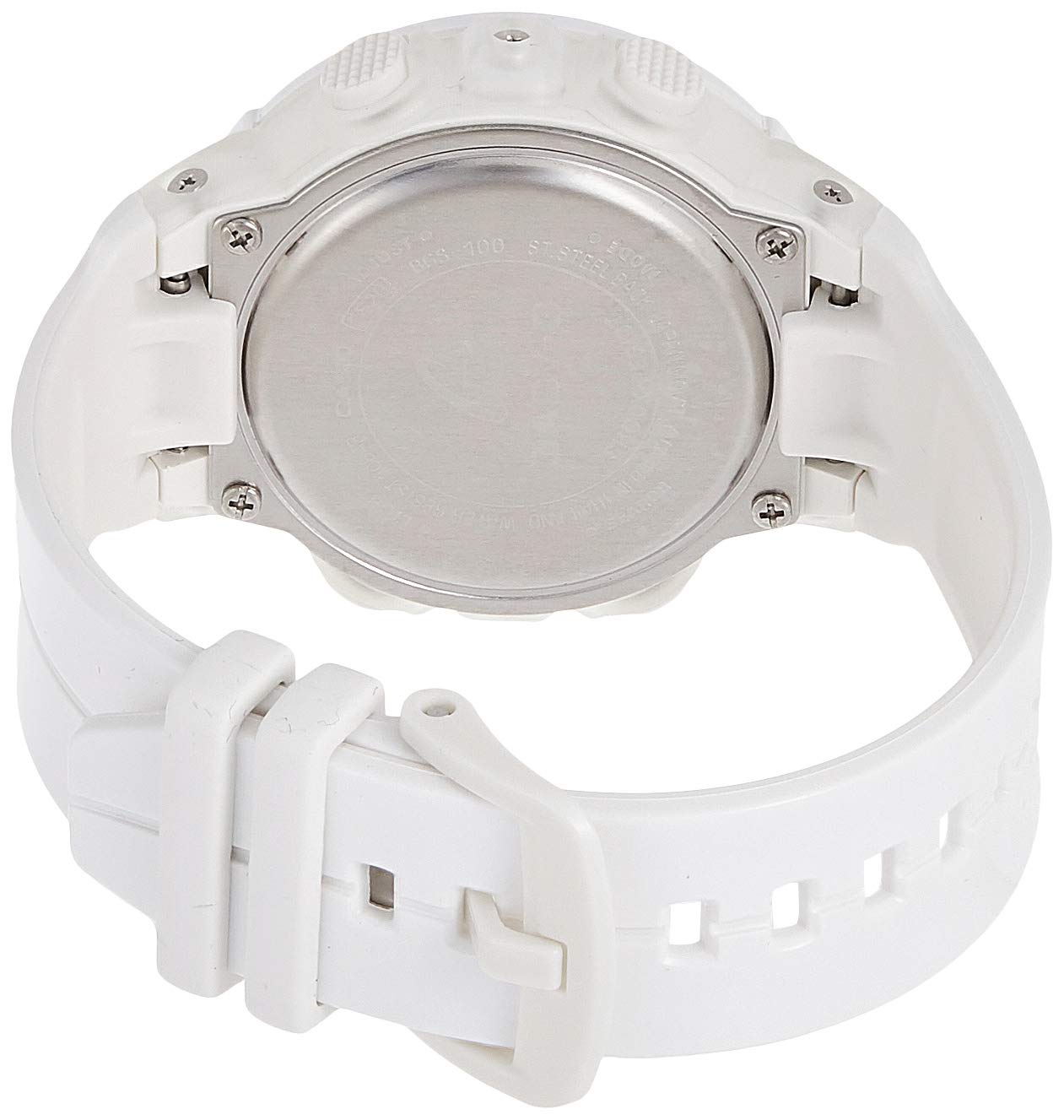
Figure 2: Side view of the watch, highlighting the functional buttons for mode, adjust, light, and search.
Setup and Initial Configuration
1. Setting the Time and Date:
- In Timekeeping Mode, hold down the ADJUST button (top left) until the city code starts flashing.
- Use the SEARCH button (bottom right) and LIGHT button (top right) to select your desired city code.
- Press the MODE button (bottom left) to cycle through settings: Daylight Saving Time (DST), 12/24-hour format, Seconds, Hour, Minute, Year, Month, Day.
- Use SEARCH and LIGHT buttons to change the values.
- Once all settings are configured, press the ADJUST button to exit.
2. Calibrating the Step Tracker:
For accurate step counting, it is recommended to calibrate the step tracker. Refer to the detailed instructions in the full user manual available on the Casio website for precise calibration steps.
Operating Instructions
Mode Navigation:
Press the MODE button (bottom left) to cycle through the different modes:
- Timekeeping Mode
- Step Tracker Mode
- Stopwatch Mode
- Countdown Timer Mode
- Alarm Mode
- Dual Time Mode
Using the Step Tracker:
The watch automatically counts your steps when in Step Tracker mode. You can view your daily step count on the digital display. The analog hand may also indicate progress towards a daily step goal.
Using the LED Backlight:
Press the LIGHT button (top right) to illuminate the watch face for easy viewing in low-light conditions.
Maintenance and Care
Proper care will extend the life of your Casio Baby-G watch.
- Cleaning: Wipe the watch with a soft, dry cloth. For stubborn dirt, use a soft cloth dampened with water and mild soap, then wipe dry.
- Water Resistance: While the watch is water resistant to 100 meters, avoid operating buttons underwater. Rinse the watch with fresh water after exposure to saltwater.
- Temperature: Avoid exposing the watch to extreme temperatures (hot or cold) for prolonged periods.
- Chemicals: Keep the watch away from gasoline, cleaning solvents, aerosols, adhesives, paints, etc., as they may damage the resin case and band.
- Battery Replacement: Battery life is approximately 2 years. When the display becomes dim or functions malfunction, it's time to replace the battery. We recommend having the battery replaced by an authorized Casio service center to ensure water resistance is maintained.

Figure 3: Rear view of the watch, displaying the stainless steel case back with model information.
Troubleshooting
| Problem | Possible Cause | Solution |
|---|---|---|
| Watch not displaying time/functions | Low battery | Replace battery at an authorized service center. |
| Incorrect time/date | Time/date not set correctly | Refer to "Setting the Time and Date" section. |
| Step count inaccurate | Improper calibration or wearing position | Ensure watch is worn securely on the wrist. Recalibrate if necessary. |
| Buttons unresponsive | Watch may be in a locked mode or internal issue | Try pressing all buttons firmly. If issue persists, contact support. |
Specifications
| Feature | Detail |
|---|---|
| Model Number | BGS-100-7A1DR (BX097) |
| Case Material | Resin |
| Band Material | Resin |
| Dial Color | White |
| Display Type | Analog-Digital |
| Water Resistance | 100 Meters |
| Case Diameter | 42.6 millimeters |
| Item Weight | 34 Grams |
| Movement | Quartz |
| Special Features | Dual time, Countdown timer, Light, Alarm, Step Tracker |
Warranty and Support
Warranty Information:
Your Casio Baby-G watch comes with a manufacturer's warranty. Please refer to the warranty card included with your purchase for specific terms and conditions, including the warranty period and coverage details. Keep your proof of purchase for warranty claims.
Customer Support:
For technical assistance, service, or inquiries regarding your watch, please contact Casio customer support or visit the official Casio website. You can find contact information and frequently asked questions at the Casio Support Page.