
MITER CASE For SOLIX 10
MITER CASE Screen Protector User Manual
For HUMMINBIRD SOLIX 10
Introduction
This manual provides comprehensive instructions for the installation, use, and maintenance of your MITER CASE Screen Protector for the HUMMINBIRD SOLIX 10. This high-quality screen protector is designed to safeguard your device's display while maintaining optimal clarity and touch sensitivity.

The MITER CASE Screen Protector, designed for the HUMMINBIRD SOLIX 10, features AFP Oleophobic Coating for clear LCD protection.
Key Features
- High Definition Transparency: Ensures maximum resolution and maintains the original display quality.
- Scratch Resistant Coating: Provides robust protection against scratches and abrasions.
- Anti-Dust & Anti-Fingerprint: Reduces smudges and dust accumulation for a cleaner screen.
- No Rainbow Phenomenon: Engineered to prevent visual distortions often seen with lower quality protectors.
- Real Touch Sensitivity: Offers a natural feel and flawless touch screen accuracy.
- UV Protection: Helps reduce eye strain caused by prolonged exposure to the LCD screen.
Setup and Installation
Proper installation is crucial for optimal performance and longevity of your screen protector. Please follow these steps carefully:
- Prepare Your Environment: Choose a clean, dust-free area for installation. Dust particles are the primary cause of bubbles under the screen protector.
- Clean the Device Screen: Thoroughly clean the HUMMINBIRD SOLIX 10 screen using a microfiber cloth. If provided, use any included cleaning wipes or dust removal stickers to ensure the screen is free of all dust, dirt, and smudges.
- Align the Protector: Carefully peel back a small portion of the protective film from the adhesive side of the screen protector. Align the protector with the edges and cutouts of your device's screen.
- Apply the Protector: Slowly lower the screen protector onto the device screen, allowing the adhesive to make contact. As you apply, use a squeegee tool (if provided) or a credit card wrapped in a soft cloth to gently push out any air bubbles towards the edges.
- Remove Remaining Film: Once the protector is fully adhered and free of major bubbles, carefully peel off the remaining top protective film.
- Final Touches: Gently wipe the newly installed screen protector with a clean, dry microfiber cloth to remove any fingerprints or smudges.

The blue shaded area indicates the precise position for applying the screen protection film on your Humminbird SOLIX 10.

Healing Shield protection films are designed for easy installation and clean removal, utilizing high-quality optical PET material and silicon adhesive.
Operating Characteristics
Once installed, your MITER CASE Screen Protector enhances your device's display experience through its advanced properties:
- Optical Clarity: The film provides excellent light transmissivity, ensuring that the display's resolution and color accuracy are maintained, similar to optical devices.
- Responsive Touch: The protector maintains the original touch sensitivity of your HUMMINBIRD SOLIX 10, allowing for seamless interaction without lag or reduced accuracy.
- Glare Reduction: While maintaining clarity, the film helps to reduce harsh glare, improving visibility in various lighting conditions.
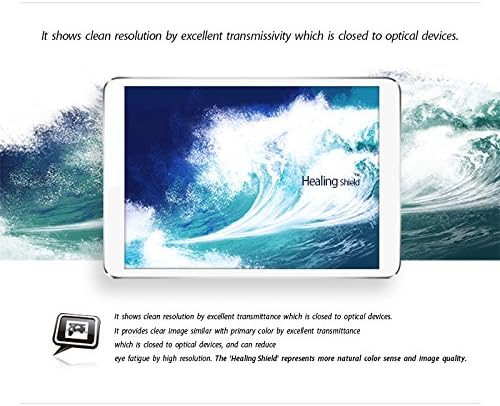
The screen protector ensures clean resolution and excellent transmissivity, comparable to optical devices, providing clear image quality and reducing eye fatigue.

Through a fine-nano process, the screen protector eliminates the 'rainbow phenomenon', ensuring a consistently clear and reliable display.
Maintenance
To ensure the longevity and effectiveness of your screen protector, follow these maintenance guidelines:
- Cleaning: Use a soft, lint-free cloth to wipe the screen protector. For stubborn smudges or fingerprints, lightly dampen the cloth with water or a screen-safe cleaner. Avoid harsh chemicals or abrasive materials.
- Oleophobic Properties: The oleophobic coating repels oils and fingerprints, making the screen easier to clean with a simple wipe.
- Scratch Resistance: While highly scratch-resistant (2H hardness), avoid contact with sharp objects like keys or knives to prevent damage.

The 'Healing Shield' LCD protection film features Oleophobic Coating and Anti Finger Print technology, making it easy to remove foreign materials and protecting against oil, fingerprints, and cosmetics.

The Oleophobic Protector provides 'Oil Repelling Protection', ensuring the screen is easy to clean and maintain.

The screen protector boasts excellent touch sensitivity and specialized surface strength over 3H, providing exceptional durability and protection against scratches from items like keys or pens.
Troubleshooting
Most issues with screen protectors are related to installation. Here are some common concerns and solutions:
- Bubbles After Installation: Small bubbles often disappear within 24-48 hours as the adhesive settles. For larger bubbles, gently lift the nearest edge of the protector and re-apply, pushing the bubble out with a squeegee or soft cloth. Ensure the screen is completely dust-free before re-application.
- Dust Under the Protector: If dust particles are trapped, carefully lift the protector and use a dust-absorber sticker (if available) to remove the dust from both the screen and the adhesive side of the protector. Re-apply as per installation steps.
- Edges Not Adhering: Ensure the screen is clean and dry, especially around the edges. Apply firm, even pressure to the edges during installation. If an edge consistently lifts, it might be due to a slight misalignment or a manufacturing defect.
- Reduced Touch Sensitivity: This is rare with MITER CASE protectors. Ensure the protector is correctly installed and not lifting. If the issue persists, verify that your device's touch settings are calibrated correctly.
Specifications
| Attribute | Detail |
|---|---|
| Brand | MITER CASE |
| Compatible Devices | Humminbird SOLIX 10 |
| Screen Size | 10.1 Inches |
| Material | Plastic |
| Item Hardness | 2H |
| Special Feature | Scratch Resistant |
| Screen Surface Description | Matte |
| Clarity | 10 |
| Number of Items | 1 |
| Item Weight | 7 ounces |
| Package Dimensions | 12.13 x 9.09 x 0.83 inches |
| Manufacturer | HealingShieldKorea |
| Date First Available | June 1, 2018 |
Warranty and Support
Information regarding product warranty and customer support is not provided within this manual. Please refer to the product packaging or the official MITER CASE website for details on warranty coverage and how to contact customer support for assistance.