
1. Introduction
The Rain Design mBar Pro is a portable, foldable laptop stand designed to enhance your computing experience by elevating and tilting your laptop. This ergonomic design promotes better posture, reduces strain, and improves airflow for optimal device performance. Its lightweight and slim profile makes it ideal for use at home, in the office, or while traveling.
2. Product Features
- Portable Folding Design: Lightweight and slim, weighing approximately 0.3 pounds and measuring 0.5 inches when folded.
- Ergonomic Elevation: Elevates your laptop by 3 inches, improving viewing angles and typing comfort.
- Premium Construction: Crafted from precision aluminum uni-body, anodized to complement MacBook aesthetics.
- Enhanced Airflow: Increases air circulation beneath the laptop for improved cooling and thermal management.
- Included Carrying Sleeve: Comes with a svelte carrying sleeve for protection and easy transport.
- Broad Compatibility: Fits most laptops, including MacBook, MacBook Air, MacBook Pro, and various laptop PCs. Also compatible with tablets like iPad, iPad Pro, and iPad Air.
3. Setup Instructions
Follow these steps to set up your Rain Design mBar Pro Foldable Laptop Stand:
- Unfold the Stand: Gently pull the two main arms of the mBar Pro outwards from its folded, compact state. The stand is designed to unfold smoothly into its triangular support structure.

Image: The mBar Pro stand partially unfolded, showing the initial movement of the support arms.

Image: The mBar Pro stand fully unfolded and ready for use, forming a stable base.
- Place Your Laptop: Position your laptop securely on the unfolded stand. Ensure the laptop's front edge rests against the small stoppers on the stand to prevent sliding.

Image: A laptop resting on the Rain Design mBar Pro, viewed from the front.
- Verify Stability: Gently test the stability of your laptop on the stand before use. The rubber feet on the stand and the stoppers for the laptop ensure a secure placement.
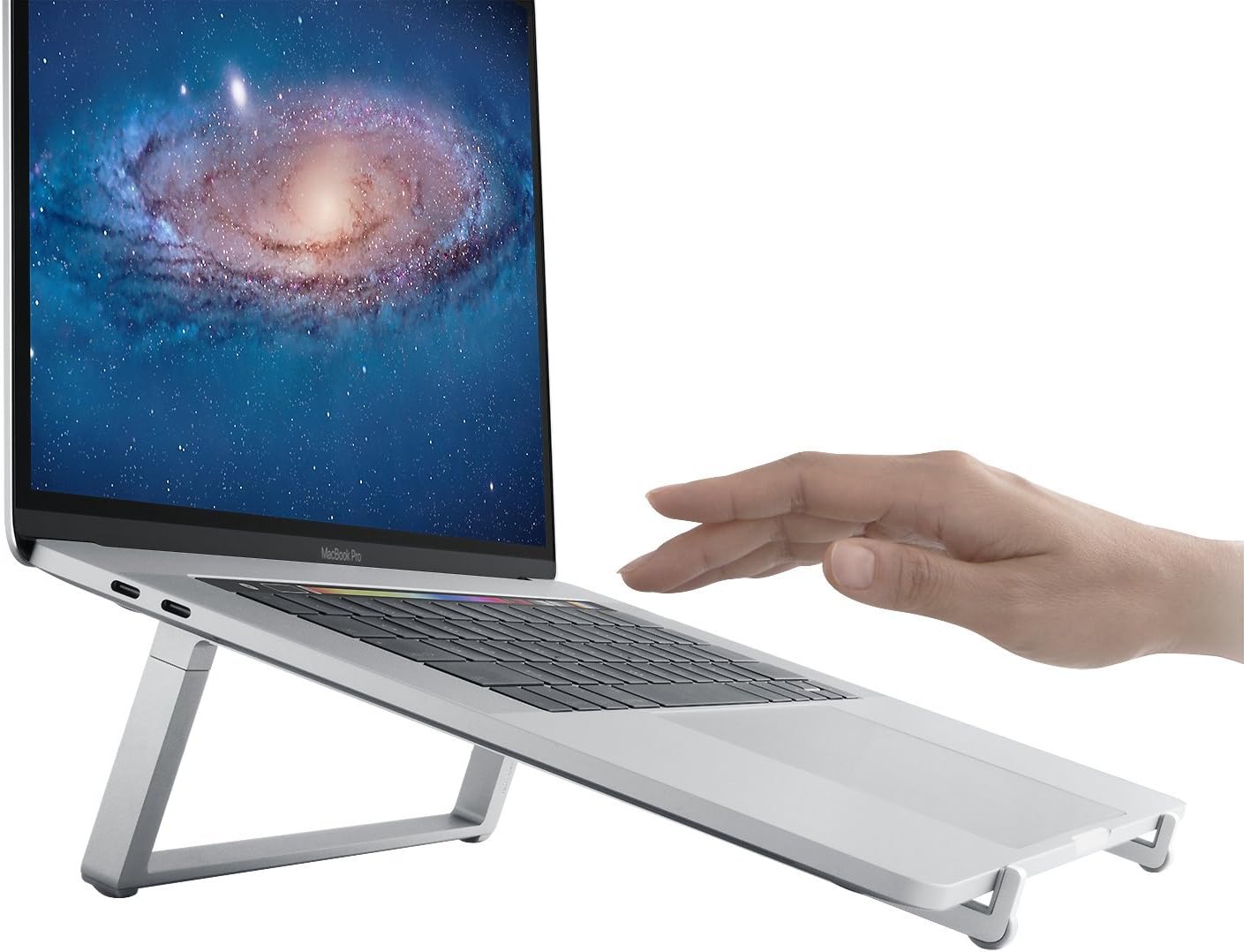
Image: Side view of a laptop on the mBar Pro stand, demonstrating the elevated and tilted position.
Visual Setup Guide:
Video: A demonstration of setting up the Rain Design mBar, mBar Pro, and mBar Pro+ laptop stands, showcasing their folding and unfolding mechanisms.
4. Operating Instructions
Once your laptop is securely placed on the mBar Pro, you can begin using it. The stand provides a fixed elevation and tilt, designed for optimal ergonomic benefits. No further adjustments are required.
- Typing and Viewing: The elevated screen and angled keyboard position are intended to reduce neck and wrist strain during extended use.
- Airflow: The open design of the stand ensures unrestricted airflow around your laptop, helping to prevent overheating.
5. Maintenance
To ensure the longevity and appearance of your Rain Design mBar Pro:
- Cleaning: Wipe the stand with a soft, damp cloth. Avoid abrasive cleaners or solvents that could damage the anodized aluminum finish.
- Storage: When not in use or for travel, fold the stand back into its compact form and store it in the provided carrying sleeve. This protects the stand from scratches and keeps it clean.

Image: The Rain Design mBar Pro stand partially inserted into its protective carrying sleeve.
6. Troubleshooting
If you encounter any issues with your mBar Pro stand, consider the following:
- Instability: Ensure the stand is fully unfolded and placed on a flat, stable surface. Verify that your laptop is centered and resting correctly against the stoppers.
- Laptop Sliding: Check that the rubber stoppers on the stand are intact and clean. These provide grip for your laptop.
- Difficulty Folding/Unfolding: The mechanism should operate smoothly. Do not force the stand. If resistance is met, check for any obstructions.
7. Specifications
| Attribute | Detail |
|---|---|
| Brand | Rain Design |
| Model Number | 10082 |
| Item Weight | 4.6 ounces |
| Product Dimensions (LxWxH) | 9.8 x 9.6 x 3 inches |
| Color | Silver |
| Form Factor | Foldable |
| Compatible Devices | Macbook, Macbook Air, Macbook Pro, Tablets, iPad, iPad Pro, iPad Air, laptop PC |
| Manufacturer | Rain Design, Inc. |
| First Available Date | May 31, 2018 |
8. Warranty and Support
Rain Design products are manufactured with quality and durability in mind. For specific warranty information regarding your mBar Pro Foldable Laptop Stand, please refer to the documentation included with your purchase or visit the official Rain Design website.
For technical support, product inquiries, or assistance with any issues, please contact Rain Design customer service through their official channels. You can often find contact information on the product packaging or on the manufacturer's website.
Online Resources:
- Visit the Rain Design Store on Amazon for more products and information.