
Introduction
Thank you for choosing the Akai ACP7200 Portable Air Conditioner. This manual provides essential information for the safe and efficient operation of your new appliance. Please read these instructions thoroughly before use and retain them for future reference.
The Akai ACP7200 is a versatile portable air conditioner designed to provide cooling comfort. It features programmable settings and can be conveniently controlled via a remote control.
Setup Instructions
Proper setup ensures optimal performance and safety of your portable air conditioner.
1. Unpacking
- Carefully remove the unit from its packaging.
- Check for any shipping damage. If the unit is damaged, do not operate it and contact your retailer.
- Retain the original packaging for future storage or transport.
2. Placement
- Place the air conditioner on a flat, stable surface in an upright position.
- Ensure there is at least 20 cm (8 inches) of space around the unit for proper air circulation.
- Position the unit near a window or opening to allow for exhaust hose installation.
- Avoid placing the unit in direct sunlight or near heat sources.
3. Exhaust Hose Installation
- Attach the exhaust hose connector to the back of the air conditioner.
- Extend the exhaust hose and attach the window kit adapter to the other end.
- Install the window kit into a compatible window opening, ensuring a secure seal to prevent outside air from entering.
- Connect the exhaust hose to the window kit adapter. Ensure the hose is as straight and short as possible to maximize efficiency.
4. Power Connection
- Plug the power cord into a grounded electrical outlet. Ensure the power supply matches the specifications listed on the unit's rating label.
- Do not use extension cords or multi-outlet adapters.
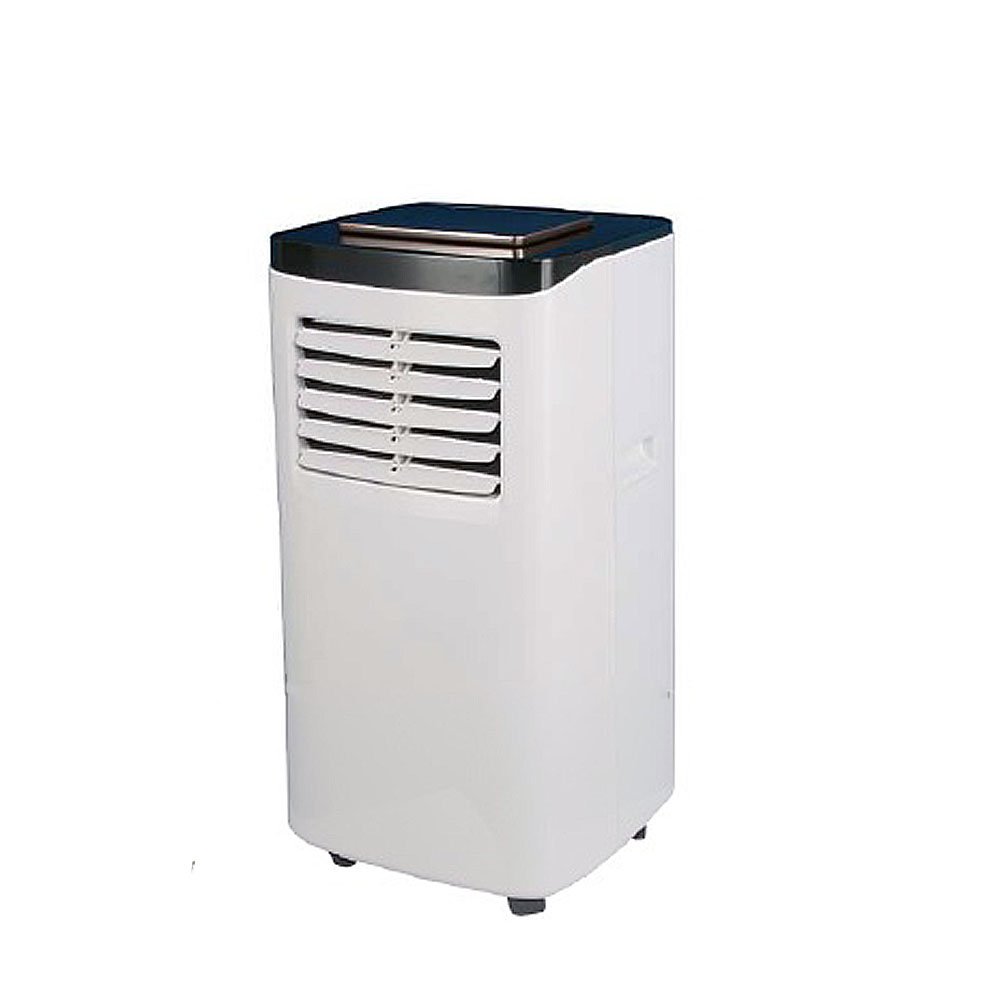
Image: The Akai ACP7200 portable air conditioner, illustrating its compact design and the exhaust hose connection point. This image helps visualize the unit during setup.
Operating Instructions
Familiarize yourself with the control panel and remote control functions for effective operation.
1. Control Panel Overview
The control panel is located on the top of the unit and includes buttons for Power, Mode, Fan Speed, Temperature Up/Down, and Timer.
2. Remote Control Functions
The remote control duplicates most functions of the control panel, allowing convenient operation from a distance. Insert two AAA batteries (not included) into the remote control.
3. Power On/Off
Press the POWER button on the control panel or remote control to turn the unit on or off.
4. Selecting Operating Mode
Press the MODE button repeatedly to cycle through the available modes:
- Cool Mode: For cooling the room. Set your desired temperature using the Up/Down buttons.
- Fan Mode: Circulates air without cooling. Fan speed can be adjusted.
- Dry Mode (Dehumidify): Reduces humidity in the room.
5. Setting Temperature
In Cool Mode, use the UP and DOWN arrow buttons to adjust the desired temperature. The temperature range is typically between 16°C and 30°C (61°F and 86°F).
6. Adjusting Fan Speed
Press the FAN SPEED button to select between Low, Medium, and High fan speeds. This function is available in Cool and Fan modes.
7. Timer Function
The timer allows you to set a specific time for the unit to turn on or off automatically.
- To set Auto-Off: With the unit running, press the TIMER button. Use the Up/Down buttons to select the desired number of hours (1-24) before the unit turns off.
- To set Auto-On: With the unit off, press the TIMER button. Use the Up/Down buttons to select the desired number of hours (1-24) before the unit turns on.
Maintenance
Regular maintenance ensures the longevity and efficiency of your air conditioner.
1. Cleaning the Air Filter
The air filter should be cleaned every two weeks or more frequently depending on usage and air quality.
- Turn off and unplug the unit.
- Locate and remove the air filter from the back or side of the unit.
- Wash the filter with warm, soapy water. Rinse thoroughly and allow it to air dry completely before reinstalling.
- Do not operate the unit without the filter installed.
2. Draining Water
The unit collects condensation during operation. Depending on humidity levels, you may need to drain the water periodically.
- Turn off and unplug the unit.
- Place a shallow pan or tray under the drain port, usually located at the bottom rear of the unit.
- Remove the drain plug to allow water to flow out.
- Once drained, replace the drain plug securely.
3. Cleaning the Exterior
Wipe the exterior of the unit with a soft, damp cloth. Do not use harsh chemicals, abrasives, or solvents.
4. Storage
If storing the unit for an extended period:
- Drain all accumulated water.
- Clean the air filter.
- Unplug the power cord and coil it neatly.
- Store the unit in its original packaging in a dry, upright position.
Troubleshooting Guide
Before contacting customer support, please refer to the following common issues and solutions:
| Problem | Possible Cause | Solution |
|---|---|---|
| Unit does not turn on | No power; power cord unplugged; circuit breaker tripped. | Check power connection; reset circuit breaker. |
| Unit is not cooling effectively | Air filter dirty; exhaust hose blocked or improperly installed; room too large; windows/doors open. | Clean air filter; check exhaust hose for obstructions and proper installation; close windows/doors. |
| Water leakage | Drain plug loose or missing; unit not level; internal water tank full. | Ensure drain plug is secure; place unit on a level surface; drain water if tank is full. |
| Remote control not working | Batteries dead or incorrectly inserted; remote out of range. | Replace batteries; ensure correct polarity; operate within range of the unit's receiver. |
If the problem persists after trying these solutions, please contact customer support.
Specifications
| Feature | Detail |
|---|---|
| Brand | Akai Professional |
| Model Name | ACP7200 |
| Form Factor | Portable |
| Item Weight | 23 Kilograms |
| Control Method | Remote Control |
| Controller Type | Remote Control |
| Installation Type | Portable |
| GTIN | 08053251529228 |
| ASIN | B07DCQKRHT |
Warranty Information
The Akai ACP7200 Portable Air Conditioner comes with a Limited Warranty. Please refer to the warranty card included with your product for specific terms, conditions, and duration of coverage. This warranty typically covers manufacturing defects and workmanship under normal use.
Keep your proof of purchase (receipt) as it will be required for any warranty claims.
Customer Support
If you have any questions, require technical assistance, or need to report a problem that cannot be resolved using the troubleshooting guide, please contact Akai customer support.
For the most up-to-date contact information, please visit the official Akai Professional website or refer to the contact details provided in your product packaging.
When contacting support, please have your model number (ACP7200) and proof of purchase readily available.