
Introduction
This manual provides detailed instructions for the safe and effective use of your Pursonic RET200 Power Rechargeable Electric Toothbrush with UV Sanitizing Function. Please read this manual thoroughly before first use and retain it for future reference.
Safety Information
WARNING: Keep out of reach of children to prevent choking hazard. This appliance is not intended for use by persons (including children) with reduced physical, sensory or mental capabilities, or lack of experience and knowledge, unless they have been given supervision or instruction concerning use of the appliance by a person responsible for their safety.
- Do not immerse the charging base in water or other liquids.
- Do not use if the product or charging cable is damaged.
- Ensure the UV sanitizer lid is closed during operation to prevent UV light exposure.
- Consult your dentist before using this product if you have had oral surgery or gum disease.
What's Included
Your Pursonic RET200 package includes the following components:
- 1 x Pursonic Electric Toothbrush Handle
- 12 x Replacement Toothbrush Heads
- 1 x Charging Stand with UV Sanitizer
- 1 x Charging Cable
- 1 x User Manual (this document)

Image: The complete Pursonic RET200 package, showing the electric toothbrush handle, the charging stand with UV sanitizer, and a set of 12 replacement brush heads.
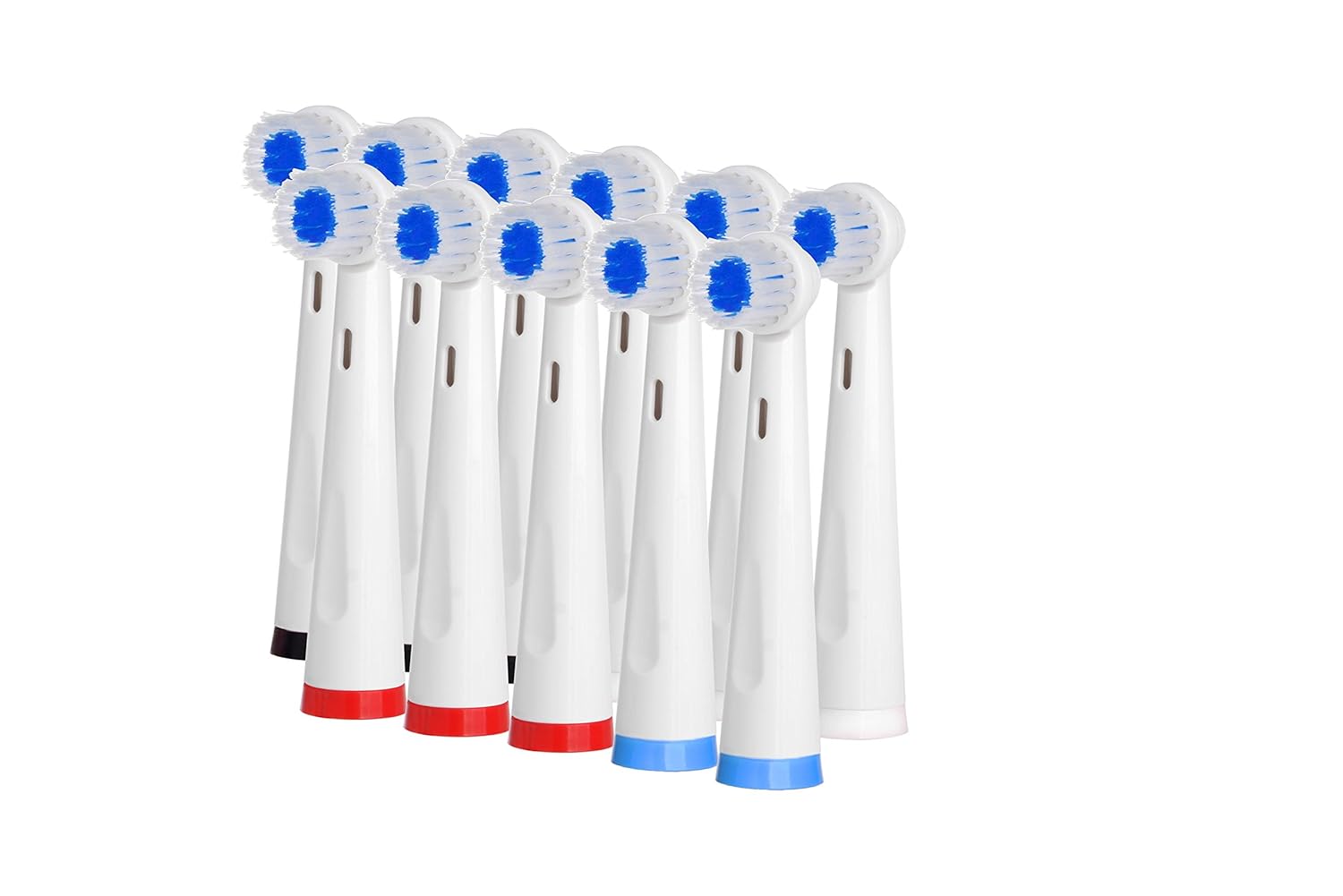
Image: A close-up view of the twelve replacement toothbrush heads included with the Pursonic RET200 system, featuring blue bristles and various colored bases.
Features
- UV Sanitizer: Integrated UV clean technology designed to kill up to 99.9% of germs on brush heads, ensuring hygienic storage between uses.
- Advanced Cleaning Technology: Operates at 8,800 oscillations per minute for effective plaque removal.
- Multiple Cleaning Modes: Offers three distinct modes for varied oral care needs:
- Clean Mode: For daily thorough cleaning, effective against stains from coffee, smoke, and tea.
- Soft Mode: Gentle cleaning for sensitive teeth and gums.
- Massage Mode: Designed for gum care, promoting circulation and health.
- Smart Timer System: Features a 2-minute auto-timer and a 30-second interval alert system to guide brushing across all quadrants of your mouth.
- Long Battery Life: A full charge provides approximately 30 days of normal use (brushing twice daily).
- Inductive Charging: Convenient and safe charging with an LED indicator.
- Waterproof Design: IPX7 grade waterproof for safe use in wet environments.

Image: An illustrative diagram highlighting key features of the Pursonic electric toothbrush, including its 8,800 oscillations per minute, three cleaning modes, UV clean technology, 10-minute sanitizing timer control, and induction charging with LED indicator.
Setup
- Unpack Components: Carefully remove all items from the packaging.
- Charge the Toothbrush:
- Connect the charging cable to the charging stand and plug it into a suitable power outlet (100-240V).
- Place the toothbrush handle onto the charging post of the stand. The LED indicator on the handle will illuminate to show it is charging.
- Allow approximately 4 hours for a full charge before first use. The charging light will flash when power is low and remain steady when fully charged.

Image: The Pursonic electric toothbrush handle securely placed on its inductive charging base, ready for charging.
- Attach a Brush Head: Align the brush head with the metal shaft on the toothbrush handle and push it down firmly until it clicks into place.
Operating Instructions
- Wet Brush Head: Wet the bristles of the brush head and apply a small amount of toothpaste.
- Position Brush: Place the brush head against your teeth at a slight angle towards the gumline.
- Power On: Press the power button to turn on the toothbrush. It will start in the default "Clean" mode.
- Select Mode: Press the power button repeatedly to cycle through the available modes: Clean, Soft, Massage. Select your desired mode.
- Brush Your Teeth: Gently move the brush head slowly from tooth to tooth, allowing the bristles to clean each surface. Do not scrub.
- The 30-second interval alert will briefly pause the brushing action to signal when to move to the next quadrant of your mouth.
- The 2-minute auto-timer will automatically shut off the toothbrush after the recommended brushing time.

Image: A detailed view of the toothbrush head, illustrating the "Brushing Reminder" feature with icons for the 2-minute auto-timer and the 30-second interval alert system, which helps guide users to brush each quadrant of their mouth evenly.
- Power Off: After brushing, press the power button to turn off the toothbrush.
Maintenance
Cleaning the Toothbrush
- After each use, rinse the brush head thoroughly under running water while the toothbrush is still on to remove any remaining toothpaste and debris.
- Turn off the toothbrush and remove the brush head. Rinse the brush head and the metal shaft of the handle separately.
- Wipe the handle with a damp cloth. Do not immerse the handle in water.
Using the UV Sanitizer
- Ensure brush heads are rinsed and excess water is shaken off before placing them in the sanitizer.
- Open the lid of the UV sanitizer chamber on the charging stand.
- Place up to four brush heads onto the designated posts inside the UV chamber.
- Close the lid firmly. The UV light will automatically activate for a 10-minute sanitizing cycle. The light will turn off automatically when the cycle is complete.
- The UV light will automatically shut off if the lid is opened during operation.

Image: The UV sanitizer chamber of the Pursonic charging base shown open, revealing the internal layout with slots for multiple brush heads and the UV bulb designed for sterilization.
Brush Head Replacement
Dentists recommend replacing your toothbrush head every 3 months, or sooner if the bristles become frayed or worn. To replace, simply pull the old brush head off the handle and push a new one on until it clicks.
Troubleshooting
| Problem | Possible Cause | Solution |
|---|---|---|
| Toothbrush does not turn on. | Battery is depleted. | Place the toothbrush on the charging stand and ensure it is properly connected to power. Allow 4 hours for a full charge. |
| Toothbrush does not charge. | Charging cable or stand not properly connected; power outlet issue. | Check that the charging cable is securely plugged into the stand and the wall outlet. Try a different outlet. Ensure the toothbrush is correctly seated on the charging post. |
| UV Sanitizer light does not turn on. | Lid not fully closed; UV bulb issue. | Ensure the UV sanitizer lid is completely closed. If the issue persists, contact customer support. |
| Reduced brushing power. | Low battery; worn brush head. | Recharge the toothbrush. Replace the brush head if it appears worn. |
Specifications
| Feature | Detail |
|---|---|
| Model Number | RET200 |
| Oscillations per Minute | 8,800 |
| Cleaning Modes | Clean, Soft, Massage |
| Timer | 2-minute auto-timer, 30-second interval alert |
| UV Sanitizer | Yes, kills up to 99.9% of germs |
| Power Source | Rechargeable Battery (Battery Powered) |
| Charging Time | Approx. 4 hours |
| Battery Life (Full Charge) | Up to 30 days (based on twice daily use) |
| Waterproof Rating | IPX7 |
| Product Dimensions | 7 x 8 x 10 inches (packaged) |
| Item Weight | 1.34 Pounds (packaged) |
| UPC | 611138326223 |
Warranty and Support
This Pursonic RET200 Electric Toothbrush comes with a 1 Year Limited Warranty from the date of purchase. Please retain your proof of purchase for warranty claims.
For customer service, technical support, or warranty inquiries, please contact Pursonic customer service:
- Phone: 212-414-1798 (U.S.)
- Email: info@pursonicusa.com
- Website: www.pursonicusa.com
Distributed by SAMSONIC, New York, NY 10001.

Image: The back panel of the Pursonic product packaging, displaying customer service contact details (phone, email, website), product certifications (ETL, CB, CE), and confirmation of a 1-year limited warranty.