
1. Introduction
Thank you for choosing the KitchenTour Digital Kitchen Scale EG-5001. This precision scale is designed for accurate measurement of various items, including food ingredients, jewelry, laboratory materials, and powders. With a high accuracy of 0.01g and a maximum capacity of 500g, it provides reliable results for your weighing needs. This manual provides essential information on setting up, operating, maintaining, and troubleshooting your scale to ensure optimal performance.
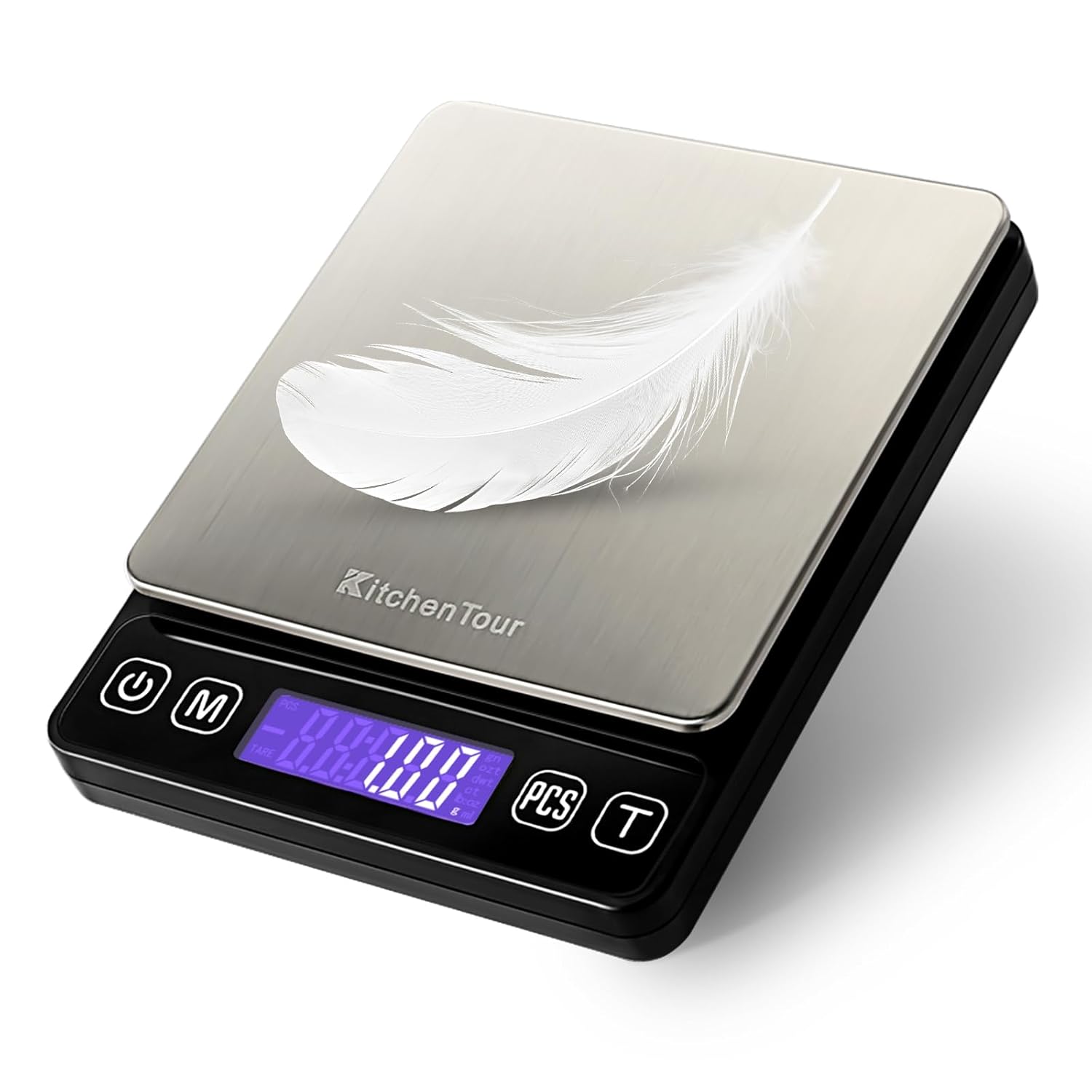
Image 1.1: The KitchenTour Digital Kitchen Scale EG-5001, showcasing its sleek design and digital display.
2. Product Overview
2.1 Components
- Digital Scale Unit
- Stainless Steel Weighing Platform
- Back-Lit LCD Display
- Control Buttons: Power (On/Off), Mode (M), Piece Counting (PCS), Tare (T)
- Battery Compartment (located on the underside)
- Two Weighing Trays (13cm and 10cm)
2.2 Key Features
- High Accuracy: Measures with a precision of 0.01g.
- Wide Capacity: Weighs items from 0.05g up to 500g.
- Multiple Units: Supports g, oz, ct, dwt, ozt, gn.
- Tare Function: Allows subtraction of container weight for net measurement.
- Piece Counting (PCS) Function: Facilitates counting of small, identical items.
- Auto-Off: Conserves battery power by automatically turning off after 120 seconds of inactivity.
- Indicators: Low battery, overload, and uneven surface placement indicators.
- Durable Construction: Features a high-quality stainless steel platform and ABS plastic frame.

Image 2.1: The scale is suitable for measuring seasoning, fruits, liquids, food, and jewelry.
3. Setup
3.1 Unpacking
Carefully remove the scale and all accessories from the packaging. Inspect for any damage. Retain packaging for future storage or transport.
3.2 Battery Installation
- Open the battery compartment cover on the underside of the scale.
- Insert the two included AAA batteries, ensuring correct polarity (+/-).
- Close the battery compartment cover securely.
3.3 Placement
Place the scale on a hard, flat, and stable surface. Uneven surfaces can affect accuracy. Avoid placing the scale near strong electromagnetic fields, vibrating equipment, or areas with significant temperature fluctuations.

Image 3.1: The compact size of the scale, measuring approximately 4.96" x 3.94" x 0.71".
4. Operating Instructions
4.1 Power On/Off
- To turn on the scale, press the Power button (
 ). The display will show "88888" then "0.00g" when ready.
 - To turn off the scale, press and hold the Power button for a few seconds. The scale will also automatically turn off after 120 seconds of inactivity.
4.2 Unit Conversion
To change the weighing unit, press the Mode (M) button repeatedly. The scale will cycle through the available units: grams (g), ounces (oz), carats (ct), pennyweights (dwt), troy ounces (ozt), and grains (gn).

Image 4.1: The scale's display illustrating the six available measurement units and their conversion sequence.
4.3 Tare Function
The Tare function allows you to subtract the weight of a container, so you only measure the net weight of the contents.
- Place an empty container (e.g., one of the included trays) on the weighing platform.
- Press the Tare (T) button. The display will reset to "0.00g".
- Add the items you wish to weigh into the container. The display will show only the net weight of the items.
- To clear the tare, remove all items from the platform and press the Tare (T) button again.

Image 4.2: A visual guide demonstrating the three steps to zero the scale using the Tare function.

Image 4.3: Important tips for correct usage of the tare function, especially regarding the maximum capacity of 500g.
4.4 Piece Counting (PCS) Function
The PCS function allows you to count a large number of small, identical items.
- Turn on the scale and ensure it displays "0.00g".
- Place a sample quantity of items (e.g., 25, 50, 75, or 100 pieces) on the platform.
- Press and hold the PCS button until "PCS" appears on the display, followed by a number (e.g., "25").
- Press the Mode (M) button to select the sample quantity that matches the number of items you placed on the platform (e.g., if you placed 50 items, select "50").
- Press the PCS button again to confirm. The display will now show the count of the sample.
- You can now add more items, and the scale will display the total count.
- To exit the PCS mode, press the Mode (M) button.
4.5 Calibration
The scale is factory calibrated. If recalibration is required, please refer to the specific calibration instructions provided with your scale or contact customer support. The scale features an advanced chip that supports calibration.

Image 4.4: Illustration of the advanced technology chip, highlighting features like Tare, PCS, 6 Units, and Calibratable functionality.
5. Safety Precautions
- Do not exceed the maximum weight capacity of 500g. Overloading can damage the scale.
- Avoid dropping or subjecting the scale to strong impacts.
- Keep the scale away from water and other liquids. It is not waterproof.
- Do not use abrasive cleaners or immerse the scale in water.
- Store the scale in a clean, dry environment at room temperature.
- Remove batteries if the scale will not be used for an extended period to prevent leakage.
6. Maintenance and Care
- Cleaning: Wipe the scale surface with a soft, damp cloth. For stubborn stains, a mild detergent can be used, followed by wiping with a clean, damp cloth. Ensure the scale is completely dry before storage or next use.
- Storage: Store the scale in its original packaging or a protective case when not in use to prevent dust accumulation and damage.
- Battery Replacement: Replace batteries promptly when the "Lo" indicator appears on the display to maintain accuracy and prevent battery leakage.
7. Troubleshooting
| Problem | Possible Cause | Solution |
|---|---|---|
| "Lo" displayed | Low battery power. | Replace the AAA batteries. |
| "O-Ld" displayed | Scale is overloaded. | Remove items immediately. Do not exceed 500g capacity. |
| "UNST" displayed | Unstable surface or vibration. | Place the scale on a flat, stable, and vibration-free surface. |
| Inaccurate readings | Unstable surface, low battery, or need for calibration. | Ensure stable placement, replace batteries, or perform calibration if necessary (refer to specific calibration instructions). |
| Scale does not turn on | Batteries incorrectly installed or depleted. | Check battery polarity or replace batteries. |
8. Specifications
| Feature | Detail |
|---|---|
| Model Number | EG-5001 |
| Capacity | 0.05g - 500g |
| Accuracy | 0.01g |
| Units of Measurement | g, oz, ct, dwt, ozt, gn |
| Display | Back-Lit LCD |
| Power Source | 2 x AAA Batteries (included) |
| Platform Material | Stainless Steel |
| Frame Material | ABS Plastic |
| Product Dimensions | 4.96" x 3.94" x 0.71" (12.6 cm x 10 cm x 1.8 cm) |
| Auto-Off Function | 120 seconds |
| Special Features | Tare Function, PCS Counting Function, Low Battery Indicator, Overload Indicator, Uneven Surface Indicator |
9. Warranty and Support
The KitchenTour Digital Kitchen Scale EG-5001 comes with a standard manufacturer's warranty. For specific warranty details, claims, or technical support, please contact K KitchenTour customer service through the retailer's platform or the official brand website. Please have your model number (EG-5001) and purchase information ready when contacting support.