
SoundPEATS Q34
SoundPEATS Q34 Bluetooth Headset User Manual
Model: Q34
Introduction
Welcome to the SoundPEATS Q34 Bluetooth Headset user manual. This guide provides detailed instructions on how to set up, operate, maintain, and troubleshoot your new wireless earbuds. The SoundPEATS Q34 offers a comfortable and secure fit, high-fidelity sound with Bluetooth 4.1 and aptX technology, and convenient in-line controls for music and calls.
Package Contents
Please verify that all items are present in your package:
- 1 x SoundPEATS Q34 Bluetooth Headset
- 1 x USB Charging Cable
- 8 x Interchangeable Ear Tips (various sizes)
- 6 x Interchangeable Ear Hooks (various sizes)
- 1 x Line Buckle
- 1 x Pouch Bag / Zipper Case
- 1 x User Manual

Image: All items included in the SoundPEATS Q34 Bluetooth Headset package, including the headset, charging cable, ear tips, ear hooks, line buckle, pouch, and user manual.
Product Overview

Image: The SoundPEATS Q34 Bluetooth Headset, showcasing its black color, in-ear design, and the in-line control module.
The SoundPEATS Q34 Bluetooth Headset is designed for comfort and high-quality audio. Key features include:
- Fashion Design & Lightweight: Built with a metal casing for a high-end look, weighing only 0.60 ounces for easy portability.
- Bluetooth 4.1 + aptX: Ensures smooth Bluetooth transmission and high-fidelity sound, compatible with most Bluetooth-enabled Android and iOS devices.
- Strong Built-in Magnets: Earbuds can be attached together like a necklace for secure storage when not in use, preventing tangles.
- Secure & Comfortable Fit: Ergonomically designed with an oblique angle in-ear fit, along with soft, different-sized ear tips and hooks to reduce ambient noise and ensure snug wearing.

Image: A person wearing the SoundPEATS Q34 headset, demonstrating the ergonomic oblique angle in-ear design and comfortable fit.

Image: A person wearing the SoundPEATS Q34 headset with the earbuds magnetically attached around their neck, illustrating the magnetic feature for secure carrying.
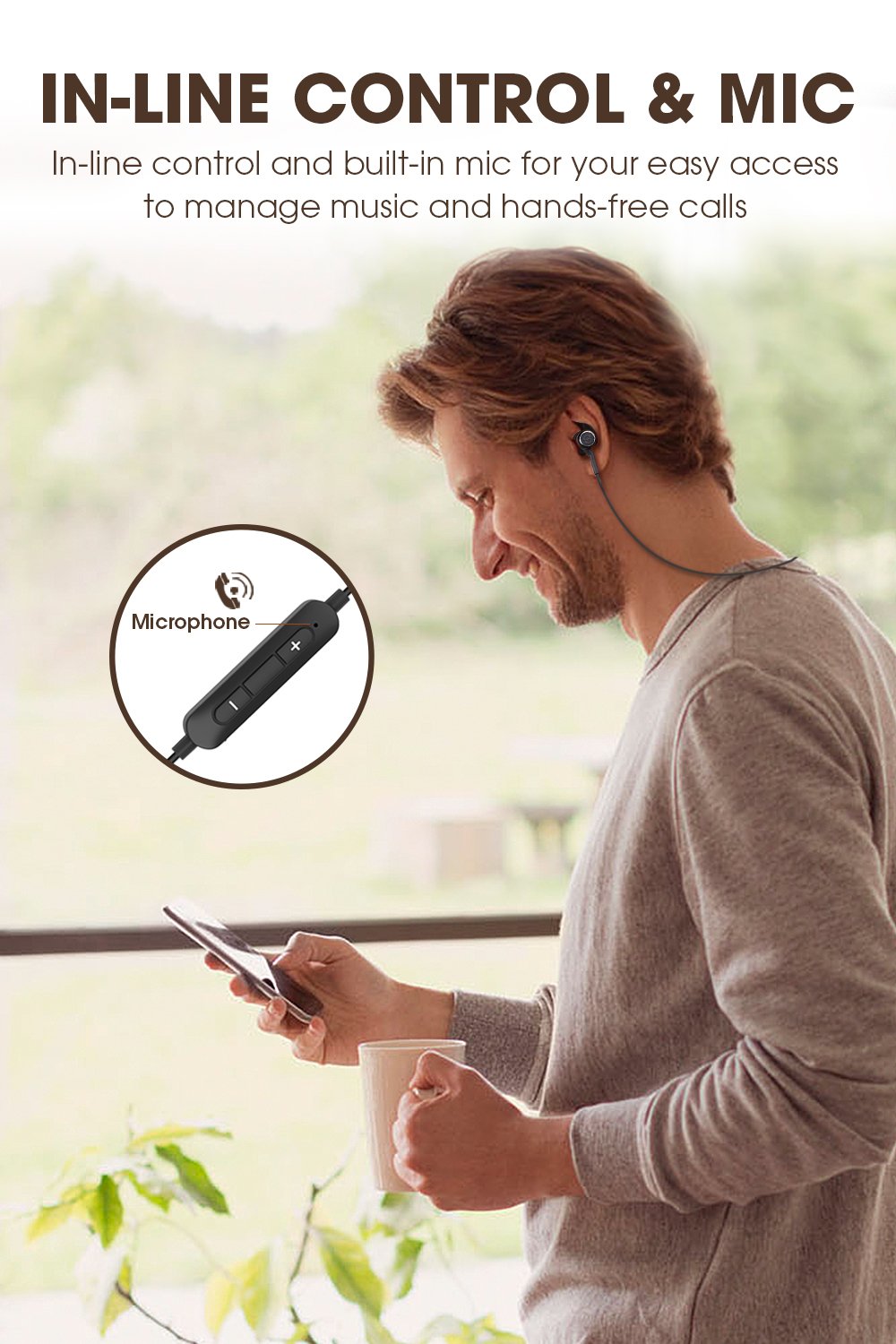
Image: A person interacting with the in-line control module of the SoundPEATS Q34 headset, highlighting the built-in microphone and control buttons.
Setup and Pairing
1. Charging the Headset
Before first use, fully charge your SoundPEATS Q34 headset. Connect the provided USB charging cable to the charging port on the in-line control module and plug the other end into a USB power source (e.g., computer USB port, wall adapter). The LED indicator will show charging status.

Image: A visual representation of the SoundPEATS Q34 headset's battery life, indicating up to 7 hours of play time and showing a phone screen with a 100% battery indicator for the connected Bluetooth device.
2. Powering On/Off
- To Power On: Press and hold the Multi-function Button (usually the center button on the in-line control) for approximately 3 seconds until the LED indicator flashes blue and you hear a voice prompt.
- To Power Off: Press and hold the Multi-function Button for approximately 3 seconds until the LED indicator flashes red and you hear a voice prompt.
3. Bluetooth Pairing
- Ensure the headset is powered off.
- Press and hold the Multi-function Button for approximately 5-7 seconds until the LED indicator flashes red and blue alternately. This indicates the headset is in pairing mode.
- Activate Bluetooth on your device (smartphone, tablet, computer).
- Search for "SoundPEATS Q34" in the list of available Bluetooth devices.
- Select "SoundPEATS Q34" to connect. Once connected, the LED indicator will flash blue slowly, and you will hear a voice prompt confirming the connection.
- If prompted for a password, enter "0000".
The headset will automatically attempt to reconnect to the last paired device when powered on, if the device's Bluetooth is active and within range.
Operating Instructions
Music Control
- Play/Pause: Press the Multi-function Button once.
- Next Track: Press and hold the "+" (Volume Up) button for 2 seconds.
- Previous Track: Press and hold the "-" (Volume Down) button for 2 seconds.
- Volume Up: Short press the "+" button.
- Volume Down: Short press the "-" button.
Call Control
- Answer/End Call: Press the Multi-function Button once.
- Reject Call: Press and hold the Multi-function Button for 2 seconds.
- Transfer Call (Headset to Phone): During a call, press and hold the Multi-function Button for 2 seconds.
- Activate Voice Assistant (Siri/Google Assistant): Double press the Multi-function Button.
Maintenance and Care
- Keep the headset dry. Do not expose it to extreme temperatures or humidity.
- Clean the earbuds and charging contacts regularly with a soft, dry cloth.
- Avoid dropping or subjecting the headset to strong impacts.
- Store the headset in the provided pouch/zipper case when not in use to prevent tangling and damage.
- Do not attempt to disassemble or modify the headset. This will void the warranty.
Troubleshooting
| Problem | Solution |
|---|---|
| Headset does not power on. | Ensure the headset is fully charged. Press and hold the Multi-function Button for 3 seconds. |
| Cannot pair with device. |
|
| No sound or low volume. |
|
| Connection drops frequently. |
|
Specifications
| Feature | Detail |
|---|---|
| Model | Q34 |
| Brand | SoundPEATS |
| Connectivity Technology | Wireless (Bluetooth 4.1) |
| Ear Placement | In Ear |
| Form Factor | In Ear |
| Microphone Format | Built-In |
| Control Method | Touch (In-line controls) |
| Material | Metal |
| Item Weight | 13.6 g (0.03 Pounds) |
| Product Dimensions (LxWxH) | 66.04 x 4.19 x 3 cm |
| Batteries | 2 Lithium Polymer batteries (included) |
| Play Time | Up to 7 hours |
Warranty and Support
SoundPEATS products come with a warranty. For specific warranty terms and conditions, please refer to the warranty card included in your package or visit the official SoundPEATS website. For technical support, troubleshooting assistance, or warranty claims, please contact SoundPEATS customer service through their official channels.
You can find more information and support on the official SoundPEATS store page: SoundPEATS Official Store
Ask a question about this manual
Ask about setup, troubleshooting, compatibility, parts, safety, or missing instructions. Manuals+ will review the question and use this page’s manual context to help answer it.