
1. Introduction and Product Overview
This manual provides essential instructions for the safe and efficient use of your Galaxy Bang 65W AC Adapter Charger. This adapter is designed to provide reliable power to compatible HP Pavilion and Sleekbook laptop models. Please read this manual thoroughly before use.
Key Features:
- Input: AC 100-240V, 50-60HZ
- Output: 19.5V, 3.33A, 65W
- Connector Size: External diameter: 4.8 mm, Interior diameter: 1.7 mm
- Safety Certifications: CE/FCC/ROHS Certified
- Protection Mechanisms: Short circuit, overvoltage, overcurrent, over-temperature, over-charge, over-discharge, and cyclic protection.

This image illustrates the key electrical specifications and the precise dimensions of the DC connector plug, which are crucial for compatibility.
2. Setup Instructions
Follow these steps to properly set up your AC adapter charger:
- Verify Compatibility: Before connecting, ensure that your laptop's power input requirements (voltage, amperage, wattage) match the adapter's output specifications (19.5V, 3.33A, 65W). Also, confirm the DC connector size (4.8mm external, 1.7mm internal diameter) is compatible with your laptop's power port.
- Connect the Power Cord: Insert the included power cord firmly into the AC input port of the adapter.
- Connect to Power Outlet: Plug the other end of the power cord into a standard AC wall outlet (100-240V).
- Connect to Laptop: Carefully insert the DC connector plug into your laptop's power input port. Ensure a snug fit.
- Verify Charging: Once connected, your laptop should indicate that it is receiving power or charging.

This image provides an overview of the product's warranty and customer support, alongside the physical dimensions of the power cord and adapter cable, which can be useful during setup.
3. Operating Instructions
The adapter is designed for straightforward operation:
- Charging: Once properly connected, the adapter will automatically begin charging your laptop's battery and/or powering the laptop directly.
- Disconnection: To disconnect, first unplug the DC connector from your laptop, then unplug the power cord from the wall outlet.
- Safety: The adapter incorporates multiple safety features including protection against short circuiting, overvoltage, overcurrent, and internal overheating to ensure safe operation.

This graphic illustrates the versatility of the adapter, showing it being used in different environments, highlighting its suitability for various daily activities.
4. Maintenance
Proper maintenance ensures the longevity and safe operation of your adapter:
- Cleaning: Use a soft, dry cloth to clean the adapter and cables. Do not use liquid cleaners or solvents.
- Storage: When not in use, store the adapter in a cool, dry place away from direct sunlight and extreme temperatures. Avoid tightly winding the cables to prevent damage.
- Cable Care: Do not bend, twist, or pull the cables excessively. Avoid placing heavy objects on the cables. Regularly inspect cables for any signs of wear or damage.
- Environmental Conditions: Do not expose the adapter to water, high humidity, or dusty environments.
5. Troubleshooting
If you encounter issues with your adapter, refer to the following common problems and solutions:
- Laptop Not Charging:
- Ensure all connections (wall outlet, adapter, laptop) are secure.
- Verify the wall outlet is functional by plugging in another device.
- Check if the adapter's specifications (voltage, amperage, connector size) match your laptop's requirements.
- Inspect the adapter cable and connector for any visible damage.
- Adapter Overheating:
- While some warmth is normal, excessive heat may indicate an issue. Disconnect the adapter immediately.
- Ensure the adapter is used in a well-ventilated area and not covered.
- The adapter has built-in over-temperature protection, but continuous overheating can reduce its lifespan.
- Loose Connection:
- If the connector feels loose in the laptop port, it might be due to wear on either the port or the connector.
- Ensure the connector size is correct for your laptop.
If problems persist after following these steps, please contact customer support.
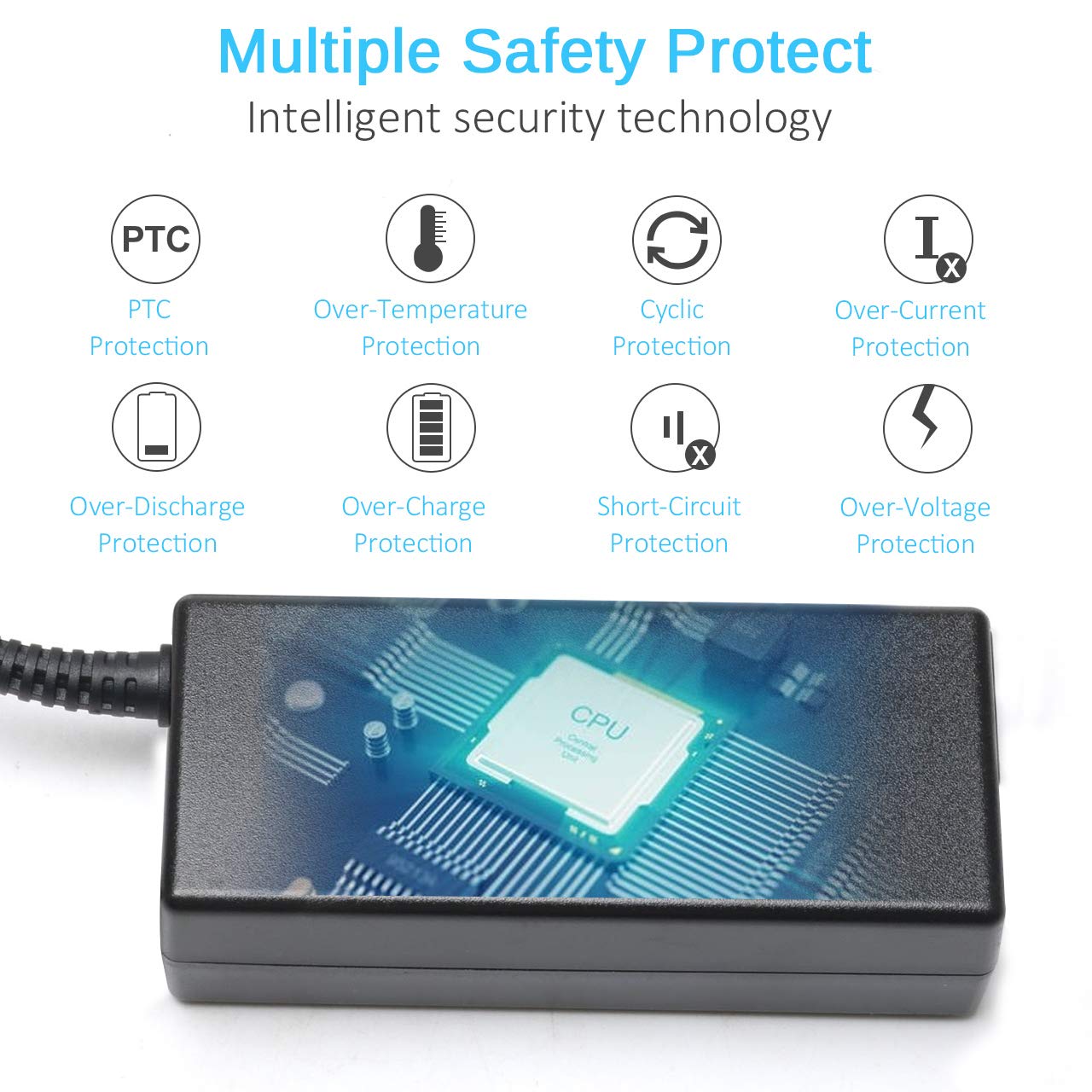
This diagram highlights the intelligent security technology integrated into the adapter, ensuring safe and reliable operation through various protection mechanisms.
6. Specifications
| Feature | Specification |
|---|---|
| Product Type | AC Adapter Charger |
| Input Voltage | AC 100-240V |
| Input Frequency | 50-60HZ |
| Output Voltage | 19.5V |
| Output Current | 3.33A |
| Output Wattage | 65W |
| DC Connector External Diameter | 4.8 mm |
| DC Connector Internal Diameter | 1.7 mm |
| Certifications | CE, FCC, RoHS |
| Model Number | SK90195333 |
| Item Weight | 10 Ounces |
| Included Components | 1 x AC Adapter, 1 x Power Cord |

This detailed diagram reveals the internal construction and materials of the adapter, showcasing components like the transformer, capacitors, and EMI filter for stable power delivery.
7. Warranty and Support
Your Galaxy Bang AC Adapter Charger is backed by comprehensive support:
- Warranty: 12 Months warranty from the date of purchase.
- Money-Back Guarantee: 30 days money return guarantee for any reason.
- Customer Support: 24 hours / 7 days customer support available for assistance.
For warranty claims or technical assistance, please refer to the contact information provided with your purchase or visit the Galaxy Bang official website.

This graphic reinforces the comprehensive safety features and certifications of the adapter, including an authentication chip for enhanced reliability, contributing to product reliability and support.