1. Introduction
The Yealink RT30 DECT Repeater is designed to extend the DECT radio coverage of compatible Yealink DECT IP base stations. It operates according to the Digital Enhanced Cordless Telecommunication (DECT) standard, providing extended range for cordless handsets and other DECT devices. The RT30 supports up to two units in a cascaded arrangement and features clear LED indicators for status monitoring. Its design allows for flexible installation in various environments.
2. Package Contents
Verify that all items listed below are present in your package:
- Yealink RT30 Wireless DECT Repeater
- Power Supply and Cable
- User Guide
- Global Teck Microfiber Cloth (included by seller)

Figure 2.1: Package Contents. This image displays the Yealink RT30 repeater, its power adapter, a user guide, and a Global Teck microfiber cleaning cloth.
3. Key Features
- Compatible with DECT CAT-iq 2.0 standard.
- Compatible with Yealink W60B/W52 DECT IP Base Stations and newer models.
- Supports up to 6 repeaters per base station.
- Star connection topology.
- Handles up to 2 simultaneous calls per repeater.
- Up to 2 repeaters can be arranged in a cascaded configuration.
- Automatic association with base station.
- Supports HD voice.
- Plug & play setup.
- Features clear status LED displays.
- Wall-mountable design.
4. Compatibility
The Yealink RT30 DECT Repeater is compatible with a range of Yealink DECT IP base stations and cordless devices:
Compatible Base Stations:
- Yealink W52P, W56P, W60P, W70P, W70B, W60B
Compatible Cordless Handsets:
- Yealink W73H, W78H, W57R, W59R, W53H, W56H
Compatible Wireless Speakers, Headsets, and Dongles:
- CP930W, CP935W (Speakerphones)
- DD Phone (T54W+DD10K)
- WH62, WH63, WHM621/WHD622 with Charging Cable, WHM631 with Charging Cable (Headsets)
- DD10K (Dongle)

Figure 4.1: Compatible Phones and Devices. This image illustrates the range of Yealink cordless phones and accessories that can be used with the RT30 repeater.

Figure 4.2: Use with Yealink W60B and W70B Base Stations. The RT30 extends DECT signal indoors and outdoors, supports automatic call handover, and can be desktop or wall-mounted. Up to two repeaters can be cascaded.
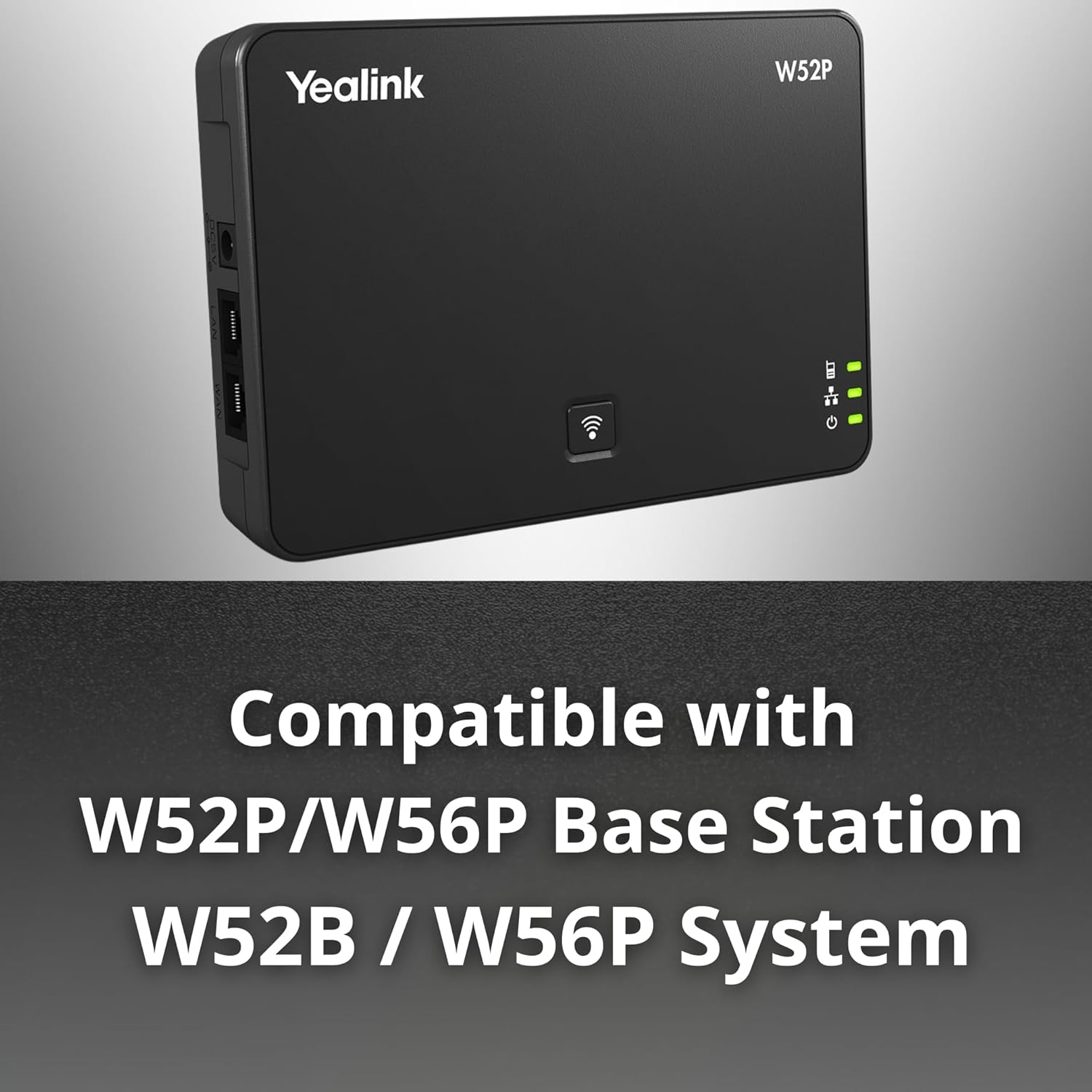
Figure 4.3: Compatible with W52P/W56P Base Station. The RT30 is compatible with Yealink W52P and W56P base stations to expand coverage.

Figure 4.4: DECT System Overview. This diagram shows how the RT30 repeater integrates into a DECT system to expand the coverage area for cordless phones.
5. Setup
5.1 Physical Installation
- Unpack the Repeater: Carefully remove the RT30 repeater and its components from the packaging.
- Connect Power: Plug the power adapter into the power port on the RT30 repeater. Connect the other end of the power adapter to a wall outlet.
- Power On: The repeater will automatically power on. Observe the LED indicators on the front panel.
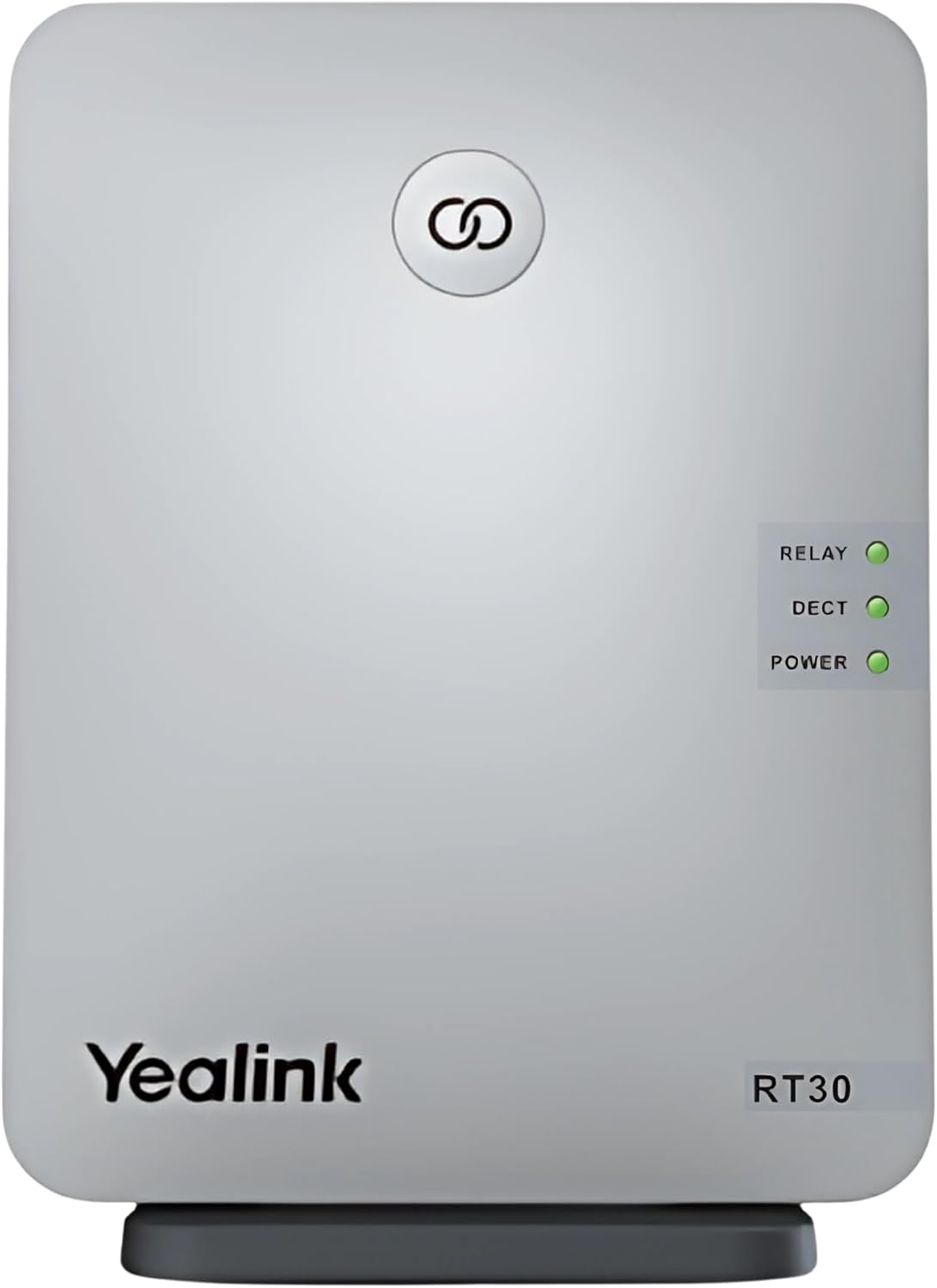
Figure 5.1: Front View of Yealink RT30. This image highlights the LED indicators for power, DECT signal, and relay status.

Figure 5.2: Back View of Yealink RT30. This image shows the power input port and the wall-mounting options.

Figure 5.3: Power Adapter. This image details the specifications of the power adapter supplied with the RT30.
5.2 Pairing with Base Station
The RT30 repeater automatically associates with a compatible Yealink DECT IP base station. Ensure the base station is powered on and within range.
- Place the RT30 repeater within the coverage area of your DECT base station.
- Once powered on, the RT30 will attempt to register with the nearest compatible base station.
- The DECT LED on the RT30 will indicate the registration status (refer to Section 6 for LED meanings).
- If the base station requires manual registration for repeaters, consult your base station's user manual for specific instructions.
5.3 Optimal Placement
For best performance, position the RT30 repeater:
- Between the base station and the area where extended coverage is needed.
- Away from large metal objects, concrete walls, and other electronic devices that may cause interference.
- At a central location within the desired coverage zone.
- The RT30 can be desk-mounted or wall-mounted for flexible placement.
6. Operating the RT30
The RT30 operates automatically once successfully registered with a base station. Its primary function is to relay DECT signals, extending the range for connected handsets.
6.1 LED Indicators
The front panel of the RT30 features three LED indicators:
- POWER LED:
- Green (Solid): The repeater is powered on.
- Off: The repeater is powered off.
- DECT LED:
- Green (Solid): The repeater is successfully registered with the base station and operating normally.
- Green (Flashing): The repeater is attempting to register with the base station.
- Off: The repeater is not registered or has lost connection to the base station.
- RELAY LED:
- Green (Solid): The repeater is actively relaying calls.
- Off: No calls are being relayed through the repeater.
7. Maintenance
To ensure the longevity and optimal performance of your Yealink RT30 repeater, follow these maintenance guidelines:
- Cleaning: Use a soft, dry cloth to clean the exterior of the repeater. Avoid using abrasive cleaners, waxes, or solvents.
- Environment: Keep the repeater in a dry environment, away from direct sunlight, heat sources, and excessive dust.
- Power Supply: Only use the original power adapter provided with the device.
- Ventilation: Ensure the repeater has adequate ventilation and its vents are not blocked.
8. Troubleshooting
If you encounter issues with your RT30 repeater, refer to the following common troubleshooting steps:
| Problem | Possible Cause | Solution |
|---|---|---|
| No Power (POWER LED Off) | Power adapter not connected or faulty; power outlet not working. | Check power cable connection. Try a different power outlet. Ensure the power adapter is functional. |
| No DECT Signal (DECT LED Off/Flashing) | Repeater out of base station range; base station off; registration failed. | Move repeater closer to the base station. Ensure base station is powered on. Check base station manual for repeater registration steps if automatic registration fails. |
| Poor Range Extension | Suboptimal repeater placement; interference from other devices. | Relocate the repeater to a more central position between the base station and desired coverage area. Avoid placing near large metal objects or other electronics. |
| Calls Dropping/Poor Audio Quality | Weak signal; interference; too many active calls. | Adjust repeater placement. Check for sources of interference. Note that each repeater supports up to 2 simultaneous calls. |
9. Specifications
Technical specifications for the Yealink RT30 DECT Repeater:
- Product Dimensions: 1 x 5.1 x 3 inches
- Item Weight: 7 ounces
- Wireless Communication Standard: DECT
- Frequency Band Class: Dual-Band
- Color: Silver
- Manufacturer: Yealink
- Special Features: Clear Status LED Displays, Plug & Play Setup, Auto Association, DECT CAT-iq 2.0 Compatibility, Wall Mountable
10. Warranty and Support
For warranty information and technical support, please refer to the documentation provided with your purchase or contact your vendor. You may also visit the official Yealink support website for additional resources and contact options.
For support related to the Global Teck Microfiber Cleaning Cloth, please contact Global Teck Worldwide directly.


