
1. Product Overview
The UGREEN 2.5" Hard Drive Enclosure (Model: 50743) is designed to turn your 2.5-inch SATA hard drive or SSD into a portable external storage solution. It supports USB 3.1 Gen 2 with UASP for quick data transfer speeds up to 6Gbps, making it ideal for data transfers and backups. Its tool-free design ensures easy installation and broad compatibility with various operating systems.
2. What's Included
- 2.5" Hard Drive Enclosure x1
- USB-A to USB-C Cable x1
- Product Manual x1
3. Setup & Installation
The UGREEN 2.5" Hard Drive Enclosure features a tool-free design for quick and easy setup.
3.1 Installation Steps
- Swipe and open the enclosure: Gently slide the top cover of the enclosure to reveal the internal tray.
- Insert the hard drive: Align your 2.5-inch SATA HDD or SSD with the SATA connector inside the enclosure and gently push it in until it is securely seated. The internal EVA foam provides cushioning and ensures proper alignment.
- Swipe and close the enclosure: Slide the top cover back into place until it clicks, securing the hard drive inside.

Image: Hands sliding open the UGREEN hard drive enclosure to reveal the internal tray.
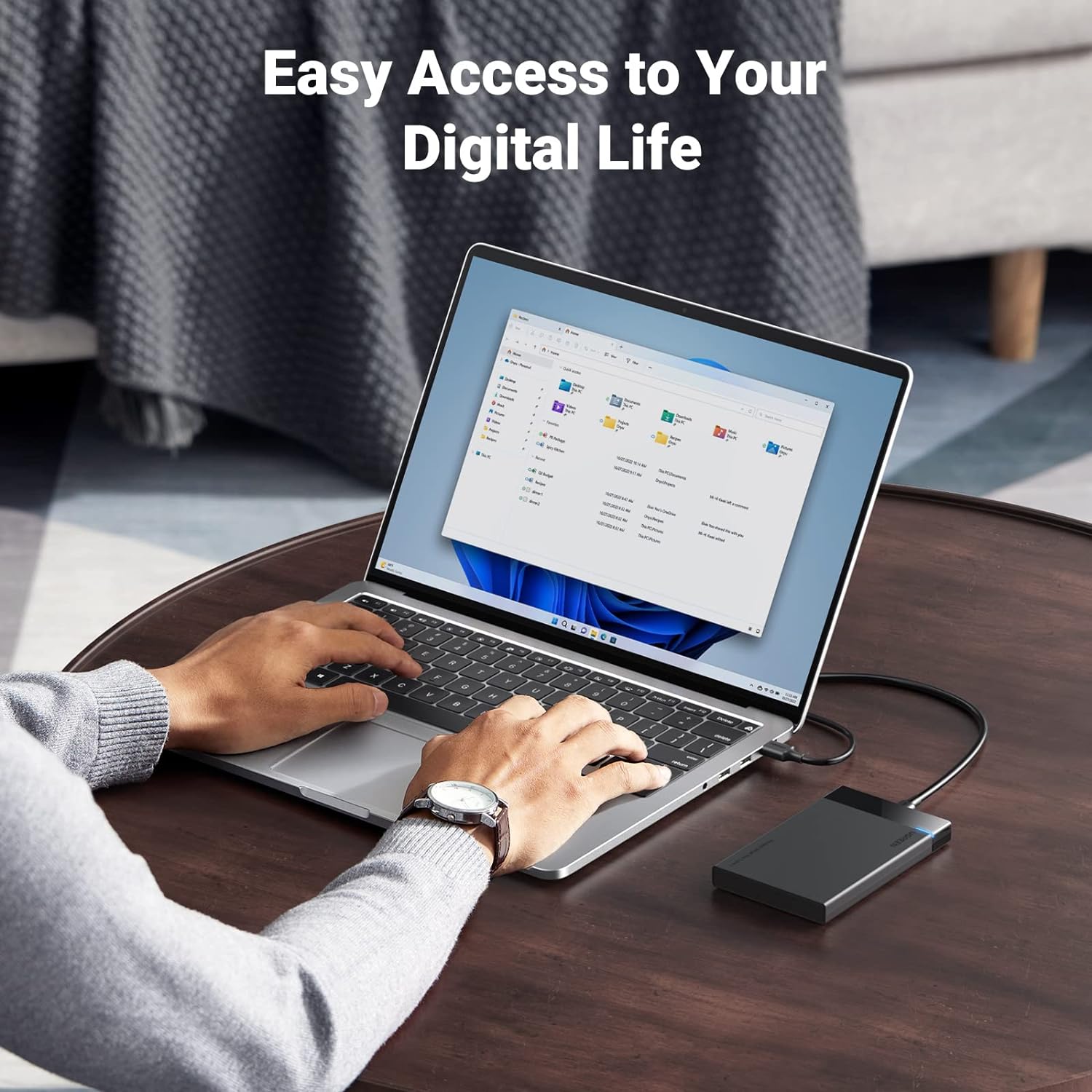
Image: A 2.5-inch SSD being inserted into the UGREEN hard drive enclosure.

Image: Hands sliding the top cover back onto the UGREEN hard drive enclosure after inserting a drive.
3.2 Video Guide: Tool-Free Installation
Video: This official UGREEN video demonstrates the tool-free installation process of a 2.5-inch hard drive into the enclosure, highlighting its ease of use and fast speed capabilities.
4. Operating Instructions
4.1 Connecting to Devices
Connect the enclosure to your PC, laptop, game console (PS4, Xbox), or router using the provided USB-A to USB-C cable. The LED indicator on the enclosure will display its working status.

Image: UGREEN hard drive enclosure connected to a laptop, showing fast data transfer speeds.
4.2 Data Transfer Speeds
The SATA III interface supports maximum transfer speeds of up to 6Gbps. With UASP (USB Attached SCSI Protocol) accelerated transmission, it offers up to 70% faster performance than traditional USB 3.0. It is backward compatible with USB 2.0 and USB 1.1 ports.

Image: Diagram illustrating 6Gbps transfer speed with UASP and TRIM support.
4.3 Compatibility
The enclosure is universally compatible with Windows, LINUX, MacOS 8.0, and above. It is specifically designed for 7mm/9.5mm thick, 2.5-inch HDDs and SSDs up to 6TB, including brands like Western Digital, Seagate, Toshiba, Samsung, Kingston, Crucial, and Hitachi.

Image: Diagram showing compatibility with 2.5-inch HDD and SSD.
4.4 Hard Disk Partitioning and Formatting
For new hard drives, partitioning and formatting may be required for use with your operating system.
Video: This official UGREEN video provides a step-by-step guide on how to partition and format a hard disk in Windows, MacOS, and Linux operating systems.
5. Maintenance & Protection
5.1 Shockproof Design
The enclosure includes attached EVA foam to protect your hard disks from shaking and scratches, ensuring data integrity during transport and use.

Image: UGREEN hard drive enclosure with 'Shockproof Bumper Foam' text, showing it being carried.
5.2 Auto Sleep Mode
The enclosure features an auto sleep mode that activates after 3 minutes of inactivity, helping to conserve power and extend the lifespan of your hard drive.

Image: Graphic illustrating the Auto Sleep Mode feature of the UGREEN enclosure, activating after 3 minutes.
5.3 Multi-Protection System
Equipped with the ASM235CM chip, the enclosure intelligently manages power and offers multiple protection features to safeguard your data, including over-voltage, over-temperature, short-circuit, and overload protection.

Image: Diagram showing the ASM235CM chip and various multi-protection features.
6. Specifications
| Feature | Detail |
|---|---|
| Brand | UGREEN |
| Model Number | 50743 |
| Material | Plastic |
| Compatible Devices | Personal Computer, Laptop, Smartphone, Desktop, MacBook Pro, MacBook, Television, iPad Gaming Console, Tablet |
| Hard Disk Form Factor | 2.5 Inches |
| Max Storage Capacity | 6 TB |
| Data Transfer Rate | 6 Gigabits Per Second |
| Hardware Interface | USB 3.2 Gen 2 |
| Compatible Operating Systems | Windows, Linux, MacOS |
| Product Dimensions | 5.04 x 3.3 x 0.5 inches |
| Item Weight | 3.1 ounces (88 Grams) |
7. Troubleshooting & Support
7.1 Troubleshooting Guide
For detailed troubleshooting steps and common issues, please refer to the official Troubleshooting Guide:
Download Troubleshooting Guide (PDF)
7.2 Customer Support
If you encounter any issues or have questions not covered in this manual or the troubleshooting guide, please contact UGREEN customer support for assistance. Refer to your product packaging or the official UGREEN website for contact details.
8. Warranty Information
For specific warranty terms and conditions, please refer to the warranty card included with your product or visit the official UGREEN website.