
UGREEN 50706
UGREEN SD Card Reader Instruction Manual
Model: 50706
Introduction
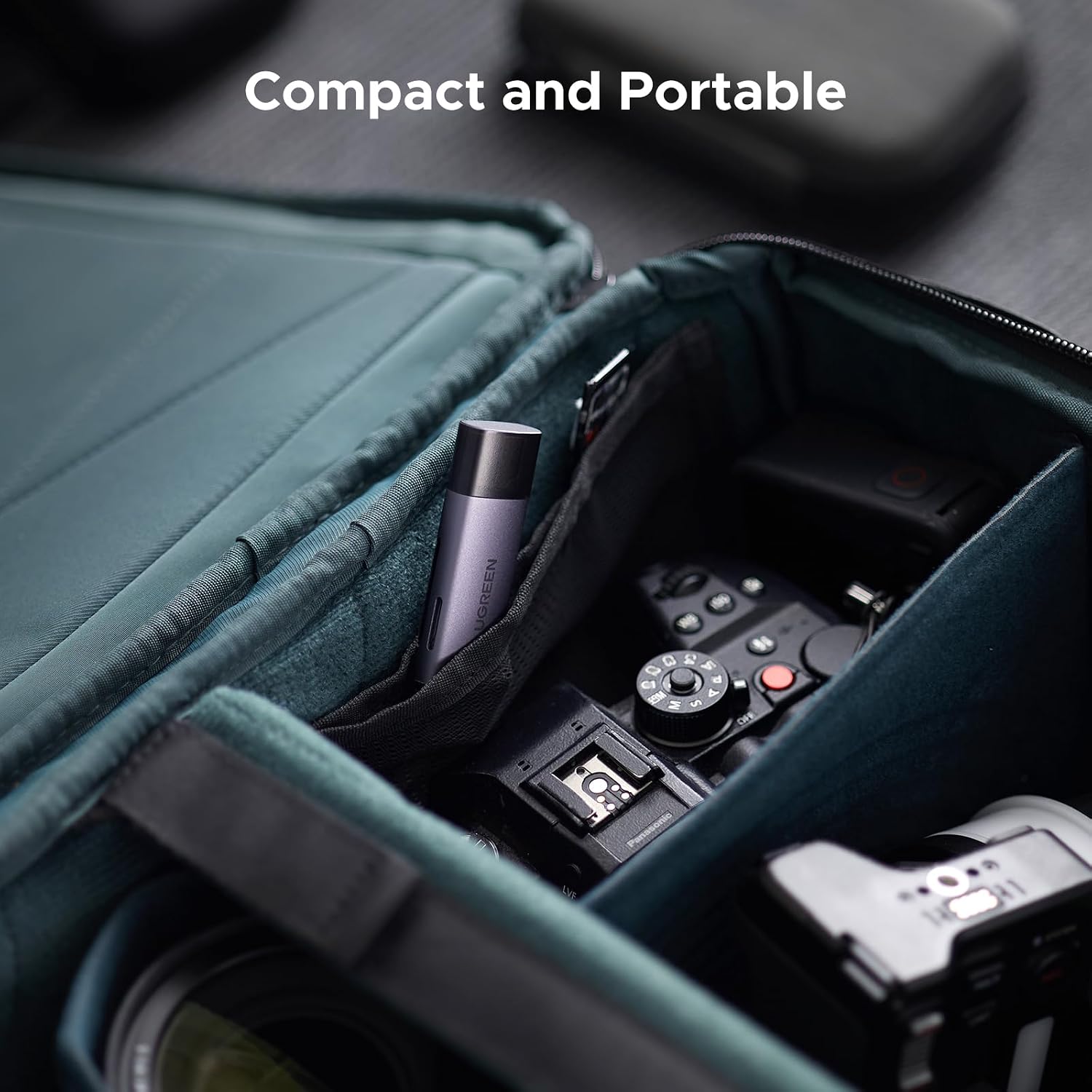
Thank you for choosing the UGREEN SD Card Reader. This versatile 2-in-1 adapter is designed for seamless data transfer between your memory cards and a wide range of devices, including laptops, smartphones, and tablets. Its compact and durable design makes it an ideal companion for both office and travel use.
Key Features:
- 2-in-1 Integrated Design: Features both USB-C and USB 3.0 (USB-A) connectors for broad compatibility.
- High-Speed Data Transfer: Supports 5Gbps speedy access, allowing you to transfer 1GB files in seconds.
- Simultaneous Card Reading: Read and write to both SD and Micro SD cards concurrently, enhancing efficiency.
- Universal Compatibility: Supports various memory card types including SD/SDHC/SDXC/MMC/RS-MMC/Micro SD/Micro SDHC/Micro SDXC/UHS-I up to 2TB.
- Plug & Play: No drivers required for most operating systems.
- Fashionable & Portable: Made of wear-resistant metal with an aluminum shell for fast heat dissipation and extended life.
Product Overview
Product Diagram

The UGREEN SD Card Reader with USB-C and USB-A connectors, showing its compact design and dual card slots.
Setup
Connecting to Your Device
The UGREEN SD Card Reader is designed for plug-and-play functionality, requiring no additional drivers for most operating systems.
The UGREEN SD Card Reader connected to a laptop, demonstrating its plug-and-play functionality.
- Identify the appropriate port on your device: USB-C for newer devices (laptops, tablets, smartphones) or USB 3.0 (USB-A) for traditional computers and consoles.
- Insert the corresponding connector of the UGREEN SD Card Reader into your device's port.
- Your device should automatically recognize the card reader as a removable storage device.
Android Phone Setup (OTG Supported)
For Android smartphones, ensure OTG (On-The-Go) functionality is enabled for the card reader to be recognized.

The UGREEN SD Card Reader connected to a smartphone, illustrating OTG support for direct data transfer.
- Open your Android phone's Settings.
- Navigate to Other Settings or a similar menu (this may vary by phone model).
- Locate and activate the OTG Connection function. If it's OFF, switch it to ON.
- After connecting the USB card reader, open your phone's Files app (or File Manager). The connected card reader should appear.
- Upon completion, select "My Files" in "Settings" to view the contents of the memory card.
Operation
Inserting Memory Cards

Close-up view of the UGREEN SD Card Reader showing the SD and Micro SD card slots.
- For SD Cards: Insert the SD card into the larger slot with the label side facing up. Push the card until it clicks into place.
- For Micro SD Cards: Insert the Micro SD card into the smaller slot with the label side facing down. Push the card until it clicks into place.
Data Transfer
Once the card reader is connected and the memory card is inserted, you can access its contents like any other removable drive.

A laptop screen displaying a file transfer progress bar, highlighting the 5Gbps data transfer speed of the UGREEN SD Card Reader.
- Open your computer's File Explorer (Windows) or Finder (macOS).
- Locate the newly mounted drive corresponding to your memory card.
- Drag and drop files or folders to and from the memory card as needed. The USB 3.0 interface ensures fast transfer speeds.
Simultaneous Card Reading
The UGREEN SD Card Reader supports reading and writing to both SD and Micro SD cards simultaneously, eliminating the need to repeatedly plug and unplug cards.

The UGREEN SD Card Reader simultaneously reading both an SD card and a Micro SD card, demonstrating its dual-slot capability.
Simply insert both an SD card and a Micro SD card into their respective slots. Both cards will appear as separate drives on your device, allowing for easy management and transfer between them or to your device.
Maintenance
- Cleaning: Use a soft, dry cloth to clean the exterior of the card reader. Avoid using liquid cleaners or solvents.
- Storage: When not in use, store the card reader in a cool, dry place, away from direct sunlight and extreme temperatures. Keep the protective caps on the USB-A and USB-C connectors to prevent dust and damage.
- Handling: Avoid dropping the device or subjecting it to strong impacts. While durable, excessive force can damage internal components.
- Heat: The aluminum shell is designed for efficient heat dissipation. During prolonged high-speed transfers, the device may warm up, which is normal. Ensure adequate ventilation.
Troubleshooting
Common Issues and Solutions:
- Card Reader Not Recognized:
- Ensure the card reader is fully inserted into the USB or USB-C port.
- Try a different USB/USB-C port on your device.
- Restart your computer or mobile device.
- For Android phones, verify that OTG connection is enabled in settings.
- Test the card reader with a different memory card to rule out card issues.
- Memory Card Not Reading/Mounting:
- Ensure the memory card is inserted correctly and fully into the appropriate slot (SD or Micro SD).
- Check if the memory card is damaged or corrupted. Try it in another device if possible.
- Verify the memory card's format is compatible with your operating system.
- Slow Data Transfer Speed:
- Ensure you are connected to a USB 3.0 port on your device for optimal speed. USB 2.0 ports will result in slower transfers.
- The speed of the memory card itself can affect transfer rates. Use high-speed cards for best performance.
- Avoid running multiple demanding applications during large file transfers.
- Device Gets Warm During Use:
- It is normal for the card reader to warm up during operation, especially during large data transfers, due to the aluminum casing's heat dissipation properties.
- If it becomes excessively hot, disconnect it and allow it to cool down. Ensure it is not obstructed or in an enclosed space.
Specifications
| Feature | Detail |
|---|---|
| Brand | UGREEN |
| Model Number | 50706 |
| Product Dimensions | 2.9 x 0.85 x 0.46 inches |
| Item Weight | 1.31 ounces |
| Connectivity Technology | USB Type C, USB 3.0 (USB-A) |
| Media Type Supported | microSDXC, microSD, SDHC, SDXC, SD Card (up to 2TB) |
| Special Feature | Plug & Play |
| Color | Deep Gray |
| Manufacturer | Ugreen Group Limited |
| Country of Origin | China |
Official Product Videos
An official product video demonstrating the features and usage of the UGREEN SD Card Reader.
Warranty and Support
For specific warranty information and technical support, please refer to the documentation included with your purchase or visit the official UGREEN website. You may also contact UGREEN Group Limited directly for assistance.
Ask a question about this manual
Ask about setup, troubleshooting, compatibility, parts, safety, or missing instructions. Manuals+ will review the question and use this page’s manual context to help answer it.