
AURTEC B07CZZGDBK
AURTEC Wireless Waterproof Doorbell User Manual
Model: B07CZZGDBK
Introduction
Thank you for choosing the AURTEC Wireless Waterproof Doorbell. This kit provides a convenient and reliable solution for your home or office, featuring a battery-free transmitter and two plug-in receivers. With its long wireless range and multiple chime options, you'll never miss a visitor.

Image: The AURTEC Wireless Waterproof Doorbell kit, showing the black and gold transmitter on the left and two black receivers with blue LED rings on the right.
Key Features
- Battery-Free Transmitter: Utilizes kinetic energy from a finger press, eliminating the need for batteries and promoting environmental friendliness.
- Easy Installation: Receivers plug directly into electrical outlets, and the push button can be affixed with adhesive tapes.
- Extended Wireless Range: Offers a wireless range of up to 150 meters (500 feet), suitable for large homes, offices, or multi-story buildings.
- Durable and Waterproof Transmitter: IP44 waterproof rating, constructed from non-combustible ABS850 material, designed for a 20-year operational life and capable of withstanding temperatures from -4℉ to 149℉.
- Multifunctional Receivers: Features 51 selectable chimes, 4 adjustable volume levels, and a flashing blue LED indicator that adjusts brightness based on ambient light (cannot be turned off).
Package Contents
Please check the package to ensure all components are present:
- 1 x Battery-Free Doorbell Transmitter (Push Button)
- 2 x Plug-in Doorbell Receivers
- Mounting Hardware (Adhesive tapes)
- User Manual (This document)
Setup and Installation
Follow these steps to set up your AURTEC Wireless Doorbell:
1. Receiver Installation
- Plug each receiver into a standard electrical outlet in your desired location. Ensure the outlet is easily accessible and provides stable power.

Image: A visual guide demonstrating the two simple installation steps: sticking the transmitter to a wall and plugging the receiver into an electrical socket.
2. Transmitter Installation
- Clean the surface where you intend to mount the transmitter. Ensure it is dry and free of dust or grease.
- Peel off the protective film from the adhesive tape on the back of the transmitter.
- Firmly press the transmitter onto the desired surface (e.g., door frame, wall) for at least 30 seconds.
- Alternatively, you can use screws (not included) to mount the transmitter for a more permanent fixture.

Image: A close-up of the battery-free transmitter, highlighting the kinetic energy mechanism as a finger presses the button.
3. Pairing Procedure (If needed)
Your doorbell units are pre-paired from the factory. If they do not work immediately, or if you wish to re-pair them, follow these steps:
- Plug the receiver into a power outlet.
- Place the self-generating power button (transmitter) next to the receiver.
- Long press the coding button on the receiver for 5 seconds. The receiver will enter pairing mode.
- While the receiver is in pairing mode, continuously press the self-generating power button (transmitter) 5 times.
- A loud tone from the receiver will confirm successful pairing.
Operating Instructions
Changing Melodies
Each receiver has a dedicated button for changing melodies. Press the music note button on the side of the receiver to cycle through the 51 available chimes. The receiver will play a preview of each melody as you press the button.
Adjusting Volume
To adjust the volume, press the volume button on the side of the receiver. There are 4 levels of volume to choose from, allowing you to set the appropriate loudness for your environment.
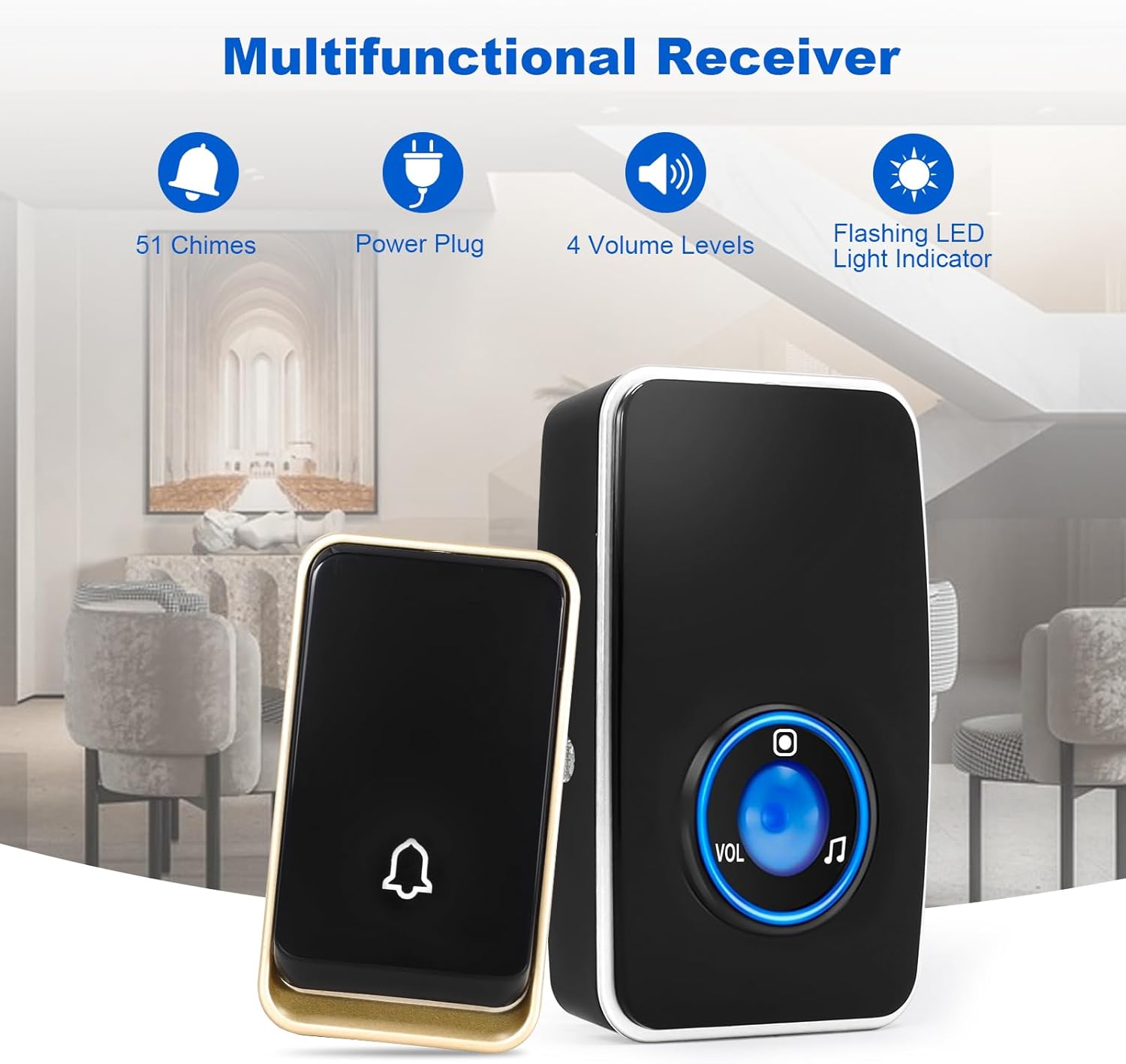
Image: An illustration of the receiver's features, including icons representing 51 chimes, power plug, 4 volume levels, and a flashing LED light indicator.
LED Indicator
The receiver features a blue LED light that flashes when the doorbell is activated. This indicator also detects ambient darkness to adjust its brightness. Please note that this LED indicator cannot be turned off.
Maintenance
To ensure the longevity and optimal performance of your AURTEC Wireless Doorbell, follow these maintenance guidelines:
- Cleaning: Wipe the transmitter and receivers with a soft, dry cloth. Do not use abrasive cleaners or solvents.
- Transmitter Placement: While the transmitter is waterproof (IP44), avoid prolonged exposure to direct heavy rain or submersion in water. Ensure it is securely mounted to prevent accidental dislodgement.
- Receiver Placement: Ensure receivers are plugged into well-ventilated outlets and are not covered, to prevent overheating.
- Environmental Conditions: The transmitter is designed to operate in temperatures from -4℉ to 149℉. Extreme temperatures outside this range may affect performance.

Image: A detailed view of the durable transmitter, highlighting its resistance to various weather conditions, wide operating temperature range, IP44 waterproof rating, 20-year operational life, and use of non-combustible ABS850 materials.
Troubleshooting
If you encounter any issues with your doorbell, please refer to the following common problems and solutions:
| Problem | Possible Cause | Solution |
|---|---|---|
| Doorbell does not ring. |
|
|
| Short wireless range. |
|
|
| Receiver LED flashes but no sound. |
|
|

Image: A diagram illustrating the effective wireless range of the doorbell, showing how the signal can reach various areas within a home, including the living room, bedroom, kitchen, and backyard.
Specifications
| Model: | B07CZZGDBK |
| Brand: | AURTEC |
| Wireless Range: | Up to 150m / 500ft (open air) |
| Chimes: | 51 selectable melodies |
| Volume Levels: | 4 levels |
| Transmitter Power Source: | Self-generating (kinetic energy), no battery required |
| Receiver Power Source: | AC 100-240V (Plug-in) |
| Waterproof Rating (Transmitter): | IP44 |
| Operating Temperature: | -4℉ ~ 149℉ (-20℃ ~ 65℃) |
| Material: | ABS850 (non-combustible) |
| Dimensions (Transmitter): | Approx. 7.7 x 4.5 x 2.5 cm (based on image scale) |
| Dimensions (Receiver): | Approx. 10.5 x 6.5 x 3 cm (based on image scale) |
Warranty and Support
AURTEC products undergo a strict quality control process. If you encounter any issues or have questions regarding your doorbell, please contact our customer service team. Our friendly support staff is always ready to assist you.
For support, please refer to the contact information provided with your purchase or visit the official AURTEC website.