Introduction
Thank you for choosing Bell+Howell Power Pods. These high-performance COB LED lights are designed to provide bright, convenient illumination in various areas of your home, such as closets, kitchens, shelves, and garages. This manual provides essential information for the safe and effective use of your Power Pods.
Important Safety Information
- Read all instructions before using the product.
- Keep out of reach of children. This product is not a toy.
- Do not mix old and new batteries. Do not mix alkaline, standard (carbon-zinc), or rechargeable (nickel-cadmium) batteries.
- Dispose of batteries properly according to local regulations.
- Do not expose to water or extreme temperatures. This product is for indoor use only.
- Do not attempt to disassemble or modify the Power Pods. This will void the warranty.
Package Contents
Verify that all items are present in your package:
- Bell+Howell Power Pods (Quantity: 3)
- Adhesive mounting pads
- Instruction Manual (this document)
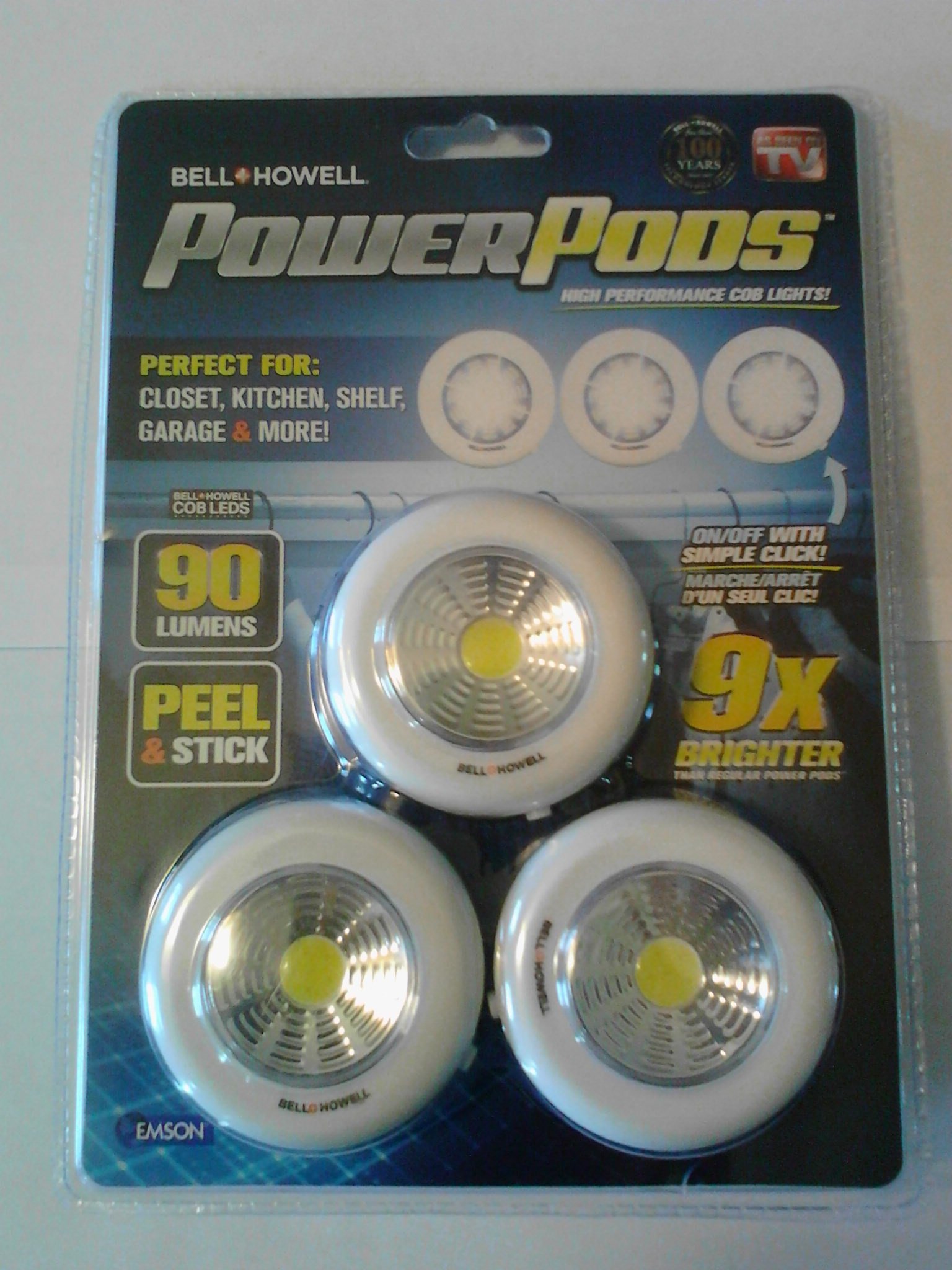
Image: Bell+Howell Power Pods, showing three circular light pods and adhesive pads.
Setup and Installation
1. Battery Installation
- Locate the battery compartment cover on the back of each Power Pod.
- Twist the cover counter-clockwise to open.
- Insert 3x AAA batteries (not included) into each Power Pod, ensuring correct polarity (+/-).
- Replace the battery compartment cover and twist clockwise to secure.
Image: Close-up of the back of a Power Pod, illustrating the battery compartment and how to open it.
2. Mounting the Power Pods
- Clean the desired mounting surface thoroughly to ensure it is dry and free of dust or grease.
- Peel the protective backing from one side of an adhesive mounting pad.
- Apply the adhesive pad firmly to the back of the Power Pod.
- Peel the protective backing from the other side of the adhesive pad.
- Press the Power Pod firmly onto the cleaned mounting surface for at least 30 seconds.
- Allow the adhesive to set for 24 hours before heavy use to ensure maximum adhesion.
Image: A Power Pod being pressed onto a flat surface using an adhesive pad.
Operating Instructions
The Bell+Howell Power Pods feature a simple push-button operation.
- To Turn On: Press the center of the Power Pod once. The light will illuminate.
- To Turn Off: Press the center of the Power Pod again. The light will turn off.
The Power Pods are designed for instant, convenient illumination. There are no additional modes or settings.
Image: A hand pressing the center of an illuminated Power Pod.
Maintenance
Cleaning
To clean your Power Pods, gently wipe the surface with a soft, dry cloth. Do not use abrasive cleaners, solvents, or immerse the unit in water.
Battery Replacement
When the light output diminishes, it is time to replace the batteries. Follow the "Battery Installation" steps in the Setup section to replace the 3x AAA batteries in each Power Pod. Always replace all batteries in a unit at the same time with new batteries of the same type.
Troubleshooting
| Problem | Possible Cause | Solution |
|---|---|---|
| Light does not turn on. |
|
|
| Light is dim. |
|
|
| Power Pod falls off mounting surface. |
|
|
Specifications
- Model: 1767
- Light Source: COB LED
- Lumens: Approximately 30 lumens per pod
- Power Source: 3x AAA batteries per pod (not included)
- Casing Material: Plastic
- Color/Finish: Black
- Dimensions (per pod): Approximately 2 inches maximum height
- Mounting: Peel & Stick Adhesive
- Intended Use: Indoor, dry locations only
Warranty and Support
Bell+Howell offers a 1-Year Limited Manufacturer Warranty for this product. For warranty claims or technical support, please refer to the contact information provided on the product packaging or visit the official Bell+Howell website. Please have your model number (1767) and proof of purchase available when contacting support.
Note: Warranty details may vary. Please consult your product packaging or the manufacturer's official website for the most current and complete warranty information.


