
SVBONY FUSF9326A-F9140A
SVBONY SV17 Spotting Scope User Manual
Model: FUSF9326A-F9140A | Brand: SVBONY
Introduction
The SVBONY SV17 Spotting Scope is designed for clear and detailed observation, ideal for bird watching, hunting, wildlife viewing, and target shooting. This straight-body spotting scope features a BAK4 prism and fully multi-coated green film objective lens and eyepiece, ensuring bright, clear, and crisp images. It offers a powerful zoom magnification ranging from 25x to 75x, bringing distant subjects closer with remarkable clarity. The included 4-section adjustable tripod provides stable support for various viewing positions.
Key features include:
- 25x-75x Zoom Magnification: Offers versatile viewing options from wide-field to detailed close-ups.
- 70mm Large Objective Lens: Gathers ample light for bright images, even in low-light conditions.
- BAK4 Prism & Fully Multi-Coated Optics: Enhances light transmission and image clarity.
- Waterproof and Fogproof Design: Ensures reliable performance in various weather conditions.
- Included 4-Section Adjustable Tripod: Provides stable support with adjustable height from 17" to 54".
Setup
Follow these steps to set up your SVBONY SV17 Spotting Scope:
- Attach the Spotting Scope to the Tripod:
Unfold the tripod legs and extend them to your desired height. The tripod features a standard 1/4" screw mount. Align the spotting scope's mounting hole with the tripod's screw and securely fasten it. Ensure the quick-release plate (if applicable) is properly engaged.

Image: The SVBONY SV17 Spotting Scope securely mounted on its included tripod, ready for use.
- Adjust Tripod Height and Level:
Adjust the tripod legs to achieve a stable and comfortable viewing height. The tripod legs can extend from 17 inches to 54 inches. Utilize the built-in bubble level on the tripod head to ensure the scope is perfectly level for accurate observation.
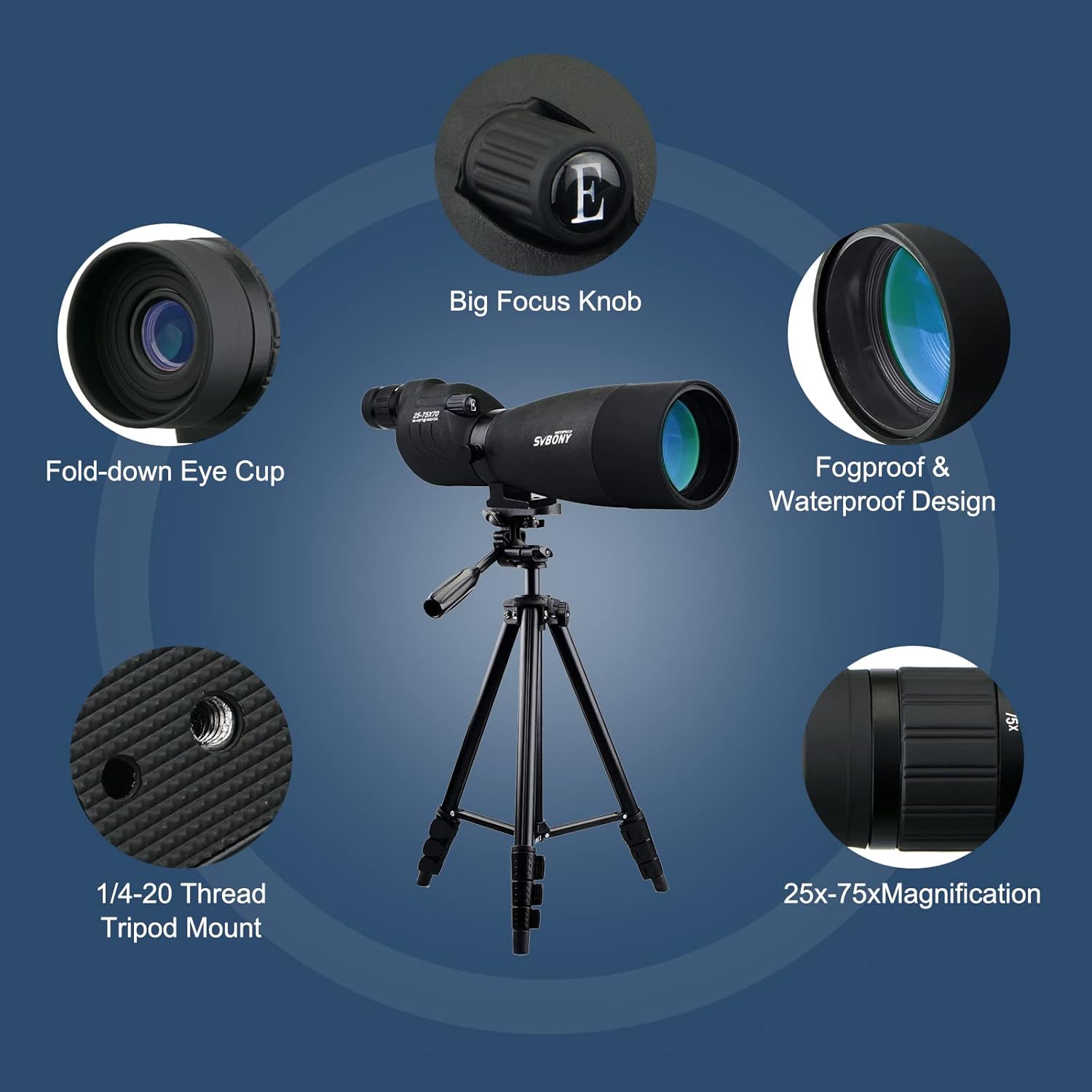
Image: The adjustable tripod showing its height range, providing flexibility for various viewing scenarios.
- Remove Lens Covers:
Carefully remove the protective covers from both the objective lens (front) and the eyepiece (rear) before use. The eyepiece cover threads on for a secure fit.
Operating Instructions
To achieve optimal viewing with your spotting scope, follow these operating guidelines:
- Adjusting Zoom Magnification:
The eyepiece features a rotating ring to adjust the magnification. Rotate this ring to select your desired zoom level, from 25x (minimum) to 75x (maximum). Start with a lower magnification for a wider field of view, then increase as needed for more detail.
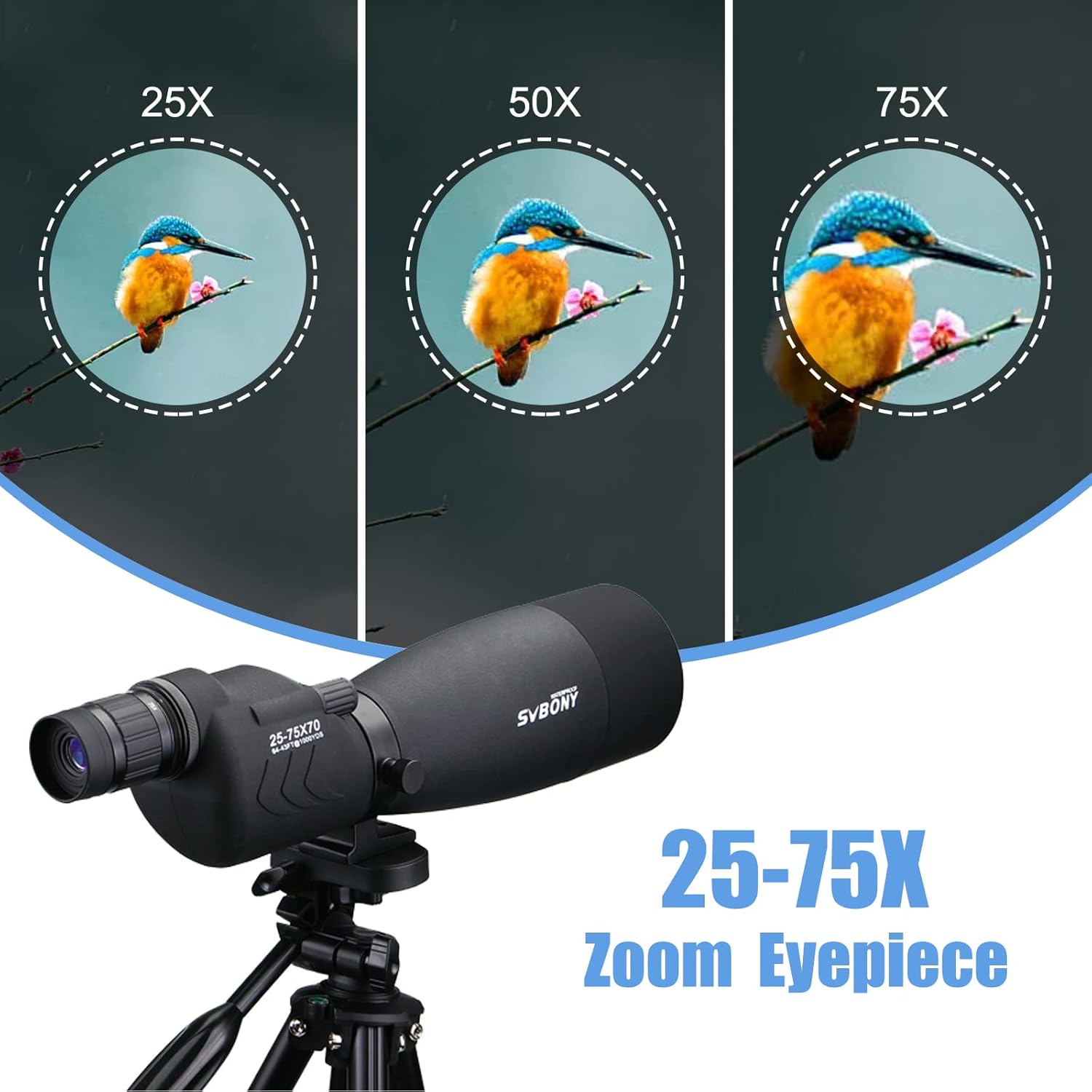
Image: Visual representation of the 25x, 50x, and 75x zoom capabilities of the SV17 spotting scope.
- Focusing the Image:
Locate the focus knob on the body of the spotting scope. While looking through the eyepiece, slowly turn the focus knob until the image appears sharp and clear. Adjust as necessary for different distances.

Image: A detailed diagram highlighting the big focus knob, fold-down eye cup, and other key features of the spotting scope.
- Tripod Adjustments:
Use the pan handle on the tripod head to smoothly move the scope horizontally (pan) and vertically (tilt) to track subjects. Tighten the locking knobs on the tripod head to secure the scope in position once your target is acquired.
Maintenance
Proper maintenance will ensure the longevity and performance of your SVBONY SV17 Spotting Scope:
- Cleaning Lenses:
Use a soft, lint-free cloth (like the one provided) to gently wipe dust or smudges from the lens surfaces. For stubborn marks, use a specialized optical lens cleaning solution applied to the cloth, not directly to the lens. Avoid touching the lens surfaces with your fingers.
- Storage:
Always replace the objective lens and eyepiece covers when the scope is not in use to protect the optics from dust and scratches. Store the spotting scope in its carrying case in a cool, dry place.
- Waterproof and Fogproof Care:
While the scope is waterproof and fogproof, it is recommended to wipe off any moisture after use in wet conditions to prevent water spots and maintain the exterior finish. Do not attempt to disassemble the sealed optical components.

Image: The spotting scope shown in a wet environment, highlighting its waterproof capabilities.
Troubleshooting
If you encounter issues with your spotting scope, consider the following common solutions:
- Blurry Image:
Ensure the focus knob is properly adjusted for the distance to your subject. Check if the eyepiece is fully extended or retracted as needed for your eye relief. Verify that the objective lens and eyepiece are clean and free of smudges or condensation.
- Unstable View:
Confirm that the tripod legs are fully extended and locked, and that the scope is securely mounted. Use the tripod's bubble level to ensure it is on a stable, level surface. Avoid strong winds or vibrations that may cause instability.
- No Image Visible:
Check that all lens covers have been removed. Ensure you are looking through the correct end of the scope (the eyepiece). Point the scope towards a well-lit area or subject.
For further assistance, please contact SVBONY customer support.
Specifications
| Feature | Detail |
|---|---|
| Brand | SVBONY |
| Model Number | FUSF9326A-F9140A |
| Magnification | 25x to 75x |
| Objective Lens Diameter | 70 Millimeters |
| Optical Tube Length | 70 Millimeters |
| Eye Piece Lens Description | BAK4 Prism |
| Focus Type | Manual Focus |
| Product Dimensions | 18.14 x 4.68 x 10.14 inches (Scope) |
| Item Weight | 5.74 pounds |
| Tripod Leg Range | 17" to 54" |
| Waterproof | Yes |
| Fogproof | Yes |
Warranty and Support
For warranty information, technical support, or any inquiries regarding your SVBONY SV17 Spotting Scope, please refer to the official SVBONY website or contact their customer service directly. Keep your purchase receipt for warranty claims.
Visit the SVBONY Store for more products and support resources.
Ask a question about this manual
Ask about setup, troubleshooting, compatibility, parts, safety, or missing instructions. Manuals+ will review the question and use this page’s manual context to help answer it.