
1. Introduction and Overview
This manual provides essential instructions for the safe and efficient operation, installation, maintenance, and troubleshooting of your Dukers D55F Commercial 2-Door Reach-in Freezer. Please read this manual thoroughly before installation and use, and retain it for future reference. This commercial freezer is designed for professional use, offering a temperature range of 0 to -8°F, automatic defrosting, and a robust stainless steel construction.
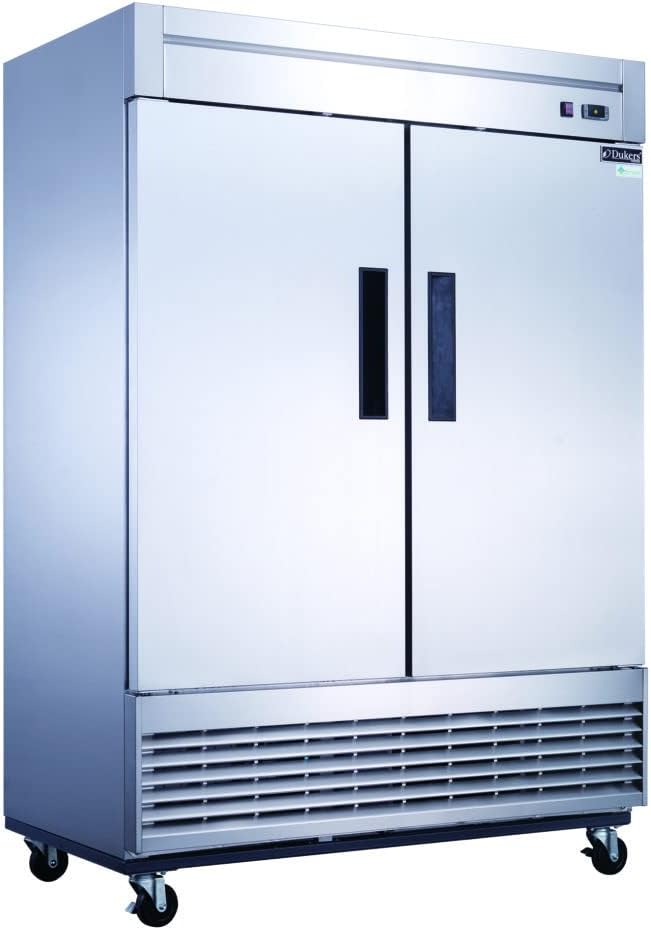
Image 1.1: Front view of the Dukers D55F Commercial 2-Door Reach-in Freezer.
2. Safety Information
Always adhere to the following safety precautions to prevent injury and damage to the unit:
- Ensure the freezer is properly grounded to prevent electrical shock.
- Do not store explosive substances such as aerosol cans with a flammable propellant in this appliance.
- Keep ventilation openings in the appliance enclosure or in the built-in structure clear of obstruction.
- Do not use mechanical devices or other means to accelerate the defrosting process, other than those recommended by the manufacturer.
- Do not damage the refrigerant circuit.
- Only qualified personnel should perform repairs or maintenance involving the refrigerant system.
- Disconnect power before cleaning or servicing the unit.
3. Unpacking and Installation (Setup)
3.1 Unpacking
Carefully remove all packaging materials, including tape and protective film. Inspect the freezer for any shipping damage. Report any damage immediately to the carrier and your supplier.
3.2 Caster Installation
The unit comes with 4 casters for mobility. Carefully tilt the unit and securely attach the casters to the designated mounting points at the bottom of the freezer. Ensure all casters are tightened to prevent instability. The front casters are typically lockable to secure the unit in place.
3.3 Placement
Position the freezer on a strong, level surface capable of supporting its weight when fully loaded. Allow adequate clearance around the unit for proper ventilation (minimum 6 inches from walls and ceiling). Avoid direct sunlight or proximity to heat-generating equipment.
3.4 Electrical Connection
Connect the freezer to a dedicated 115V/60Hz electrical outlet. The unit requires a NEMA 5-20P plug. Do not use extension cords or adapter plugs. Ensure the electrical supply matches the specifications on the unit's rating plate.
3.5 Initial Startup
After installation, allow the freezer to stand for at least 2 hours before plugging it in. This allows the refrigerant and oils to settle. Once plugged in, allow the unit to run for several hours (e.g., 4-6 hours) to reach its operating temperature before loading with products.
4. Operating Instructions
4.1 Temperature Control
The Dukers D55F features digital temperature controls with an LED display for precise adjustment. The factory preset temperature range is approximately 0 to -8°F. Refer to the control panel instructions on the unit for specific temperature setting procedures.
4.2 Loading the Freezer
Distribute products evenly on the 8 adjustable and removable wire shelves (4 on each side) to ensure proper airflow. Do not block the internal air vents. Avoid overloading shelves beyond their weight capacity. Close doors promptly after access to maintain internal temperature.

Image 4.1: Interior view of the freezer showing shelves and storage capacity.

Image 4.2: Front interior view of the freezer with both doors open.
4.3 Automatic Defrosting
The unit is equipped with an automatic defrosting system. This process occurs periodically to prevent ice buildup on the evaporator coil. During defrost cycles, the internal temperature may temporarily rise slightly, which is normal. Ensure the drain pan is clear to allow proper water evaporation.
5. Maintenance and Cleaning
Regular maintenance ensures optimal performance and longevity of your freezer.
5.1 Exterior Cleaning
Clean the exterior stainless steel surfaces with a mild soap and water solution and a soft cloth. Wipe dry immediately to prevent water spots. Avoid abrasive cleaners or scouring pads that can scratch the finish.
5.2 Interior Cleaning
Periodically clean the interior of the freezer. Remove all products and shelves. Use a mild, food-safe cleaning solution. Rinse thoroughly and dry completely before returning products. The shelves are removable for easier cleaning.
5.3 Condenser Coil Cleaning
The condenser coil, located at the bottom of the unit, should be cleaned regularly (e.g., monthly or quarterly, depending on environment) to maintain efficiency. Disconnect power before cleaning. Use a stiff brush or vacuum cleaner to remove dust and debris from the coil fins. A dirty condenser coil can lead to reduced cooling performance and increased energy consumption.
5.4 Door Gasket Inspection
Regularly inspect the door gaskets for cracks, tears, or signs of wear. Ensure they form a tight seal when the doors are closed. Damaged gaskets can lead to air leakage, increased energy use, and poor temperature control. Replace damaged gaskets promptly.
6. Troubleshooting
Before contacting service, review the following common issues and solutions:
- Freezer Not Operating: Check if the power cord is securely plugged in. Verify the circuit breaker or fuse. Ensure the power switch (if present) is on.
- Temperature Too High: Check if the thermostat is set correctly. Ensure doors are closing properly and gaskets are sealing. Clean the condenser coil. Verify the unit is not overloaded or placed near a heat source.
- Excessive Noise: Check for loose components. Ensure the unit is level. Verify fan blades are not obstructed.
- Excessive Frost/Ice Buildup: Ensure doors are not left open frequently. Check door gaskets for proper seal. Verify the automatic defrost system is functioning.
If problems persist after attempting these solutions, contact qualified service personnel.
7. Specifications
The following table details the technical specifications for the Dukers D55F Commercial 2-Door Reach-in Freezer:
| Feature | Specification |
|---|---|
| Brand | Dukers |
| Model Number | D55F |
| Overall Dimensions (W x D x H) | 55 1/8" x 32 5/8" x 80 3/8" (32.57 x 55.12 x 80.57 inches) |
| Item Weight | 463 pounds |
| Capacity | 40.74 Cubic Feet |
| Temperature Range | 0 to -8°F (approx.) |
| Refrigerant | R290 Natural Refrigerant |
| Voltage | 115V/60Hz |
| Amperage | 14 Amps |
| Wattage | 1250 watts |
| Power Cord Length | 9 ft. |
| Plug Type | NEMA 5-20P |
| Compressor | Heavy-duty 1 1/3 HP bottom mounted |
| Shelves | 8 adjustable and removable wire shelves |
| Defrost Type | Automatic |
| Material Type | Stainless Steel |
| Certification | NSF/ANSI 7 Standard, Energy Star Certified, ETL Listed / ETL Sanitation |
| Noise Level | 45 Decibels |
| Included Components | 10 shelves (note: 8 are installed, 2 extra), 4 casters, 9 ft cord |
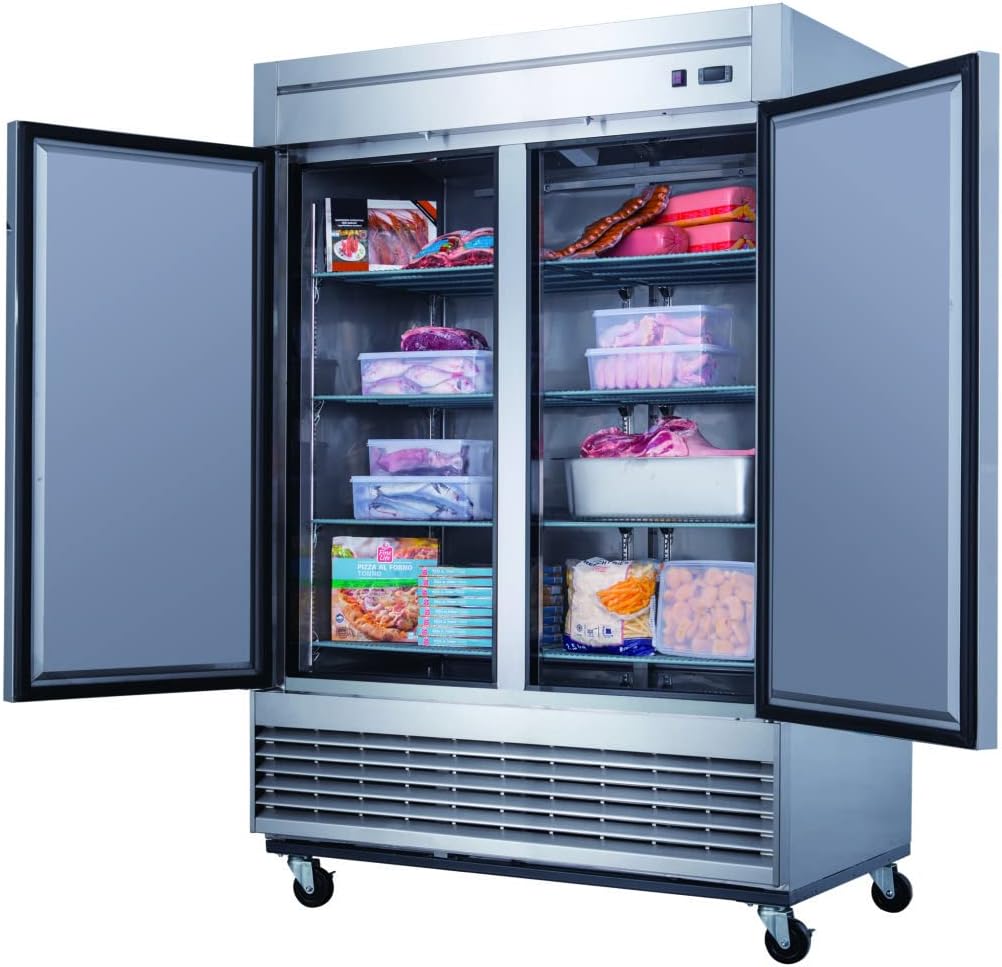
Image 7.1: Angled interior view highlighting the spacious design.
8. Warranty and Support
The Dukers D55F Commercial 2-Door Reach-in Freezer comes with a manufacturer's warranty for commercial locations only:
- 3 Year Parts & Labor Warranty
- 5 Year Compressor Warranty
For warranty claims, technical support, or service inquiries, please contact your authorized Dukers dealer or the manufacturer directly. Ensure you have your model number (D55F) and purchase date available when contacting support.