
Important Safety Instructions
When using electrical appliances, especially when children are present, basic safety precautions should always be followed, including the following:
- Always unplug the appliance immediately after use.
- Do not use while bathing or in a shower.
- Do not place or store appliance where it can fall or be pulled into a tub or sink.
- Do not place in or drop into water or other liquid.
- If an appliance falls into water, unplug it immediately. Do not reach into the water.
- Keep away from water.
- This appliance is for household use only.
- Do not use this appliance near bathtubs, showers, basins or other vessels containing water.
Product Features
The Sutra Professional IR2 Flat Iron incorporates advanced technology for effective hair styling.
- Ionic Infrared Technology: Designed to penetrate the hair cuticle, assisting in moisture retention and minimizing heat-related damage.
- Rose Gold Titanium Plates: These plates contribute to a smooth glide and even heat distribution, aiming for a glossy finish.
- Adjustable Temperature: Digital temperature control allows selection of heat settings suitable for various hair types.
- Automatic Shut-Off: For safety, the device is equipped with an automatic shut-off feature.
- Professional Swivel Cord: A 360-degree swivel cord enhances maneuverability during use.
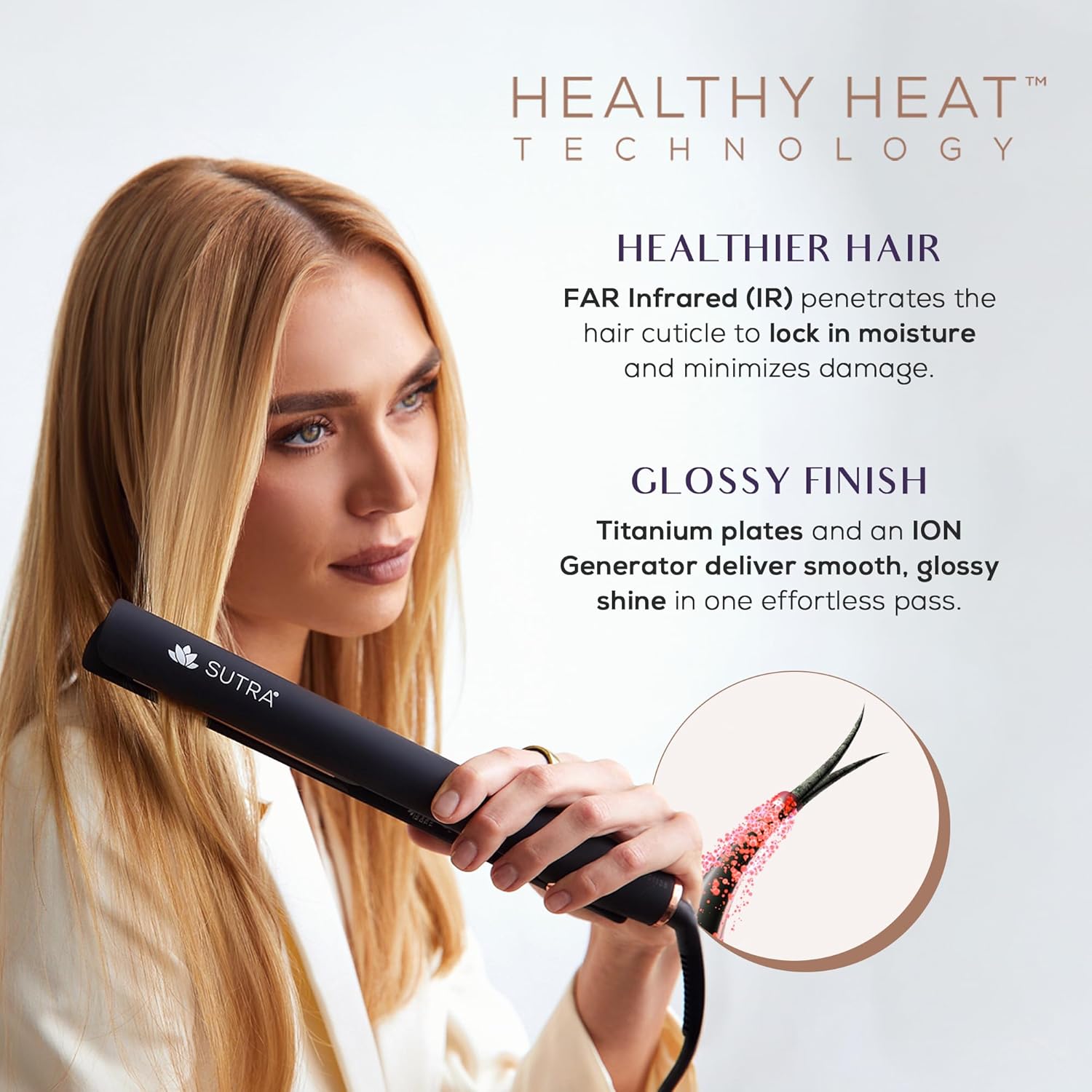
Image: Overview of the Sutra IR2 Flat Iron's Healthy Heat Technology, emphasizing benefits for hair health and shine.

Image: Detailed view of the flat iron's core technologies: Ion Generator, Titanium Plates, and Infrared Heat.

Image: Key features of the flat iron, including plate material, temperature control, safety, cord design, and available sizes.
Setup
- Unpack: Carefully remove the flat iron from its packaging.
- Inspect: Check the appliance for any signs of damage. Do not use if damaged.
- Plug In: Connect the power cord to a suitable electrical outlet. Ensure the voltage matches the appliance's requirements.
Operating Instructions
- Prepare Hair: Ensure hair is clean and completely dry. Apply a heat protectant spray to minimize potential heat damage.
- Power On: Press and hold the power button until the digital display illuminates.
- Select Temperature: Use the temperature control buttons (up/down arrows) to select your desired heat setting. The recommended temperature varies based on hair type: lower settings for fine or damaged hair, higher settings for thick or coarse hair. The iron heats up quickly.
- Section Hair: Divide your hair into small, manageable sections using clips.
- Straighten Hair: Take one section of hair and place it between the plates, close to the roots. Gently clamp the plates together and slowly glide the flat iron down the hair shaft to the ends. Repeat if necessary, ensuring not to over-process any single section.
- Style: The flat iron can also be used to create curls or waves by rotating the iron as you glide it down the hair section.
- Power Off: After use, press and hold the power button until the display turns off. Unplug the appliance from the outlet.
- Cool Down: Allow the flat iron to cool completely before storing.

Image: Visual guide to the four-step process of using the flat iron for optimal results.
Maintenance and Care
- Cleaning: Ensure the appliance is unplugged and completely cool before cleaning. Wipe the plates and exterior with a soft, damp cloth. Do not use abrasive cleaners or immerse the appliance in water.
- Storage: Store the flat iron in a cool, dry place, away from moisture. Do not wrap the cord around the appliance, as this can cause damage.
- Cord Care: Regularly inspect the power cord for any damage. If the cord is damaged, discontinue use and contact customer support.
Troubleshooting
| Problem | Possible Cause | Solution |
|---|---|---|
| Appliance does not turn on. | Not plugged in correctly or power outlet issue. | Ensure the power cord is securely plugged into a working outlet. Check the circuit breaker. |
| Appliance not heating up. | Temperature setting too low or internal malfunction. | Increase the temperature setting. If still not heating, contact customer support. |
| Hair is not straightening effectively. | Hair is not completely dry, sections are too large, or temperature is too low. | Ensure hair is completely dry. Use smaller sections. Increase temperature if appropriate for your hair type. |
| Hair feels brittle or damaged. | Temperature setting is too high or no heat protectant used. | Lower the temperature setting. Always use a heat protectant. |
Specifications
| Feature | Detail |
|---|---|
| Brand | SUTRA |
| Model Number | IR |
| Plate Material | Rose Gold Titanium |
| Technology | Ionic Infrared |
| Temperature Range | Adjustable, up to 450°F |
| Safety Feature | Automatic Shut-Off |
| Cord Type | Professional Swivel Cord |
| UPC | 857677007265 |

Image: The Sutra IR2 Flat Iron is available in two sizes: 1.5 inches for longer, thicker hair and 1 inch for shorter, finer hair.
Warranty Information
This product comes with a manufacturer's warranty. Please refer to the product packaging or the official Sutra Beauty website for specific warranty terms and conditions. Keep your proof of purchase for any warranty claims.
Customer Support
For further assistance, product inquiries, or troubleshooting not covered in this manual, please contact Sutra Beauty customer support through their official website or the contact information provided with your product.