
Introduction
The Work Sharp Ken Onion Edition Knife & Tool Sharpener is designed to provide precise and repeatable sharpening results for a wide variety of blades and tools. This sharpener features an adjustable sharpening guide, a variable speed motor, and uses flexible abrasive belts to achieve a strong, long-lasting convex edge.
Key features include:
- Adjustable Sharpening Guide: Allows for precise edge bevels from 15° to 30°.
- Variable Speed Motor: Offers control for various tasks, from grinding to honing, with speeds ranging from 1,200 SFM to 2,800 SFM.
- Premium Flexible Abrasive Belts: Delivers a razor-sharp convex edge.
- Fast, Precise, & Repeatable: Designed for efficient sharpening without extensive setup or calibration.
What's in the Box
Your Work Sharp Ken Onion Edition Knife & Tool Sharpener package includes the following components:
- Ken Onion Edition Knife & Tool Sharpener unit
- P120 Extra-Coarse Abrasive Belt
- X65 Coarse Abrasive Belt
- X22 Medium Abrasive Belt
- X4 Fine Abrasive Belt
- 6000 Extra-Fine Abrasive Belt
- Quick Start Guide
- User's Guide
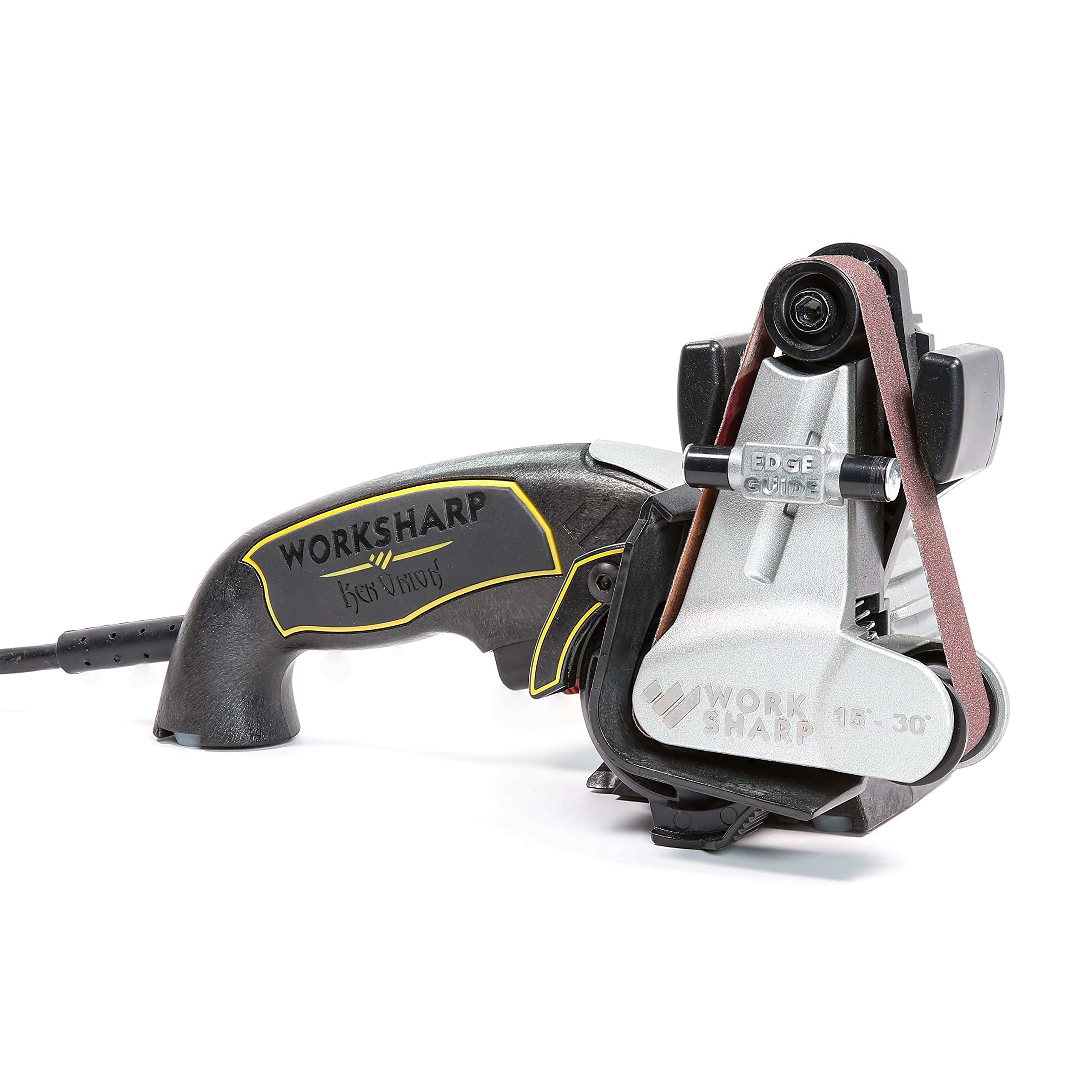
Image: The Work Sharp Ken Onion Edition Knife & Tool Sharpener, showcasing its main components.

Image: The sharpener unit displayed with the included set of flexible abrasive belts.
Setup
Before operating your sharpener, ensure it is placed on a stable surface and plugged into a 120Vac/1.5 amp power outlet. Follow these steps for initial setup:
- Adjust the Angle Guide: Use the angle adjustment knob to select the desired sharpening angle for your knife, ranging from 15° to 30°.
- Install the Abrasive Belt: Select the appropriate grit belt based on the condition of your blade (refer to the Quick Start Guide for recommendations). Install the belt onto the sharpener's cassette.
- Select Speed: Use the variable speed control. Lower speeds are generally recommended for sharpening knives, while higher speeds are suitable for grinding tools.

Image: Exploded diagram illustrating the key components of the Work Sharp Ken Onion Edition sharpener.

Image: Close-up of a hand adjusting the sharpening angle on the sharpener's guide.
Video: An official demonstration of the Work Sharp Ken Onion Edition Knife & Tool Sharpener, including unboxing, setup, and basic operation.
Operating Instructions
Sharpening Knives
For sharpening knives, ensure the angle guide is set to your desired bevel. Use a low to medium speed setting on the motor.
- Place the heel of the knife blade into the guide, ensuring it makes contact with the abrasive belt.
- Power on the unit and immediately begin pulling the knife through the guide, maintaining light, consistent pressure.
- Continue pulling until the tip of the knife leaves the belt, then power off the unit. This technique helps maintain the factory profile and a sharp tip.
- Repeat the process for the other side of the blade, ensuring an even number of passes on each side.
- Progress through finer grit belts (e.g., from Coarse to Extra-Fine) to refine the edge.

Image: A user demonstrating the sharpening process for a kitchen knife.
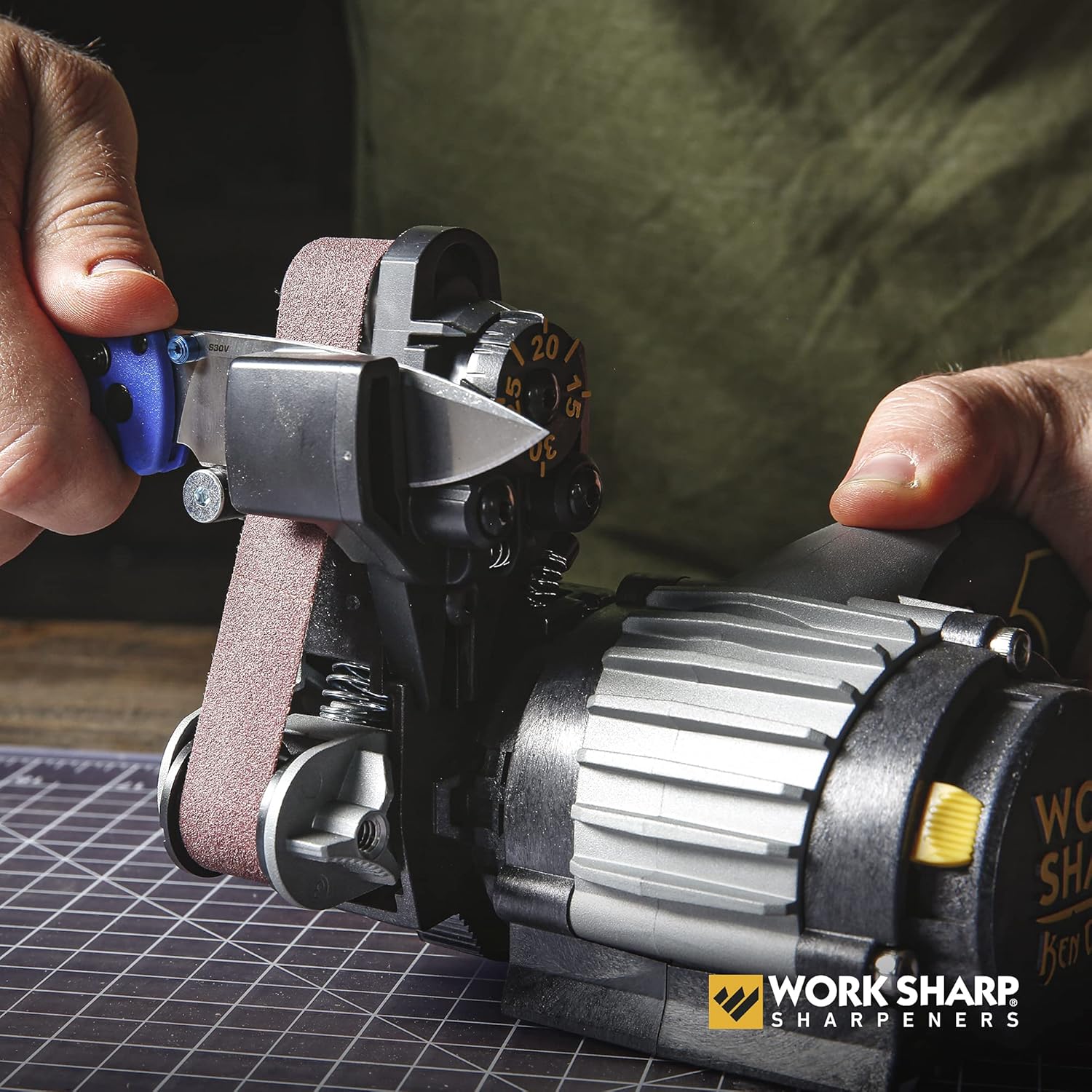
Image: Detailed view of a small knife being sharpened, showing the blade in contact with the abrasive belt.
Sharpening Tools
The Work Sharp Ken Onion Edition can also sharpen various tools. For tool sharpening, you will typically remove the angle guide and rotate the cassette to expose the abrasive belt for freehand sharpening. Use a high-speed setting.
- Remove the angle guide by lifting it off the unit.
- Rotate the cassette into the open position, allowing direct access to the abrasive belt.
- Power on the unit at a high-speed setting.
- Carefully bring the tool to the moving abrasive belt, maintaining the desired angle for sharpening. Apply light, consistent pressure.
- Ensure even material removal across the tool's edge.

Image: A user sharpening an axe head, demonstrating the sharpener's versatility for tools.
Maintenance
Proper maintenance ensures the longevity and optimal performance of your Work Sharp sharpener:
- Cleaning: After each use, wipe down the sharpener with a dry cloth to remove any metal dust or debris. Ensure the unit is unplugged before cleaning.
- Belt Replacement: Abrasive belts will wear out over time. Replace belts when they show signs of wear or when they no longer effectively sharpen. Refer to the User's Guide for detailed instructions on replacing belts.
- Storage: Store the sharpener in a clean, dry place away from excessive dust and moisture.
Troubleshooting
If you encounter issues with your sharpener, consider the following common solutions:
- Dull Edge After Sharpening: Ensure the correct sharpening angle is selected and maintained throughout the pass. Verify that you are using the appropriate grit sequence and applying light, consistent pressure.
- Uneven Edge: This can result from inconsistent pressure or angle during sharpening. Practice with an old knife to develop a smooth, consistent stroke.
- Belt Slipping or Breaking: Check that the abrasive belt is correctly installed and tensioned. Ensure the belt is not worn out and replace if necessary.
- Unit Not Powering On: Verify that the power cord is securely plugged into both the unit and a functional power outlet.
For further assistance, consult the comprehensive User's Guide or contact Work Sharp customer support.
Specifications
| Specification | Detail |
|---|---|
| Model Number | WSKTS-KO-W |
| Material | Metal, Plastic |
| Product Dimensions | 10"L x 5.5"W x 6"H |
| Item Weight | 3.1 Pounds |
| Grit Types Included | P120 Extra-Coarse, X65 Coarse, X22 Medium, X4 Fine, 6000 Extra-Fine |
| Power Source | Corded Electric |
| Voltage | 110 Volts |
| Duty Cycle | 1 hour continuous |
| Adjustable Angle | 15° to 30° |
Warranty and Support
The Work Sharp Ken Onion Edition Knife & Tool Sharpener comes with a 3-Year Warranty. This warranty covers defects due to workmanship and design, excluding abrasives. Please note that the warranty covers consumer use only, not industrial or commercial use.
For product support, additional information, or to view instructional videos, please visit the official Work Sharp website: WorkSharpTools.com.
Work Sharp is part of Darex, a 4th-generation family-owned company based in Ashland, Oregon, USA, committed to engineering industry-leading sharpening tools.