
ASOKO UNO-LK
ASOKO UNO-LK Under Cabinet LED Light Instruction Manual
Model: UNO-LK (3-Pack, Daylight White 4500K)
1. Introduction
Thank you for choosing the ASOKO UNO-LK Under Cabinet LED Light system. This manual provides detailed instructions for the safe and efficient installation, operation, and maintenance of your new lighting product. Please read this manual thoroughly before use and retain it for future reference.
The ASOKO UNO-LK LED lights are designed to provide bright, dimmable, and linkable illumination for various indoor applications such as kitchen counters, shelves, workbenches, and cupboards. This 3-pack system features 4500K Daylight White light, offering clear and vibrant illumination.
2. Important Safety Information
WARNING: To reduce the risk of fire, electric shock, or injury to persons, follow these instructions carefully.
- Ensure the power supply is disconnected before installation or maintenance.
- This product is designed for indoor use only. Do not expose to water or high humidity.
- Do not attempt to modify or disassemble the product. Refer all servicing to qualified personnel.
- Use only the provided power adapter. Using an incompatible adapter may damage the product and void the warranty.
- Keep away from children and pets.
- Ensure proper ventilation around the power adapter during operation.
- The power adapter is ETL Listed, ensuring safety standards are met.
3. Package Contents
Verify that all components are present in your package:
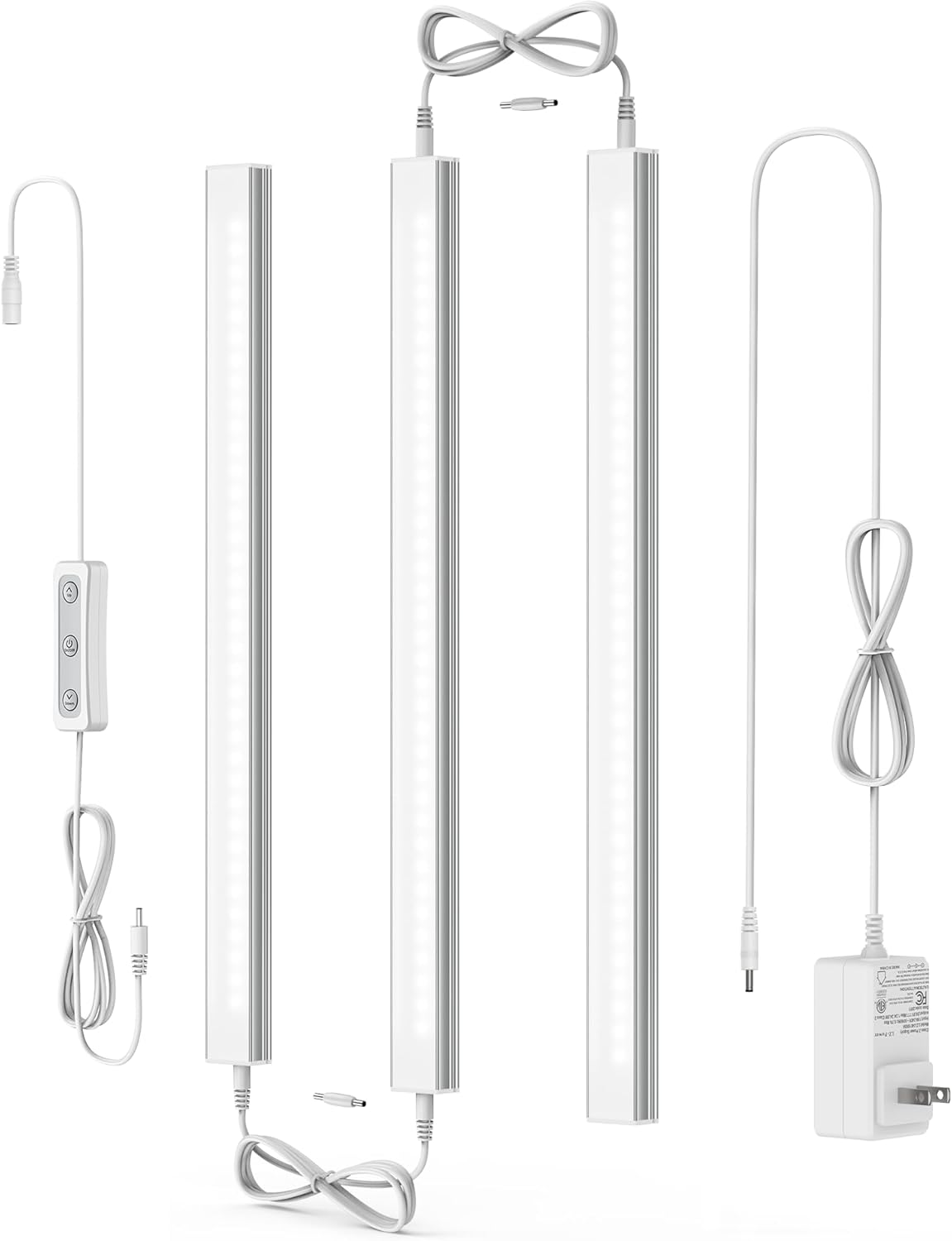
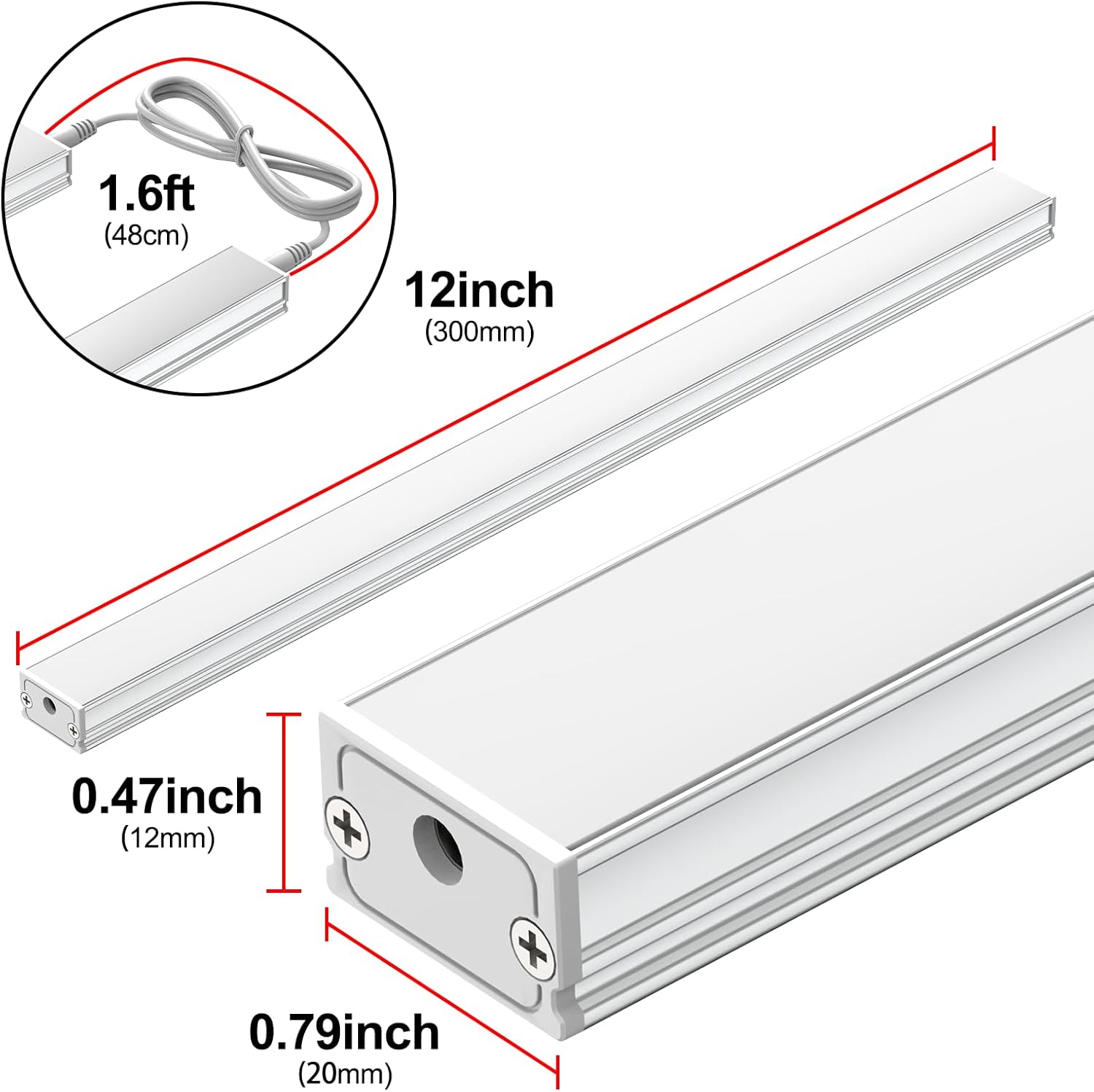
- 3 x ASOKO UNO-LK LED Light Bars (12-inch)
- 1 x Power Adapter (ETL Listed 24V)
- 1 x Rotary Dimmer Switch
- 2 x Interconnect Cables (1.6 ft each)
- 2 x Connectors (0.78 inch each)
- Mounting Accessories:
- Magnetic Clips
- 3M Adhesive Stickers
- Screws


4. Setup and Installation
The ASOKO UNO-LK LED lights offer three installation methods to suit various surfaces and preferences. Before installation, ensure the mounting surface is clean and dry.
4.1. Installation Methods

- Method 1: Adhesive Stickers (for smooth surfaces)
Clean the desired mounting surface thoroughly. Peel the backing from the 3M adhesive stickers and apply them to the back of the light bar. Press firmly onto the clean surface for at least 30 seconds. Allow the adhesive to cure for 24 hours before applying full load or stress.
- Method 2: Magnetic Clips (for iron surfaces)
If your mounting surface is magnetic (e.g., metal shelves), simply attach the magnetic clips to the light bars. The magnets will securely hold the light bars in place. This method allows for easy repositioning.
- Method 3: Screws (for rough or permanent surfaces)
Position the light bar and mark the screw hole locations. Drill pilot holes if necessary. Secure the light bar using the provided screws. This method offers the most permanent and robust installation.
4.2. Connecting the Light Bars
The light bars can be linked together using either the direct connectors or the interconnect cables.
- Direct Connection: For seamless, end-to-end lighting, use the small direct connectors to join two light bars.
- Cable Connection: For spacing between light bars or routing around corners, use the 1.6 ft interconnect cables. Extended cables (3.2 ft) are also available for longer distances.
Connect the rotary dimmer switch to the first light bar in your series, and then connect the power adapter to the dimmer switch. Plug the power adapter into a standard electrical outlet.

5. Operating Instructions
5.1. Power On/Off and Dimming
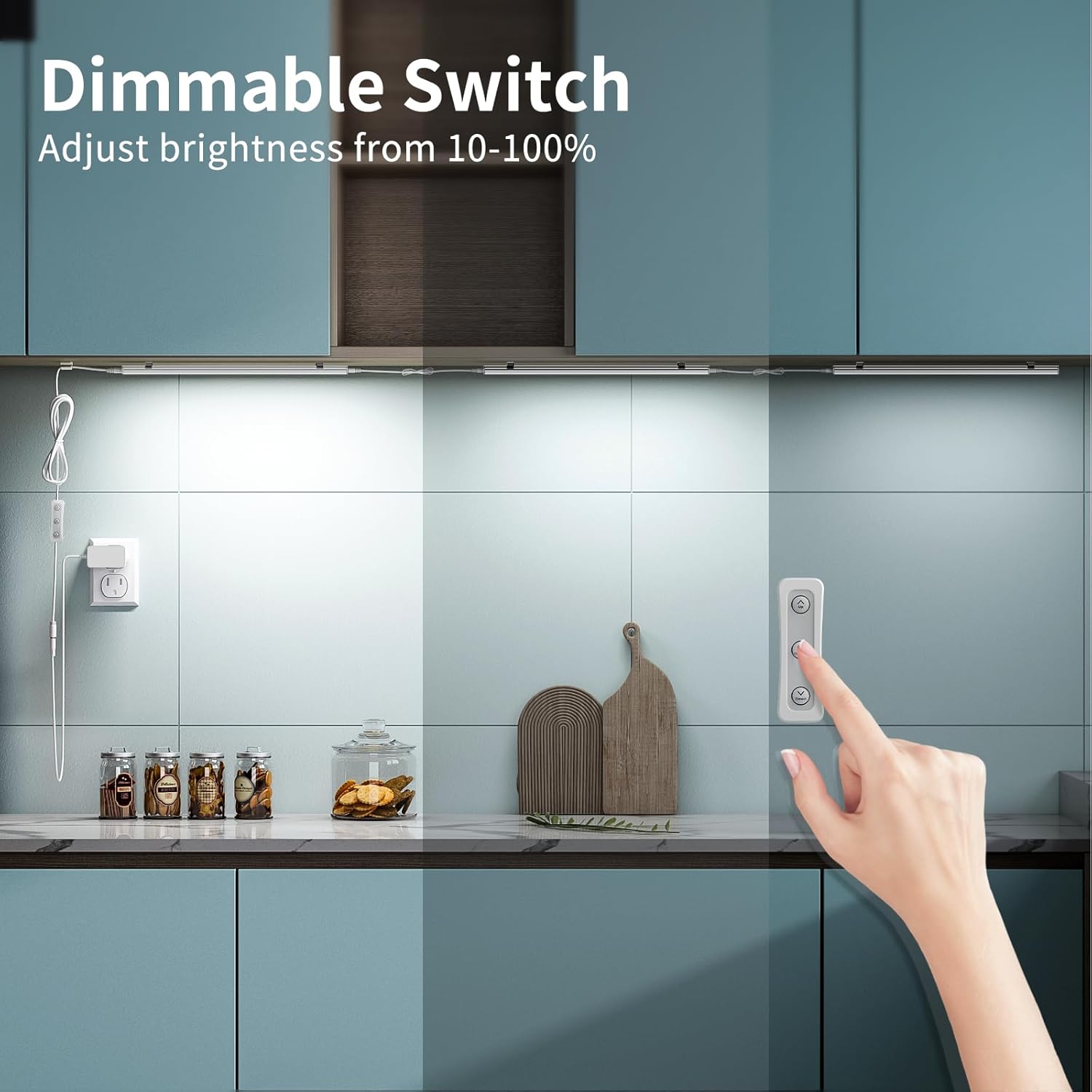
The included rotary dimmer switch controls the power and brightness of the connected LED lights.
- Power On/Off: Press the central button on the rotary switch to turn the lights on or off.
- Dimming: Rotate the knob on the switch to adjust the brightness from 0% to 100% (stepless dimming).
- Memory Function: The lights will remember the last brightness setting used when powered off and will return to that level when powered back on.

5.2. Smart Plug Compatibility
The ASOKO UNO-LK LED lights are compatible with smart plugs (not included). When used with a smart plug, the lights will retain their last brightness setting and can be controlled via the smart plug's app or voice commands (e.g., Alexa, Google Assistant).

6. Maintenance
- Cleaning: Disconnect power before cleaning. Wipe the light bars with a soft, dry cloth. Do not use abrasive cleaners or solvents.
- Inspection: Periodically check cables and connections for any signs of damage. If damage is found, discontinue use and contact customer support.
- The LED light source is not replaceable.
7. Troubleshooting
| Problem | Possible Cause | Solution |
|---|---|---|
| Lights do not turn on. |
|
|
| Lights flicker or are dim. |
|
|
| Lights do not respond to smart plug. |
|
|
8. Specifications
| Brand | ASOKO |
| Model Name | UNO-LK |
| Part Number | YQ-CGD-3C |
| Color Temperature | 4500K Daylight White |
| Brightness | 1299 Lumens (for 3-pack) |
| Wattage | 12 Watts (per light bar) |
| Voltage | 24 Volts |
| Product Dimensions | 12"L x 0.23"W x 0.63"H (per light bar) |
| Material | Aluminum, Plastic, Polycarbonate |
| Special Features | Dimmable, Linkable, Memory Function |
| Power Source | Corded Electric (ETL Listed 24V Plug) |
| Indoor/Outdoor Usage | Indoor Only |
| Water Resistance Level | Not Water Resistant |
9. Warranty and Support
ASOKO provides a 2-year warranty for this product. If you encounter any issues with your ASOKO UNO-LK LED lights within this period, please contact our customer support for assistance.
For support, please refer to the contact information provided with your purchase or visit the official ASOKO website.
Related documentsUNO-LK

Ask a question about this manual
Ask about setup, troubleshooting, compatibility, parts, safety, or missing instructions. Manuals+ will review the question and use this page’s manual context to help answer it.