
1. Introduction and Overview
The Amazfit Bip smartwatch is designed to be a daily companion, providing comprehensive fitness tracking and smart notifications. It features an always-on reflective display for clear visibility in various lighting conditions and boasts an extended battery life.
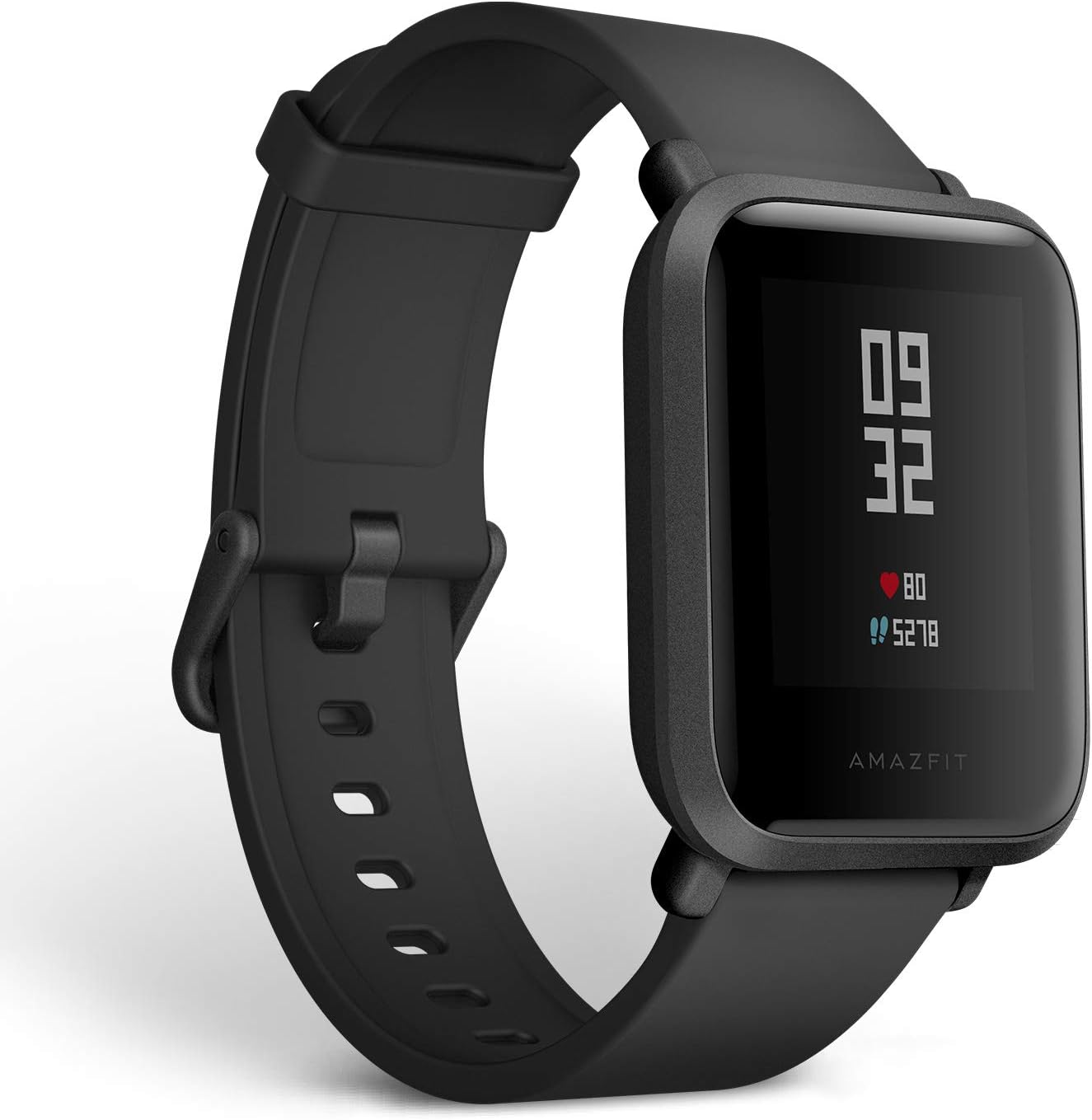
Figure 1: Amazfit Bip Smartwatch - Onyx Black
Key features include:
- 45 Days Battery Life: Equipped with a lithium polymer battery with a 190mAh charge, allowing up to 30 days of use on a single 2.5-hour charge.
- Lightweight and Thin: Weighs approximately 32g with the watch band and is 11.5mm thick, designed for all-day wear.
- Health Tracking: Optical heart rate monitoring and built-in GPS for real-time tracking of steps, distance, calories burned, and sleep quality.
- Multisport Tracking: Supports outdoor running, indoor running, outdoor cycling, and walking.
- Receive Messages, Call & APP Notifications: Get notifications for incoming phone calls, SMS messages, emails, and other apps directly on the color touch display.
Official Product Video
Video 1: Overview of the Amazfit Bip Fitness Smartwatch features and design.
2. Setup
To begin using your Amazfit Bip Smartwatch, ensure it is adequately charged and then pair it with your smartphone via Bluetooth. The watch screen will display instructions to open the companion app for pairing.
Charging the Device
The Amazfit Bip is equipped with a 190mAh lithium polymer battery. A full charge takes approximately 2.5 hours and can provide up to 45 days of battery life depending on usage.

Figure 2: The Amazfit Bip offers up to 45 days of battery life.
Pairing with Your Smartphone
1. Ensure your Amazfit Bip is charged.
2. Download and install the official Amazfit companion app (Mi Fit) on your smartphone from your device's app store.
3. Open the app and follow the on-screen instructions to create an account or log in.
4. The app will guide you through the pairing process. Ensure Bluetooth is enabled on your smartphone.
5. Select the Amazfit Bip from the list of available devices in the app to complete pairing.
3. Operating the Device
Display and Interface
The Amazfit Bip features a 1.28-inch color touch display. It utilizes an always-on reflective screen, ensuring time visibility without needing to activate the backlight. The display is protected by 2.5D Corning Gorilla Glass generation 3 with an AF coating, making it easily readable even in bright sunlight.

Figure 3: The Amazfit Bip display showing heart rate information.
Health and Activity Tracking
The smartwatch provides comprehensive health tracking capabilities:
- Optical Heart Rate Monitoring: Continuously tracks your heart rate.
- Real-time Activity Tracking: Monitors steps taken, distance traveled, and calories burned throughout the day.
- Sleep Monitoring: Provides detailed tracking of sleep duration, deep sleep, light sleep phases, and awake times.
Multisport Modes
The Amazfit Bip supports various sport modes, each providing detailed statistics and GPS maps for tracking time, speed, pace, stride length, heart rate zone, elevation, and burned calories.
- Outdoor Running
- Indoor Running (Treadmill)
- Outdoor Cycling
- Walking

Figure 4: The Amazfit Bip supports four distinct sport modes for tracking.
Smart Notifications
Stay connected by receiving notifications directly on your wrist for:
- Incoming phone calls
- SMS messages
- Emails
- Social media apps (e.g., Facebook, Twitter, WhatsApp, LinkedIn)
- Calendar alerts

Figure 5: The Amazfit Bip integrates with your smartphone for notifications and data synchronization.
Other Functions
The Amazfit Bip includes additional sensors for enhanced functionality:
- Built-in GPS + GLONASS: For accurate route tracking during outdoor activities.
- Geomagnetic Sensor (Compass): Provides directional information.
- Air Pressure Sensor (Barometer): Measures atmospheric pressure for elevation data.

Figure 6: The Amazfit Bip features GPS+GLONASS for precise positioning.
4. Maintenance
To ensure the longevity and optimal performance of your Amazfit Bip Smartwatch, follow these maintenance guidelines:
- Cleaning: Regularly wipe the watch and band with a soft, damp cloth. Avoid using harsh chemicals or abrasive materials.
- Water Resistance: The device has an IP68 rating, meaning it is resistant to dust, rain, and splashing. It is not recommended for swimming or showering, especially in hot water, as steam can damage the seals.
- Storage: Store the watch in a cool, dry place when not in use for extended periods.
- Avoid Extreme Temperatures: Do not expose the watch to extremely high or low temperatures, as this can affect battery life and component integrity.
5. Troubleshooting
If you encounter issues with your Amazfit Bip, consider the following common troubleshooting steps:
- Connectivity Issues: If the watch is not connecting to your phone, ensure Bluetooth is enabled on both devices. Try restarting your phone's Bluetooth or the watch itself.
- App Syncing Problems: Ensure the Amazfit companion app is up to date. Close and reopen the app, or restart your phone.
- Battery Drain: Excessive notifications or continuous GPS usage can lead to faster battery drain. Adjust settings in the app to optimize battery life.
- Display Unresponsive: Try restarting the watch by pressing and holding the physical button.
6. Specifications
| Feature | Specification |
|---|---|
| Brand | Amazfit |
| Model Number | W1608US1N |
| Product Dimensions | 7.9 x 12.1 x 18.1 inches |
| Item Weight | 1.1 ounces (31 grams) |
| Screen Size | 1.28 Inches |
| Display Type | Color Touch Display, Always-on Reflective Screen |
| Display Protection | 2.5D Corning Gorilla Glass generation 3 + AF coating |
| Battery Capacity | 190mAh Lithium Polymer |
| Battery Life | Up to 45 days |
| Charging Time | Approx. 2.5 hours |
| Water Resistance | IP68 (Dust, rain, and splashing resistant) |
| Connectivity | Bluetooth, GPS + GLONASS |
| Sensors | Optical Heart Rate Sensor, Geomagnetic Sensor (Compass), Air Pressure Sensor (Barometer) |
| Watch Band Width | 20 mm (standard width, changeable) |
7. Warranty and Support
For detailed warranty information and customer support, please refer to the official Amazfit website or the documentation included with your product. A digital version of the User Guide is available for download: