
1. Important Safety Information
Please read and understand this entire manual before attempting to assemble, operate, or install the product. Failure to do so could lead to electric shock, fire, or serious injury.
- Always turn off the power at the main circuit breaker before beginning installation.
- All electrical connections must be in accordance with local codes and ordinances, and the National Electric Code. If you are unfamiliar with proper electrical wiring, seek a qualified electrician.
- Ensure the installation site is structurally sound and can support the weight of the fan.
- Do not bend the fan blades when installing or cleaning.
- Use only replacement parts specified by the manufacturer.
2. Package Contents
Carefully unpack all components and ensure nothing is missing or damaged. Refer to the list below and the unboxing video for verification.
- Remote controller x1
- Crystal lampshade x1
- K9 clear crystal accessories (total 19 crystal balls needed, spares included)
- Fan motor base x1
- Instruction Manual
- Downrod (5" & 10" included)
- LED Driver
- Mounting Bracket
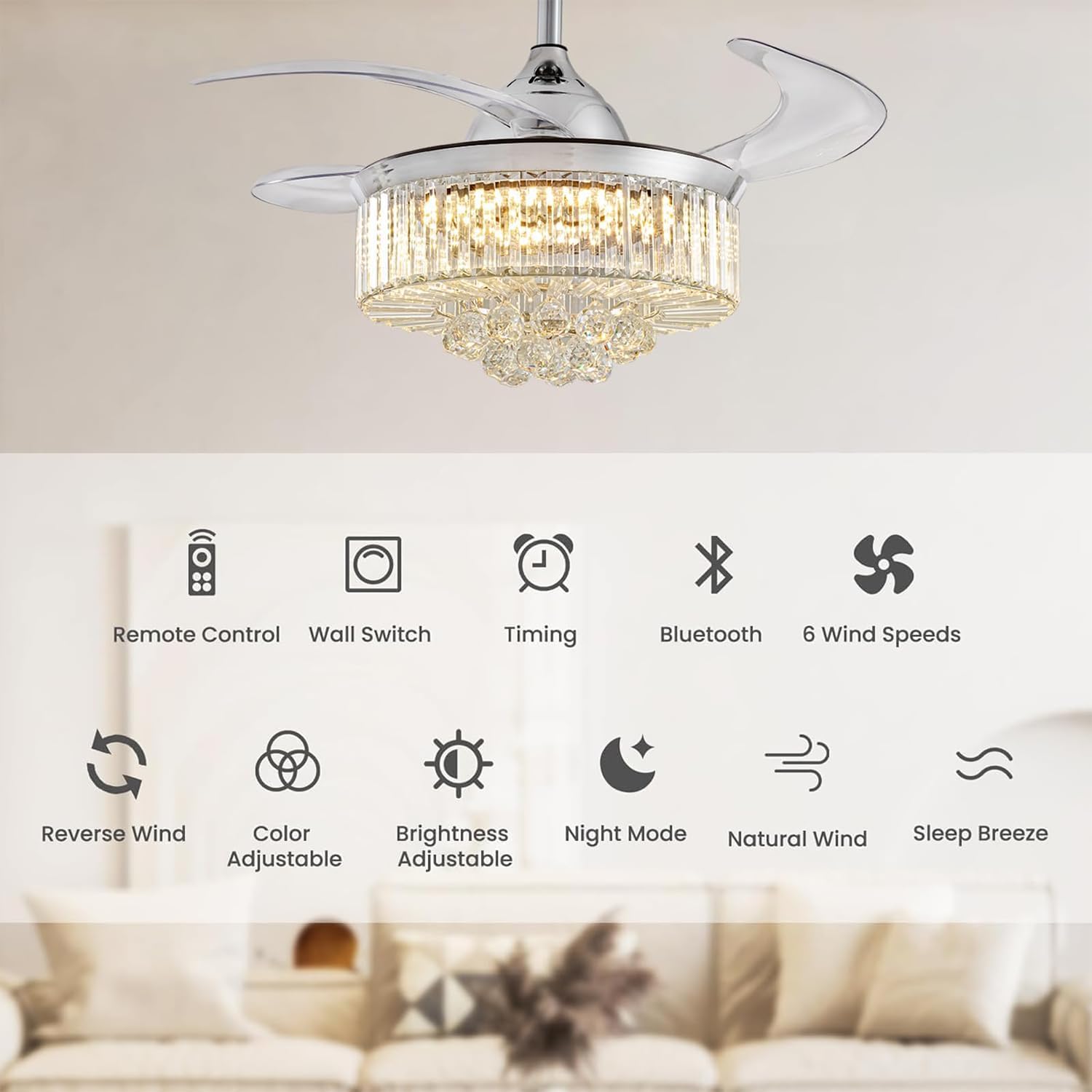
Image: Detailed view of the Moooni Fandelier components.
Video: Unboxing of the Moooni Dimmable Fandelier, showing all included parts and initial setup steps.
3. Setup and Installation
Installation should be performed by a qualified professional. For detailed step-by-step instructions, please refer to the included Installation Manual (PDF) or the digital version available online.
- Mounting: The fan supports downrod mounted installation. Choose between the 5-inch or 10-inch downrod based on your ceiling height and angle.
- Wiring: Connect the fan motor and LED panel wiring according to the provided electrical diagram in the manual.
- Crystal Assembly: Attach the K9 crystal accessories to the lampshade. This step requires careful handling.

Image: Product parameters and mounting options for the Moooni Fandelier.
4. Operating Instructions
The Moooni Fandelier offers versatile control and functionality to enhance your comfort and ambiance.
4.1. Dimmable Fan Light
The integrated 72-watt LED panel features a dimming function and adjustable color temperature. You can change the light from 2700K (Warm white) to 4500K (Day light) and up to 6000K (Cool White).

Image: Demonstrates the adjustable color temperature of the fandelier light.
4.2. Two Function Modes (Forward and Reverse)
The frequency DC silent motor allows for both downdraft (forward) and updraft (reverse) airflow modes, making the fan suitable for all seasons.
- Downdraft Mode (Hot Days): Improves air flow efficiency for cool, refreshing comfort.
- Updraft Mode (Cold Days): Circulates air to trap warm air near the ceiling, promoting comfort.

Image: Reversible function for all seasons.
4.3. Control Methods
Control your fandelier using the included remote control or the mobile application 'Fan Lamp Pro'.
- Remote Control: Features reversible airflow, stepless dimmable light brightness, variable speed, color changing, timing control, and night mode.
- Mobile APP (Fan Lamp Pro): Offers memory function to remember your lighting settings, along with full control over fan and light functions.

Image: Three types of control for the Moooni Fandelier.
Video: Operation of the remote control functions, demonstrating light and fan speed adjustments.
4.4. Retractable Fan Blades
The 4 foldable clear acrylic fan blades extend automatically when the fan is turned on and retract when turned off, transforming the unit from a fan to a chandelier seamlessly.

Image: Retractable fan blades in extended and retracted positions.
4.5. Silent Operation
Equipped with a frequency DC silent motor, the fandelier operates quietly, ensuring a comfortable environment without disruptive noise.
Video: Demonstration of the Moooni Fandelier with lights and fan in operation, highlighting its features.
5. Maintenance
Regular maintenance ensures the longevity and optimal performance of your Moooni Fandelier.
- Cleaning: Use a soft, damp cloth to clean the metal and crystal parts. Do not use abrasive cleaners or solvents.
- Blade Care: Gently wipe the acrylic blades with a soft cloth. Avoid harsh chemicals that could damage the material.
- Periodic Checks: Periodically check all connections and screws to ensure they are secure.
6. Troubleshooting
If you encounter issues with your fandelier, refer to the following common problems and solutions:
| Problem | Possible Cause | Solution |
|---|---|---|
| Fan does not operate. | No power, loose wiring, remote battery low. | Check circuit breaker, ensure all connections are secure, replace remote battery. |
| Light does not turn on. | Loose wiring, LED panel issue, remote battery low. | Check wiring, ensure LED panel is correctly installed, replace remote battery. |
| Fan makes ticking noises. | Loose screws, unbalanced blades. | Tighten all screws, ensure blades are properly balanced. |
| Crystals are broken. | Shipping damage or accidental breakage. | Contact customer service for replacements as per the NO-WORRY AFTER-SERVICES policy. |
For any issues not covered here, or if troubleshooting steps do not resolve the problem, please contact Moooni customer support.
7. Specifications
| Feature | Detail |
|---|---|
| Brand | Moooni |
| Model Name | Ceiling fan (MCFR-001-36) |
| Color | Chrome |
| Material | Crystals, Metal |
| Product Dimensions | 36"L x 20"W x 20.8"H |
| Item Weight | 21 Pounds |
| Light Source Type | LED (72 watts) |
| Voltage | 120 Volts |
| Control Method | Remote Control, Fan Lamp Pro App |
| Special Features | Frequency DC silent motor, Color temperature changes & adjustable, Brightness lumen dimmable, Retractable blades, Reversible blades, promote airflow |
| Assembly Required | Yes |
8. Warranty and Support
The Moooni Dimmable Fandelier comes with a Manufacturer and Seller Combination Warranty.
NO-WORRY AFTER-SERVICES: If you received few broken crystals or have other issues, we will reissue the needed replacements or a refund instead. Please reach us at any time.
For further assistance, please contact Moooni Lighting customer service through your purchase platform or visit the official Moooni Store for more information.
Visit the Moooni Store.
