
1. Introduction
The ULTRA POWER UP200 Duo is a versatile dual-port charger designed for simultaneous charging of two batteries. It supports multiple battery chemistries and offers both AC and DC input options. This manual provides essential information for safe and efficient operation of your charger.
2. Safety Information
Proposition 65 Warning:
This product may contain chemicals known to the State of California to cause cancer and birth defects or other reproductive harm. Always operate the charger in a well-ventilated area and follow all safety guidelines.
- Always connect the charger to a stable power source within the specified voltage range.
- Ensure correct polarity when connecting batteries.
- Never leave charging batteries unattended.
- Use appropriate battery types and settings to prevent damage or fire.
- Keep the charger away from moisture, heat, and flammable materials.
3. Package Contents
Verify that all items are present in your package:
- ULTRA POWER UP200 Duo Charger
- Instruction Manual
- T-plug charge leads (2)
- XH balance boards (2)
4. Product Overview
The UP200 Duo is a dual-port multi-chemistry AC/DC charger. It delivers 200 watts of power with DC input and 100 watts on AC input (shared between channels). Key features include:
- Selectable charge termination voltage
- Adjustable delta-peak for NiCd/NiMH batteries
- Individual cell balancing
- Battery meter function
- Data storage for up to 10 profiles
- USB port for firmware upgrades or charging external devices
Product Views
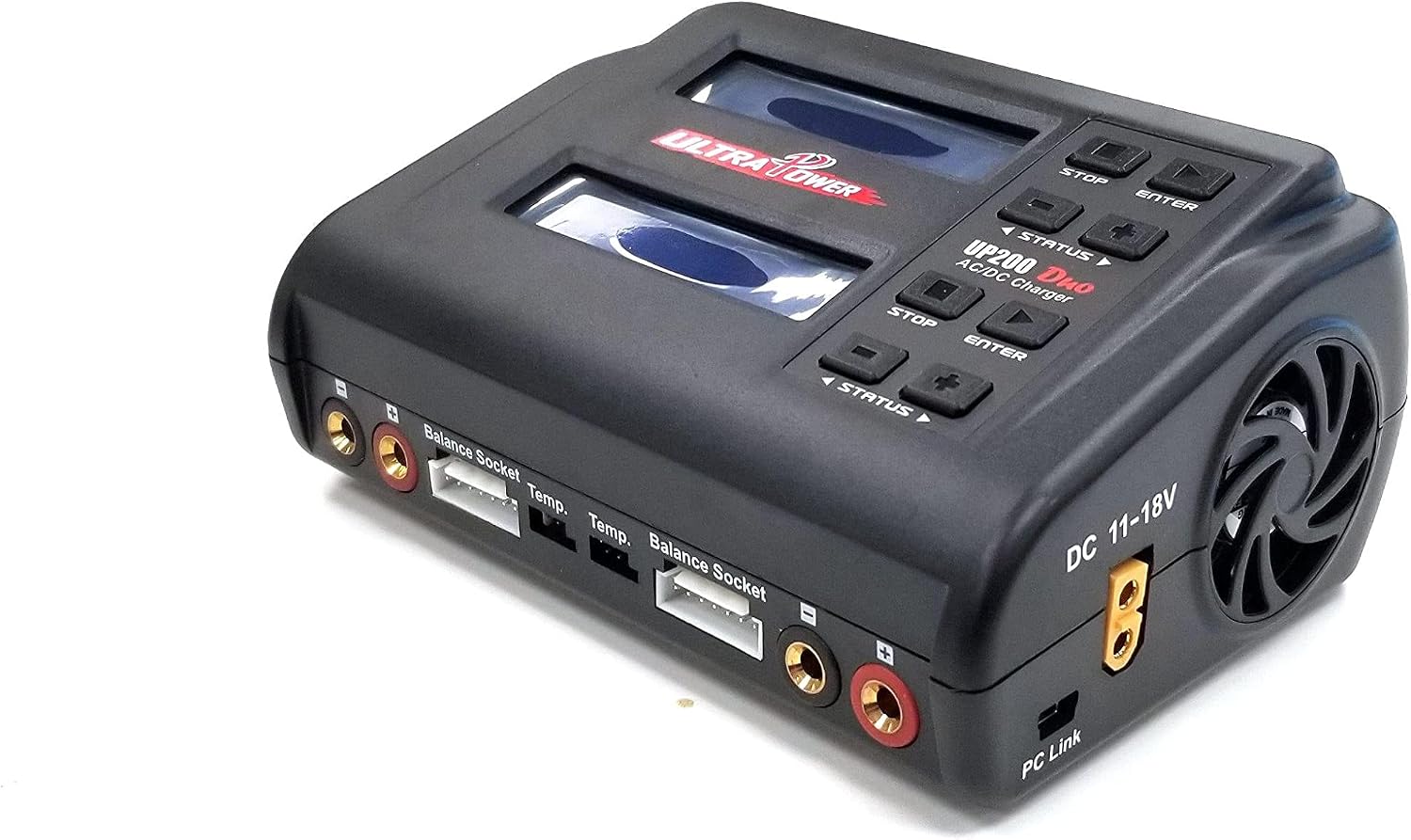
Figure 1: Front view of the ULTRA POWER UP200 Duo charger, showing the dual screens and control buttons.

Figure 2: Rear view of the ULTRA POWER UP200 Duo charger, highlighting the power input and cooling fan.
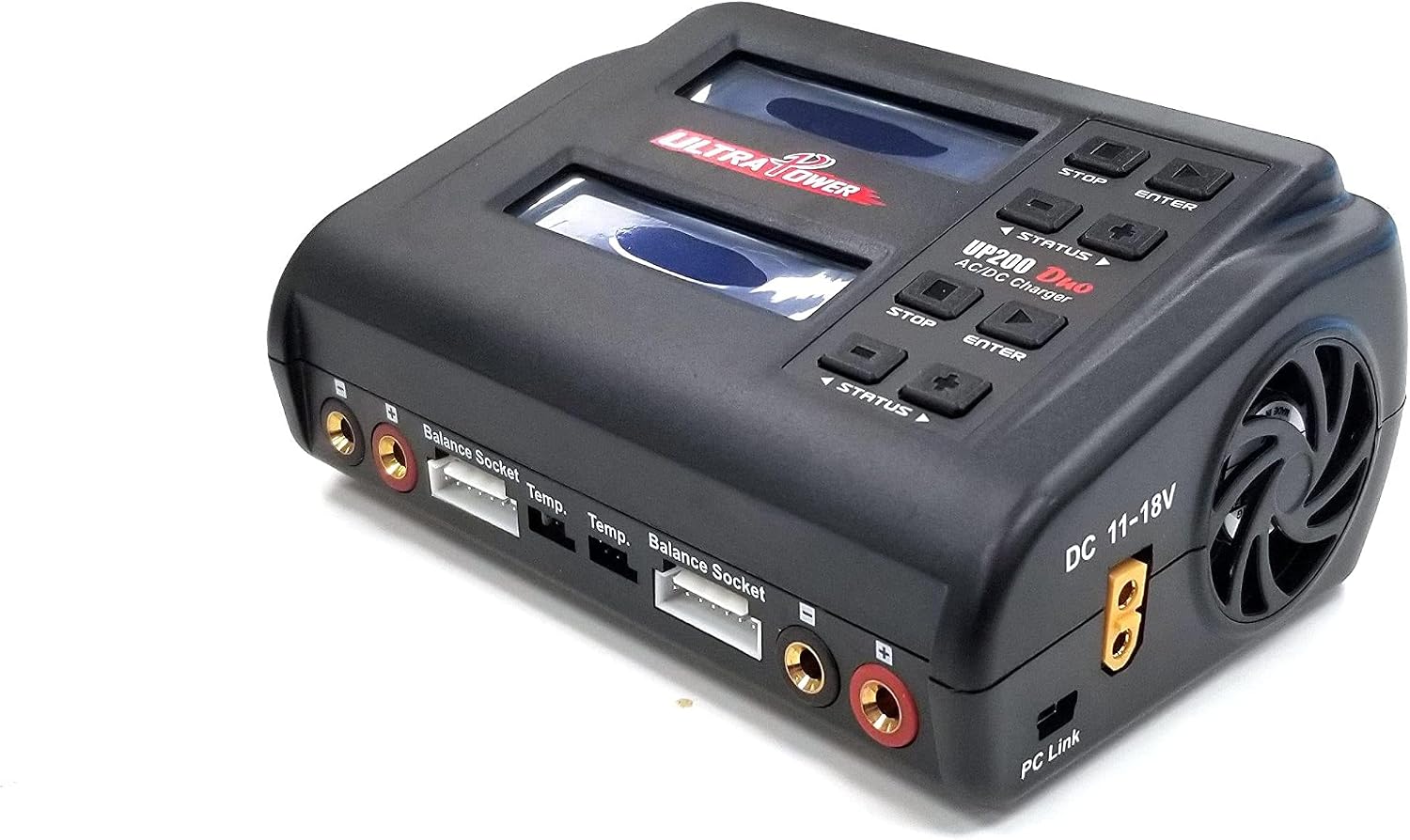
Figure 3: Top view of the charger, displaying the main charging ports, balance sockets, and temperature sensor ports.
5. Setup
Before operating the charger, ensure proper connections and safety precautions.
5.1 Connecting to Power
- Connect the AC power cable to the charger's AC input port on the rear.
- Plug the AC power cable into a suitable wall outlet (100-240V AC).
- Alternatively, for DC input, connect a DC power source (11-18V DC) to the DC input port.
- Turn on the power switch located on the charger. The display will illuminate.
5.2 Connecting Batteries
The charger supports various battery connectors. Use the appropriate charge leads and balance boards provided.
- Connect the main charging lead (e.g., T-plug, XT60) to the corresponding main charging port on the charger.
- Connect the balance lead from your battery to the appropriate balance socket on the charger. Ensure the correct pin configuration (e.g., 2S, 3S, 6S).
- Connect the main charging lead to your battery.
Video 1: Demonstrates connecting a battery to a similar LiPo charger, including main and balance leads, and navigating the menu to start charging. This video also illustrates calculating the charge rate based on battery capacity.
6. Operating Instructions
The UP200 Duo offers multiple charging and testing modes for various battery types.
6.1 General Charging Principles
- Balance Charge: Essential for LiPo or Li-Ion battery packs with multiple cells, ensuring all cells are charged evenly to prolong battery life and safety.
- Fast Charge: Charges batteries more quickly but with potentially lower balancing accuracy compared to Balance Charge mode.
- Storage Charge: Controls the final voltage of the battery to a level suitable for long-term storage, preventing degradation.
- Cyclic Charging & Discharging: A continuous process of charge-discharge or discharge-charge (1 to 5 cycles) used for refreshing and balancing NiMH/NiCd batteries to stimulate their activity.
- Battery IR Test: Measures the internal resistance of the battery to assess its health and performance.
- Battery Status Test: Provides information on the battery's current voltage and capacity.
6.2 Calculating Charge Rate
To determine the appropriate charge rate (in Amperes) for your battery, use the following formula:
Charge Rate (A) = Battery Capacity (mAh) / 1000
For example, a 4000mAh LiPo battery should be charged at a maximum rate of 4.0A (1C). Always refer to your battery's manufacturer specifications for recommended charge rates.
6.3 Selecting Battery Type and Mode
- After powering on, the charger will display the main menu.
- Use the 'Stop/Batt.Type' button to cycle through battery types (LiPo, Li-Ion, LiFe, LiHV, NiCd, NiMH, Pb).
- Once the correct battery type is selected, use the 'Status' buttons (left/right arrows) to navigate through different charging modes (Balance Charge, Fast Charge, Storage, Discharge, Cyclic, Battery IR Test, Battery Status Test).
- Use the '+' and '-' buttons to adjust parameters such as charge current (Amps) and cell count (S).
- Press and hold the 'Enter/Start' button for 2 seconds to initiate the selected task. The charger will perform a battery check before starting.
Video 2: Illustrates the process of selecting battery type, adjusting charge parameters, and initiating a balance charge for a LiPo battery. It also shows fast charge, storage, and discharge modes.
6.4 Dual Channel Operation
The UP200 Duo can charge two batteries simultaneously. Each channel operates independently.
- Connect the first battery to Channel 1's main and balance ports.
- Set the charging parameters for Channel 1 as described in Section 6.3.
- Connect the second battery to Channel 2's main and balance ports.
- Set the charging parameters for Channel 2 independently.
- Start charging for each channel by pressing and holding the respective 'Enter/Start' button.
Video 3: Demonstrates the dual channel charging capability, showing two batteries connected and charging simultaneously on separate channels.
6.5 Data Storage (Load Profiles)
The charger allows you to save and load up to 10 battery profiles for quick setup.
- From the main menu, navigate to the 'Save & Load Profiles' option.
- Select an empty profile slot to save current settings or choose an existing profile to load.
- Follow the on-screen prompts to confirm saving or loading.
7. Maintenance
- Keep the charger clean and free from dust and debris. Use a soft, dry cloth for cleaning.
- Ensure proper ventilation around the charger during operation to prevent overheating.
- Store the charger in a cool, dry place when not in use.
- Regularly inspect cables and connectors for any signs of wear or damage.
8. Troubleshooting
- Charger not powering on: Check AC/DC power connections and ensure the power switch is in the 'ON' position.
- Battery not charging: Verify correct battery type and mode selection. Ensure all connections (main and balance leads) are secure and have correct polarity. Check battery health using the Battery Status Test.
- Error messages on display: Refer to the specific error code in the full manual (if available) or contact customer support.
9. Specifications
| Specification | Value |
|---|---|
| Input Voltage | AC 100-240V, DC 11-18V |
| Charge Power (DC input) | 2x100W |
| Charge Power (AC input) | CH1+CH2=100W |
| Discharge Power | max 2x10W |
| Charge Current | 0.1-10A |
| Discharge Current | 0.1-5A |
| LiPo/Li-ion/LiFe/LiHV Cells | 1-6 |
| NiCd/NiMH Cells | 1-15 |
| Pb Cells | 1-10 |
| Product Dimensions | 4.5 x 9.75 x 3 inches |
| Item Weight | 1.73 pounds |
10. Warranty and Support
The ULTRA POWER UP200 Duo is covered by Ultra Power's unconditional 1-year exchange guarantee. For support or warranty claims, please contact Ultra Power customer service.

