
Hotpoint SA2844HIX
Hotpoint SA2844HIX A+ Rated Built-In Electric Single Oven
Model: SA2844HIX | Brand: Hotpoint
Introduction
This manual provides essential information for the safe and efficient operation of your Hotpoint SA2844HIX Built-In Electric Single Oven. Please read these instructions carefully before installation and use, and keep them for future reference. This appliance is designed for domestic use only.

Image: Front view of the Hotpoint SA2844HIX Built-In Electric Single Oven, showcasing its stainless steel finish and digital display.
Safety Information
Always adhere to basic safety precautions when using electrical appliances to reduce the risk of fire, electric shock, and injury. This oven becomes hot during use. Care should be taken to avoid touching heating elements inside the oven. Keep children away from the appliance.
- Ensure the appliance is properly earthed.
- Do not store flammable materials in or near the oven.
- Always use oven mitts when handling hot items.
- Do not use abrasive cleaners or sharp metal scrapers to clean the oven door glass.
- Disconnect the appliance from the power supply before performing any maintenance or cleaning.
Setup
Unpacking
Carefully remove all packaging materials from the oven. Check for any damage during transit. Retain packaging for future transport if needed.
Installation
The Hotpoint SA2844HIX is a built-in electric single oven. Installation should be performed by a qualified electrician or competent person in accordance with local wiring regulations and building codes. Ensure the cabinet dimensions are suitable for the oven. The appliance requires a dedicated electrical supply.

Image: Side view of the Hotpoint SA2844HIX oven, illustrating its design for seamless integration into kitchen cabinetry.
Initial Cleaning and First Use
Before first use, clean the oven interior and accessories with warm soapy water and dry thoroughly. It is recommended to run the oven empty for approximately 30 minutes at maximum temperature (e.g., 250°C) to burn off any manufacturing residues. Ensure the room is well-ventilated during this process.
Operating
Control Panel Overview
The oven features two rotary knobs for function and temperature selection, along with a digital display and touch controls for timer functions.

Image: Close-up of the left control knob, used for selecting cooking functions, and the digital display showing time.

Image: Close-up of the right control knob, used for setting the oven temperature, and the digital display.
Cooking Functions
Turn the left rotary knob to select the desired cooking function. Available functions include:
- Conventional: Top and bottom heating elements for traditional cooking.
- Fan Assisted: Even heat distribution for multi-level cooking.
- Grill: For grilling and browning.
- Pizza Function: Optimized for baking pizzas with a crispy base.
- Defrost: Gentle defrosting of food.
Setting Temperature
Turn the right rotary knob to set the desired temperature for your selected cooking function. The temperature range is typically from 50°C to 250°C.
Using the Timer
The digital display allows you to set a cooking duration or a minute minder. Refer to the specific icons on the touch panel for setting these functions. The timer beep volume may vary.
Preheating
For best results, preheat the oven to the desired temperature before placing food inside. The oven heats up quickly, typically reaching 200°C in under 9 minutes.
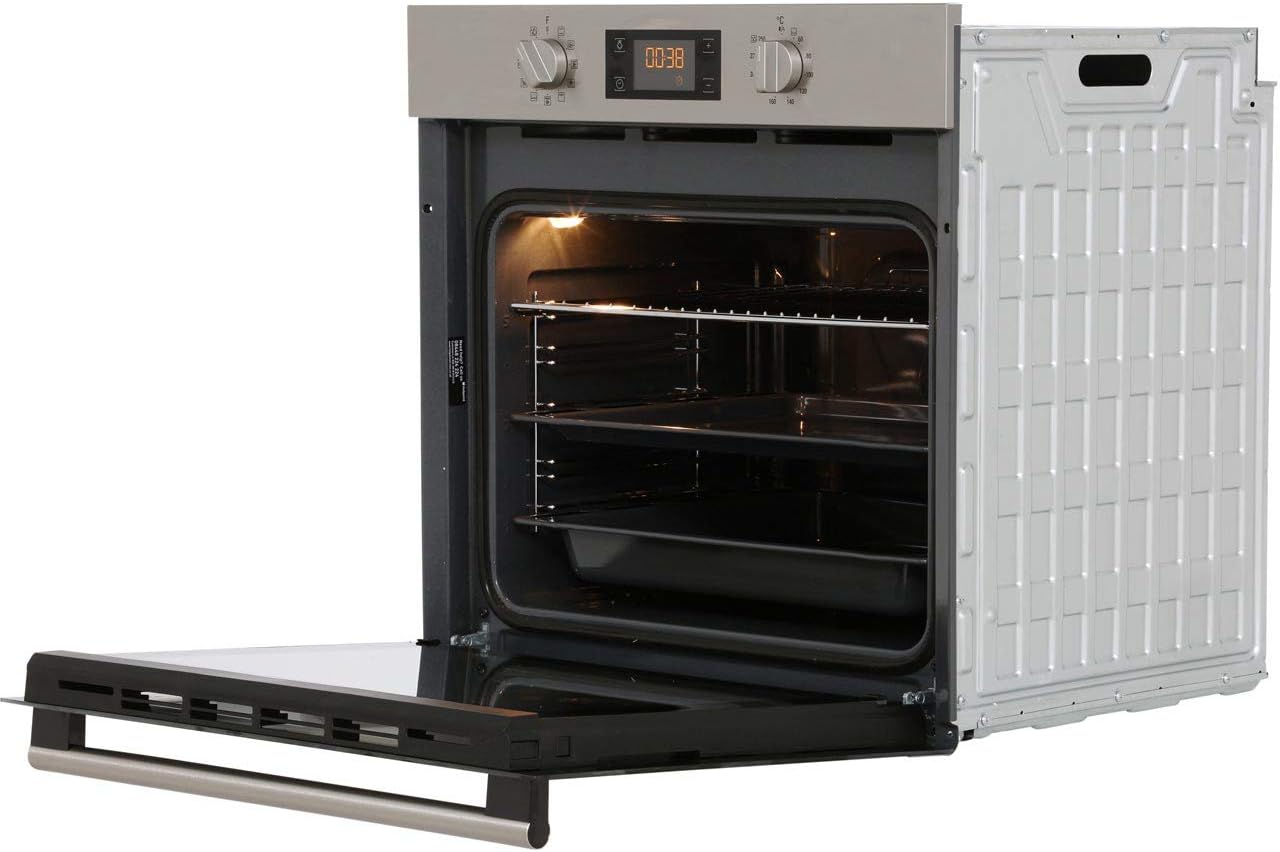
Image: Interior view of the Hotpoint SA2844HIX oven, showing the removable wire racks and baking tray.
Maintenance
Cleaning the Interior
The oven features an enamel interior, which is designed for easy cleaning. Allow the oven to cool completely before cleaning. Use a damp cloth and a mild detergent. For stubborn stains, specialized oven cleaners suitable for enamel surfaces can be used, following the product instructions carefully. Avoid abrasive materials.
Cleaning the Exterior
Clean the exterior stainless steel surfaces with a soft cloth and warm soapy water. Dry thoroughly to prevent water marks. Do not use abrasive cleaners or scouring pads.
Replacing the Oven Light
Ensure the oven is disconnected from the power supply. Unscrew the protective glass cover and replace the bulb with a new one of the same type and wattage (check specifications for details). Replace the glass cover.
Troubleshooting
| Problem | Possible Cause | Solution |
|---|---|---|
| Oven not heating | No power supply; incorrect function/temperature setting; fuse tripped. | Check power connection; verify settings; check household fuse box. |
| Timer beep is too quiet | Fixed volume setting. | This is a characteristic of the appliance. Ensure you are in close proximity or use an external timer. |
| Uneven cooking | Incorrect rack position; door not fully closed; excessive food load. | Adjust rack position; ensure door is sealed; reduce food quantity. |
| Oven light not working | Bulb faulty or loose. | Replace or tighten the oven light bulb. |
Specifications
| Feature | Detail |
|---|---|
| Brand | Hotpoint |
| Model | SA2844HIX_SS |
| Product Dimensions (H x W x D) | 59.5 x 59.5 x 55.1 cm |
| Capacity | 71 litres |
| Energy Efficiency Class | A+ |
| Fuel Type | Electric |
| Installation Type | Built-in |
| Colour | Stainless Steel |
| Number of Racks | 1 (additional racks may be purchased separately) |
| Item Weight | 27 kg |

Image: Diagram illustrating the key dimensions (height, width, depth) of the Hotpoint SA2844HIX oven for installation planning.
Warranty and Support
Your Hotpoint SA2844HIX oven comes with a manufacturer's warranty. Please refer to the warranty card included with your purchase for specific terms and conditions, including the duration and coverage. For technical assistance, spare parts, or to arrange a service visit, please contact Hotpoint customer support. Contact details can typically be found on the Hotpoint official website or in the documentation provided with the appliance.
It is recommended to register your product to activate your warranty and receive important updates.
Related documentsSA2844HIX


Ask a question about this manual
Ask about setup, troubleshooting, compatibility, parts, safety, or missing instructions. Manuals+ will review the question and use this page’s manual context to help answer it.