
1. Introduction
This manual provides essential information for the safe and effective use of your Hangsun Facial Cleansing Brush SC200. Please read these instructions thoroughly before first use and retain them for future reference. The Hangsun SC200 is designed to provide deep facial cleansing and exfoliation, promoting healthier-looking skin.
2. Safety Information
To ensure safe operation, please observe the following precautions:
- Do not use the device on broken, irritated, or severely acne-prone skin.
- Avoid using abrasive cleansers or exfoliants with the brush, as this may cause skin irritation.
- Keep the device out of reach of children.
- Do not disassemble or attempt to repair the device yourself. Contact customer support if issues arise.
- Ensure the charging base is kept dry. Do not immerse the charging base in water.
- The device is IPX67 waterproof and can be used in the shower, but avoid prolonged submersion.
3. Package Contents
Verify that all items are present in your package:
- Hangsun Facial Cleansing Brush SC200 (Main Unit)
- Normal Brush Head (for normal, combination, or oily skin)
- Sensitive Brush Head (specially designed for sensitive skin)
- Body Brush Head (for gentle removal of dead skin cells with exfoliating effect)
- Wireless Induction Charging Stand
- USB Charging Cable
- User Manual

Image: The Hangsun SC200 Facial Cleansing Brush, its wireless charging stand, USB cable, and three brush heads (normal, sensitive, body) displayed alongside the product packaging.
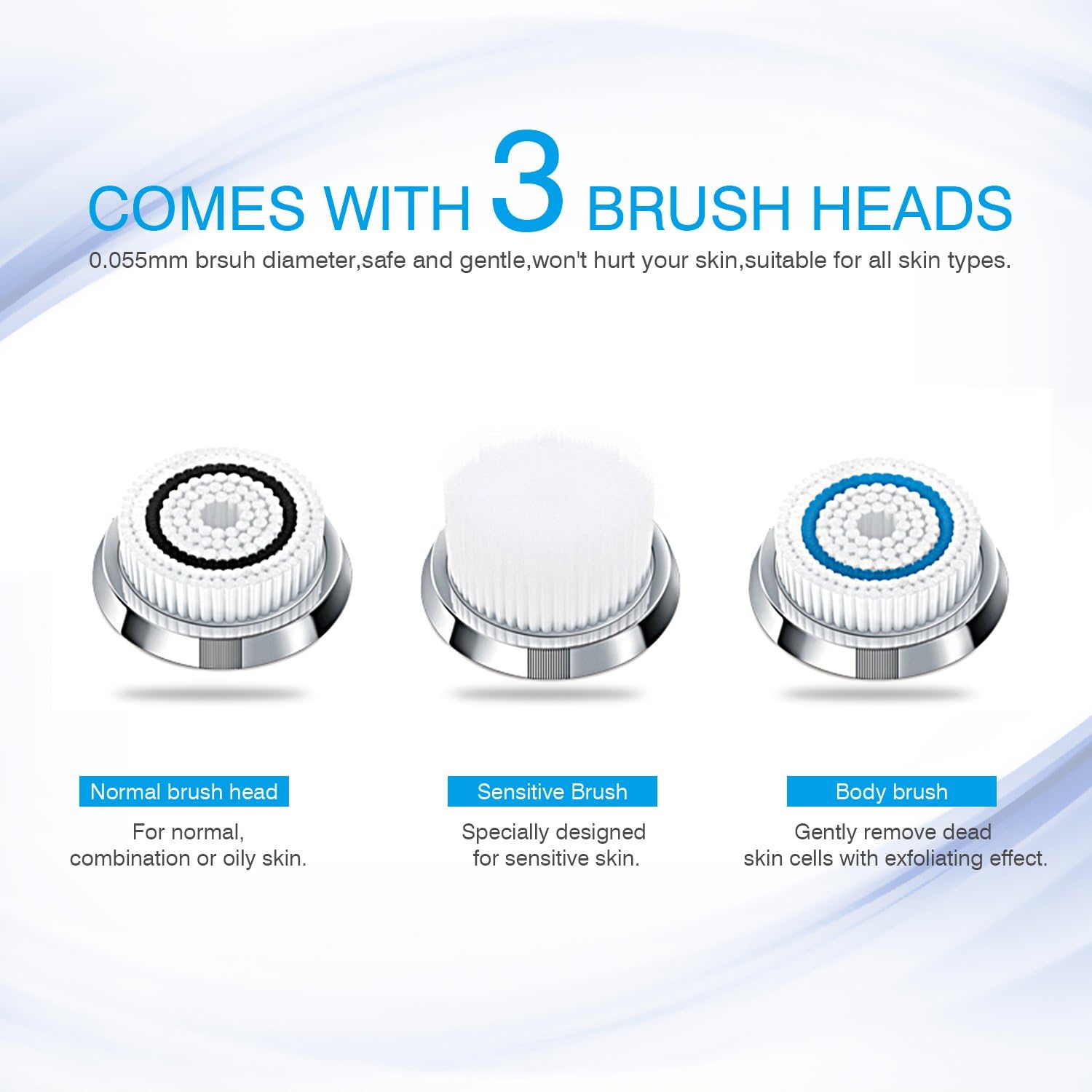
Image: A close-up view of the three interchangeable brush heads included with the Hangsun SC200. From left to right: Normal brush head with black bristles, Sensitive brush head with white bristles, and Body brush head with blue bristles.
4. Product Overview
The Hangsun SC200 utilizes sonic cleansing technology to deliver a deep and effective clean. It features multiple speed settings and a waterproof design for convenient use.

Image: A diagram illustrating key features of the pink Hangsun SC200 device. Features include Sonic cleansing technology, Wireless charging, IPX67 Waterproof rating, over 300 oscillations per second, and 7X better cleansing than hands alone.
5. Charging the Device
Before first use, fully charge the device for approximately 20 hours. Subsequent charges will take less time.
- Connect the USB charging cable to the wireless induction charging stand and a suitable USB power adapter (not included).
- Place the Hangsun SC200 brush unit onto the charging stand. Ensure the device is correctly seated for proper contact.
- The charging indicator light on the device will illuminate to show it is charging.
- Once fully charged, the indicator light may change or turn off, depending on the model.

Image: The pink Hangsun SC200 Facial Cleansing Brush is shown placed on its transparent wireless induction charging stand, with a blue lightning bolt icon indicating the charging process.
6. Setup
Attaching a brush head:
- Select the desired brush head (Normal, Sensitive, or Body).
- Align the brush head with the connector on the main unit.
- Press the brush head firmly onto the connector until it clicks into place.
- To remove, gently pull the brush head away from the main unit.
7. Operating Instructions
Follow these steps for effective facial cleansing:
- Dampen your face and the brush head with water.
- Apply a small amount of your preferred facial cleanser directly to the brush head or your face.
- Press the power button to turn on the device.
- Press the power button repeatedly to cycle through the three speed settings: LOW, MID, HIGH. Select the speed appropriate for your skin type and cleansing needs.
- Gently move the brush in small, circular motions across your face. Avoid pressing too hard.
- The device features a dual-mode timer: 30 seconds for quick cleansing (e.g., T-zone) and 60 seconds for deep cleansing of the entire face. The device will automatically pause or indicate when to move to a different area.
- After cleansing, rinse your face and the brush head thoroughly with water.
- Press and hold the power button to turn off the device.
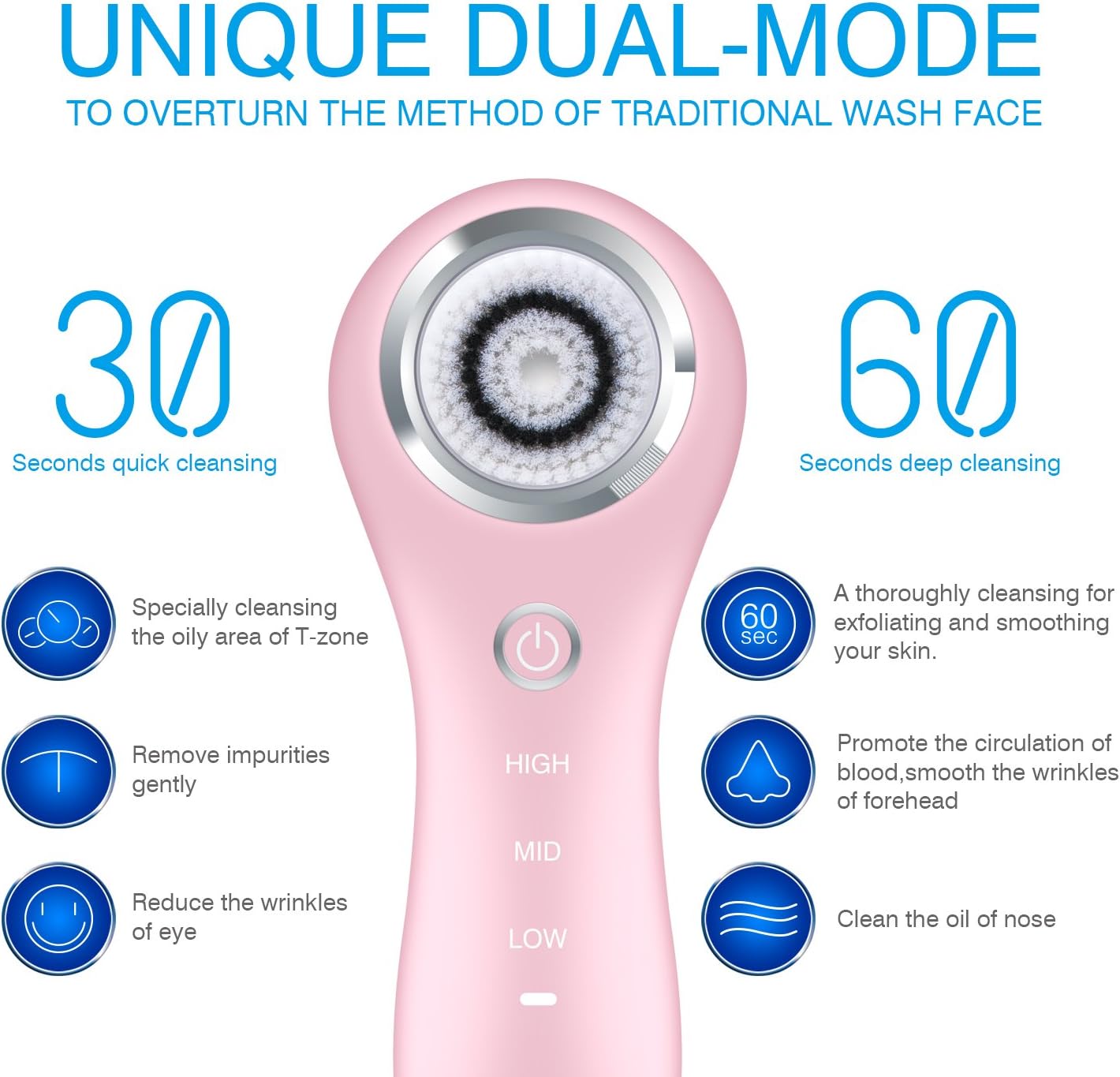
Image: A diagram illustrating the 'Unique Dual-Mode' feature of the Hangsun SC200. It shows 30 seconds for quick cleansing (targeting oily T-zone, removing impurities, reducing eye wrinkles) and 60 seconds for deep cleansing (thorough exfoliation, promoting blood circulation, smoothing forehead wrinkles, cleaning nose oil).
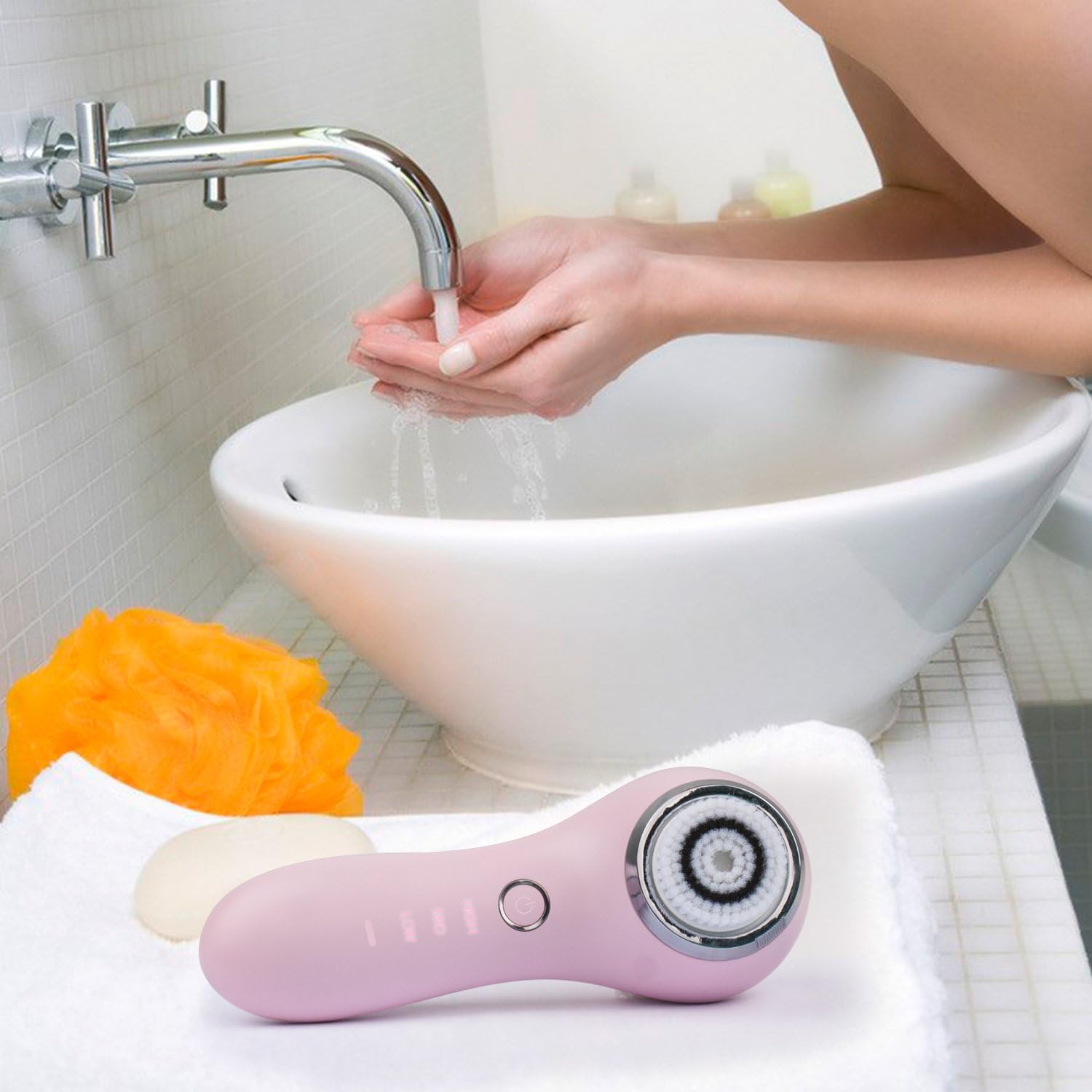
Image: A person's hands are shown washing under a faucet, with the pink Hangsun SC200 Facial Cleansing Brush resting on a white towel next to a sink, indicating its use in a bathroom setting.
8. Maintenance
Proper maintenance ensures the longevity and hygiene of your device.
Cleaning the Device
- After each use, rinse the brush head thoroughly with warm water to remove any cleanser residue.
- You may use a mild soap to clean the brush head if necessary.
- Wipe the main unit with a soft, damp cloth. Do not use harsh chemicals or abrasive cleaners.
- Allow the device and brush heads to air dry completely before storing.
Replacing Brush Heads
For optimal performance and hygiene, it is recommended to replace brush heads every 3 months, or sooner if the bristles appear worn or damaged.
- Gently pull the old brush head off the main unit.
- Align a new brush head with the connector on the main unit.
- Press the new brush head firmly onto the connector until it clicks into place.
9. Troubleshooting
If you encounter issues with your Hangsun SC200, refer to the following common problems and solutions:
| Problem | Possible Cause | Solution |
|---|---|---|
| Device does not turn on | Battery is depleted | Charge the device fully (refer to Section 5). |
| Device does not charge | Improper placement on charging stand | Ensure the device is correctly seated on the wireless charging stand. Check USB cable connection. |
| Brush head does not oscillate effectively | Brush head is worn or damaged | Replace the brush head (refer to Section 8). |
| Skin irritation after use | Using too much pressure or incorrect brush head | Reduce pressure, use a sensitive brush head, or decrease frequency of use. Consult a dermatologist if irritation persists. |
10. Specifications
- Model: SC200
- Brand: HANGSUN
- Power Source: Battery Powered (Rechargeable)
- Waterproof Rating: IPX67
- Dimensions: Approximately 9.9 x 8.7 x 3.7 inches (Package)
- Weight: Approximately 2.3 Pounds (Package)
- Skin Type Compatibility: Combination, Dry, Oily, Sensitive
- Product Care: Wash with Warm Water
11. Warranty and Support
The Hangsun Facial Cleansing Brush SC200 comes with a manufacturer's warranty. Please refer to the warranty card included in your package for specific terms and conditions. For technical support, replacement parts, or any inquiries not covered in this manual, please contact HANGSUN customer service through their official website or the retailer where the product was purchased.