
WORX WG779E.1
WORX WG779E.1 Cordless Lawn Mower User Manual
Model: WG779E.1
Introduction
Thank you for choosing the WORX WG779E.1 Cordless Lawn Mower. This manual provides essential information for the safe and efficient operation, maintenance, and troubleshooting of your lawnmower. Please read this manual thoroughly before first use and keep it for future reference.
The WORX WG779E.1 is a powerful 40V cordless lawnmower designed for lawns up to approximately 460 m². It is powered by two 20V/4.0Ah lithium-ion batteries, offering high capacity and no memory effect. Key features include a 34 cm cutting width, central cutting height adjustment (20-70 mm), and Intellicut™ electronics for optimized performance.
Important Safety Instructions
Always follow basic safety precautions when using electrical appliances to reduce the risk of fire, electric shock, and personal injury. Read all instructions before operating this product.
- Always wear appropriate personal protective equipment, including safety glasses, sturdy footwear, and hearing protection.
- Keep children and bystanders away from the operating area.
- Inspect the area to be mowed and remove any objects that could be thrown by the blade.
- Do not operate the mower in wet grass or rain.
- Ensure the battery pack is securely inserted before operation and removed before cleaning or maintenance.
- Never lift or carry the mower while the motor is running.
- Use only WORX recommended batteries and chargers.
Product Components
Familiarize yourself with the main components of your WORX WG779E.1 lawnmower.

Image: Front view of the WORX WG779E.1 Cordless Lawn Mower, showing the main body, handle, wheels, and grass collection bag. This image provides an overview of the complete assembled product.
- Handle Assembly: Ergonomic handle for comfortable operation.
- Motor Housing: Contains the motor and battery compartments.
- Cutting Deck: Houses the cutting blade.
- Grass Collection Bag: Detachable bag for collecting mowed grass. Features an indicator for fullness.
- Wheels: For mobility.
- Battery Compartment: Holds two 20V/4.0Ah batteries.
- Cutting Height Adjustment Lever: For adjusting the cutting height.
Setup and Assembly
Follow these steps to assemble your lawnmower before first use.
- Handle Assembly: Attach the lower and upper handle sections to the main unit using the provided fasteners. Ensure all connections are secure.
- Grass Collection Bag Assembly: Assemble the grass collection bag if it came disassembled. Attach it to the rear of the mower.
- Battery Charging: Fully charge both 20V/4.0Ah batteries using the included quick charger. The charger will indicate when charging is complete (approximately 120 minutes).
- Battery Insertion: Open the battery compartment cover and insert both charged batteries firmly until they click into place. Ensure the battery level indicator is visible.

Image: Front view of the WORX WG779E.1 lawn mower, highlighting its compact design. This view is useful for understanding the overall footprint and maneuverability of the mower during setup.
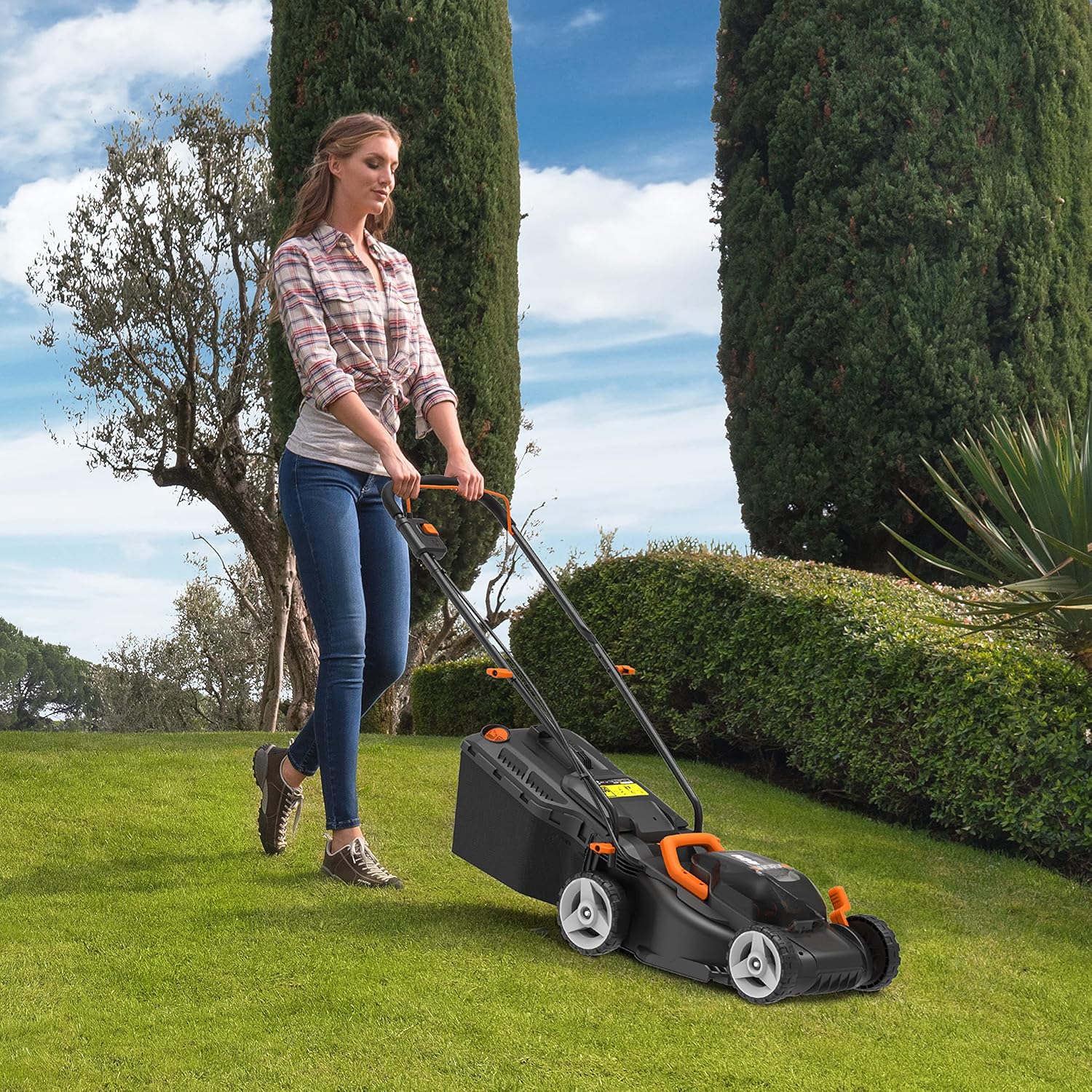
Image: Diagram showing the 30L grass collection bag and the 6-level cutting height adjustment (20-70 mm) on the WORX WG779E.1. This image illustrates key features related to grass collection and cutting precision.
Operating Instructions
Learn how to operate your WORX WG779E.1 lawnmower effectively.
- Adjust Cutting Height: Use the central cutting height adjustment lever to select your desired grass length (20-70 mm).
- Start the Mower: Insert the safety key. Press and hold the safety button, then pull the bail lever towards the handle. Release the safety button once the motor starts.
- Intellicut™ Function: The WG779E.1 features Intellicut™ electronics.
- TURBO Mode: For higher or denser grass, providing increased power.
- QUIET Mode: For lighter mowing conditions, offering quieter and more efficient operation.
- Mowing Technique: Push the mower forward in overlapping rows. For best results, mow when the grass is dry.
- Grass Collection Bag Indicator: Monitor the indicator on the grass collection bag. Empty the bag when it is full to maintain optimal performance.
- Stopping the Mower: Release the bail lever to stop the motor. Remove the safety key when not in use or before performing any maintenance.

Image: A person operating the WORX WG779E.1 lawn mower on a green lawn. This image demonstrates the typical use of the product in a garden setting.

Image: Diagram illustrating the Intellicut™ feature of the WORX WG779E.1, showing how torque adjusts for different grass conditions (ECO, Standard, TURBO). This visual explains the intelligent power delivery system.
Maintenance
Regular maintenance ensures the longevity and optimal performance of your lawnmower.
- Cleaning: After each use, disconnect the battery and clean the mower deck and grass collection bag. Use a brush or cloth; do not use water directly on electrical components.
- Blade Inspection: Regularly inspect the cutting blade for sharpness and damage. A dull or damaged blade can affect cutting performance. Replace if necessary.
- Battery Care: Store batteries in a cool, dry place. Do not expose them to extreme temperatures. Charge batteries fully before long-term storage.
- Storage: Store the lawnmower in a dry, secure location, away from children. The handle can be folded for compact storage.
Troubleshooting
This section addresses common issues you might encounter with your WORX WG779E.1 lawnmower.
| Problem | Possible Cause | Solution |
|---|---|---|
| Mower does not start. |
|
|
| Poor cutting performance. |
|
|
| Mower stops during operation. |
|
|
Specifications
Technical specifications for the WORX WG779E.1 Cordless Lawn Mower.
- Model: WG779E.1
- Power Source: Battery Powered (2 x 20V = 40V)
- Battery Capacity: 2 x 4.0Ah Lithium-Ion
- Cutting Width: 34 cm (13.4 inches)
- Cutting Height Adjustment: Central, 20-70 mm (0.79-2.76 inches), 6 positions
- Recommended Lawn Area: Up to approx. 460 m²
- Grass Collection Bag Capacity: 30 Liters
- Weight: 15.7 kg (34.5 pounds)
- Dimensions (D x W x H): 14.57"D x 49.88"W x 37.4"H
- Features: Intellicut™ electronics, Powershare™ battery compatibility, Catch basket indicator, Battery level indicator.
Warranty and Support
For warranty information and customer support, please refer to the official WORX website or contact your local dealer. Keep your proof of purchase for warranty claims.
WORX offers a standard warranty on its products. Specific terms and conditions may vary by region. For detailed information, visit the WORX Official Store or contact their customer service.
Ask a question about this manual
Ask about setup, troubleshooting, compatibility, parts, safety, or missing instructions. Manuals+ will review the question and use this page’s manual context to help answer it.