1. Product Overview
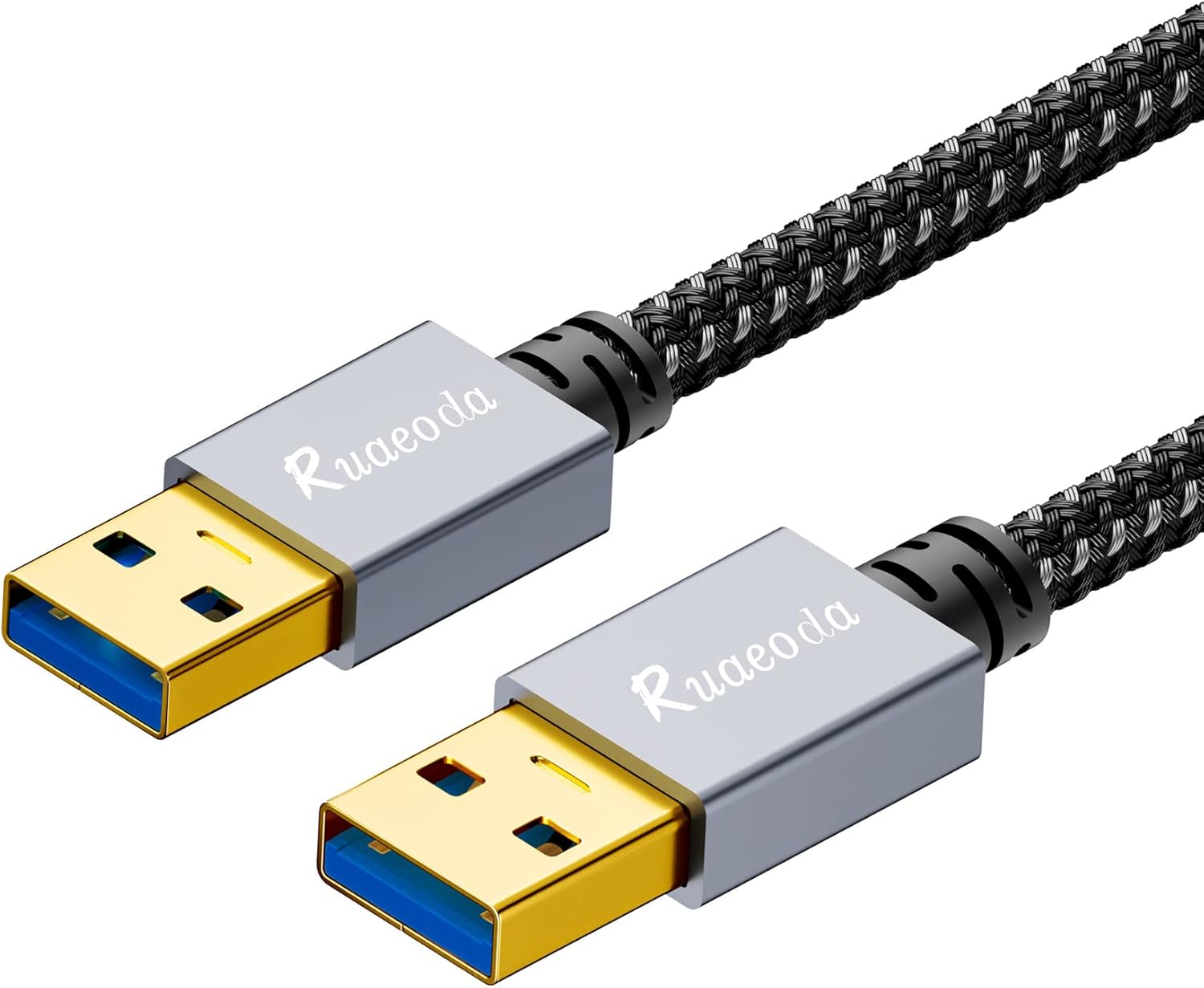
The Ruaeoda USB 3.0 Male to Male Type A Data Cable is designed for high-speed data transfer between compatible devices. This 1.5 ft cable features USB 3.0 SuperSpeed capabilities, offering data transfer rates up to 5 Gbps, which is significantly faster than USB 2.0. It is also backward compatible with USB 2.0 and USB 1.1 ports, ensuring versatility across a wide range of devices.
Constructed with a durable braided shield and aluminum alloy connectors, this cable is built for longevity and optimal signal clarity, minimizing interference. It is suitable for connecting various peripherals such as external hard drives, laptops, DVD players, TVs, USB 3.0 hubs, and monitors.
2. Setup and Connection
This USB 3.0 Male to Male cable is designed for plug-and-play functionality, requiring no additional drivers for most operating systems. Follow these steps to connect your devices:
- Identify the USB 3.0 Type A ports on your source device (e.g., computer, laptop) and your peripheral device (e.g., external hard drive, USB hub, monitor). USB 3.0 ports are typically identified by a blue interior.
- Gently insert one end of the Ruaeoda USB 3.0 cable into the USB 3.0 Type A port of your source device.
- Insert the other end of the cable into the corresponding USB 3.0 Type A port of your peripheral device.
- Ensure both connections are firm and secure.
Important Note: This cable does not support direct data transmission between two computers or laptops. It is intended for connecting a peripheral device to a host device.

3. Operating Instructions
Once connected, the Ruaeoda USB 3.0 cable facilitates data transfer and power delivery between your devices.
3.1 Data Transfer
- SuperSpeed USB 3.0: When connected to USB 3.0 compatible ports on both devices, the cable supports data transfer speeds up to 5 Gigabits per second (Gbps). This allows for rapid transfer of large files, such as videos and high-resolution images.
- Backward Compatibility: The cable is fully backward compatible with USB 2.0 and USB 1.1 ports. If connected to a USB 2.0 port, data transfer will occur at USB 2.0 standard speeds (up to 480 Mbps).

3.2 Device Compatibility
The cable is compatible with a wide array of devices that feature a USB 3.0 Type A port, including but not limited to:
- External Hard Drives (HDD/SSD Enclosures)
- Laptops and Desktop Computers
- USB 3.0 Hubs
- Monitors with USB A ports
- DVD Players
- TVs
- Cameras and Webcams
- Laptop Cooling Pads/Radiators
- Set-Top Boxes
- Car Bluetooth Speakers


4. Maintenance and Care
To ensure the longevity and optimal performance of your Ruaeoda USB 3.0 cable, follow these maintenance guidelines:
- Handling: Always grasp the connector head when plugging or unplugging the cable. Avoid pulling directly on the cable itself, as this can damage the internal wires or connectors.
- Cleaning: If the cable or connectors become dirty, gently wipe them with a dry, soft cloth. Avoid using harsh chemicals or abrasive materials.
- Storage: Store the cable in a cool, dry place away from direct sunlight and extreme temperatures. Avoid tightly coiling or bending the cable at sharp angles, which can stress the internal components.
- Durability Features: The cable features a braided shield and aluminum alloy connectors for enhanced durability and corrosion resistance. Multiple layers of shielding help minimize interference, contributing to a longer service life.
- Water Resistance: The braided outer jacket offers some water resistance. However, it is crucial to avoid immersing the connectors in water to prevent damage.


5. Troubleshooting
If you encounter issues with your Ruaeoda USB 3.0 cable, consider the following troubleshooting steps:
- No Device Detection:
- Ensure both ends of the cable are securely plugged into the correct ports on your devices.
- Try connecting the cable to different USB ports on your host device.
- Test the cable with another compatible device to rule out an issue with the cable itself.
- Verify that the peripheral device is powered on and functioning correctly.
- Slow Data Transfer Speed:
- Confirm that both the host device and the peripheral device support USB 3.0. If either device uses a USB 2.0 port, the transfer speed will be limited to USB 2.0 standards.
- Ensure that no other high-bandwidth operations are running simultaneously on your computer.
- Avoid using excessively long extension cables, which can sometimes degrade signal quality.
- Intermittent Connection:
- Check for any physical damage to the cable or connectors.
- Ensure the cable is not bent or kinked sharply, which can cause internal damage.
- Try restarting both connected devices.
- Cable Does Not Support Direct PC-to-PC Connection:
- As stated in the setup section, this cable is not designed for connecting two computers directly for data transfer. For such purposes, specialized data transfer cables or network connections are required.
6. Specifications
| Brand | Ruaeoda |
| Model Number | rR15 |
| ASIN | B0B3TQGTLS |
| UPC | 733277838679 |
| Cable Type | USB |
| Connector Type | USB Type A |
| Connector Gender | Male-to-Male |
| Cable Length | 1.5 ft (approximately 0.46 meters) |
| Data Transfer Rate | Up to 5 Gigabits Per Second (USB 3.0 SuperSpeed) |
| Backward Compatibility | USB 2.0, USB 1.1 |
| Special Feature | High Speed, Durable Braided Design, Corrosion-Resistant Connectors |
| Item Weight | 0.634 ounces (approximately 0.02 kg) |
| Compliance | UL Certified |
7. Warranty and Support
7.1 Warranty Information
Ruaeoda products typically come with a limited manufacturer's warranty. For specific details regarding the warranty period and coverage for your USB 3.0 Male to Male Type A Data Cable, please refer to the product packaging or visit the official Ruaeoda website. Keep your proof of purchase for warranty claims.
7.2 Customer Support
For technical assistance, troubleshooting, or any inquiries regarding your Ruaeoda product, please contact Ruaeoda customer support through their official website or the contact information provided with your product packaging.