Introduction
Thank you for choosing the SmartHeart Digital WeightScale, Model 19-101. This manual provides essential information for the safe and effective use of your new digital weight scale. Please read this manual thoroughly before operation and retain it for future reference. The SmartHeart Digital WeightScale is designed for reliable and accurate body weight measurements in the comfort of your home.

Image: The SmartHeart Digital WeightScale, featuring a clear digital display showing a weight of 126.0 lbs. The scale has a sleek, minimalist design with a light blue tempered glass platform.

Image: The complete package contents of the SmartHeart Digital WeightScale, including the scale itself, its retail packaging, and two AAA batteries, indicating it's ready for use out of the box.
Safety Information
Please read and observe all precautions to prevent personal injury or equipment damage.
- Do not use the scale on slippery surfaces such as certain tiles or laminates.
- Ensure your feet are completely dry before using the scale. Do not use with wet feet.
- Avoid using the scale near electronic devices that emit strong electromagnetic fields, such as cell phones or microwave ovens.
- Do not drop the scale, as this may cause damage to the device or personal injury.
- Keep the scale out of the reach of infants, children, or incapacitated persons to prevent misuse or injury.
Legal Disclaimer: Actual product packaging and materials may contain more and different information than what is shown on our website. We recommend that you do not rely solely on the information presented and that you always read labels, warnings, and directions before using or consuming a product.
Setup
- Battery Installation: The SmartHeart Digital WeightScale requires 2 AAA batteries. These batteries are typically pre-installed with a protective plastic tab. Gently pull and remove this tab from the battery compartment located on the underside of the scale.
- Placement: For accurate readings, place the scale on a hard, flat, and stable surface. Avoid using the scale on carpets, rugs, or uneven flooring, as this can lead to inaccurate measurements.
- Unit Selection: The scale offers three modes of weighing: pounds (Lb.), kilograms (Kg), and stone (St). To change the measurement unit, locate the unit selection button on the underside of the scale, next to the battery compartment. Press this button to cycle through the available units until your desired unit is displayed.

Image: The SmartHeart Digital WeightScale highlighting its dimensions of 11.75 inches by 11.75 inches, emphasizing its compact and square design with a tempered glass platform.
Operating Instructions
- Power On: The SmartHeart Digital WeightScale features an auto-on sensor. Simply step onto the center of the scale to activate it. There is no need to tap or press any buttons to turn it on.
- Taking a Measurement: Once activated, stand still on the scale with your weight evenly distributed. The display will show your weight measurement. Remain still until the reading stabilizes and locks.
- Measurement Modes: The scale can display weight in pounds (Lb.), kilograms (Kg), or stone (St). Ensure the desired unit is selected as described in the 'Setup' section.
- Automatic Shut-off: The scale will automatically turn off after a few seconds of inactivity to conserve battery life.
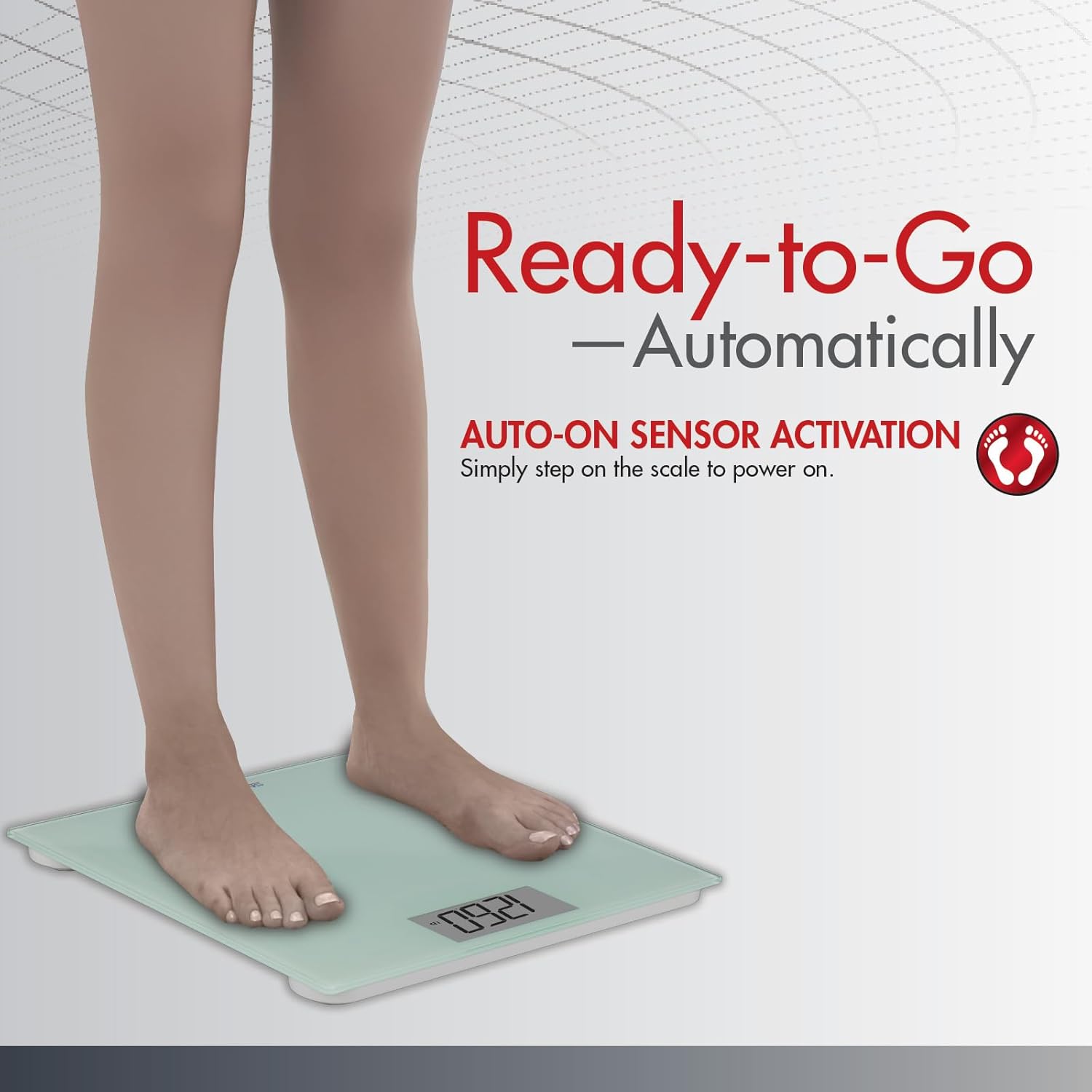
Image: A person's feet stepping onto the SmartHeart Digital WeightScale, demonstrating the auto-on sensor activation feature. The scale is ready to provide a reading as soon as weight is applied.

Image: The SmartHeart Digital WeightScale illustrating its capability to display measurements in three different units: pounds (LB), kilograms (KG), and stone (ST), providing flexibility for user preference.
Maintenance
- Cleaning: To clean the scale, wipe the surface with a soft, damp cloth. Do not use abrasive cleaners or immerse the scale in water.
- Battery Replacement: When the display shows a low battery indicator or fails to turn on, replace both AAA batteries with new ones. Ensure correct polarity when inserting the batteries.
- Storage: Store the scale in a cool, dry place away from direct sunlight and extreme temperatures.
Troubleshooting
| Problem | Possible Cause | Solution |
|---|---|---|
| Inaccurate or inconsistent readings | Scale is on an uneven or soft surface (e.g., carpet); user movement during measurement. | Place the scale on a hard, flat, and stable surface. Stand still and centered on the scale during measurement. |
| No display or scale does not turn on | Batteries are low or depleted; protective plastic tab not removed. | Replace batteries with new AAA batteries. Ensure the protective plastic tab has been completely removed from the battery compartment. |
| Display shows "Lo" | Low battery power. | Replace both AAA batteries. |
| Display shows "Err" | Weight exceeds maximum capacity; scale malfunction. | Ensure weight is within the 438 lb (200 kg) limit. If the issue persists, contact customer support. |
Specifications
- Brand: SmartHeart
- Model Number: 19-101
- Manufacturer: Veridian
- Product Dimensions: 34.29 x 5.08 x 33.81 cm (13.5 x 2 x 13.3 inches)
- Product Weight: Approximately 453.59 g (1 lb)
- Weight Limit: 438 Pounds (approximately 200 kg)
- Power Source: 2 x AAA batteries (required)
- Special Feature: Backlit Display
- Platform Material: Tempered Glass
- Measurement Modes: Pounds (Lb.), Kilograms (Kg), Stone (St)
Warranty and Support
Specific warranty information for the SmartHeart Digital WeightScale, Model 19-101, is not provided within this manual. For details regarding warranty coverage, terms, and conditions, please refer to the documentation included with your purchase or contact the manufacturer, Veridian, directly through their official website or customer service channels.
For technical support, troubleshooting assistance beyond what is covered in this manual, or inquiries about replacement parts, please reach out to the manufacturer's customer support. Contact information can typically be found on the product packaging or the manufacturer's official website.


